
Nowsonic Phonix Manual
PDF manual · 33 Pages
English



Quick check
Incorrect answer, please try again.
Chat with your Nowsonic Phonix manual using AI
Get instant AI answers from your Nowsonic Phonix manual
Ask anything about the Nowsonic Phonix. Answers come from this manual, with the pages they are based on.
Ask a Question
Do you recommend Phonix?
Yes NoFrequently Asked Questions
It is ideal for digitizing records, tapes, and other analog audio sources, as well as basic home studio recording and DJ playback. Its USB connection makes it practical for sending audio into a computer quickly.
Is this answer helpful?
No. It uses standard USB audio support on compatible Windows and Mac systems, so setup is generally simple and quick. That makes it convenient for users who want to start recording without complex software installation.
Is this answer helpful?
Yes. It has a phono input for turntables and a line input for devices like tape decks, DVD players, and some instruments. The front panel lets you switch between the two sources easily.
Is this answer helpful?
Watch the clip LED and lower the input gain until peaks stay under control. It also helps to check the level meters inside your recording software so the signal stays strong without distortion.
Is this answer helpful?
Yes. It includes a front headphone output with its own monitor level control for direct listening. This is useful when tracking audio or checking recordings without using external speakers.
Is this answer helpful?
Any compatible recording or playback software should work. It also works with common built-in audio tools on Windows and Mac, making it flexible for archiving, editing, and simple music production tasks.
Is this answer helpful?
Advantages and Disadvantages
Advantages

- Easy USB audio setup with no extra driver installation on supported Windows and Mac systems.
- Works with both phono and line sources, so it fits turntables, tapes, and other audio gear.
- Built-in low-noise RIAA preamp supports accurate vinyl transfer and cleaner recordings.
- Front-panel gain, mix, and headphone controls make monitoring and level matching simple.
- Can run on the included adapter or USB bus power for flexible desktop or portable use.
Disadvantages

- 16-bit conversion may be limiting for users who want higher-resolution recording.
- USB cable is not included, so an extra accessory is needed for setup.
- PHONO mode is not suitable for standard line sources.
- Rear line outputs are fixed level and cannot be adjusted with the monitor knob.
- Best results still depend on external recording software, which is not included.
Product Specification
Interface
USB
Input Channels
2
Output Channels
2
Mic Preamps
no
Analog Inputs
1x Phono/Stereo Line In (RCA)
Analog Outputs
1x Stereo Line Out (RCA)
Digital Inputs
no
Digital Outputs
no
AD/DA Converter
16bit/48kHz
Dimensions
4.45x2.87x1.57in (WxHxD)
Product Description
Nowsonic Phoenix: A Compact Bridge Between Analog and Digital
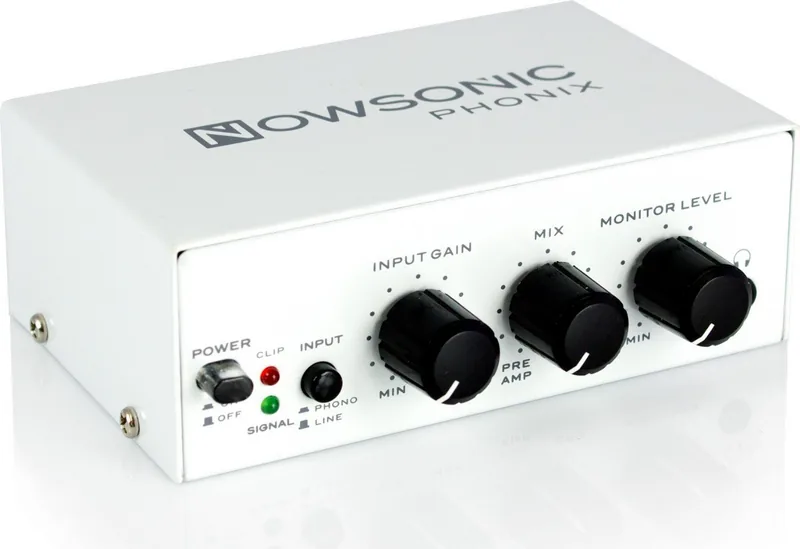
The Nowsonic Phoenix is a compact two-channel audio interface and preamp designed for people who still love vinyl, tapes, and line-level gear but want an easy path into recording on a computer. If you are looking for the Nowsonic Phoenix Manual, the big takeaway is that this unit focuses on straightforward analog-to-digital conversion through USB, with minimal setup and no separate driver installation on supported systems.
At its core, Phoenix combines a low-noise phono stage with a flexible line input, so it can handle a turntable with a moving magnet cartridge, a cassette deck, a DVD player, or even musical instruments. That makes it useful for home studios, DJ setups, and archiving projects where old recordings need a fresh digital life. The built-in RIAA equalization gives turntables the right tonal curve, while the line option keeps the device versatile for everyday audio work.
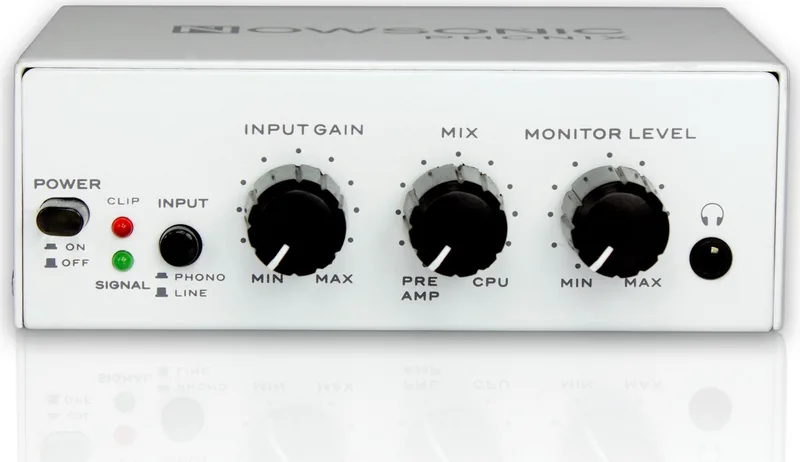
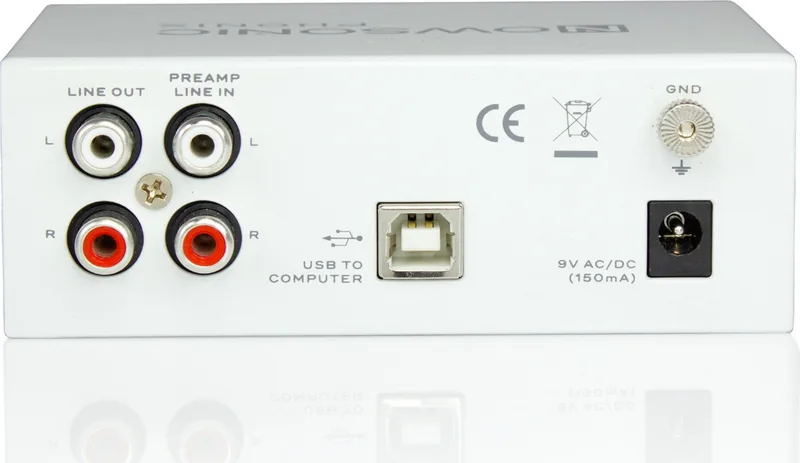
One of the strongest parts of the design is its front-panel control layout. You can switch between phono and line input, adjust input gain, watch signal and clip LEDs, and set headphone monitoring level without digging through menus. The MIX control is especially handy because it blends live input with computer playback, making it easier to monitor, cue, or record with confidence. On the rear, the RCA line outputs send audio to a stereo amp, recorder, or powered monitors at a fixed level.
Power and connectivity are just as practical. Phoenix can run from the included adapter or directly from USB bus power, which keeps desktop setups tidy and portable. The shielded enclosure helps reduce interference, and its compact size makes it easy to place beside a laptop, mixer, or turntable. For users restoring old media or feeding computer audio back into an analog chain, that balance of simplicity and utility is a major advantage.
From a technical point of view, it offers 16-bit conversion at 44.1 or 48 kHz, a 10 Hz to 20 kHz frequency response, and a solid signal-to-noise ratio. It is not a flashy studio centerpiece, but it is a dependable tool for clean transfers, demo recording, and casual production. For creators who want an efficient way to capture analog sound, the Phoenix delivers exactly what matters most.
Notes
- Use PHONO only with turntables.
- Lower the input gain if the clip light flashes too often.
- A USB 2.0 cable is needed for computer connection.
- Best results come from monitoring levels in your recording software.
Search for 67,732 Manuals online


Type-in Brand or Model
rfischer13
10 months ago
Will this USB audio device work with Windows 10, Audacity, and Philips tape decks? Mine showed up with a strange driver and the device would not work until I changed it.
Manual.ly
10 months ago
Yes, it should work well for digitizing from Philips tape machines and recording in tools like Audacity. If Windows 10 installs the wrong USB driver (for example, a generic USB stub), the device may not function properly. In Device Manager, check the device entry and update/replace the driver so it uses the correct USB composite driver (often shown as "USB Composite Device"). After switching to the correct driver, the connection should stabilize and recording in Audacity should work normally. If you still see no audio, also verify the selected input device inside Audacity (USB audio interface) and test a short recording.