
Novus LiftTEC Arm II Manual
PDF manual · 4 Pages
English



Quick check
Incorrect answer, please try again.
Chat with your Novus LiftTEC Arm II manual using AI
Get instant AI answers from your Novus LiftTEC Arm II manual
Ask anything about the Novus LiftTEC Arm II. Answers come from this manual, with the pages they are based on.
Ask a Question
Do you recommend LiftTEC Arm II?
Yes NoFrequently Asked Questions
The system handles maximum loads effectively with different configurations supporting up to 8 kg or up to 15 kg depending on the specific adapter chosen.
Is this answer helpful?
Yes, the system includes multiple adapter options such as a Table Mount, Wall Bracket, and SlatWall Adapter allowing users to customize their workspace setup.
Is this answer helpful?
The technical specifications indicate support for screen thicknesses ranging from 5 to 45 mm and 12 to 80 mm depending on the specific configuration chosen.
Is this answer helpful?
This capacity makes it suitable for standard business monitors as well as larger screens used in creative industries due to its 15 kg support options.
Is this answer helpful?
Yes, allowing vertical movement helps users maintain proper posture and achieve their ideal viewing angle quickly reducing neck strain over long work sessions.
Is this answer helpful?
The product is manufactured in China by NOVUS Chuzhou under the direction of Novus GmbH & Co. KG in Germany with quality control remaining a priority.
Is this answer helpful?
The design supports multiple viewing positions for enhanced productivity but ensure cables are routed correctly to maintain a clean aesthetic and reduce clutter.
Is this answer helpful?
Advantages and Disadvantages
Advantages

- Highly versatile adapter options including Table Mount and Wall Bracket.
- Capable of supporting loads up to 15 kg for various screen sizes.
- Smooth gas spring mechanism reduces neck strain over time.
- Compatible with monitor thicknesses from 5 mm to 80 mm.
- Built with high-quality materials for daily adjustments and durability.
Disadvantages

- Assembly complexity may require careful attention to the manual.
- Maximum weight limits must be strictly respected to prevent damage.
- Requires specific VESA compatibility verification before purchase.
- Cable management setup must be done correctly to remain organized.
- Limited warranty details available in the provided documentation.
Product Specification
Type
Table Mount
Number of Monitors
1
Mobility
swivel (180 deg), extendable, height-adjustable
Max Load
17.64 lbs
VESA
2.95 x 2.95, 3.94 x 3.94 inches
Features
Cable management
Color
black, silver
Product Description
Novus LiftTEC Arm 2 Overview
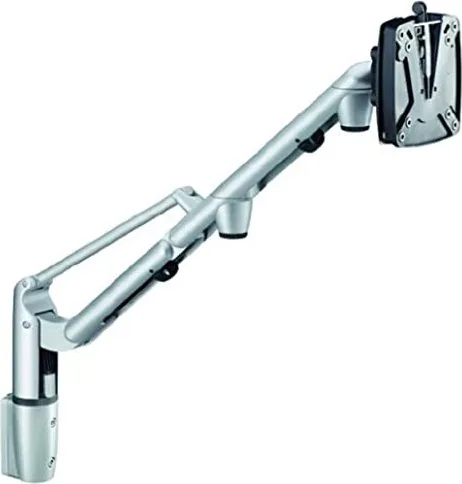
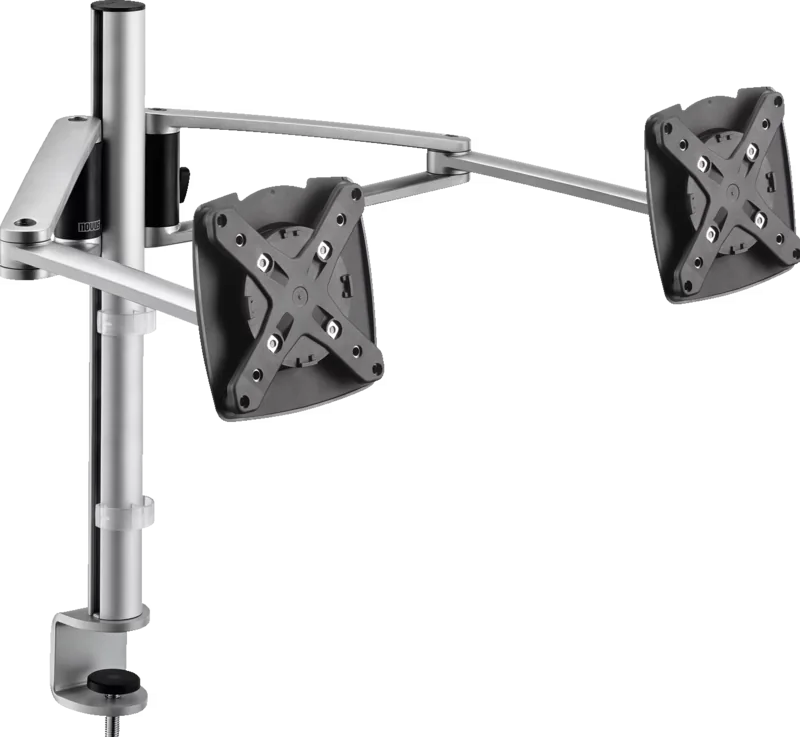
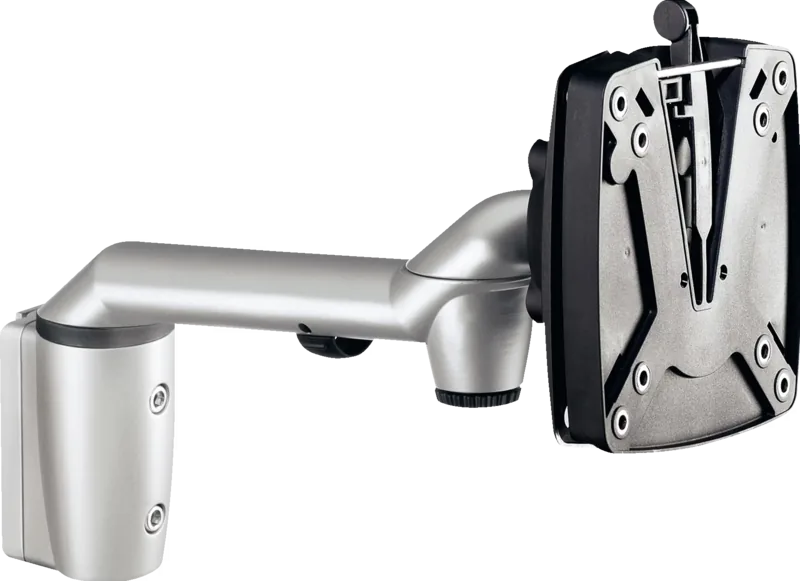
The Novus LiftTEC Arm 2 represents a significant upgrade in ergonomic display solutions designed for modern workspaces. When reviewing the Novus LiftTEC Arm 2 Manual, users often discover the versatility embedded in its design. This mounting system offers a sleek profile that fits seamlessly into any office environment while providing robust support for monitors. Engineers have prioritized stability, ensuring that screens remain steady even during adjustments. The arm accommodates various monitor sizes and weights with precision. Installation is straightforward thanks to the included components. The system includes multiple adapter options such as a Table Mount, Wall Bracket, and SlatWall Adapter. These options allow users to customize their workspace setup regardless of whether they prefer a desktop footprint or a wall installation. The technical specifications indicate support for screen thicknesses ranging from 5 to 45 mm and 12 to 80 mm depending on the specific configuration chosen. This flexibility ensures compatibility with a wide range of monitor bezels and designs found in the market today. Safety is a key consideration for any display mount. The Novus LiftTEC Arm 2 handles maximum loads effectively. Certain configurations support up to 8 kg, while others can manage up to 15 kg. This capacity makes it suitable for standard business monitors as well as larger screens used in creative industries. The cable management features are often praised for keeping wires organized and out of the way. This contributes to a cleaner aesthetic and reduces clutter on the desk surface. Durability is another highlight of this product line. Constructed with high-quality materials, the arm is built to withstand daily adjustments without losing tension or stability. The gas spring mechanism allows for smooth tilting and height changes with minimal effort. Users can achieve their ideal viewing angle quickly, reducing neck strain over long work sessions. The product is manufactured in China by NOVUS Chuzhou under the direction of Novus GmbH & Co. KG in Germany. Quality control remains a priority for the brand throughout the assembly process. Finally, the ergonomic benefits cannot be overstated. Allowing vertical movement helps users maintain proper posture. Whether sitting or standing, the monitor can follow the user to promote health. The Novus LiftTEC Arm 2 Manual provides detailed diagrams to assist with setup. It serves as a guide for ensuring all safety limits are respected. Overall, this product delivers value and functionality for professionals seeking a reliable monitoring solution.
Notes
Ensure cables are routed correctly. Check weight limits before mounting. Verify VESA compatibility. The design supports multiple viewing positions for enhanced productivity. It adapts to different desk depths and wall conditions easily. TSS Column Adapter options further expand where the unit can be placed. SlatWall Adapters allow for retail or flexible office environments. These features make it a top choice for tech enthusiasts and office managers alike across many sectors.
Search for 67,732 Manuals online


Type-in Brand or Model