
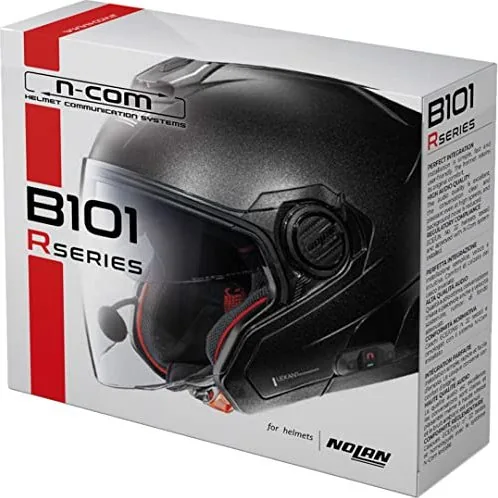
Nolan N-Com B101 R Manual
PDF manual · 312 Pages
English



Quick check
Incorrect answer, please try again.
Chat with your Nolan N-Com B101 R manual using AI
Get instant AI answers from your Nolan N-Com B101 R manual
Ask anything about the Nolan N-Com B101 R. Answers come from this manual, with the pages they are based on.
Ask a Question
Do you recommend N-Com B101 R?
Yes NoFrequently Asked Questions
It is a Bluetooth helmet communication system for phone calls, music, and GPS guidance while riding. It is designed to keep controls simple and the helmet setup tidy.
Is this answer helpful?
No, but it must be installed carefully. The system uses separate wiring for the speakers, microphone, and keypad, so correct positioning is important for comfort and performance.
Is this answer helpful?
It is intended for selected Nolan helmets, with adapter support for models such as N87, N80-8, and N100-5. Always confirm compatibility before buying or installing.
Is this answer helpful?
Turn the unit off, hold the main button for about 4 seconds to enter pairing mode, then search for the N-Com device on your phone or GPS and use code 0000 if requested.
Is this answer helpful?
Charge the battery fully for at least 10 hours before the first ride. Full charging is also recommended for the first few recharge cycles to support better battery performance.
Is this answer helpful?
The internal electronics are not waterproof, so moisture inside the helmet should be avoided. If water gets in, remove the comfort padding and let everything air dry completely.
Is this answer helpful?
Advantages and Disadvantages
Advantages

- Easy Bluetooth pairing for calls, music, and GPS use.
- Simple button controls make operation quick and rider-friendly.
- Neat in-helmet installation helps keep the setup comfortable.
- USB-C charging and battery warnings improve everyday convenience.
Disadvantages

- Not intended for racing, track use, or similar high-risk environments.
- Internal electronic parts are not waterproof and must stay dry.
- Needs compatible helmet models and careful installation.
- Volume settings are not stored after the system is turned off.
Product Specification
Type
Mounting Kit
Connection Type
Bluetooth
Number of Participants
2
Product Description
Nolan B101 R for Various Sizes
The Nolan B101 R is a helmet communication system built for riders who want clear sound, easy control, and a clean fit inside the helmet. Designed with modern components and refined audio tuning, it focuses on the essentials that matter most on the road: reliable Bluetooth connectivity, simple operation, and everyday comfort. If you are looking for the Nolan B101 R, various sizes Manual-style overview, this is a practical product worth considering for commuting, touring, and weekend rides.
One of its biggest strengths is simplicity. The wired keypad is intuitive, the main button logic is easy to remember, and pairing is straightforward after the first setup. Once connected, the system can manage phone calls, music, and GPS guidance without forcing the rider to take attention away from the road. Volume control is quick, and the Auto Off feature helps conserve battery when the unit is left idle.
The B101 R is also designed with installation in mind. Its left and right wiring paths keep the speakers, microphone, and controls organized inside the helmet, helping the fit stay neat and unobtrusive. The microphone position can be adjusted for better voice pickup, and the speakers sit in dedicated areas for a more integrated feel. For compatible Nolan helmets, the included keypad adapter adds extra flexibility across selected sizes and models.
Battery management is practical too. The system recommends a full first charge, then uses LED indicators and audible warnings to show battery status before power runs out. Charging through USB-C is convenient, and the system can be topped up more easily at home or on the go. That makes it a sensible companion for riders who prefer dependable gear rather than complicated tech.
Safety remains central to the experience. The B101 R is meant for normal riding use, not racing environments, and it should be installed carefully to preserve helmet comfort and performance. With the right setup, it delivers a balanced mix of function, clarity, and everyday convenience.
Notes
- Best for riders who want simple Bluetooth audio without extra complexity.
- Check helmet compatibility and install everything carefully for the best results.
- Keep the system dry and follow battery care guidelines for longer service life.
Search for 67,706 Manuals online


Type-in Brand or Model