
Noctua NM-AMB14 Manual
PDF manual · 1 Pages
English


Quick check
Incorrect answer, please try again.
Chat with your Noctua NM-AMB14 manual using AI
Get instant AI answers from your Noctua NM-AMB14 manual
Ask anything about the Noctua NM-AMB14. Answers come from this manual, with the pages they are based on.
Ask a Question
Do you recommend NM-AMB14?
Yes NoFrequently Asked Questions
The NM-AMB14 consists of offset mounting bars for installing compatible Noctua CPU coolers on AMD Socket AM5 and AM4 motherboards. It replaces the original AMD mounting brackets while retaining the motherboard's standard AMD backplate.
Is this answer helpful?
Use the -7 mm offset position for Socket AM5 CPUs and AMD Ryzen 5000 or Ryzen 3000 series processors on Socket AM4, provided there is sufficient clearance. This position is recommended to improve cooler contact quality and performance.
Is this answer helpful?
Choose the standard, non-offset position for other AM4 CPUs or whenever the offset placement interferes with motherboard heatsinks, surrounding components, or available socket-area clearance.
Is this answer helpful?
The bars require NM-APS4 gray plastic spacers and NM-ALS1 long screws, but these parts are not included with the NM-AMB14. They should be supplied with the compatible Noctua CPU cooler.
Is this answer helpful?
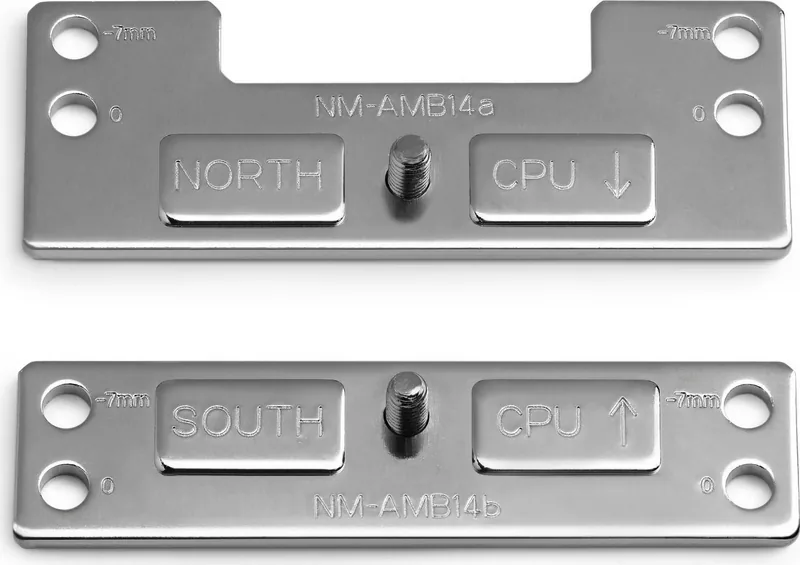
The "CPU ->" markings must face toward the CPU. Install NM-AMB14a, marked "NORTH," on the upper side of the socket, and NM-AMB14b, marked "SOUTH," on the lower side.
Is this answer helpful?
Tighten the screws carefully until they reach their stop point, but do not use excessive force. The stated maximum tightening torque is 0.6 Nm.
Is this answer helpful?
Advantages and Disadvantages
Advantages

- Provides a -7 mm offset option for Socket AM5 and Ryzen 5000/3000 processors on Socket AM4.
- Uses the motherboard's existing AMD standard backplate, avoiding a backplate replacement.
- Offers both offset and standard 0 mm positions for flexibility around socket-area clearance.
- Clear NORTH, SOUTH, and CPU direction markings help ensure correct bar orientation.
Disadvantages

- Required NM-APS4 spacers and NM-ALS1 long screws are not included with the mounting bars.
- Offset mounting may conflict with motherboard heatsinks or nearby components.
- Designed for compatible Noctua cooler hardware rather than as a universal mounting system.
- Installation requires careful screw tightening and must not exceed 0.6 Nm torque.
Product Specification
Type
Mounting kit
Product Description
Noctua NM-AMB14 Offset Mounting Bars for Socket AM5/AM4
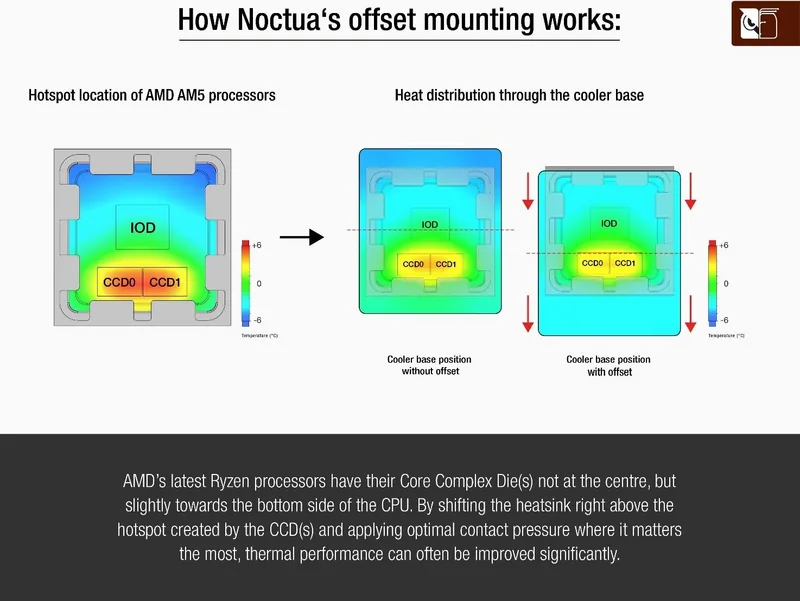
The Noctua NM-AMB14 offset mounting bars are a mounting accessory designed for compatible Noctua CPU coolers on AMD Socket AM5 and AM4 platforms. They replace the original motherboard retention brackets and work with the AMD standard backplate that is preinstalled on the motherboard. Their key purpose is to support an offset cooler position that can better match the hotspot placement of selected AMD processors.
Offset Position for Ryzen CPUs
For Socket AM5 processors and AMD Ryzen 5000 or Ryzen 3000 series CPUs on Socket AM4, the recommended setting is the -7 mm offset position. This configuration shifts the cooler mounting location to help achieve improved contact quality and cooling performance. It is a practical option for builders who want to optimize their compatible air cooler installation without changing the CPU cooler itself.
The bars also support a standard, non-offset position. This 0 mm setting is intended for other AM4 processors or for systems where the offset position creates a compatibility concern. For example, nearby motherboard heatsinks, tall components, or limited clearance around the socket may make the standard position the better choice.
Straightforward Orientation and Installation
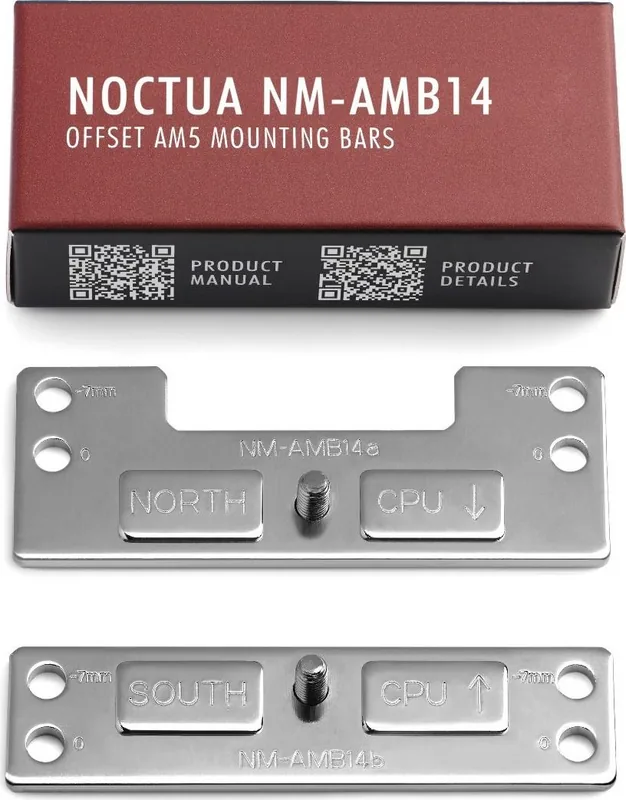
The kit includes two dedicated bars: NM-AMB14a and NM-AMB14b. Correct orientation is essential. The markings labeled "CPU ->" must point toward the processor, while the bar marked "NORTH" belongs on the upper side of the socket and the bar marked "SOUTH" belongs on the lower side.
Before fitting the bars, remove the existing cooler if it is already mounted, then remove the original mounting brackets from the AMD backplate. The NM-AMB14 bars are installed using the plastic spacers and screws supplied with the compatible Noctua cooler. Once the bars are secured, thermal paste can be applied and the cooler can be mounted according to its included installation instructions.
A Useful Upgrade for Compatible Noctua Coolers
The NM-AMB14 is a focused accessory rather than a universal mounting solution. It depends on the AMD standard backplate and requires the appropriate NM-APS4 gray plastic spacers and NM-ALS1 long screws, which are not included with the bars. Users should therefore confirm that their cooler package provides the required hardware before starting installation.
Installation Notes
- Tighten mounting screws carefully until they stop, without excessive force.
- Do not exceed a maximum tightening torque of 0.6 Nm.
- Use the -7 mm position for AM5 and Ryzen 5000/3000 AM4 CPUs when clearance permits.
- Select the standard position if offset mounting conflicts with motherboard heatsinks or other nearby components.
For builders seeking a clean, properly aligned cooler installation, the Noctua NM-AMB14 offset mounting bars provide a dedicated way to tailor compatible Noctua cooler placement for modern AMD desktop sockets.
Search for 67,706 Manuals online


Type-in Brand or Model