
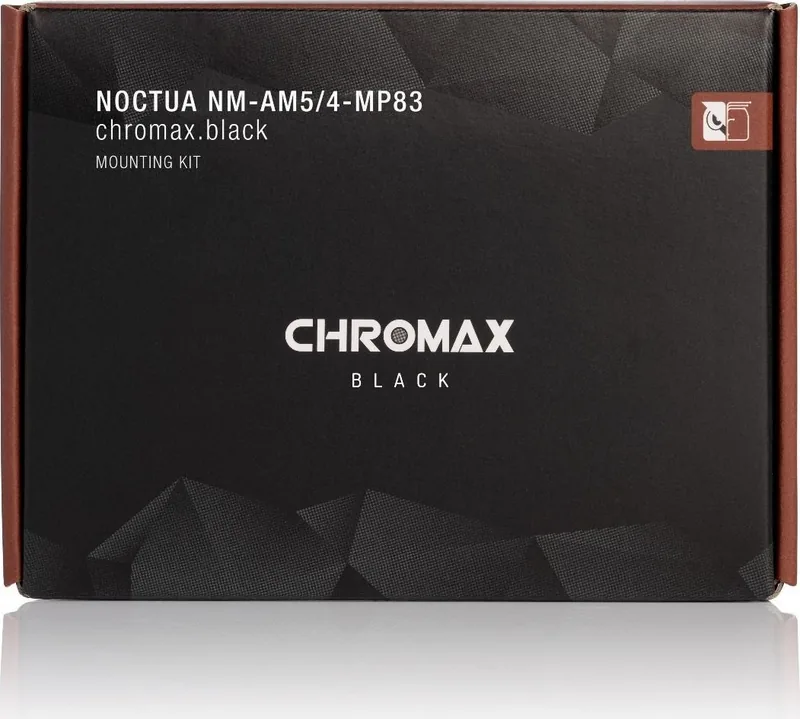
Noctua NM-AM5/4-MP83 Manual
PDF manual · 2 Pages
English



Quick check
Incorrect answer, please try again.
Chat with your Noctua NM-AM5/4-MP83 manual using AI
Get instant AI answers from your Noctua NM-AM5/4-MP83 manual
Ask anything about the Noctua NM-AM5/4-MP83. Answers come from this manual, with the pages they are based on.
Ask a Question
Do you recommend NM-AM5/4-MP83?
Yes NoFrequently Asked Questions
The kit supports compatible Noctua CPU coolers on AMD Socket AM5 and Socket AM4 motherboards. The mounting procedure is the same for both socket types.
Is this answer helpful?
No. Leave the standard AMD backplate installed. Remove only the top retention brackets attached to it, then install the supplied spacers and mounting bars onto the existing threaded posts.
Is this answer helpful?
It is intended for compatible Noctua coolers with an 83 mm mounting pitch. Confirm your cooler's pitch and current motherboard compatibility before installation, especially when using older cooler models.
Is this answer helpful?
Clean off old paste first. Apply five small drops: four roughly 2 mm drops near the CPU corners and one 3-4 mm drop in the center. Avoid excessive paste because it can impair thermal transfer.
Is this answer helpful?
Tighten each screw gradually, alternating two or three turns between them until both reach their stop. Do not apply excessive force. The specified maximum torque is 0.6 Nm.
Is this answer helpful?
Yes, if the complete cooler weighs more than 700 g. If the heatsink alone is below 700 g but exceeds that weight with fans installed, remove the fans before transport when possible.
Is this answer helpful?
Advantages and Disadvantages
Advantages

- Supports compatible Noctua coolers on both AMD AM5 and AM4 motherboards.
- Reuses the motherboard's standard AMD backplate for a straightforward installation.
- SecuFirm2 hardware provides a stable, even cooler mounting method.
- Includes the essential mounting bars, spacers, and screws.
- Backed by Noctua's six-year warranty and direct support.
Disadvantages

- Only suitable for coolers that use the 83 mm mounting pitch.
- Clearance with RAM, case panels, PCIe cards, and fan clips must be checked first.
- Some cooler models require fan removal to reach mounting screws.
- Care is required to avoid overtightening beyond the 0.6 Nm recommendation.
- Coolers over 700 g should be removed before transporting the system.
Product Specification
Type
Mounting kit
Compatibility
NH-D15, NH-D15 chromax.black, NH-D15 SE-AM4, NH-D15S, NH-D15S chromax.black, NH-D14, NH-D14 SE2011, NH-D9L, NH-D9L chromax.black, NH-C14, NH-C14S, NH-C12P, NH-C12P SE14, NH-L12, NH-U12, NH-U12F, NH-U12P, NH-U12P SE1366, NH-U12P SE2, NH-U9, NH-U9F, NH-U9B, NH-U9B SE2, NH-L9x65, NH-L9x65 chromax.black, NH-L9x65 SE-AM4, NH-P1
Product Description
Noctua NM-AM5/4-MP83 Mounting Kit [Socket AM5/AM4] Manual
The Noctua NM-AM5/4-MP83 Mounting Kit brings proven Noctua CPU coolers to AMD AM5 and AM4 platforms. Designed for compatible models with an 83 mm mounting pitch, this SecuFirm2-based upgrade kit helps extend the useful life of an existing cooler when building or upgrading an AMD system. It uses the motherboard's pre-installed AMD backplate, so there is no need to replace this important support component.
Built for Secure AMD Cooler Installation
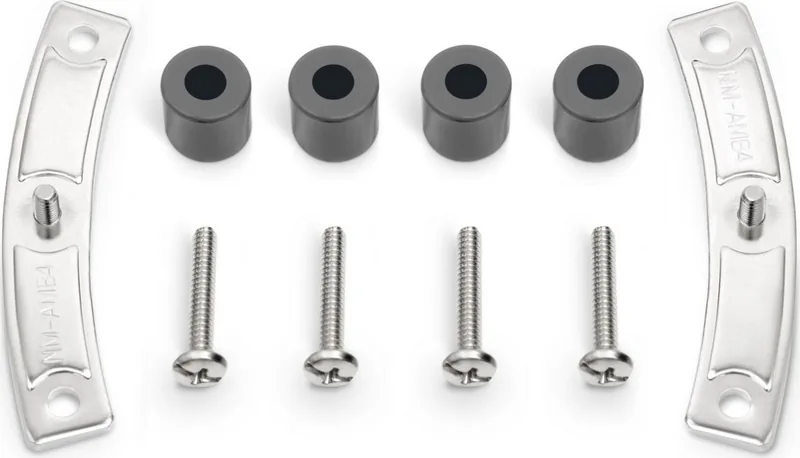
The kit includes two NM-AMB4 mounting bars, four grey NM-APS4 plastic spacers, and four long NM-ALS1 screws. Installation begins by removing the motherboard's standard top retention brackets while leaving the AMD backplate in place. The spacers fit over the threaded posts, followed by the mounting bars. Their bends must face outward for correct alignment.
The mounting hardware is engineered for an even, stable connection between the cooler and CPU. Screws should be tightened carefully until they stop, without excessive force. Noctua specifies a maximum torque of 0.6 Nm, helping protect the motherboard and mounting hardware from damage.
Thermal Paste and Cooler Mounting
Before fitting the cooler, remove any old thermal paste or pad residue from the processor. For AMD AM5 and AM4 CPUs, the recommended application is five small drops: four approximately 2 mm drops near the corners and one 3-4 mm drop in the center. This pattern is intended to provide balanced coverage without using excessive paste, which can reduce heat-transfer efficiency.
Place the cooler on the CPU and attach it to the mounting-bar posts. Alternate between the two mounting screws, turning each two or three times at a time until both are fully secured. Depending on the cooler model, fans may need to be removed first to access the screws. Remember to remove any protective cover from the cooler's contact surface before installation, then reinstall and connect the fan or fans.
Compatibility Checks Matter
The Noctua NM-AM5/4-MP83 Mounting Kit [Socket AM5/AM4] Manual emphasizes checking motherboard, case, memory, graphics card, and PCIe clearance before installation. Large heatsinks and fan clips can conflict with tall RAM or expansion cards, so confirming clearances helps avoid problems during assembly.
Note: This kit is intended for Noctua coolers that use the 83 mm mounting pitch. Verify the mounting pitch and current socket compatibility for your specific cooler before ordering or installing the kit.
Transport note: Noctua recommends removing coolers weighing more than 700 g, including fans, before transporting a system. For some lighter heatsinks, removing the fan may reduce total weight below this limit.
The kit is supported by Noctua's six-year warranty and direct technical support, offering added confidence for long-term AMD cooling upgrades.
Search for 67,706 Manuals online


Type-in Brand or Model