
Noctua NH-U12S Manual
PDF manual · 6 Pages
English



Quick check
Incorrect answer, please try again.
Chat with your Noctua NH-U12S manual using AI
Get instant AI answers from your Noctua NH-U12S manual
Ask anything about the Noctua NH-U12S. Answers come from this manual, with the pages they are based on.
Ask a Question
Do you recommend NH-U12S?
Yes NoFrequently Asked Questions
The supplied mounting hardware covers Intel LGA115x and LGA20xx platforms, plus AMD AM4, AM2(+), AM3(+), FM1, and FM2(+) platforms. Confirm current motherboard compatibility and clearance before installation.
Is this answer helpful?
Yes. Extra fan clips and thicker anti-vibration pads are included for a push-pull setup with a second 120 mm fan. An original Noctua NF-F12 is recommended for the most consistent results.
Is this answer helpful?
After cleaning the CPU heat spreader, apply a small centered drop of NT-H1. The guidance is approximately 3-4 mm on LGA115x and 4-5 mm on LGA20xx and AMD platforms. Excess paste can reduce cooling efficiency.
Is this answer helpful?
The NA-RC6 Low-Noise Adapter lowers fan speed to reduce operating noise. Monitor CPU temperatures after installing it, since reduced fan speed can limit cooling and may require better case ventilation.
Is this answer helpful?
It depends on the platform. For Intel LGA115x, the supplied cooler backplate installs over the existing motherboard backplate. For AMD, retain the standard backplate after removing the original retention module if present.
Is this answer helpful?
Choose the bridge alignment according to the desired final cooler direction. Ensure the bends in the mounting bridges face outward, then tighten fasteners carefully without exceeding the specified torque.
Is this answer helpful?
Yes. Removing the fan before transport reduces the mounted assembly weight to below 700 g. This helps reduce stress from impacts and movement during shipping or relocation.
Is this answer helpful?
Advantages and Disadvantages
Advantages

- Slim 120 mm tower design helps balance cooling capability with component clearance.
- NF-F12 fan, anti-vibration pads, and NA-RC6 adapter support quieter operation.
- Extra clips enable an optional second 120 mm fan for push-pull cooling.
- SecuFirm2 mounting supports listed Intel LGA115x, LGA20xx, and AMD sockets.
- Six-year warranty adds long-term ownership confidence.
Disadvantages

- Case, memory, PCIe, and motherboard compatibility must be checked before installation.
- Low-Noise Adapter may increase CPU temperatures if airflow is insufficient.
- A second NF-F12 fan is recommended for optimal dual-fan performance but is not included.
- Installed cooler weight requires extra care when transporting a finished system.
Product Specification
Design
Tower cooler
Dimensions without fan
4.92 x 6.22 x 1.77 in (W x H x D)
Connector
4-pin PWM
Manufacturer warranty
6 years
Product Description
Noctua NH-U12S - Read, Download & Print Free
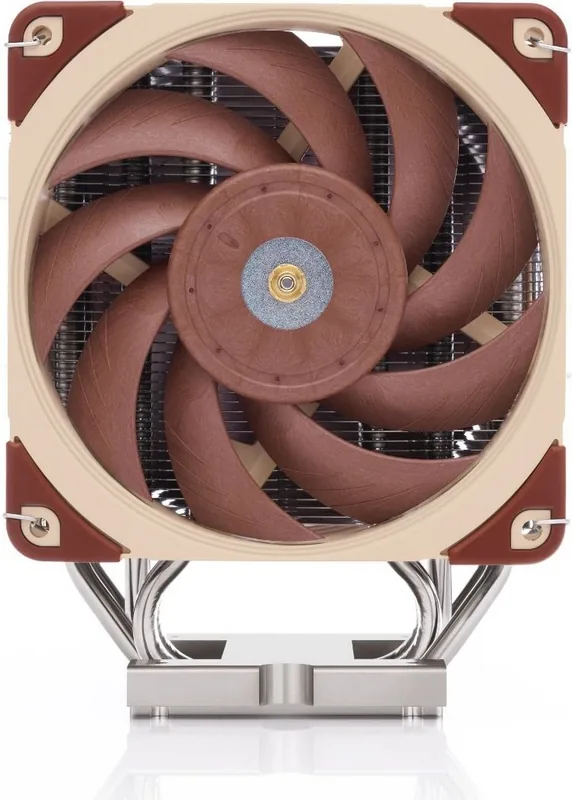
The Noctua NH-U12S chromax.black is a premium single-tower CPU cooler designed for builders who want dependable thermal performance, quiet operation, and a clean all-black finish. Part of Noctua's long-running NH-U series, it combines a compact 120 mm tower format with the brand's SecuFirm2 mounting system for a practical upgrade across a broad range of Intel and AMD platforms.
Designed for quiet, effective cooling
At the center of the NH-U12S is a slim heatsink paired with an NF-F12 120 mm fan. This layout is intended to provide strong airflow through the cooling fins while preserving better clearance than many larger dual-tower coolers. It is a useful option for systems where tall memory modules, PCIe cards, and case dimensions must all be considered before installation.
The included anti-vibration pads help reduce vibration transfer between the fan and heatsink. For users who prioritize even lower acoustics, the included NA-RC6 Low-Noise Adapter can reduce fan speed. Because slower fan operation can raise CPU temperatures, it is important to monitor temperatures after enabling this option and adjust case airflow if required.
Flexible fan configuration
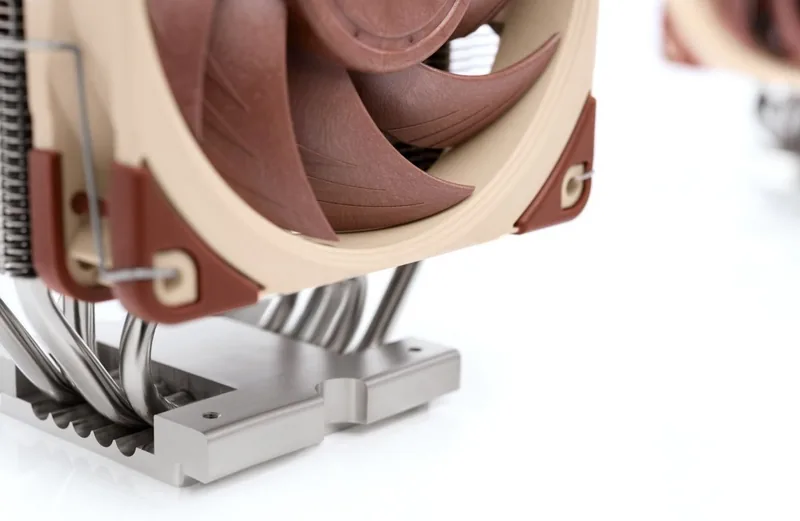
The cooler supports a standard single-fan setup and includes extra fan clips for an optional second 120 mm fan in push-pull configuration. Adding a second fan can improve cooling performance where case space allows. Noctua recommends an NF-F12 for the best matched result, while the extra clips can also support many compatible 120 mm fans. Thicker anti-vibration pads are intended for the rear fan to improve acoustic behavior.
Secure installation across platforms
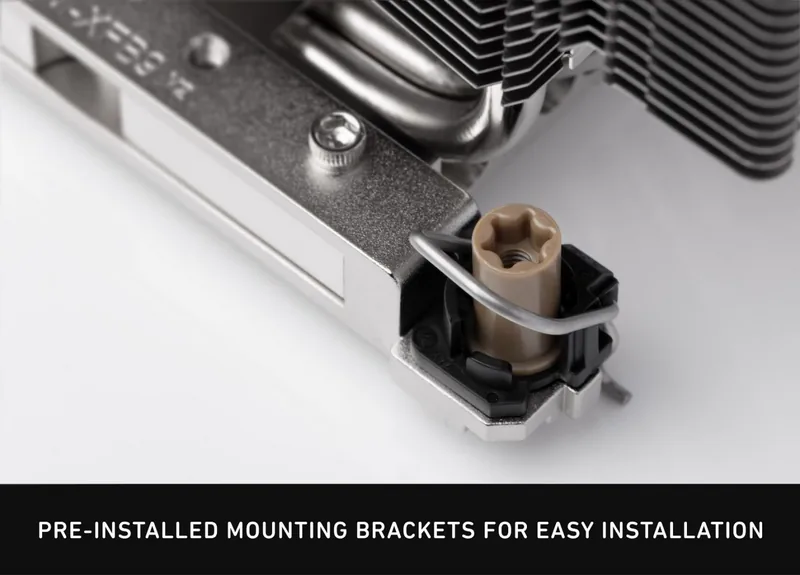
The SecuFirm2 mounting hardware supports installation on Intel LGA115x and LGA20xx systems as well as AMD AM4, AM2(+), AM3(+), FM1, and FM2(+) platforms. Mounting bridge orientation can be selected to match the preferred cooler direction, but the bridge bends must face outward. Before fitting the cooler, confirm motherboard compatibility, available case clearance, memory height, and separation from graphics cards or other PCIe devices.
Thermal paste application is straightforward: clean away old material and place a small drop of NT-H1 in the center of the CPU heat spreader. Avoid excessive paste, as it can reduce heat transfer. Tighten the mounting screws gradually, alternating between sides, and do not exceed the stated 0.6 Nm maximum torque.
Notes
The NH-U12S chromax.black includes a six-year warranty and direct support from Noctua. When transporting a completed PC, remove the fan from the heatsink first to reduce the mounted cooler weight and lower the risk of transport-related stress. Noctua NH-U12S - Read, Download & Print Free is a useful reference phrase for users researching this quiet, versatile CPU cooling solution.
Search for 67,706 Manuals online


Type-in Brand or Model