
Noctua NH-U12A Manual
PDF manual · 6 Pages
English



Quick check
Incorrect answer, please try again.
Chat with your Noctua NH-U12A manual using AI
Get instant AI answers from your Noctua NH-U12A manual
Ask anything about the Noctua NH-U12A. Answers come from this manual, with the pages they are based on.
Ask a Question
Do you recommend NH-U12A?
Yes No
Nicola Howell
9 months ago
Does the Noctua NH-U12A include enough parts for installation (thermal paste, mounting hardware, fans/adapters), and how hard is it to mount without issues like tight space near the motherboard or RAM clearance problems?

Manual.ly
9 months ago
The NH-U12A bundle is designed for straightforward installation: it typically includes the needed mounting hardware for your socket, a thermal paste application (or enough paste for proper mounting), the fan hardware, plus a Y-splitter cable and low-noise adapters. The included manual and socket-specific step-by-step images make the process easy even for first-time builders. In practice, some steps can feel fiddly because the bracket attachment may only be possible after the CPU is already installed, and clearance around the motherboard heatsink can be tight in certain cases. RAM clearance is usually very good on this model and can be adjusted by rotating the cooler elements if needed. If you are missing minor items in your box (for example, specific cleaning wipes or a dedicated paste spreader), that is usually not part of the core installation and you can use your own tools safely.
Video Manual
Install NH-U12S with NM-AMB15 brackets on AM4 socket Noctua. bad manual.
Frequently Asked Questions
The NH-U12A supports a wide range of Intel and AMD sockets including LGA115x, LGA20xx, AM4 and older AMD sockets. Use the correct plastic spacers and mounting holes for each platform as described in the manual and check Noctua's online compatibility list before installation.
Is this answer helpful?
Apply a small central drop of NT-H1: about 3–4 mm diameter for LGA115x and 4–5 mm for other platforms as recommended. Clean existing residue first. Avoid excess paste, which can reduce thermal conductivity and lower cooling performance.
Is this answer helpful?
Yes. The package includes a NA-YC1 y-cable so both NF-A12x25 fans can connect to a single CPU fan header. Ensure your motherboard supports controlling dual fans from one header and monitor RPM if needed.
Is this answer helpful?
NA-RC14 L.N.A.s reduce fan RPM for quieter operation. Do not put one adaptor before a y-cable to serve both fans. When using an L.N.A., monitor CPU temperatures to prevent automatic throttling; increase case airflow or remove the L.N.A. if cooling performance is insufficient.
Is this answer helpful?
Noctua recommends removing the cooler for transport because shipping or handling forces can stress the heatsink and mounting. Keeping it installed risks damage that Noctua cannot reliably prevent during transit.
Is this answer helpful?
Gently tighten the mounting screws until they stop; do not exceed the recommended torque of 0.6 Nm. Tighten each screw incrementally (2–3 turns each in sequence) to ensure even pressure and proper contact.
Is this answer helpful?
Consult Noctua's online FAQs and multilingual manuals at www.noctua.at/faqs and www.noctua.at/manuals. For direct support or RMA inquiries, contact [email protected]. The product is backed by a six-year warranty and dedicated customer service.
Is this answer helpful?
Advantages and Disadvantages
Advantages

- Compact dual-fan 120mm design delivers strong cooling while preserving RAM and GPU clearance.
- SecuFirm2™ mounting system provides secure, platform-specific installation with clear alignment guidance.
- Includes NT-H1 paste, NA-YC1 y-cable and NA-RC14 L.N.A. for flexible noise/performance tuning.
- Comprehensive documentation and 6-year warranty with responsive support and multilingual manuals.
- Steel fan clips and modular fan setup allow using one fan as a case fan or both for max performance.
Disadvantages

- Installation may require motherboard removal on cases without rear cut-outs for backplate placement.
- Low-Noise Adapters can reduce cooling headroom; users must monitor temps to avoid throttling.
- Heatsink and fan clips risk contact with tall RAM or adjacent PCIe cards if case clearance is tight.
- Thumb screws and small spacers require careful handling; over-tightening can risk mounting stress.
- Transporting a system with the cooler installed is discouraged due to potential stress on the heatsink.
Product Specification
Type
Tower Cooler
Dimensions with Fan
4.92x6.22x4.41in (WxHxD)
Dimensions without Fan
4.92x6.22x2.28in (WxHxD)
Fan
2x 4.72x4.72x0.98in, 450-2000rpm, 60.09 CFM, 60.09 CFM, 22.6dB(A), 0.09 inH2O (NF-A12x25 PWM, Link)
Weight with Fan
2.69lb
Weight without Fan
1.68lb
Connector
4-Pin PWM
AMD Socket
AM5, AM4, AM2/AM2+/AM3/AM3+, FM1/FM2/FM2+
Intel Socket
2011-0/2011-1/2011-3/2066, 1851/1700 (Note), 1150/1151/1155/1156/1200
AMD Socket Note
Socket AM5/AM4 mounting kit commercially available, Socket AM5/AM4 mounting kit commercially available
Intel Socket Note
Socket 1851/1700/1200/115x mounting kit commercially available, Socket 1700 mounting kit commercially available
Special Features
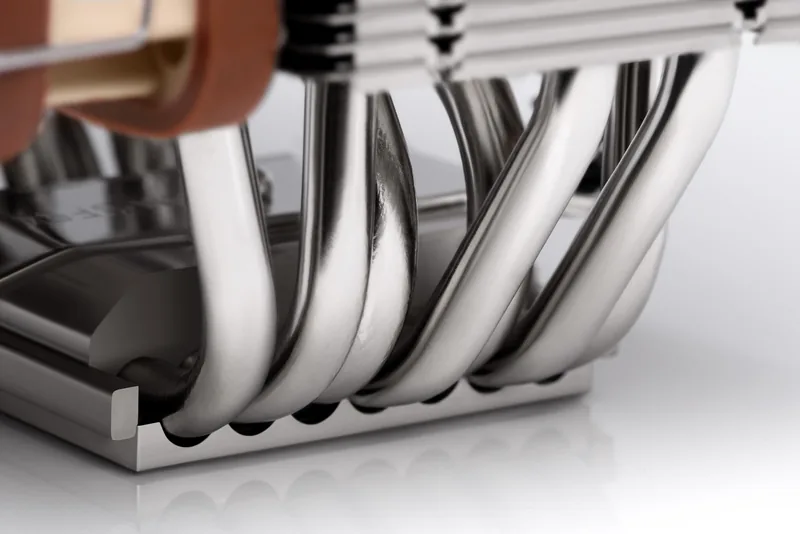
7 Heatpipes, nickel-plated
Manufacturer Warranty
6 Years
Note
Please observe motherboard compatibility (Noctua Compatibility Centre)
Product Description
Noctua NH-U12A Manual: Trusted, Compact, High-Performance Cooler
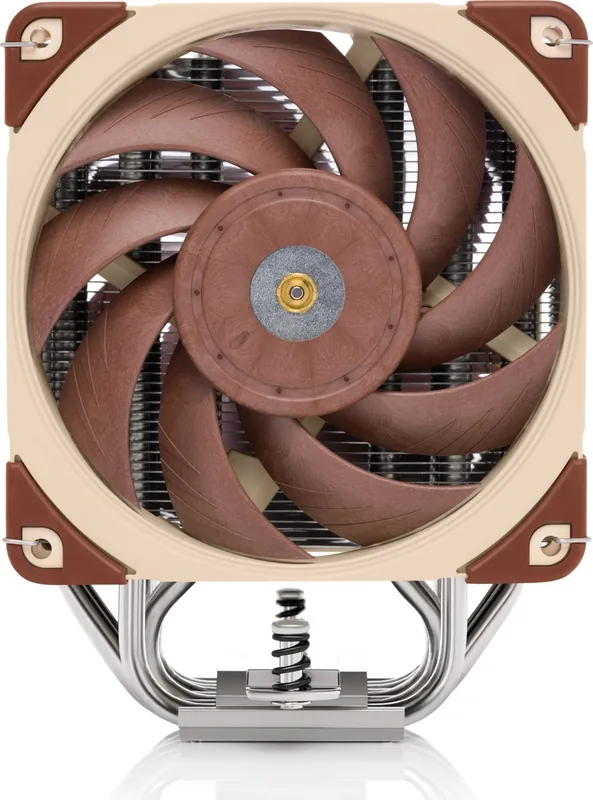
The Noctua NH-U12A continues the long legacy of the NH-U12 series, a family of CPU coolers with decades of refinement and hundreds of industry awards. Built around a dual-fan 120mm design and Noctua's proven SecuFirm2™ mounting system, the NH-U12A offers strong cooling performance in a compact footprint, making it ideal for mid-tower builds, SFF rigs with adequate clearance, and systems where RAM or GPU clearance is a concern.
Installation is straightforward thanks to the SecuFirm2™ backplate and easy-to-align mounting bars. The manual walks through platform-specific steps for Intel LGA115x/LGA20xx and multiple AMD sockets, showing how to place the supplied backplate, fit plastic spacers, and secure the mounting bars with thumb screws. Consistent guidance on torque and alignment helps avoid over-tightening and ensures even contact between the heatsink and CPU.
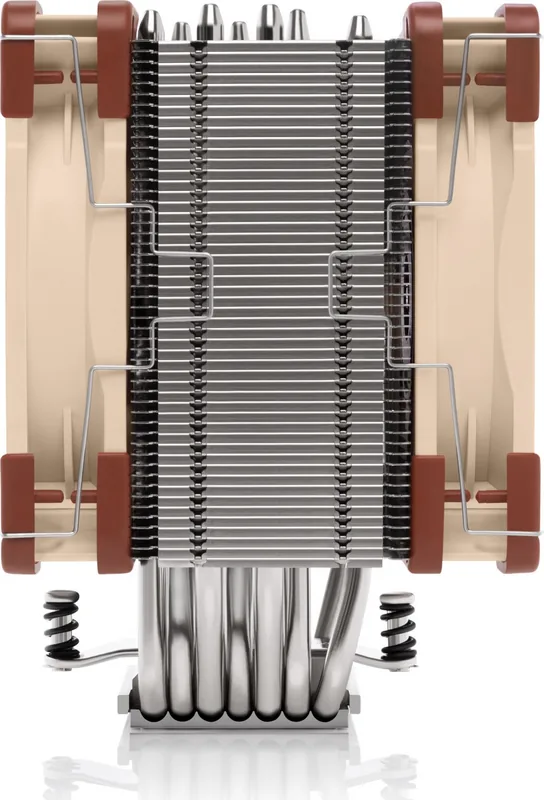
Thermal interface application is simple: clean the CPU, then apply a small central drop of Noctua NT-H1 (3–5 mm depending on platform) before seating the heatsink. The guide stresses moderation—too much paste reduces thermal transfer. Once the heatsink is attached, the dual NF-A12x25 fans clip on with steel clips; you can run both fans for maximum performance or relocate the rear fan as a case fan if preferred.
Connectivity and noise control are well covered: the package includes a NA-YC1 y-cable to run both fans from a single header and NA-RC14 Low-Noise Adapters (L.N.A.) to lower fan RPM when quieter operation is desired. The manual cautions against putting one adaptor before a y-cable and recommends monitoring CPU temperatures if using the L.N.A. to avoid thermal throttling.
Practical warnings and support details are included: verify case and component clearance before installation, avoid contact between fan clips and PCIe cards, and consider removing the cooler before transporting a system. Noctua provides a six-year warranty, multilingual manuals, an FAQ hub, and responsive support via email for troubleshooting and compatibility questions.
Notes:
- Check the online compatibility list for motherboard fit before installation.
- Use the correct spacers and hole positions for AMD vs. Intel sockets.
- Tighten screws gently up to recommended torque (max. 0.6 Nm).
- Monitor temps when using Low-Noise Adapters.
Overall, the Noctua NH-U12A blends award-winning engineering, practical installation features, and versatile fan control into a compact cooler that prioritizes reliable thermal performance and quiet operation.
Search for 67,706 Manuals online


Type-in Brand or Model
Luca Romano
10 months ago
Noctua NH-U12A is pretty expensive. Is it actually worth the price, and does it stay really quiet under load on modern CPUs?
Manual.ly
10 months ago
Yes, many buyers find the NH-U12A is worth the premium because it combines strong cooling performance with Noctua's low-noise fan design and careful build quality. In reviews it is often described as very quiet even during heavy CPU loads, especially when using the included PWM control and, if needed, the low-noise adapters. Actual noise and temperatures still depend on your CPU model, cooler mounting, fan speeds, and case airflow. If your case has good front intake and you mount the cooler correctly with the included thermal paste and hardware, you should typically see a good balance of low sound and stable temperatures. For best results, set a sensible fan curve in BIOS and ensure clear airflow around the cooler.