
Noctua NH-P1 Manual
PDF manual · 6 Pages
English



Quick check
Incorrect answer, please try again.
Chat with your Noctua NH-P1 manual using AI
Get instant AI answers from your Noctua NH-P1 manual
Ask anything about the Noctua NH-P1. Answers come from this manual, with the pages they are based on.
Ask a Question
Do you recommend NH-P1?
Yes No
Lisa Koenig
6 months ago
Is the installation process difficult, and are all necessary tools included for mounting on modern motherboards?

ServerBuilder88
4 months ago
Does this passive cooler work without a fan for high-TDP CPUs, and what is the maximum TDP it can handle?

Manual.ly
4 months ago
Yes, the NH-P1 is designed to operate effectively without a fan. Based on user testing, it can handle CPU loads up to approximately 90-120W in passive mode while maintaining safe temperatures. For lower power processors or systems with good case airflow, it keeps temperatures well below critical limits even under heavy load. If higher performance is needed, fans can be attached to the cooler.
MiniITX_Fan
6 months ago
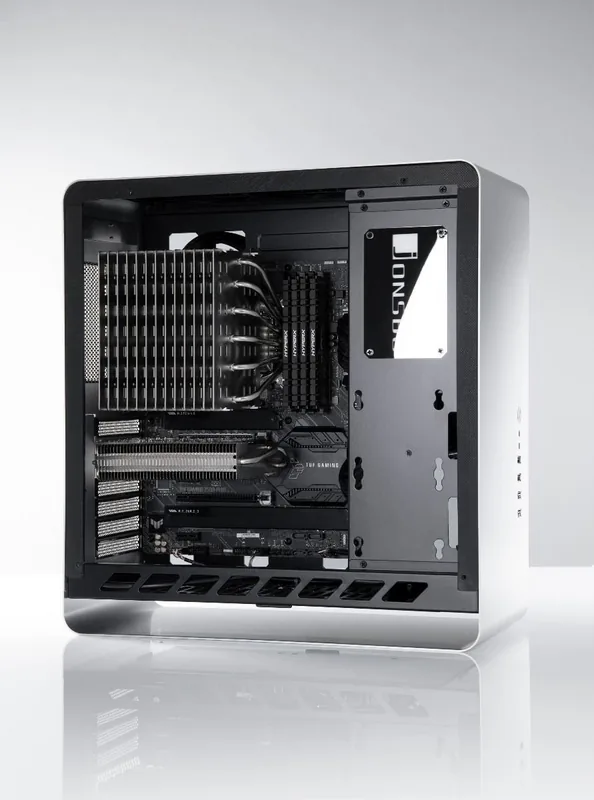
Will this large cooler fit in compact ITX cases like the Jonsbo U2 or Phanteks Evolv ITX?
Frequently Asked Questions
No, the NH-P1 is not designed for overclocking or CPUs with high heat dissipation. It is optimized for standard operation of processors with low to medium thermal loads.
Is this answer helpful?
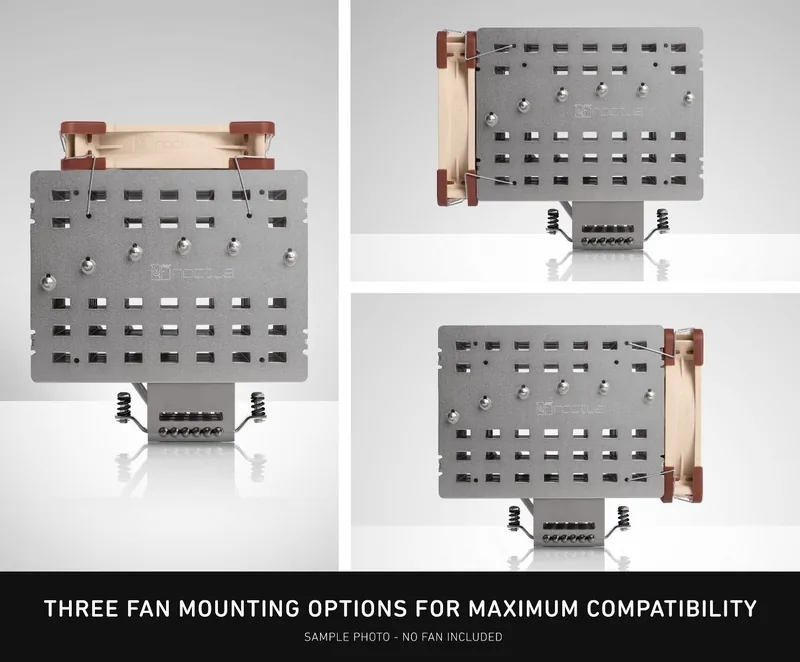
No, the NH-P1 is a passive cooler designed for fanless operation. However, you can optionally attach a compatible 120mm fan to improve performance if desired.
Is this answer helpful?
It supports Intel LGA115x, LGA1200, and LGA20xx sockets, as well as AMD AM4, AM2(+), AM3(+), FM1, and FM2(+) sockets using the included mounting hardware.
Is this answer helpful?
Noctua recommends using their own NT-H2 thermal paste. Apply four small drops near the corners and one larger drop in the center of the heatspreader.
Is this answer helpful?
Use a case with good airflow or an open test bench, check the CPU compatibility list, and follow the detailed setup guidelines provided on the Noctua website.
Is this answer helpful?
You must not exceed 0.6 Nm when tightening the mounting screws to avoid damaging the motherboard or cooler components.
Is this answer helpful?
Advantages and Disadvantages
Advantages

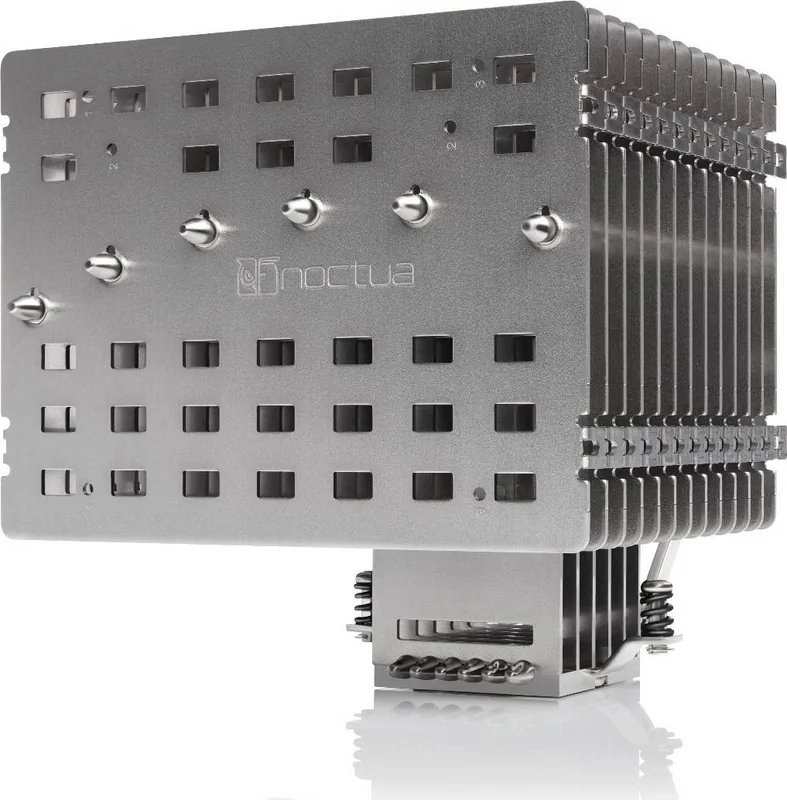
- Six heatpipes and thick fins provide excellent passive cooling for low-to-medium TDP CPUs
- Completely silent operation without fans, ideal for noise-sensitive environments
- Compatible with a wide range of Intel and AMD socket types via SecuFirm2+ system
- Optional fan mount allows for hybrid active-passive cooling when needed
- Backed by a generous six-year manufacturer warranty
Disadvantages

- Not suitable for overclocking or CPUs with very high thermal output
- Requires a case with good natural convection or open chassis for full performance
- Installation can be complex due to multiple mounting steps and parts
- Performance varies significantly based on specific CPU model and ambient conditions
- Large physical size may interfere with tall RAM modules or PCIe cards
Product Specification
Type
Passive Cooler
Dimensions without fan
6.06x6.22x5.98 in (WxDxH)
Fan optional
1x 4.72x0.98x4.72 in
Weight without fan
2.60 lbs
AMD Socket
AM5, AM4, AM2/AM2+/AM3/AM3+, FM1/FM2/FM2+
Intel Socket
2011-0/2011-1/2011-3/2066, 1851/1700, 1356/1366, 1150/1151/1155/1156/1200
AMD Socket Note
AM5/AM4 mounting kit available in stores, AM5/AM4 mounting kit available in stores
Intel Socket Note
1851/1700/1200/115x mounting kit available in stores, 1700 mounting kit available in stores
Features
6 nickel-plated heat pipes
Manufacturer Warranty
6 years
Note
Please check motherboard compatibility (Noctua Compatibility Centre)
Product Description
Noctua NH-P1: The Pinnacle of Passive CPU Cooling
The Noctua NH-P1 represents a significant milestone in thermal engineering as Noctua's first dedicated passive CPU cooler. Designed from the ground up for silent, fanless operation, this unit leverages six high-efficiency heat pipes and exceptionally thick cooling fins with wide spacing to dissipate heat through natural convection. It is an ideal solution for modern high-end processors that operate within low to medium thermal envelopes, provided the system case supports adequate airflow.
While the NH-P1 excels in silent environments, it is crucial to understand its limitations. It is not intended for overclocking or CPUs with extremely high power consumption. The cooling performance depends heavily on the specific CPU model, ambient temperature, and the overall system configuration rather than just a generic TDP rating. To ensure optimal results, users should consult Noctua's detailed setup guidelines and compatibility lists available on their website. For those seeking extra headroom, the design allows for the optional addition of a nearly silent 120mm fan like the NF-A12x25 LS-PWM.
Installation is facilitated by the SecuFirm2+ mounting system, which ensures secure attachment across various platforms including Intel LGA115x/1200/20xx and AMD AM4/AM2+/AM3/FM1/FM2 sockets. The process involves careful placement of backplates, insulating sleeves, and mounting bridges, followed by precise application of NT-H2 thermal paste. With a robust six-year warranty and comprehensive support resources, the NH-P1 offers peace of mind alongside its exceptional silence and cooling capabilities.
Search for 67,706 Manuals online


Type-in Brand or Model
Rupert Stamm
7 months ago
What is the maximum TDP this passive cooler can handle without a fan, and does it fit in small ITX cases?
Manual.ly
7 months ago
This cooler is designed for passive operation with CPUs up to approximately 90-120W TDP. It has been successfully tested in various compact setups, including the Phanteks Evolv ITX and Jonsbo U2 Mini-ITX case, keeping AMD Ryzen processors under 70°C even under full load. However, due to its large size, please verify that your specific case has sufficient clearance and that the cooler does not obstruct PCIe slots or RAM modules before purchasing.