
Noctua NH-D9L Manual
PDF manual · 6 Pages
English



Quick check
Incorrect answer, please try again.
Chat with your Noctua NH-D9L manual using AI
Get instant AI answers from your Noctua NH-D9L manual
Ask anything about the Noctua NH-D9L. Answers come from this manual, with the pages they are based on.
Ask a Question
Do you recommend NH-D9L?
Yes NoFrequently Asked Questions
The mounting hardware supports Intel LGA1851, LGA1700, LGA1200, and LGA115x sockets, including LGA1150, LGA1151, LGA1155, and LGA1156. It also supports AMD AM5 and AM4 platforms using the motherboard's standard backplate.
Is this answer helpful?
On Intel systems, motherboard removal may be necessary when the case does not have an opening behind the motherboard tray for fitting the included backplate. AMD AM4 and AM5 installations use the existing motherboard backplate.
Is this answer helpful?
Use one 4-5 mm central dot for Intel LGA1200 and LGA115x CPUs. Use five dots for LGA1851, LGA1700, AM5, and AM4: four 2 mm dots near the corners and one 3-4 mm dot in the center.
Is this answer helpful?
For Ryzen 5000 and Ryzen 3000 CPUs on AM5 or AM4, the -7 mm offset position is recommended to optimize contact quality and performance. Use the standard 0 mm position for other AM4 CPUs or when the offset causes component clearance issues.
Is this answer helpful?
Yes. Extra fan clips are included for mounting a second NF-A9 fan in push-pull configuration. This can increase cooling performance, provided the case and nearby components have enough room.
Is this answer helpful?
Yes, but it lowers fan speed and can increase CPU temperature. Monitor temperatures after installing it. If cooling is insufficient, improve case ventilation or remove the adapter to restore full fan speed.
Is this answer helpful?
Advantages and Disadvantages
Advantages

- Compact tower design suits space-conscious desktop and small form factor builds.
- SecuFirm2 mounting supports Intel LGA1851, LGA1700, LGA1200, LGA115x, AMD AM5, and AM4.
- All-black chromax.black finish offers a discreet appearance for dark-themed systems.
- Includes Low-Noise Adapter and clips for an optional second NF-A9 push-pull fan.
- Six-year warranty and direct Noctua support add long-term ownership confidence.
Disadvantages

- Compatibility with cases, tall RAM, PCIe cards, and motherboard heatsinks must be checked before installation.
- Installing on Intel systems may require motherboard removal if the case lacks a rear access cutout.
- Low-Noise Adapter can reduce fan noise but may raise CPU temperatures.
- A second NF-A9 fan can improve cooling, but it is an additional component to obtain.
Product Specification
Design
Dual-tower cooler, 3U
Dimensions with fan
3.74 x 4.33 x 3.74 in (W x H x D)
Dimensions without fan
3.74 x 4.33 x 3.74 in (W x H x D)
Weight with fan
18.73 oz
Weight without fan
15.10 oz
Connector
4-pin PWM
Manufacturer warranty
6 years
Product Description
Noctua NH-D9L CPU Cooler Manual: Compact Cooling for Modern Builds
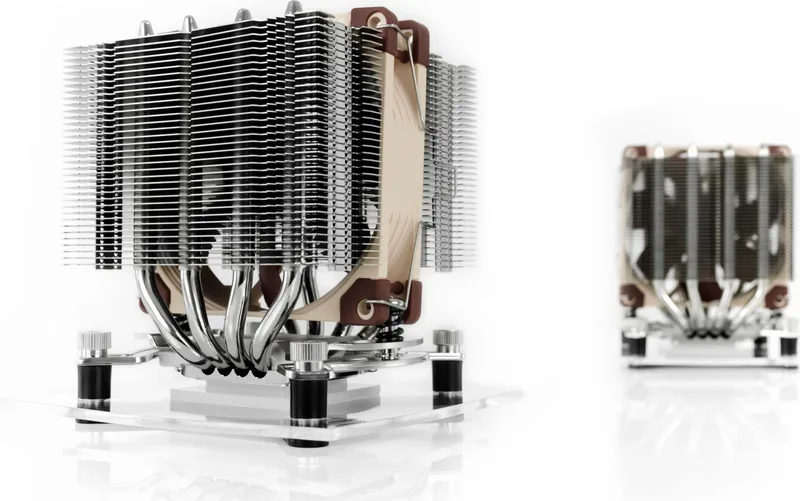
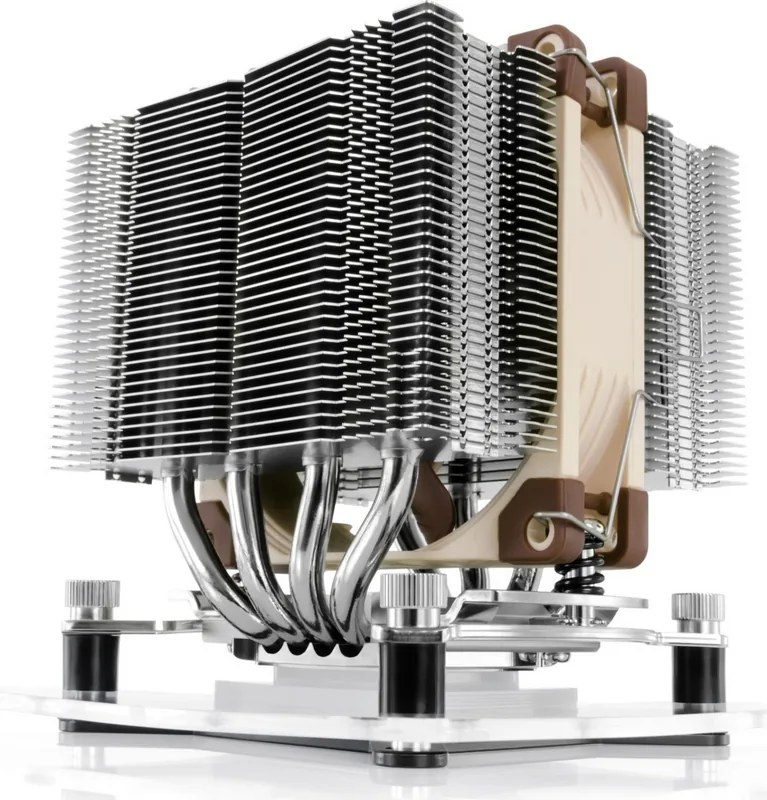
The Noctua NH-D9L CPU Cooler is a compact premium air cooler designed for systems where space, compatibility, and dependable thermal performance matter. Its narrow tower profile makes it a practical choice for small form factor PCs, workstations, and standard desktop builds that need a capable cooler without the bulk of a large dual-tower design. The chromax.black edition adds an all-black finish for a cleaner, more understated look.
The Noctua NH-D9L CPU Cooler Manual highlights the importance of checking motherboard, case, RAM, PCIe card, and socket compatibility before installation. Although the cooler is compact, fan clips and nearby components still require sufficient clearance. Careful planning helps ensure an easy installation and avoids interference with tall memory modules, graphics cards, or motherboard heatsinks.
Noctua uses its SecuFirm2 mounting system to provide secure mounting across supported Intel and AMD platforms. Intel support includes LGA1851, LGA1700, LGA1200, and LGA115x sockets. For AMD systems, the cooler mounts to the standard AM5 or AM4 motherboard backplate after the original retention module is removed. The mounting bridges must be installed in the correct orientation, and screws should be tightened evenly without excessive force.
Thermal paste application is tailored to the CPU socket family. Intel LGA1851 and LGA1700 processors use five small paste dots, while LGA1200 and LGA115x processors use one central dot. AMD AM5 and AM4 installations also use a five-dot pattern. For Ryzen 5000 and Ryzen 3000 processors, the manual recommends the -7 mm offset mounting position to improve contact quality and cooling performance where compatible.
The included NF-A9 fan connects directly to the motherboard CPU fan header. Users who prioritize quieter operation can install the supplied NA-RC7 Low-Noise Adapter, but CPU temperatures should be monitored afterward. If temperatures become too high, improve case airflow or remove the adapter. The cooler also includes extra fan clips for adding a second NF-A9 fan in push-pull mode for greater cooling potential.
Notes
- Remove the fan and the protective cover from the cooler base before mounting.
- Clean old thermal material from the CPU before applying fresh paste.
- The cooler is light enough that it does not need to be removed when transporting the PC.
- Noctua provides a six-year warranty and direct support for installation or compatibility questions.
Search for 67,706 Manuals online


Type-in Brand or Model