
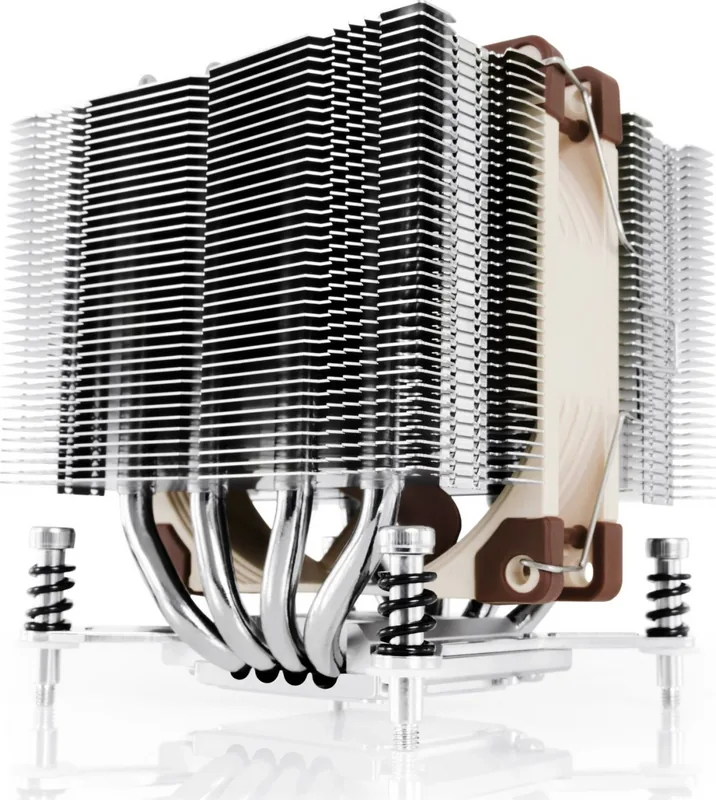
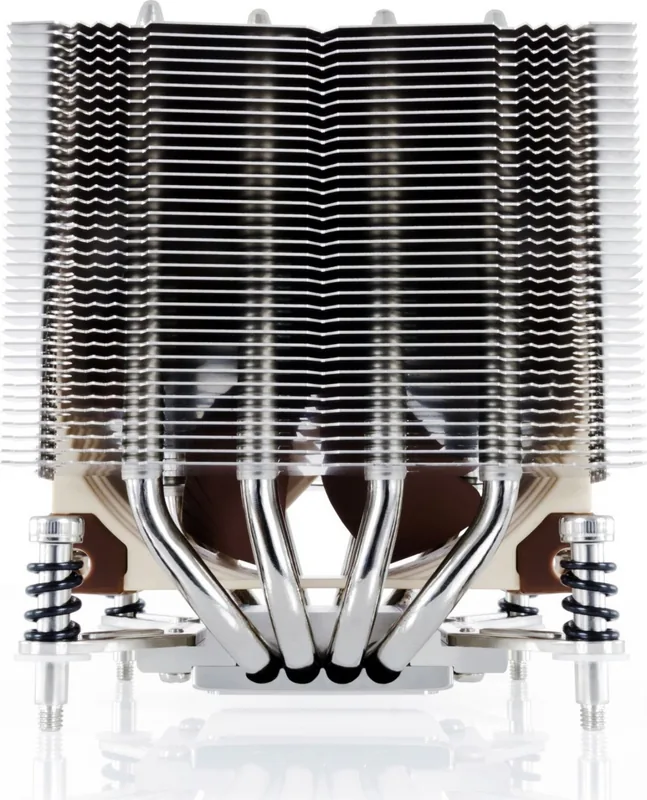
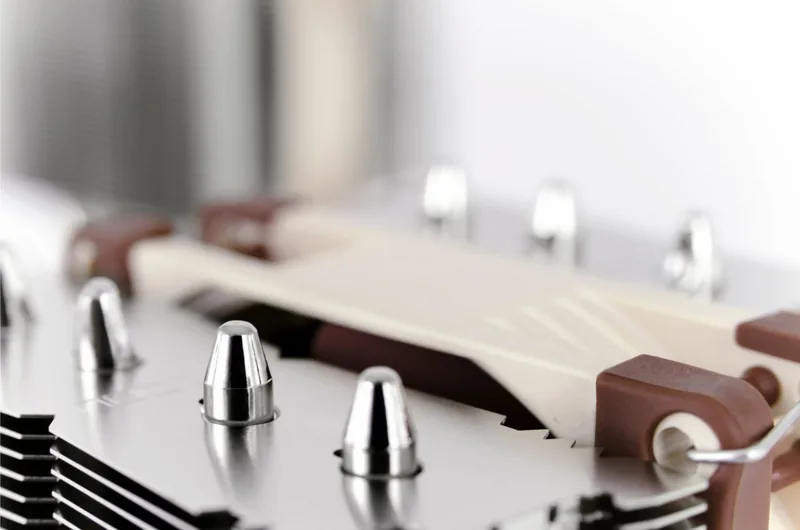
Noctua NH-D9DX i4 3U Manual
PDF manual · 3 Pages
English



Quick check
Incorrect answer, please try again.
Chat with your Noctua NH-D9DX i4 3U manual using AI
Get instant AI answers from your Noctua NH-D9DX i4 3U manual
Ask anything about the Noctua NH-D9DX i4 3U. Answers come from this manual, with the pages they are based on.
Ask a Question
Do you recommend NH-D9DX i4 3U?
Yes NoFrequently Asked Questions
The NH-D9DX i4 3U supports Intel LGA2011 (both Square-ILM and Narrow-ILM), LGA1356 and LGA1366 platforms via interchangeable mounting brackets and screws.
Is this answer helpful?
Clean existing residue, then place a small drop (about 4–5mm diameter) of NT-H1 in the center of the CPU heatspreader. Install the heatsink and tighten the spring-loaded screws until they stop to ensure even spread and good contact.
Is this answer helpful?
Yes. The cooler includes clips and anti-vibration strips for a second NF-A9 fan in push/pull. Use the NF-A9 retail y-cable to run both fans from one mainboard fan header so they share speed control.
Is this answer helpful?
Replace the preinstalled Square-ILM NM-XFB3 brackets with Narrow-ILM brackets (NM-XFB4 or NM-XFB5) and transfer lock-rings, springs and screws as described in the manual before proceeding with installation.
Is this answer helpful?
The Low-Noise Adapter reduces fan speed and noise but increases CPU temperature. Use it if acoustics are a priority, but monitor CPU temperatures to ensure it doesn’t cause thermal throttling.
Is this answer helpful?
Noctua provides a six-year warranty and direct support. Consult the online FAQs or contact [email protected] for assistance and RMA procedures if you experience defects or compatibility issues.
Is this answer helpful?
Remove the fan and bottom protection cover before fastening the heatsink. Tighten the four spring-loaded screws until they stop, avoid excessive thermal paste, and verify motherboard compatibility to prevent damage.
Is this answer helpful?
Advantages and Disadvantages
Advantages

- Compact 3U design optimized for Xeon LGA2011, LGA1356 and LGA1366 platforms.
- Includes SecuFirm2™ mounting system with interchangeable brackets for Square and Narrow ILM.
- Quiet NF-A9 fan with Low-Noise Adapter and option for a second fan in push/pull.
- High-quality construction, thorough QC and six-year warranty from Noctua.
- Clear installation guidance and spare mounting hardware for varied motherboard layouts.
Disadvantages

- Requires careful compatibility checks for clearance and ILM type before installation.
- Using the L.N.A. may raise temperatures; monitoring needed to avoid throttling.
- Installation involves several bracket/screw changes which may be fiddly in cramped chassis.
- Not as high-performance as larger tower coolers in unrestricted space.
- Some users may need to purchase an additional NF-A9 fan for best push/pull results.
Product Specification
Design
Tower cooler (Dual-Tower)
Dimensions with fan
3.74x4.33x3.74in (WxHxD)
Dimensions without fan
3.74x4.33x3.74in (WxHxD)
Fan
1x 3.62x3.62x0.98in, 400-2000rpm, 78.9m^3/h, 46.43 CFM, 22.8dB(A), 0.09inH2O, 1.2W (NF-A9 PWM, Link)
Weight with fan
1.17 lb
Weight without fan
0.94 lb
Connector
4-Pin PWM
Intel Socket
2011-0/2011-1/2011-3/2066, 2011-Narrow-ILM, 1356/1366
Features
4 Heatpipes, nickel-plated
Manufacturer's warranty
6 years
Note
Please note mainboard compatibility (Noctua Compatibility Centre)
Product Description
Noctua NH-D9DX i4 3U Manual: Compact, Reliable Xeon Cooling
The Noctua NH-D9DX i4 3U is a purpose-built cooler for Intel Xeon platforms, engineered to deliver efficient, quiet cooling in rack and workstation environments. Designed around a compact 3U form factor, this heatsink optimizes airflow and thermal transfer for LGA2011 (Square and Narrow ILM), LGA1356 and LGA1366 sockets. Noctua blends premium materials, meticulous manufacturing, and field-proven fan technology to produce a cooler that balances performance, low noise, and long-term reliability.
Inside the unit you’ll find a dense fin stack mated to heatpipes and a high-quality NF-A9 fan that provides stable airflow while remaining acoustically restrained. The NH-D9DX i4 3U ships with Noctua’s SecuFirm2™ mounting system, spring-loaded screws, and interchange-able mounting brackets to support both Square-ILM and Narrow-ILM layouts. Installation guidance emphasizes correct thermal paste application, proper torque on spring screws, and verifying compatibility with your motherboard to prevent clearance or mounting issues.
Flexibility is a key strength: the cooler includes alternate brackets (NM-XFB4/NM-XFB5) for Narrow-ILM orientations and spare screws (NM-XBT2) for LGA1356/1366 threads. Users can add a second NF-A9 fan in push/pull using supplied clips and anti-vibration strips to further lower CPU temperatures. A Low-Noise Adapter (NA-RC7) is included for quieter operation, though Noctua advises monitoring CPU temperatures if you use it, to avoid thermal throttling.
Noctua’s quality control and support underpin the package: the product comes with thorough step-by-step installation instructions and a six-year warranty backed by accessible support and an FAQ knowledge base. The manual highlights practical cautions—clean old thermal compound, use a pea-sized drop of NT-H1 paste, tighten screws until they stop, and ensure case ventilation if additional noise reduction measures are applied.
Whether you’re building a compact server, workstation, or 3U chassis where space and acoustics matter, the NH-D9DX i4 3U delivers a strong balance of thermal performance, modular mounting options, and dependable low-noise operation.
Notes
- Includes SecuFirm2™ mounting, NM-XFB3/NM-XFB4/NM-XFB5 brackets and NM-XBT1/NM-XBT2 screws.
- NT-H1 recommended thermal paste; use a 4–5mm drop in the center of the heatspreader.
- Six-year warranty and direct Noctua support available online.
Search for 67,706 Manuals online


Type-in Brand or Model
Lukas Berg
10 months ago
Will this cooler fit a dual-processor Xeon motherboard, and what should I do before installation? Can it handle about 90W and remain quiet?
Manual.ly
10 months ago
Yes, users report it fits perfectly on dual-processor Xeon mainboards and provides sufficient cooling even for a 90W Haswell Xeon. During full load, temperatures stayed under 55 C (ambient around 18 C) while the system remained very quiet. Before mounting, make sure to remove the cardboard spacer between the fan and the heatsink (if present) so the fan makes proper contact. Also double-check your exact socket support for other platforms, as additional adapters (for example for 115x) may not be included depending on the package.