
Noctua NH-C14 Manual
PDF manual · 6 Pages
English



Quick check
Incorrect answer, please try again.
Chat with your Noctua NH-C14 manual using AI
Get instant AI answers from your Noctua NH-C14 manual
Ask anything about the Noctua NH-C14. Answers come from this manual, with the pages they are based on.
Ask a Question
Do you recommend NH-C14?
Yes NoFrequently Asked Questions
The NH-C14S is an updated top-flow cooler that keeps the same flexible concept while improving compatibility and adjustability. It is designed for users who want strong cooling with better fit options for modern builds.
Is this answer helpful?
Yes. The fan can be mounted underneath the fins for low-profile use or placed on top for high-clearance mode. The top-mounted setup helps create more space for tall memory modules and nearby components.
Is this answer helpful?
Yes. The cooler includes extra fan clips for an optional second NF-A14 fan in push/pull mode. This can improve cooling performance, especially in more demanding systems.
Is this answer helpful?
Installation is straightforward if you follow the mounting steps carefully. The SecuFirm2 system is designed for secure mounting, but you should check socket compatibility, case clearance, and component spacing first.
Is this answer helpful?
Only if your CPU temperatures stay in a safe range. The low-noise adapter reduces fan speed and sound, but it may also reduce cooling performance. Monitor temperatures after enabling it.
Is this answer helpful?
No. The included screwdriver lets you fasten the heatsink through the fan blades, so you usually do not need to remove the fan during installation.
Is this answer helpful?
Advantages and Disadvantages
Advantages

- Highly adjustable fan positioning for low-profile or high-clearance builds.
- Optional dual-fan support can improve cooling performance.
- SecuFirm2 mounting system offers secure and precise installation.
- Six-year warranty and direct support add long-term confidence.
Disadvantages

- Installation requires careful compatibility checks for RAM, case space, and PCIe clearance.
- Low-noise adapter may reduce performance if CPU temperatures rise too much.
- Top-flow design can still be limited by very crowded motherboard layouts.
- Transporting the system with the cooler installed is not recommended for safety.
Product Specification
Type
Top-blow cooler
AMD Socket Note
Socket AM5/AM4 mounting kit available separately, Socket AM5/AM4 mounting kit available separately
Intel Socket Note
Socket 1851/1700/1200/115x mounting kit available separately, Socket 1700 mounting kit available separately
Features
6 heatpipes, nickel-plated
Manufacturer's warranty
6 years
Product Description
Noctua NH-C14S: A Top-Flow Cooler Built for Flexibility
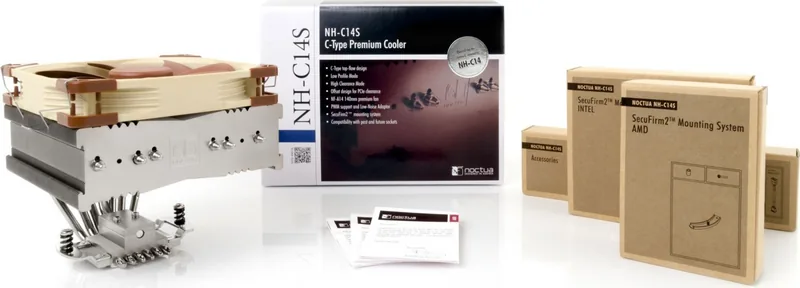
The Noctua NH-C14S takes everything people appreciated about the original NH-C14 and refines it into a cooler that feels made for real-world PC builds. It is a top-flow CPU cooler designed for users who want strong cooling, broad compatibility, and a setup that can adapt to different memory heights and case layouts. If you’re searching for the Noctua NH-C14 Manual style of guidance, this cooler’s installation approach is a great example of Noctua’s careful, builder-friendly philosophy.
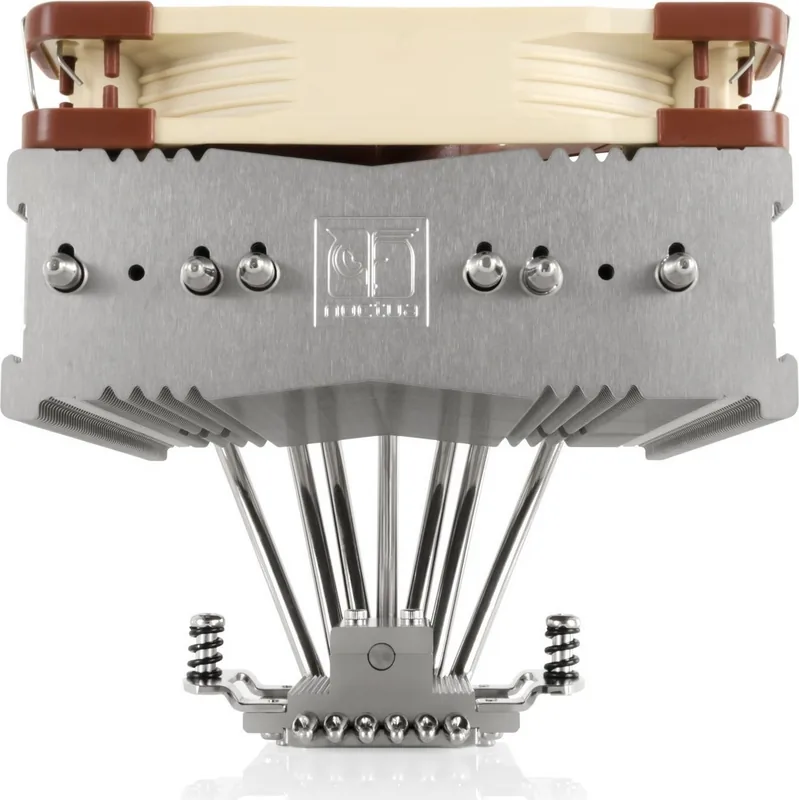
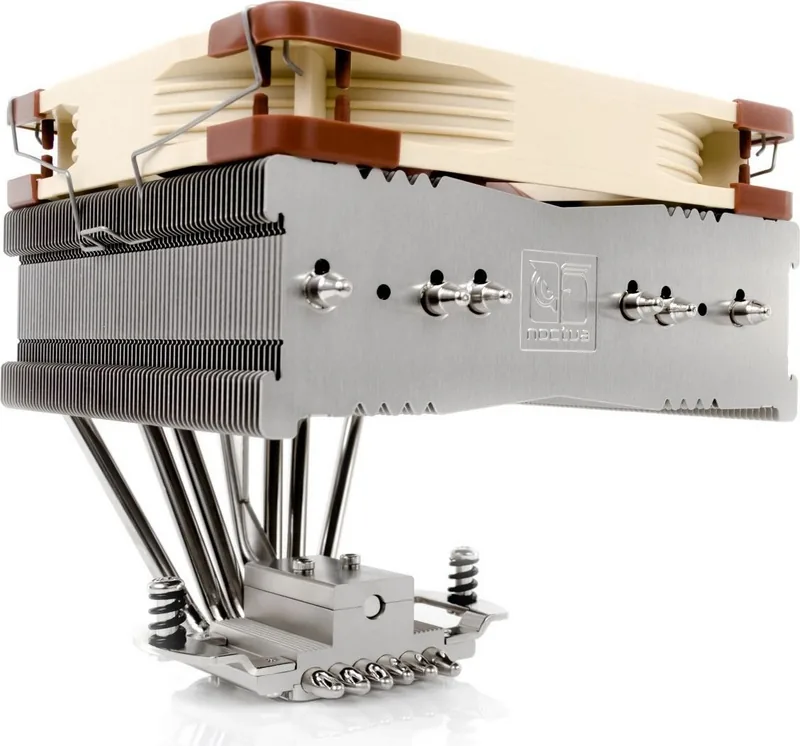
One of the biggest strengths of the NH-C14S is its adjustable fan placement. In low-profile mode, the fan sits underneath the heatsink fins, keeping the overall height compact. In high-clearance mode, the fan moves on top of the fins, creating extra space for tall RAM modules and nearby components. That flexibility makes it especially attractive for compact systems and performance builds where clearance can be tight.
The cooler also supports optional dual-fan operation. By adding a second NF-A14 fan, users can create a push/pull configuration for better thermal performance. Noctua even includes extra fan clips for this upgrade, which makes the process straightforward. At the same time, the low-noise adapter gives builders a way to reduce fan speed and noise, though doing so may require more careful temperature monitoring.
Installation is centered around the SecuFirm2 mounting system, which is known for its solid, precise fit. The cooler supports Intel and AMD platforms with different mounting parts and spacers, and the manual emphasizes checking motherboard compatibility, case clearance, and RAM height before starting. That kind of preparation matters, especially with top-flow coolers that can interact with PCIe cards or memory modules.
Thermally, the NH-C14S is built to balance efficiency and acoustics rather than chase extreme noise or size savings. It’s a strong match for users who value quiet operation, easy maintenance, and dependable hardware. Noctua’s six-year warranty and support service also add confidence for long-term use.
Notes
- Check motherboard and case clearance before installation.
- Remove the protection cover before mounting the heatsink.
- Use the included screwdriver to install without removing the fan.
- For best results in dual-fan mode, keep the top fan at moderate speed.
- Consider removing the cooler during transport for extra safety.
In short, the NH-C14S is a highly adaptable top-flow cooler that combines practical installation, strong compatibility, and thoughtful acoustic control in one refined package.
Search for 67,706 Manuals online


Type-in Brand or Model