
Noctua NF-A9 Manual
PDF manual · 2 Pages
English



Quick check
Incorrect answer, please try again.
Chat with your Noctua NF-A9 manual using AI
Get instant AI answers from your Noctua NF-A9 manual
Ask anything about the Noctua NF-A9. Answers come from this manual, with the pages they are based on.
Ask a Question
Do you recommend NF-A9?
Yes NoFrequently Asked Questions
The NF-A9 5V requires a regulated 5V power source. It must not be connected directly to common 12V motherboard fan headers or other 12V sources, as this can damage the fan.
Is this answer helpful?
Yes. The supplied NA-AC7 USB power adapter cable allows the fan to run from suitable USB host ports, power banks, or USB power supplies. That adapter cable should only be used with the NF-A9 5V.
Is this answer helpful?
The fan has a standard 3-pin connector. It is also compatible with suitable 4-pin PWM connectors. For proprietary device connectors, the included OmniJoin adapter set can be used after confirming the correct wiring.
Is this answer helpful?
Clean the fan regularly with a soft duster, a lightly damp cloth, or compressed air. Do not use a vacuum cleaner or excessive force. Do not remove the rotor or disassemble the sealed bearing system.
Is this answer helpful?
Identify the original fan's ground and +5V leads before connecting anything. The OmniJoin adapter uses black for ground and red for +5V, but the original fan's wire colors may not follow the same convention.
Is this answer helpful?
The package includes mounting screws, anti-vibration mounts, a 30 cm extension cable, a USB power adapter cable, and an OmniJoin adapter set with Scotchlok connectors for compatible proprietary wiring setups.
Is this answer helpful?
Advantages and Disadvantages
Advantages

- Designed for quiet, dependable cooling in 5V devices and compact enclosures.
- Sealed SSO2 premium bearing supports long service life and dust protection.
- More than 150,000 hours MTTF specification and a six-year manufacturer warranty.
- Includes USB power cable, extension cable, mounting options, and OmniJoin adapter set.
Disadvantages

- Cannot be connected to standard 12V PC fan headers without risk of damage.
- Wiring identification is required when using proprietary connectors and the OmniJoin adapter.
- The sealed bearing design must not be disassembled by the user.
- USB adapter cable is intended only for the NF-A9 5V, limiting cross-fan reuse.
Product Specification
Dimensions
3.62 x 3.62 x 0.98 in (W x H x D)
Fan bearing
Magnetic hydrodynamic sleeve bearing (SSO2)
Manufacturer warranty
6 years
Product Description
Noctua NF-A9 5V - Read, Download & Print Free
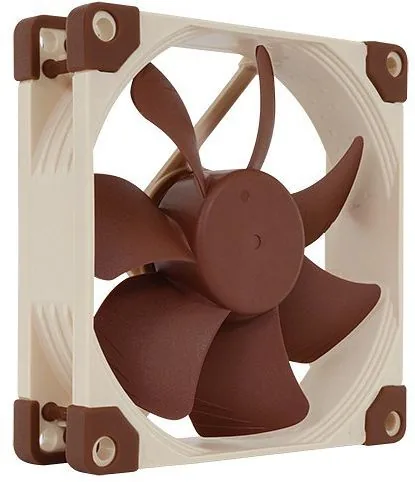
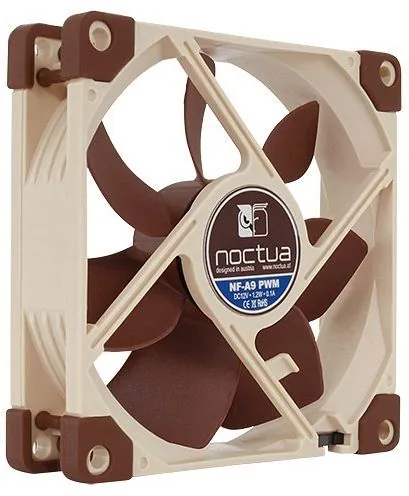
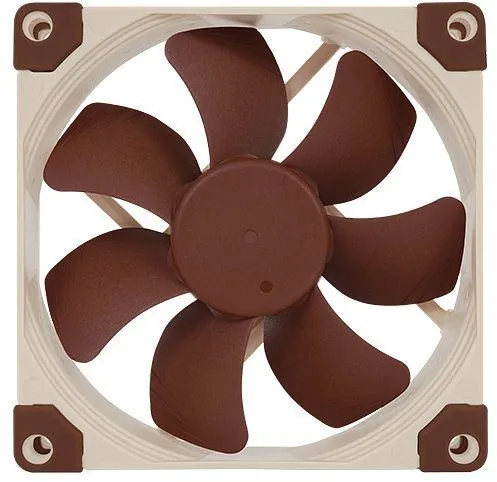
The Noctua NF-A9 5V is a premium 92 mm cooling fan designed for equipment that requires dependable 5V airflow. Built around Noctua's reputation for refined acoustics, durable construction, and careful engineering, it is a practical choice for compact electronics, USB-powered projects, network hardware, DIY enclosures, and other low-voltage cooling applications.
Quiet, durable cooling for 5V systems
This fan combines efficient cooling performance with the smooth, low-noise operation associated with Noctua products. Its sealed SSO2 premium bearing is engineered for long-term reliability and helps protect the internal mechanism from fine dust. With a specified mean time to failure of more than 150,000 hours and a six-year manufacturer warranty, the NF-A9 5V is made for installations where consistent operation matters.
The compact 92 mm format makes it suitable for replacing an existing fan where space is limited. It uses a standard 3-pin connector and can also fit compatible 4-pin PWM headers. However, it is specifically a 5V model, so correct power selection is essential. Connecting it directly to a standard 12V PC motherboard fan header can damage the fan.
Flexible installation options
Noctua includes accessories that broaden the NF-A9 5V's usefulness. The supplied USB power adapter cable supports operation from appropriate USB host ports, power banks, and USB power supplies. A 30 cm extension cable can help reach more distant connections, while mounting screws and anti-vibration mounts offer flexible installation choices.
For devices using proprietary fan connectors, the OmniJoin adapter set provides a practical connection method. It uses red for +5V and black for ground, but installers should always identify the original device wiring before making connections. Correct polarity is important for safe operation. The fan's short 20 cm primary cable also helps keep compact builds tidy.
Care and practical use
Regular cleaning supports maximum airflow and quieter operation. A soft duster, a lightly damp cloth, or compressed air can be used carefully to remove dust. Avoid vacuum cleaners, excessive force, and disassembly. The bearing assembly is sealed, and removing the rotor can break that seal and void warranty coverage.
Notes
- Use the included USB adapter cable only with the NF-A9 5V.
- Confirm ground and +5V leads before using the OmniJoin adapter.
- Reusing original mounting hardware may be useful when replacing an installed fan.
- Keep the fan on a regulated 5V supply for reliable performance.
Search for 67,706 Manuals online


Type-in Brand or Model