

Noctua NA-SYC2 Manual
PDF manual · 1 Pages
English


Quick check
Incorrect answer, please try again.
Chat with your Noctua NA-SYC2 manual using AI
Get instant AI answers from your Noctua NA-SYC2 manual
Ask anything about the Noctua NA-SYC2. Answers come from this manual, with the pages they are based on.
Ask a Question
Do you recommend NA-SYC2?
Yes NoFrequently Asked Questions
It is a fan accessory set that lets two 3-pin fans share one motherboard fan header. This helps simplify wiring and makes it easier to connect multiple fans in a tidy way.
Is this answer helpful?
The product is designed for 3-pin fans. If your setup relies on 4-pin PWM control, this is not the ideal choice unless your motherboard and fans support the intended connection type.
Is this answer helpful?
By combining two fans into one connection, it reduces the number of cables running through the case. The fully sleeved design also helps the interior look cleaner and more organized.
Is this answer helpful?
Check your motherboard fan header limits in the manual. Common headers support up to 9.6W or 12W, so the combined power draw of both fans must stay within that range.
Is this answer helpful?
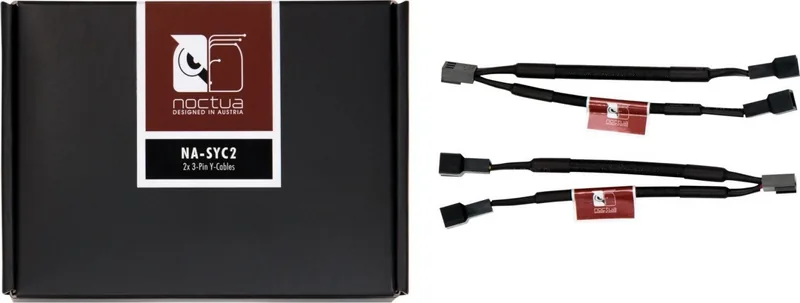
The set includes two fully sleeved NA-YC2 Y-cables for 3-pin fans. It is meant as a simple accessory solution for connecting two fans to one header.
Is this answer helpful?
It is best for PC builders who want a neat, reliable way to run multiple 3-pin fans on one header. It works well in quiet builds, small cases, and clean-looking systems.
Is this answer helpful?
Advantages and Disadvantages
Advantages

- Lets two 3-pin fans run from one header, which is handy when fan connectors are limited.
- Fully sleeved cables improve cable management and give the build a cleaner look.
- Compact, lightweight, and backed by a 6-year warranty for added peace of mind.
- Made by Noctua, a brand widely recognized for quality and quiet cooling accessories.
Disadvantages

- Designed for 3-pin fans, so it is not the best fit for 4-pin PWM-only setups.
- You still need to watch total power draw to avoid exceeding motherboard header limits.
- No advanced fan control or hub features; it is a simple splitter cable set.
- May not be necessary for users who already have enough fan headers on the motherboard.
Product Specification
Type
Cable, Fan splitter (Y-cable, 3-Pin)
Product Description
Noctua NA-SYC2 11.5cm 2-Pack Manual
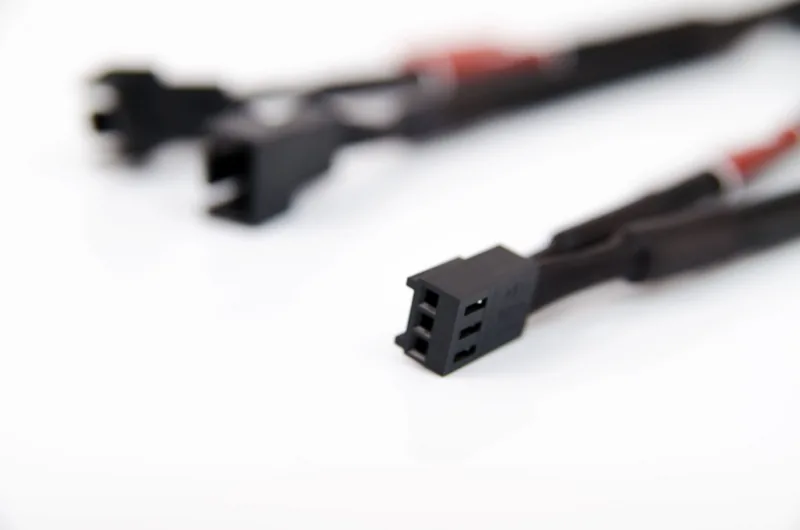
The Noctua NA-SYC2 11.5cm 2-pack is a small but very practical fan accessory built for tidy, flexible cooling setups. At its core, it is a pair of fully sleeved NA-YC2 Y-cables made for 3-pin fans, allowing two fans to be powered from a single motherboard fan header. For builders who want a cleaner interior without adding bulky controllers or extra hardware, this is a straightforward and reliable solution.
What makes this accessory appealing is its simplicity. Instead of running separate cables for every fan, the NA-SYC2 helps reduce clutter while keeping the installation neat and organized. That can be especially useful in compact cases, air-cooled systems, or builds where airflow and cable routing matter just as much as temperature control. The sleeved design also adds a more polished look, which fits well with Noctua’s reputation for premium, carefully engineered components.
Noctua is known for quiet cooling products, and this accessory follows the same philosophy of practical quality. It is designed in Austria and backed by a 6-year warranty, which adds confidence for long-term use. The package is lightweight and compact, making it easy to store or include in a broader build kit. While the product itself is simple, it supports one of the most common challenges in PC building: connecting multiple fans when fan headers are limited.
This 2-pack is especially useful for users upgrading a CPU cooler, building a silent workstation, or setting up additional case ventilation. It does not add software control, lighting, or advanced fan management features. Instead, it focuses on doing one job well: letting two 3-pin fans share one header safely and cleanly. That makes it a great choice for builders who prefer dependable, no-frills accessories over complex solutions.
Notes
- Check your motherboard manual before combining fans on one header.
- Common headers typically support up to 9.6W or 12W.
- Make sure the total fan power draw stays within that limit.
- Best suited for simple, quiet, and tidy fan installations.
Search for 67,706 Manuals online


Type-in Brand or Model
Marius Weber
8 months ago
Will these dual-fan controller cables be easy to fit and route inside a PC case, or are the cable jackets too inflexible for tight builds?
Manual.ly
8 months ago
Most customers report the cables work flawlessly and are well made. A few reviews do mention the cable jacket is somewhat unflexible and the connector/form factor can make routing harder in very tight cases. Before ordering, check the clearance around your fan and controller ports, measure the distance to the fan mounting points, and plan the cable path. Connect both fans to the control port, then use gentle bends only where needed and standard cable ties or cable management to reduce strain on the connectors. If space is limited, route the cables first before fully installing the fans or the controller.