
Noctua NA-SAV Series Manual
PDF manual · 2 Pages
English



Quick check
Incorrect answer, please try again.
Chat with your Noctua NA-SAV Series manual using AI
Get instant AI answers from your Noctua NA-SAV Series manual
Ask anything about the Noctua NA-SAV Series. Answers come from this manual, with the pages they are based on.
Ask a Question
Do you recommend NA-SAV Series?
Yes No
fbischoff50
9 months ago
Are these anti-vibration rubber fan mounts easy to install, and how can I tell the fan is seated securely without transferring vibrations to the case?

Manual.ly
9 months ago
Yes. Installation is usually quick: push the rubber pins through the case holes and align them with the fan mounting holes, then press until you hear/feel the retention click (often described as a 'plop'). To confirm fit, check that the back flange/disc of the anti-vibration mount sits flush against the case. If any pin ends stick out on the backside, you can trim them with a sharp utility knife. With the fan decoupled from the chassis, you should notice reduced high-frequency vibration, especially on budget fans and in builds with multiple fans. The mounts also hold firmly enough for typical transport without fans working loose.
Video Manual
Noctua NA-SAV2 Guide & Demonstration
Frequently Asked Questions
They secure a fan while reducing vibration transfer to the case, which can help lower noise and resonance in a build.
Is this answer helpful?
They support standard open-corner fans and closed-corner fans in 10 mm, 14/15 mm, 20 mm, and 25 mm thicknesses.
Is this answer helpful?
First, pull the mount through the case opening. Then guide it through the fan holes until the correct pawl passes through and locks the fit in place.
Is this answer helpful?
Each pawl is designed for a specific fan style or thickness, helping ensure a secure fit without forcing the mount.
Is this answer helpful?
Do not pull the wrong pawl through the hole or overstretch the mount, since that can weaken the fit and reduce performance.
Is this answer helpful?
Yes. They are made to reduce hard contact between the fan and case, which can help improve acoustic comfort in quiet systems.
Is this answer helpful?
Advantages and Disadvantages
Advantages

- Soft mounting helps reduce vibration transfer from the fan to the case.
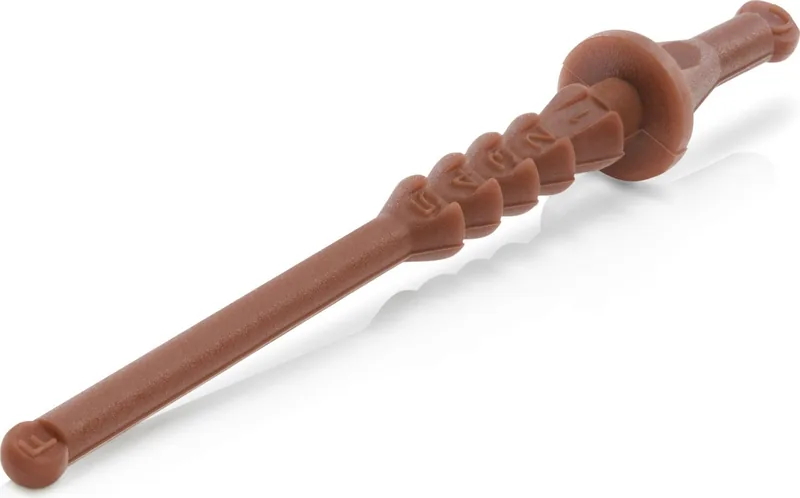
- Five pawl positions support open-corner and multiple closed-corner fan sizes.
- The pull-through design makes installation simple and practical.
- Clear size matching improves fit and reduces guesswork.
Disadvantages

- You must select the correct pawl for the fan type and thickness.
- Forcing the mounts or overstretching them can cause problems.
- Compatibility is limited to the supported corner styles and sizes.
Product Specification
Type
Vibration damper
Other
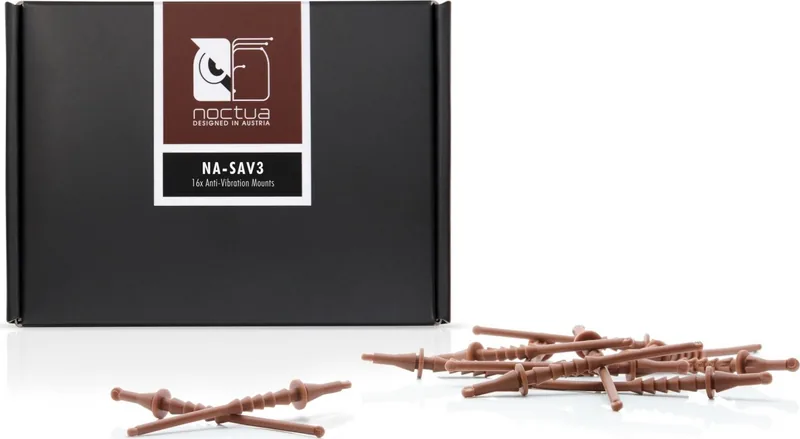
16 Pieces
Product Description
Noctua Anti-Vibrations Mounts: Quiet Support for Demanding Builds
If you want a cleaner, quieter cooling setup, Noctua Anti-Vibrations Mounts offer a simple but effective upgrade. Instead of relying on hard metal screws, these flexible mounts create a softer connection between the fan and the case, helping reduce the vibration that often turns a good fan into a noisy one. In compact systems, media PCs, and performance builds alike, that small change can make the whole machine feel more refined.
What stands out is the practical design. The mounts use five clearly defined pawl positions, making them compatible with standard open-corner fans as well as closed-corner models in several thicknesses. Whether the fan is 10 mm, 14/15 mm, 20 mm, or 25 mm thick, the fit is designed to be secure and purposeful. That versatility makes the accessories useful for builders who work with different fan profiles or want a single mounting method that covers multiple setups.
Installation is straightforward once you follow the Noctua Anti-Vibrations Mounts Manual. The mount is pulled through the case opening first, then guided through the fan’s mounting holes until the correct pawl locks in place. The process is simple, but precision matters: only the matching pawl should be pulled through, and the mounts should not be overstretched. That advice is important because the design is meant to stay snug without being forced.
From a user-experience perspective, these mounts are a nice example of thoughtful hardware design. They do not try to reinvent cooling; instead, they improve the mechanical side of fan mounting, which is often where unwanted resonance starts. For builders chasing lower noise levels, better acoustic comfort, or just a cleaner installation, this kind of accessory can be surprisingly valuable.
If your system uses Noctua cooling or you simply want a dependable anti-vibration solution, these mounts bring a blend of compatibility, ease of use, and noise-focused performance. They are especially appealing for anyone who cares about the little details that separate a merely functional build from one that feels polished and quiet.
Notes
- Choose the pawl that matches your fan type and thickness.
- Pull gently during installation to avoid overstretching.
- Best results come from pairing them with a low-noise airflow setup.
Search for 67,706 Manuals online


Type-in Brand or Model
Adam Stanton
10 months ago
Do these anti-vibration fan mounts actually reduce noise/vibration, stay firmly attached during transport, and how hard are they to install?
Manual.ly
10 months ago
Yes. The mounts are made from very elastic, durable rubber and are designed to decouple your fans from the case, which can noticeably reduce vibration transfer to the rest of the system. Installation is simple: push the rubber pegs through the case holes and the fan mounting holes until you feel them pop into place. You can verify they are seated fully when the rear plate on the anti-vibration holder sits flush on the case. If any rubber ends are sticking out, you can trim them with a knife/scissors. The design keeps a stable grip, so the fans should not loosen during transport.