
Noctua NA-HC Series Manual
PDF manual · 2 Pages
English



Quick check
Incorrect answer, please try again.
Chat with your Noctua NA-HC Series manual using AI
Get instant AI answers from your Noctua NA-HC Series manual
Ask anything about the Noctua NA-HC Series. Answers come from this manual, with the pages they are based on.
Ask a Question
Do you recommend NA-HC Series?
Yes NoFrequently Asked Questions
The cover adds 3mm to both the height and width. Height goes from 158mm to 161mm and width from 125mm to 128mm.
Is this answer helpful?
You must remove one of the two fans temporarily to install the cover properly before reattaching them.
Is this answer helpful?
The steel clip must be placed underneath the second fin from the top of the heatsink to ensure proper alignment.
Is this answer helpful?
No, the cover is designed primarily for aesthetics and does not negatively impact the thermal efficiency of the cooler.
Is this answer helpful?
Noctua provides a comprehensive six-year warranty covering defects and offering direct RMA service for peace of mind.
Is this answer helpful?
Advantages and Disadvantages
Advantages

- Adds a sleek chromax.black aesthetic to standard coolers
- Includes strong magnets for secure attachment
- Backed by an extensive six-year warranty
- Easy installation process with clear instructions
Disadvantages

- Increases overall height by 3mm requiring case clearance check
- Increases overall width by 3mm potentially causing interference
- May require removal of one fan if two are currently installed
Product Description
Enhancing Your Cooling Setup with the Noctua NA-HC Heatsink Cover Manual
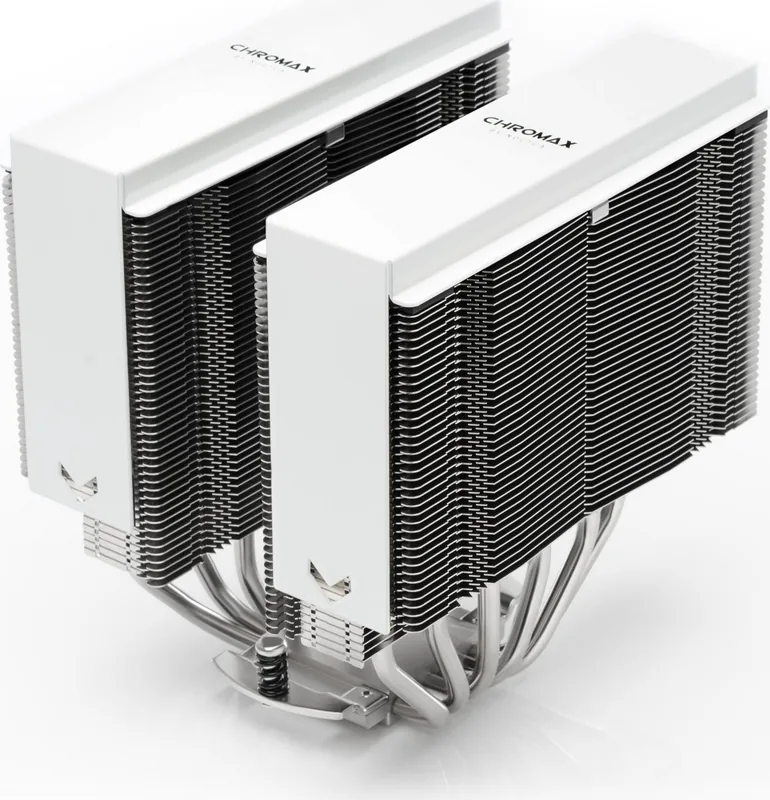
The Noctua NA-HC Heatsink Cover Manual provides essential guidance for upgrading your cooling system with the NA-HC8 chromax.black heatsink cover. This accessory is designed to improve the aesthetic appeal of your CPU cooler while maintaining optimal thermal performance. The manual details the step-by-step process for installing the cover, ensuring that users can easily integrate it into their existing hardware setup without complications.
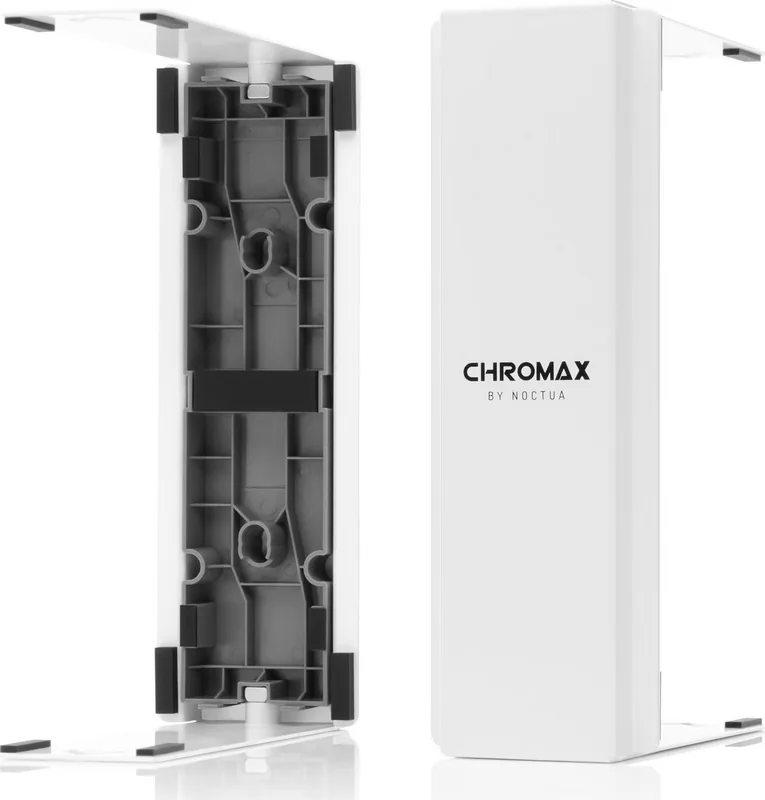
Installation begins by attaching the fixture to the heatsink using the provided steel clip. It is crucial to position the clip underneath the second fin from the top for stability. Once secured, slide the cover over the heatsink until the magnets snap firmly into place. Users must verify that the cover sits securely on the cooler before proceeding. If the CPU cooler has not been installed yet, the manual recommends installing the heatsink first and attaching one fan. For systems with two fans already attached, one must be removed temporarily to accommodate the installation.
A critical note in the documentation highlights dimensional changes. The cover increases the total height of the heatsink by 3mm, bringing it from 158mm to 161mm. Similarly, the width expands by 3mm, moving from 125mm to 128mm. It is vital to ensure your computer case offers sufficient clearance to prevent the cover from contacting other components like PCIe cards. The product comes with a six-year warranty, reflecting Noctua's commitment to quality and reliability. Support is available via email for any issues encountered during or after installation.
Search for 67,706 Manuals online


Type-in Brand or Model