
Noctua NA-FC1 Manual
PDF manual · 2 Pages
English



Quick check
Incorrect answer, please try again.
Chat with your Noctua NA-FC1 manual using AI
Get instant AI answers from your Noctua NA-FC1 manual
Ask anything about the Noctua NA-FC1. Answers come from this manual, with the pages they are based on.
Ask a Question
Do you recommend NA-FC1?
Yes NoFrequently Asked Questions
The NA-FC1 sets PWM duty cycle between 0–100%. It does not directly set an absolute RPM; actual fan speed depends on the fan's motor and electronics. Use motherboard or third-party monitoring tools to view real RPM values during setup.
Is this answer helpful?
"No stop" mode prevents fans from dropping below about 300 RPM to avoid stalls or motherboard fan-error warnings. Enable it when very low duty cycles or BIOS curves risk stopping fans. Note that its effect depends on the fan's minimum speed characteristics.
Is this answer helpful?
Yes. When a PWM signal is present, the NA-FC1 scales the incoming duty cycle (100%–0%) according to the dial setting, effectively lowering the motherboard's control curve and reducing noise while retaining automatic temperature-based control.
Is this answer helpful?
Use the NA-AC4 when the combined power draw of connected fans exceeds your motherboard fan header rating (commonly 9.6–12 W). The adaptor supplies additional power from a SATA connector while still forwarding the motherboard PWM and RPM signals as required.
Is this answer helpful?
Fan response to PWM is determined by the motor and internal electronics; some motors stop below ~20% duty cycle while others maintain speed. The NA-FC1 can’t change a fan’s inherent minimum speed—refer to the fan’s specs for minimum PWM speed.
Is this answer helpful?
Yes, when activating "no stop" at very low speeds the fan may take up to about 30 seconds to ramp up to the enforced ~300 RPM minimum as the controller increases duty cycle to bring the fan back to that threshold.
Is this answer helpful?
Briefly disconnect the NA-FC1 from power before swapping fans so the controller clears its internal cache and correctly detects the replacement fan’s characteristics on reconnection.
Is this answer helpful?
Advantages and Disadvantages
Advantages

- Compact one-channel design for easy manual or motherboard-supplementary PWM control.
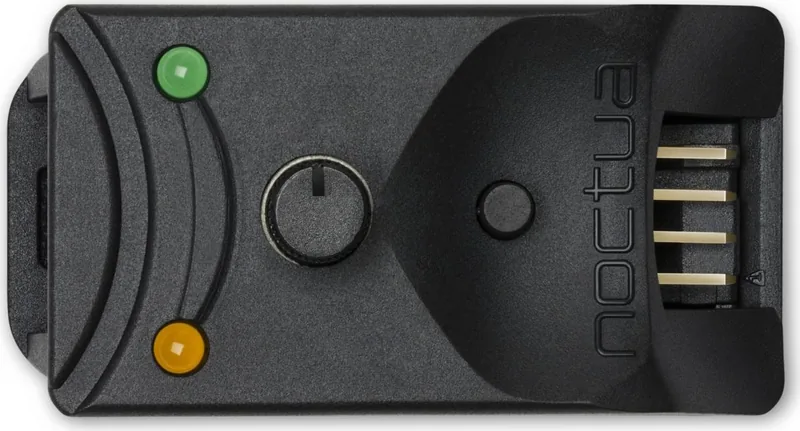
- Tactile speed dial with an orange LED that indicates duty cycle visually.
- "No stop" mode prevents fans from stalling by enforcing an approximate 300 RPM minimum.
- Flexible power options: motherboard header or NA-AC4 SATA-powered adaptor for higher draws.
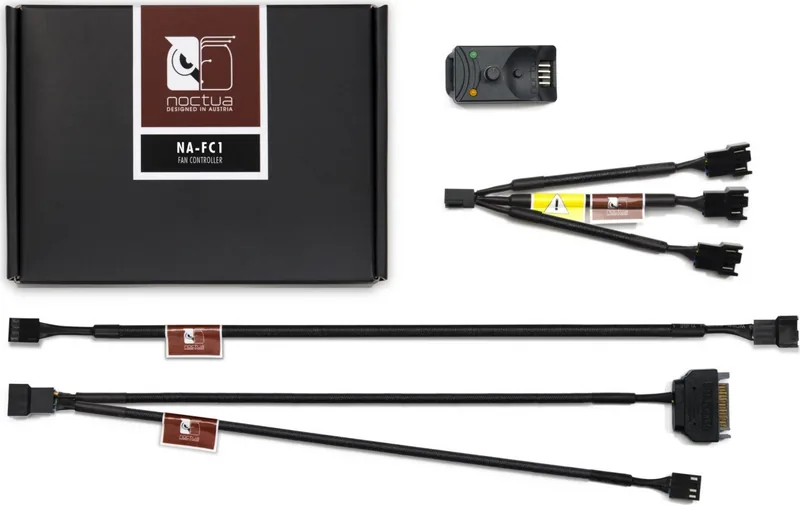
- Includes splitter cable to drive multiple fans from the single output connector.
Disadvantages

- Controls PWM duty cycle, not guaranteed absolute RPM — speeds vary by fan model.
- Some fans may stop below 20% duty cycle; behavior depends on fan electronics.
- Enforcing 300 RPM may not affect fans with higher intrinsic minimum speeds.
- Combined fan power can exceed motherboard header limits; requires SATA adaptor.
- Lag up to ~30 seconds when ramping fans to 300 RPM after enabling “no stop.”
Product Specification
Type
Fan controller
Form factor
Special form
Fans
1
Channels
1 (Speed)
Control range
5-12V
Display
N/A
Power supply
1x 4-Pin PWM
Fan connector
1x 4-Pin PWM
Front I/O
N/A
Product Description
Noctua NA-FC1, Fan Controller 1-Channel Manual
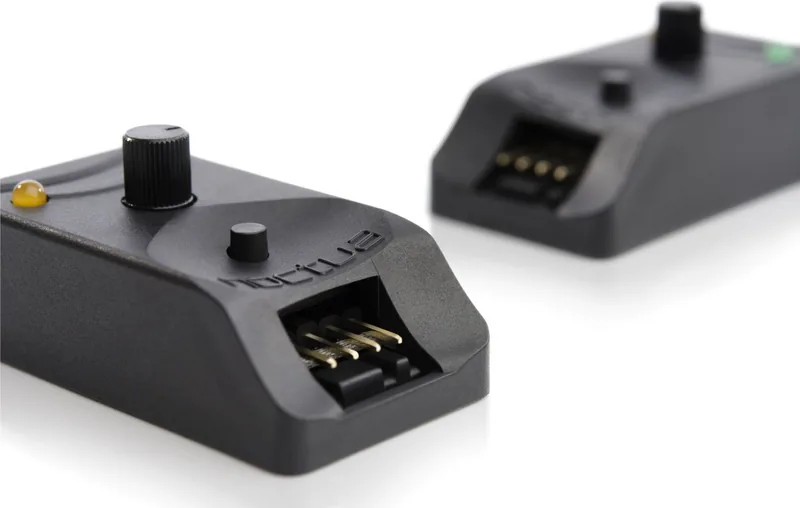
The Noctua NA-FC1 is a compact, single-channel PWM fan controller designed to give precise manual or complementary motherboard-based control of 4-pin PWM fans. Small but robust, the NA-FC1 lets you fine-tune fan duty cycles between 0–100% with a tactile speed dial, while status LEDs provide immediate visual feedback for speed setting and the special “no stop” function.
Built for flexibility, the NA-FC1 can operate as a standalone manual controller when no PWM input is present, or it can modify an incoming motherboard PWM signal to reduce overall duty cycle and noise while preserving automatic temperature-based control. Connections are straightforward: an input connector (supplied NA-EC1 cable or NA-AC4 adaptor for SATA-powered setups) receives PWM signals and power, while the output drives one or multiple fans via the included splitter cable. Noctua emphasizes reliability — each unit is quality-checked and accompanied by clear setup guidance.
A standout feature is the “no stop” mode, which prevents fans from stalling by enforcing a minimum approximate speed of 300 RPM. This is useful when motherboards or low duty settings might otherwise let fans drop below safe thresholds or trigger fan-error warnings. Note that effectiveness depends on the specific fan’s electrical characteristics: fans with inherent minimum speeds above 300 RPM will not show differences with “no stop” engaged.
Practical considerations are well covered: the NA-FC1 controls PWM duty cycle rather than absolute RPM, so actual fan speeds vary by model. Some fans may stop below ~20% duty cycle, while others maintain speed; response curves are non-linear and differ between motors. When switching fans, briefly disconnect power to let the controller clear its cache and detect the new fan correctly. Also, when enabling “no stop” at very low speeds, fans may take up to 30 seconds to ramp to 300 RPM.
Installation options include powering from the motherboard fan header for simple setups or using the NA-AC4 SATA-powered adaptor when multiple or high-power fans exceed typical motherboard header limits. Always check your motherboard’s power rating (commonly 9.6–12 W) to avoid overloading the header; use the SATA adaptor when combined fan draw is higher.
Notes:
- The NA-FC1 adjusts PWM duty cycle, not guaranteed RPM. Use motherboard software or third-party tools to monitor actual speeds.
- "No stop" enforces ~300 RPM minimum but depends on fan capabilities.
- Power high-draw fan arrays via the NA-AC4 SATA adaptor to avoid damaging motherboard headers.
Search for 67,706 Manuals online


Type-in Brand or Model
Alia Jakubowski
8 months ago
Will this PWM fan controller work smoothly with a 12V DC power supply (for example 12V 2A), and does it include the cables/accessories needed to connect the fan?
Manual.ly
8 months ago
Yes. Reviews confirm it can be adjusted very smoothly via the potentiometer and performs reliably as a PWM controller. Users powered it from a small 12V DC supply (e.g., 12V 2A) and the controller outputs the 12V with the PWM signal for speed control. The unit is delivered with plenty of connection accessories, including extension cables and a splitter, which makes it easy to wire the fan and connect power without extra parts.