
Nivona CafeRomatica 520 Manual
PDF manual · 12 Pages
English



Quick check
Incorrect answer, please try again.
Chat with your Nivona CafeRomatica 520 manual using AI
Get instant AI answers from your Nivona CafeRomatica 520 manual
Ask anything about the Nivona CafeRomatica 520. Answers come from this manual, with the pages they are based on.
CafeRomatica 520 Maintenance Schedule
Empty, rinse with clear water, and fill with fresh cool water daily for hygiene.
Replace after approx. 50 liters of water flow or at least every 2 months even with low usage to ensure effectiveness.
Empty regularly or when the display indicates fullness. Use soapy water occasionally for cleaning.
Clean immediately after use to remove dried milk residues. Disassemble and wash parts under running water periodically.
Remove, rinse under cold water without detergent, dry, and reinsert after every automatic system cleaning program.
Free maintenance reminders
Timed to your purchase date. Always free, unsubscribe anytime.
Ask a Question
Do you recommend CafeRomatica 520?
Yes NoDo you recommend CafeRomatica 520?
Yes NoFrequently Asked Questions
Use the included test strip to check water quality. Count the red dots to determine hardness levels one through four. Enter the main menu by holding the steam button, select the bar count matching your water level, and confirm.
Is this answer helpful?
This indicates the internal pipes are empty. Place a bowl under the steam jet, turn the control clockwise to fill and clean the system automatically. Once finished, turn the knob back to close.
Is this answer helpful?
Yes. Open the lid of the coffee powder chute, add one level spoon of ground coffee, close the lid, and press the coffee button. Do not store coffee in the chute.
Is this answer helpful?
Change the filter after drawing about 50 liters of water or at least every two months if not used regularly. The display will show symbol S6 when it is time.
Is this answer helpful?
This may be due to incorrect grinding coarseness or old beans. Adjust the grinder setting while it runs or switch to fresher, higher-quality coffee beans.
Is this answer helpful?
No, this appliance is designed strictly for domestic use. Using it commercially will void the warranty and is not recommended.
Is this answer helpful?
Advantages and Disadvantages
Advantages

- Automated cleaning and descaling programs simplify maintenance
- Integrated grinder allows fresh brewing with roasted beans only
- Adjustable coffee strength and water volume for personalized taste
- Includes Claris water filter to reduce limescale buildup
- Spumatore enables easy milk frothing for cappuccinos
Disadvantages

- Manual settings require reading instructions to configure correctly
- Steam jet requires regular dismantling and cleaning to prevent clogs
- Water tank must be filled with cold tap water only
- Filter replacement is necessary after approximately 50 liters
- First cup aroma may be weak until the system is fully primed
Product Specification
Power
1455 W
Color
black, chrome
Pump pressure
217.58 psi
Coffee system
coffee beans, coffee grounds
Milk system
separate milk container optional
Grinder
adjustable conical grinder (3 levels)
Coffee amount
adjustable (3 levels)
Coffee temperature
adjustable (3 levels)
Water tank capacity
0.58 gallons
Bean hopper capacity
0.55 lbs
Display
yes
Features
dual height-adjustable beverage outlet (max. 5.51 inches), 2-cup function, auto-off (adjustable, energy-saving mode), hot water/steam nozzle, hot water function, pre-brewing system, removable water tank, removable brew group, adjustable water hardness, cup tray, automatic cleaning program, rinse function, automatic descaling program
Dimensions
9.45x13.39x18.11 inches (WxDxH)
Weight
18.08 lbs
Product Description
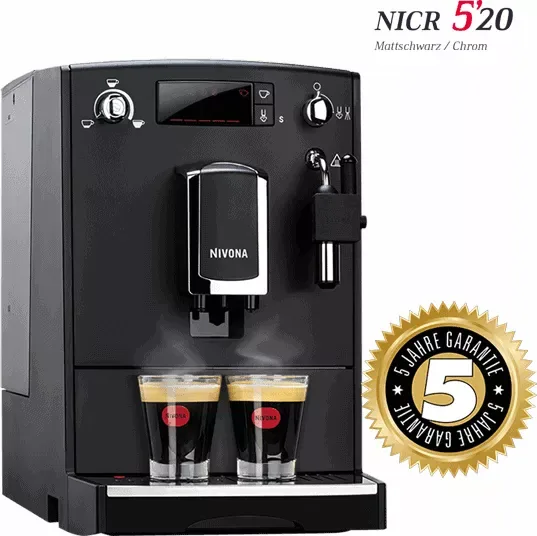
Experience Premium Coffee with the Nivona CafeRomatica 520
The Nivona CafeRomatica 520 Manual provides comprehensive guidance for enjoying a passion for coffee right in your home. This appliance represents a blend of quality engineering and user-friendly design, ensuring that every cup meets high standards. Whether you prefer a mild latte or a strong espresso, this machine adapts to your taste.
Key Features and Operation
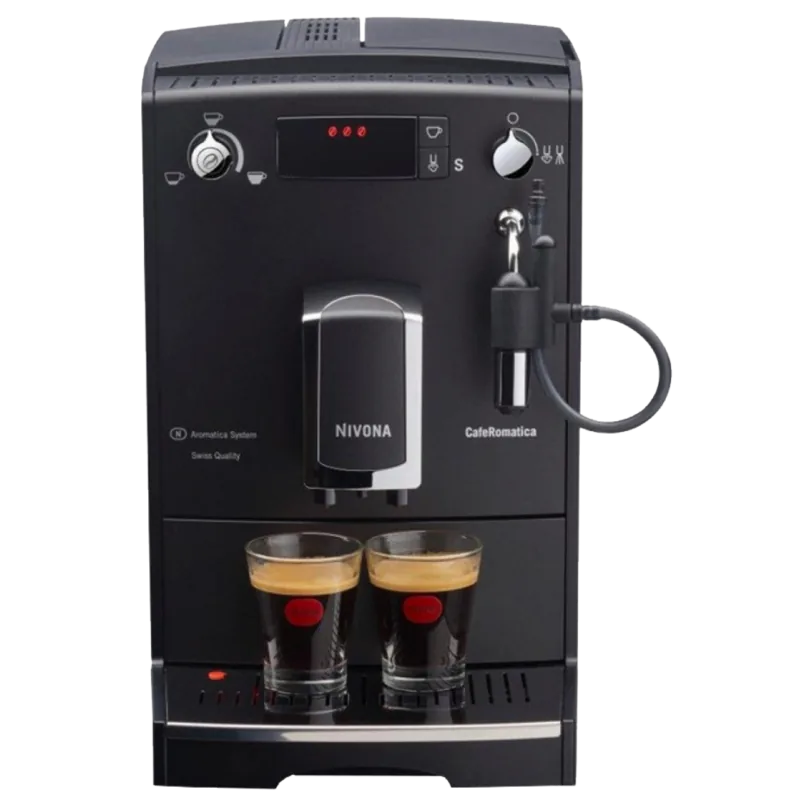
Starting your day has never been easier. The machine features an intuitive control panel with symbols for water tank status, coffee strength, and volume selection. You can easily adjust the coffee strength from mild to strong by pressing the bean symbol, which changes the amount of ground coffee used. The volume selector allows you to fine-tune the water amount for each cup. For those who enjoy milk-based drinks, the integrated Spumatore creates rich foam directly into your cup.
Proper setup is crucial for optimal performance. The manual details how to fill the water tank with cold tap water and load roasted beans into the container. It emphasizes using only untreated beans to protect the grinder. The system includes a Claris filter to soften water, reducing the frequency of descaling. If you choose not to use the filter, you must set the water hardness level manually using the provided test strip.
Maintenance is straightforward with automated programs for cleaning and descaling. The display guides you through these processes, showing specific symbols when action is needed. Regular cleaning of the brew unit and steam jet ensures hygiene and longevity. The machine also offers safety features like automatic switch-off timers and temperature adjustments to suit your preference.
Important Notes
Always ensure the appliance is on a flat surface and plugged into a compatible voltage socket. Do not immerse the machine in water. Keep the original packaging if you ever need to ship the unit for service. The warranty may be voided if the appliance is used commercially or cleaned improperly.
Search for 67,732 Manuals online


Type-in Brand or Model