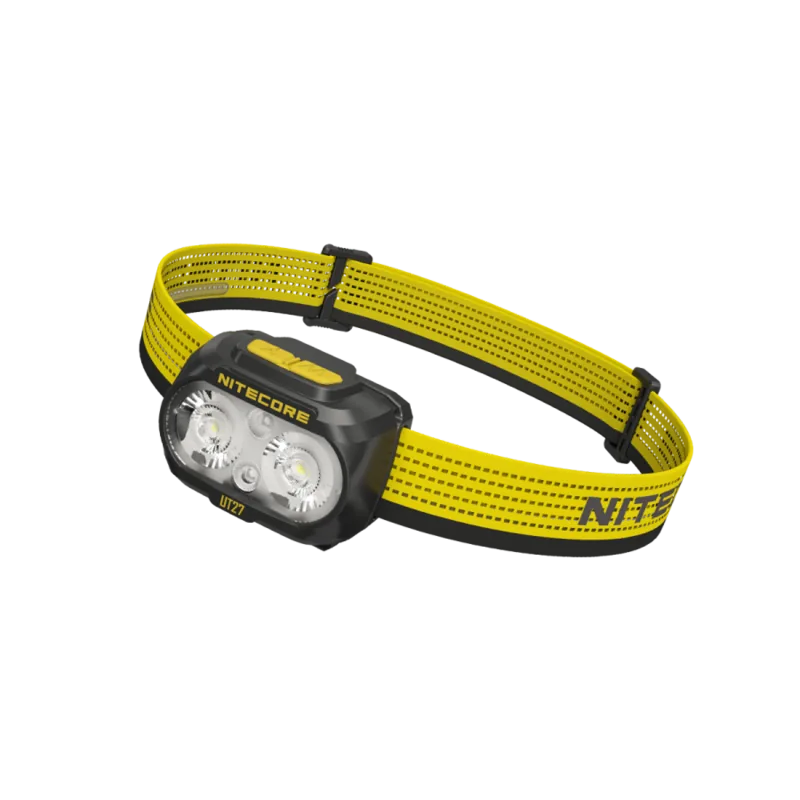
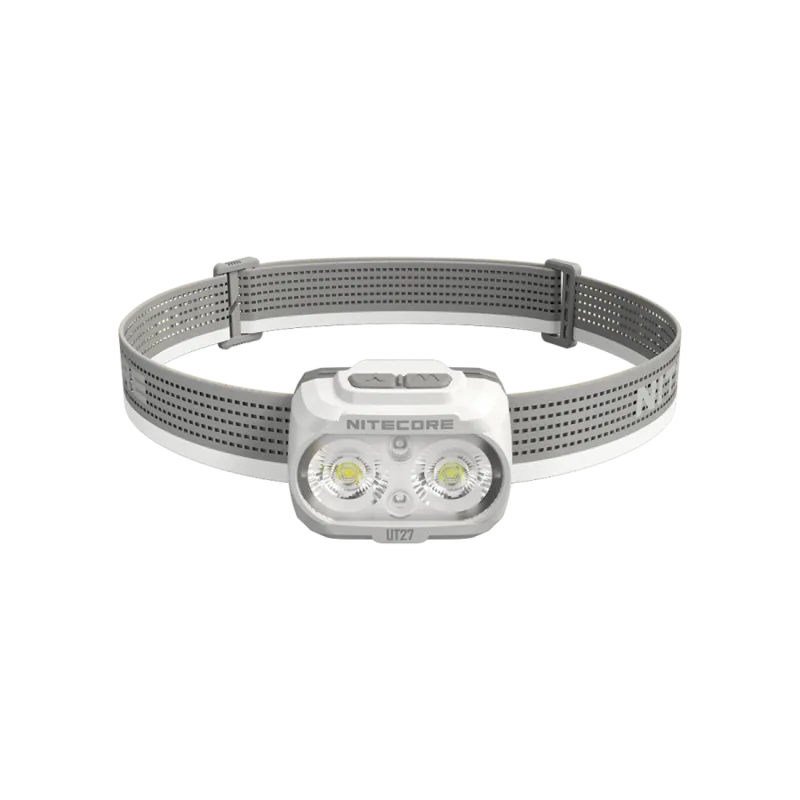
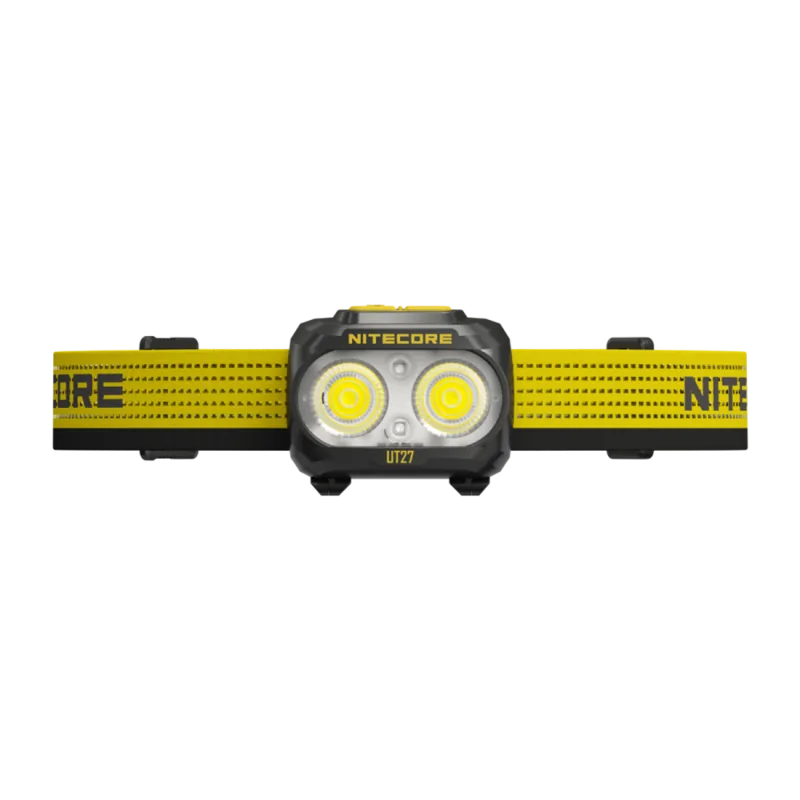
• Utilizes two quad-core MCT (Multiple Color T
• Equippedwithprimarylightsoeringthreecolortemperatures:6,500K
coolwhitelight(CRI73),4,500Kneutralwhitelight(CRI83),3,000K
warm light (CRI 97)
• Designedwithauxiliaryredlightsthatsupportconstant-onlightingand
slowashingforwarning
• Adoptsanopticaldual-lenssystemwithvariousfacetsandtheT
+
technologytodeliverauniformandsoftwide-rangeoodbeam
• Maxoutputof800lumensandmaxthrowof168meters
• IncludesaHLB1500RechargeableLi-ionBatteryP
built-inUSB-Cchargingport.Itisalsocompatiblewith3xAAAbatteries
• Highlyecientconstantcurrentcircuitprovidesastableoutputofupto
14.5hours
• Glow-in-the-darkbatterycompartmentforeasybatteryreplacementand
location
• Dualswitchdesignforeasyaccesstovariouslightsourcesandbrightness
levels
• Powerindicatorscanindicatetheremainingbatterypower
• AdvancedPowerCut
consumption
• 90°adjustabletiltangleforvariouslightingneeds
• Includesaspeciallydesignedlightweight,skin-friendlyandbreathable
headband,andadiusingstusack
• MadefromdurablePCmaterials
• Waterproofanddustproofr
• Impactresistantto1meter
Dimensions: 56.0mmx46.6mmx32mm/2.20"x1.83"x1.26"
(BracketIncluded)
Weight: 48g/1.69oz(BracketandHeadbandIncluded)
74g
Using the HLB1500 Li-ion Battery Pack:
FL1
ST
PrimaryLight
(NeutralWhiteLight)
PrimaryLight
(CoolWhiteLight/NeutralWhiteLight/W
AuxiliaryRedLight
TURBO HIGH MID LOW CONSTANT SLOWFLASHING
800Lumens 500Lumens 280Lumens 100Lumens 10Lumens 10Lumens
2h30min 3h30min 6h30min 14h30min 21h 42h
168m 140m 104m 63m 7m ─
7 4,958cd 2,696cd 994cd 12cd ─
1m
IP66
Note: ThestateddataismeasuredbyusingtheNITECOREHLB1500RechargeableLi-ionBatteryP
testingstandardsANSI/PLA
batteryusageorenvironmentalconditions.
Using 3 x AAA Batteries:
FL1
ST
PrimaryLight
(NeutralWhiteLight)
PrimaryLight
(CoolWhiteLight/NeutralWhiteLight/W
AuxiliaryRedLight
TURBO HIGH MID LOW CONST SLOWFLASHING
800Lumens 500Lumens 280Lumens 100Lumens 10Lumens 10Lumens
2h 2h30min 3h 8h30min 15h 30h
168m 140m 104m 63m 7m ─
7 4,958cd 2,696cd 994cd 12cd ─
1m
IP66
Note: Thestateddataismeasuredbyusing3xAAAalkalinebatteries,inaccordancewiththeinternationalashlighttestingstandardsANSI/PL
ambienttemperatureof26°C(79°F)fromtheNITECORELab.Thedatama
T NominalVoltage Compatibility
NITECOREHLB1500
RechargeableLi-ionBatteryPack
– 3.85V
Y
(Recommended)
PrimaryAlkalineBattery AAA 1.5V Y(Compatible)
RechargeableNi-MHBattery AAA 1.2V Y(Compatible)
RechargeableLFPBattery 10400 3.2V N(Incompatible)
RechargeableLi-ionBattery 10400 3.7V N(Incompatible)
Features
Specications
Accessories
Battery Options
Battery Installation / Removal
Dual Power Buttons
(English)
Power Indication
Technical Data
Runtime Figure
Note: Pleaseremovetheinsulationlmbeforetherstuse.
NITECOREHLB1500RechargeableLi-ionBatteryP
USB-CtoUSB-CChargingCable,Headband,DiusingStuSack,Clip
Indicator
W Button
Y Button
Battery Charging
TheHLB1500Li-ionBatteryPackisequippedwithaUSB-Cchargingport.
Pleasechargeitbeforeuse.
Power Connection:UsetheUSBcabletoconnectanexternalpower
supply(e.g.aUSBadapterorotherUSBchargingdevices)tothecharging
porttobeginthechargingprocess.Thechargingtimeisapprox.1hour30
minutes.(Input:5V/1A)
Charging Indication: Duringthechargingprocess,theredindicatorwill
turnonsteadily
turngreensteadily
Battery Installation / Removal
Asillustrated,insert/removetheHLB1500Li-ionBatteryP
batteriesaccordingtothepolaritymarksandclicktoclosethebattery
compartment.
Note:Whenthepowerlevelislow,pleasestopusingthepr
replaceorrechargethebatterytopreventdamagetothebattery
Dual Power Buttons
TheWButtoncontrolstheneutralwhitelightandcoolwhitelight,whilethe
YButtoncontrolsthewarmlight.
Primary Light
On / O
• Whenthelightiso,longpresstheWButtontoaccessNeutralWhite
LOW(DefaultSetting)orCoolWhiteLOW
• Whenthelightiso,longpresstheYButtontoaccessW
• O:Whenthelightison,longpresseitherbuttontoturnito.
W Button Color Temperature Setting
TheWButtonallowsswitchingbetweenneutralwhitelightandcoolwhite
light.Thedefaultfactorysettingisneutralwhitelight.
W Button Color Temperature Switching: Whenthelightiso,short
press,thenlongpresstheWButtontoturnonthelightandswitchto
neutralwhitelightorcoolwhitelight.Theproductwillautomatically
memorizethecurrentcolortemperatureuntilthenextchange.
Color Temperature Switching
• Whentheneutralwhitelightorcoolwhitelightison,shortpresstheY
Buttontoswitchtowarmlight.
• Whenthewarmlightison,shortpresstheWButtontoswitchtoneutral
whitelightorcoolwhitelight.
Brightness Level Adjustment
• Whentheneutralwhitelightorcoolwhitelightison,shortpresstheW
Buttontocyclethroughthefollowingbrightnesslevels:LOW–MID–HIGH.
• Whenthewarmlightison,shortpresstheYButtontocyclethroughthe
followingbrightnesslevels:LOW–MID–HIGH.
TURBO Activation
Whenanycolortemperaturelightison,doublepresseitherbuttontoaccess
TURBO.Shortpresseitherbuttontoreturntothepreviousstatus.
Auxiliary Red Light
On: Whenthelightiso,doublepresseitherbuttontoaccesstheredlight.
O: Whentheredlightison,longpresseitherbuttontoturnito.
Switching: Whentheredlightison,shortpresseitherbuttontoswitch
betweenCONST
Lockout / Unlock
Lockout: Whenthelightiso,longpressbothbuttonsuntilthelight
ashes3timestoindicateaccesstotheLockoutMode.InLockoutMode,
bothbuttonsareunavailabletoactiv
ashoncetoindicatethisstatuswhenpressingeitherbutton.
(Francais)
(Deutsch)
Rechargement de la batterie
LabatterieLi-ionHLB1500estéquipéed’unportdechargeUSB-C.V
lachargeravantlapremièreutilisation.
Connexion à une source d’alimentation :utilisezlecâbleUSBpour
connecterunesourced’alimentationexterne(parexemple,unadaptateur
USBoutoutautredispositifdechargeUSB)auportdechargeandelancer
leprocessusdechargement.T
(Entrée:5V/1A)
Indication de charge :Pendantlechargement,levoy
alluméencontinu.Unefoislabatteriecomplètementchargée,levoy
devientvertxe.
Installation / Retrait de la batterie
Commeillustré,insérezouretirezlabatterieLi-ionHLB1500oules3pilesAAA
enrespectantlesindicationsdepolarité,puisrefermezlecompartimentjusqu’à
entendreunclic.
Remarque :Lorsqueleniveaudebatterieestfaible,veuillezcesserd'utiliser
leproduitetremplacerourechargerlabatterieand’évitertoutdommage.
Deux boutons d'alimentation
LeboutonWcontrôlelalumièreblancheneutreetlalumièreblanchefroide,
tandisqueleboutonYcontrôlelalumièrechaude.
Éclairage principal
On / O
• Lorsquelalampeestéteinte,unappuilongsurleboutonWpermet
d’accéderàlalumièreblancheneutre(faible)(réglagepardéfaut)ou
froide(faible).
• Lorsquelalampeestéteinte,unappuilongsurleboutonYpermet
d’accéderàlalumièrechaude(faible).
• O : Lorsquelalampeestallumée,unappuilongsurl’unoul’autredes
deuxboutonspermetdel’éteindre.
Réglage de la température de couleur – Bouton W
LeboutonWpermetdebasculerentrelalumièreblancheneutreetla
lumièreblanchefroide.Pardéf
lalumièreblancheneutre.
Changement de température de couleur - Bouton W :
Lorsquelalampeestéteinte,eectuezunappuicourtsuivid’unappui
longsurleboutonWpourallumerlalampeetbasculerentrelumière
blancheneutreoufroide.Lalampemémoriseautomatiquementladernière
températuredecouleurutiliséejusqu’àcequevousenchangiezànouveau.
Changement de température de couleur
• Silalumièreblancheneutreoufroideestallumée,unappuicourtsurle
boutonYpermetdepasseràlalumièrechaude.
• Silalumièrechaudeestallumée,unappuicourtsurleboutonWpermet
dereveniràlalumièreblancheneutreoufroide.
Réglage du niveau de luminosité
• Lorsquelalumièreblancheneutreoufroideestallumée,unappuicourt
surleboutonWpermetdefairedélerlesniveauxdeluminositésuivants
:FAIBLE→MO
• Lorsquelalumièrechaudeestallumée,unappuicourtsurleboutonY
permetdefairedélerlesniveauxdeluminositésuivants:F
MOYEN→FORT
Laden des Akku-Pack
DasHLB1500Li-IonenAkku-P
ausgestattet.BitteladenSieesvorderV
Stromanschluss:VerwendenSiedas
Stromversorgung(z.B.einenUSB-
denLadeanschlussanzuschließenunddenLadevorgangzustarten.DieLadezeit
beträgtca.1Stunde30Minuten(aufgeladenüberden5V/1A-
Anzeige des Ladevorgangs:WährenddesLadevorgangsleuchtetdie
Anzeigekonstantrot.W
Anzeigegrün.
Einsetzen/Entnehmen des Akku-Packs/der Batterien
LegenSiedasHLB1500Li-IonenAkku-P
entsprechendderPolaritätsmarkierungenein/entnehmenSiees/diese-
wieaufdemBilddargestellt–undschließenSiedasBatteriefachmiteinem
hörbarenKlick.
Hinweis: WennderLadezustandni
desProduktseinundersetzenoderladenSiedenAkku,umSchädenamAkku
zuvermeiden.
Zwei Einschalttasten
DieW-
währenddieY
Primäres Licht
EIN / AUS
• WenndasLichtausgeschaltetist,drückenSielangeaufdieW
um„NeutralWhiteLOW“(Standardeinstellung)oder„CoolWhiteLOW“
aufzurufen.
• WenndasLichtausgeschaltetist,drückenSielangeaufdieY
„W
(Italiano)
Ricarica della batteria
LabatteriaagliionidilitioHLB1500èdotatadiunaportaUSB-Cperla
ricarica.Sipregadicaricarlaprimadell'uso.
Collegamento all'alimentazione:UtilizzareilcavoUSBpercollegareun
alimentatoreesterno(adesempiounadattatoreUSBoaltridispositividi
ricaricaUSB)allaportadiricaricaperavviareilprocessodiricarica.Iltempo
diricaricaèdicirca1orae30minuti(ingresso:5V/1A).
Indicazione di carica:Duranteilprocessodicarica,l'indicatorerosso
siaccendecostantemente.Quandolabatteriaècompletamentecarica,
l'indicatorediventaverde.
Installazione/rimozione della batteria
Comeillustrato,inserire/rimuover
o3batterieAAAseguendoisegnidipolaritàefareclicperchiudereilv
batteria.
Nota:quandoillivellodipotenzaèLOW
sostituireoricaricarelabatteriaperevitaredidanneggiarla.
Pulsanti di alimentazione doppi
IlpulsanteWcontrollalalucebiancaneutraelalucebiancafredda,mentre
ilpulsanteYcontrollalalucecalda.
Luce primaria
Accensione
• Quandolaluceèspenta,premerealungoilpulsanteWperaccederea
bianconeutroLOW(impostazionepredenita)obiancofreddoLOW
• Quandolaluceèspenta,premerealungoilpulsanteYperaccederea
LucecaldaLOW
• Spegnimento:quandolaluceèaccesa,premerealungounodeidue
pulsantiperspegnerla.
Pulsante W Impostazione della temperatura colore
IlpulsanteWconsentedipassaredallalucebiancaneutraallalucebianca
fredda.L
Commutazione della temperatura di colore del pulsante W:quando
laluceèspenta,premerebrevementeepoialungoilpulsanteWper
accenderelaluceepassareallalucebiancaneutraoallalucebiancafredda.
Ilprodottomemorizzaautomaticamentelatemperaturadicolor
noallasuccessivamodica.
Commutazione della temperatura di colore
• Quandolalucebiancaneutraofreddaèaccesa,premerebrev
pulsanteYperpassareallalucecalda.
• Quandolalucecaldaèaccesa,premerebrevementeilpulsanteWper
passareallalucebiancaneutraoallalucebiancafredda.
Regolazione del livello di luminosità
• Quandolalucebiancaneutraofreddaèaccesa,premerebrev
pulsanteWperscorrereiseguentilivellidiluminosità:LOW-MID-HIGH.
• Quandoèaccesalalucecalda,premerebrevementeilpulsanteYper
scorrereiseguentilivellidiluminosità:LOW–MID-HIGH.
Attivazione del TURBO
Quandounaluceatemperaturadicoloreèaccesa,pr
deiduepulsantiperaccedereaTURBO.Premerebrevementeunodeidue
pulsantipertornareallostatoprecedente.
Luce rossa ausiliaria
Accensione:Quandolaluceèspenta,premereduevolteunodeidue
pulsantiperaccedereallalucerossa.
Spegnimento: quandolalucerossaèaccesa,premerealungounodeidue
pulsantiperspegnerla.
Commutazione:quandolalucerossaèaccesa,premerebrevementeuno
deiduepulsantiperpassaredaCOST
Blocco / Sblocco
Blocco:Quandolaluceèspenta,premerealungoentrambiipulsantinché
lalucenonlampeggia3volteperindicarel'accessoallamodalitàdiblocco.
InmodalitàLockout,entrambiipulsantinonsonodisponibiliperattiv
proiettoreelalucelampeggiaunavoltaperindicarequestostatoquandosi
premeunodeiduepulsanti.
Sblocco: InmodalitàLockout,premerealungoentr
siattivabianconeutroLOWobiancof
Nota:latorciasisbloccaautomaticamentequandosisostituiscelabatteria
inmodalitàLockout.
Indicazione di alimentazione
Quandolaluceèspenta,premendobrevementeunodeiduepulsanti,gli
indicatoridialimentazionecorrispondentisiaccendonoaturnoesispengono
dopo2secondi.
Stato degli indicatori Livello di carica residua
4Costanti 75%-100%
3Costanti 50%-75%
2Costanti 25%-50%
1Costante
25%circa
(Caricarelabatteriailpiùprestopossibile)
Nota:labatteriadeveesseresostituitaoricaricataquandol'uscitaappare
deboleolalampadafrontalenonrispondeacausadellascarsapotenza.
⚠ IMPORTANT
ThanksforpurchasingNITECORE!
Pleasereadthismanualcarefullybeforeusingtheproductandf
instructions.
Thismanualcontainsimportantsafetyinformationandoper
instructions.Pleasekeepitforfuturereference.
Incaseofupdates,pleaserefertothelatestversionav
ocialwebsite.
UT27 User Manual
Runtime (Hours)
Output (Lumens)
TURBO 800 Lumens
HIGH 500 Lumens
MID 280 Lumens
LOW 100 Lumens
150
50
0
300
500
800
1 2 4 8
15
Note: ThestateddataismeasuredbyusingtheNITECOREHLB1500Li-ionBatteryPack(1,500mAh)underlabor
duetodierentbatteryusageorenvironmentalconditions.
Unlock:WheninLockoutMode,longpressbothbuttonsuntilNeutralWhite
LOWorCoolWhiteLOWisactivated.Thelightisnowunlock
Note: Theheadlampwillbeautomaticallyunlockedwhenthebatteryis
replacedinLockoutMode.
Power Indication
Whenthelightiso,shortpresseitherbuttonandthecorrespondingpower
indicatorswillbeoninturnandgooafter2seconds.
Status of Indicators Power Level
4Constant-on 75%–100%
3Constant-on 50%–75%
2Constant-on 25%–50%
1Constant-on
Approx.25%(Pleasechargethebatterypack
assoonaspossible)
Note:Thebatteryshouldbereplacedorrechargedwhentheoutputappears
tobedimortheheadlampbecomesunresponsiveduetolowpower
Thermal Protection
Thethermalprotectionmechanismwillregulatetheoutputoftheproduct
accordingtotheworkingconditionandambientenvironmenttomaintainthe
optimalperformance.
Maintenance
1.
coolandventilatedarea.DONOTsubmergetheproductinw
2.
immediatelyandrinsetheproductwithrunningwater
batteryandtrytoturnitonaftertheproductisfullydried.
Activation du mode TURBO
Lorsquen’importequelletempératuredecouleurestactivée,undouble
appuisurl’unoul’autredesboutonspermetd’activerlemodeTURBO.Un
appuicourtsurl’undesdeuxboutonspermetdereveniràl’étatprécédent.
Éclairage rouge auxiliaire
On : Lorsquelalampeestéteinte,doubleappuisurl’unoul’autredes
boutonspouraccéderàlalumièrerouge.
O :Lorsquelalumièrerougeestallumée,unappuilongsurl’unoul’autre
desboutonspermetdel’éteindre.
Changement de mode :Lorsquelalumièrerougeestactivée,unappui
courtsurl’unoul’autredesboutonspermetdebasculerentre:Éclairage
constant(CONST
Verrouillage / Déverrouillage
Verrouillage :Lorsquelalampeestéteinte,appuyezlonguementsurles
deuxboutonsenmêmetempsjusqu’àcequelalumièreclignote3fois,
indiquantlemodeV
permetd’activerlalampe.Encasd’appuisurunbouton,lalampeclignotera
unefoispourindiquerqu’elleestverrouillée.
Déverrouillage :EnmodeVerr
boutonsjusqu’àcequelalumièreblancheneutre(LOW)oufroide(LOW)
s’allume.Lalampeestmaintenantdéverrouillée.
Remarque :Lalampefrontalesedéverrouilleautomatiquementsila
batterieestremplacéependantqu’elleestenmodeV
Indication de la puissance restante
Lorsquelalumièreestéteinte,appuyezbrièvementsurl'undesboutonset
lesindicateurscorrespondantsàlapuissancerestantes'allumeronttourà
tourets'éteindrontauboutde2secondes.
Statut des indicateurs Niveau de puissance
4Constants 75%–100%
3Constants 50%–75%
2Constants 25%–50%
1Constant
Approx.25%(V
dèsquepossible)
Remarque :labatteriedoitêtreremplacéeourechargéelorsquela
luminositéestfaibleouquelalampefrontalenerépondplusenr
faiblepuissance.
Protection thermique
Lemécanismedeprotectionthermiqueréguleautomatiquementlapuissance
desortiedelalampeenfonctiondesconditionsdefonctionnementetde
l’environnementambiantandemaintenirdesperformancesoptimales.
Entretien
1.
lasurface,puislaissezsécherdansunendroitfraisetbienventilé.NE
PLONGEZPASleproduitdansl’eau.
2.
batterie,rincezleproduitàl’eauclairecourante,puislaissez-lesécher
complètementavantderemettrelabat
• AUS:WenndasLichteingeschaltetist,drückenSielangeaufeineder
beidenT
W-Taste Farbtemperatureinstellung
MitderW-
umschalten.DiewerkseitigeStandardeinstellungistneutralweißesLicht.
W-Taste Farbtemperaturumschaltung:WenndasLichtausgeschaltet
ist,drückenSieerstkurzunddannlangeaufdieW-
LichteinzuschaltenundzuneutralweißemLichtoderkaltweißem
Lichtumzuschalten.DasProduktspeichertautomatischdieaktuelle
Farbtemper
Farbtemperaturumschaltung
• Wenndasneutr
drückenSiekurzdieY
• WenndaswarmeLichteingeschaltetist,drück
umzuneutralweißemLichtoderkaltweißemLichtzuwechseln.
Einstellung der Helligkeitsstufe
• Wenndasneutr
ist,drückenSiekurzdieW-
Helligkeitsstufenzuwechseln:„LOW“–„MID“–„HIGH“.
• WenndaswarmeweißeLichteingeschaltetist,drück
Y
–„MID“–„HIGH“.
TURBO-Aktivierung
WenneinebeliebigeF
einederbeidenT
beidenT
Rotes Zusatzlicht
EIN:WenndasLichtausgeschaltetist,drückenSiezweimaleinederbeiden
T
AUS: WenndasR
beidenT
Umschalten:WenndasR
einederbeidenT
FLASHING(langsamesBlinken)umzuschalten.
Sperren / Entsperren
Sperren:WenndasLichtausist,drück
indenSperr-Modezugelangen.DieLampeblinktdreiMal,umdenSperr-
Modeanzuzeigen.ImSperr-ModesindbeideT
T
anzuzeigen.
Entsperren:DrückenSieimSperr-ModelangeaufbeideT
„NeutralWhiteLOW“oder„CoolWhiteLOW“aktiviertist.DieLampeistnun
entsperrt.
Hinweis:DieLampewirdautomatischentsperrt,wennderAkkuimSperr-
Modeausgetauschtwird.
Anzeige der Rest-Energie
WenndasLichtausgeschaltetist,drückenSiekurzeinederbeidenT
unddieentsprechendenRest-Energie-
underlöschennach2Sekunden.
Anzeige LEDs Energiestufe
4Konstantan ca.100%
3Konstantan ca.75%
2Konstantan ca.50%
1Konstantan
ca.25%(BitteladenSiedenAKKU
schnellstmöglichauf
Hinweis:DasAkku-Pack/dieBatteriensolltenausgetauschtwerden,wenn
dieLeistungschwacherscheintoderdieLampeaufgrundgeringerLeistung
nichtmehrreagiert.
Schutz vor Überhitzung
DerT
entsprechenddenArbeitsbedingungenundderUmgebung,umeine
optimaleLeistungzugewährleisten.
Wartung
1.
Oberächeabzuwischen,undtrocknenSiesieaneinemkühlenundgut
belüftetenOrt.T
2.
entfernenSiesofortdieBatterieundspülenSiedasProduktmit
ießendemWasserab.SetzenSiedieBat
vollständiggetrocknetistundversuchenSie,dasProdukteinzuschalten,.
Entsorgung von Elektro- und Elektronikgeräten
DiedurchgestricheneMülltonnebedeutet,dassSiegesetzlich
verpichtetsind,dieseGeräteeinervomunsortiertenSiedlungsabfall
getrenntenErfassungzuzuführen.DieEntsorgungüberdie
RestmülltonneoderdiegelbeT
ProdukteBatterienoderAkkus,dienichtfestverbautsind,müssendiesevor
derEntsorgungentnommenundgetrenntalsBatterieentsorgtwerden.