Manual.ly Logo

Nitecore NFZ100 Manual

0.0 · 0 Ratings

PDF manual · 2 Pages

English

M: QW-35-FL
page

/ 2

Loading...
da8785a92155accaae9ab6ebff4b0a4ba440 page 1
Thank you for purchasing the NITECORE Smart Camera Battery!
Before using the product, please read this user manual carefully and keep it safe for future reference.
NFZ100
SMART CAMERA BATTERY
USER MANUAL
Product Introduction
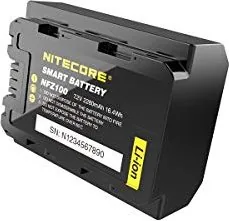
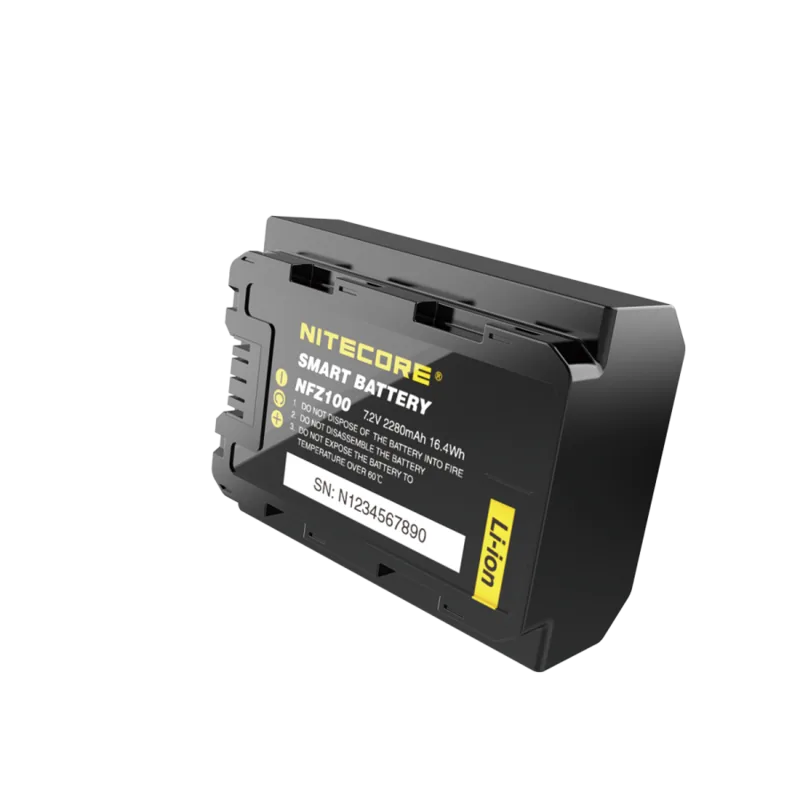
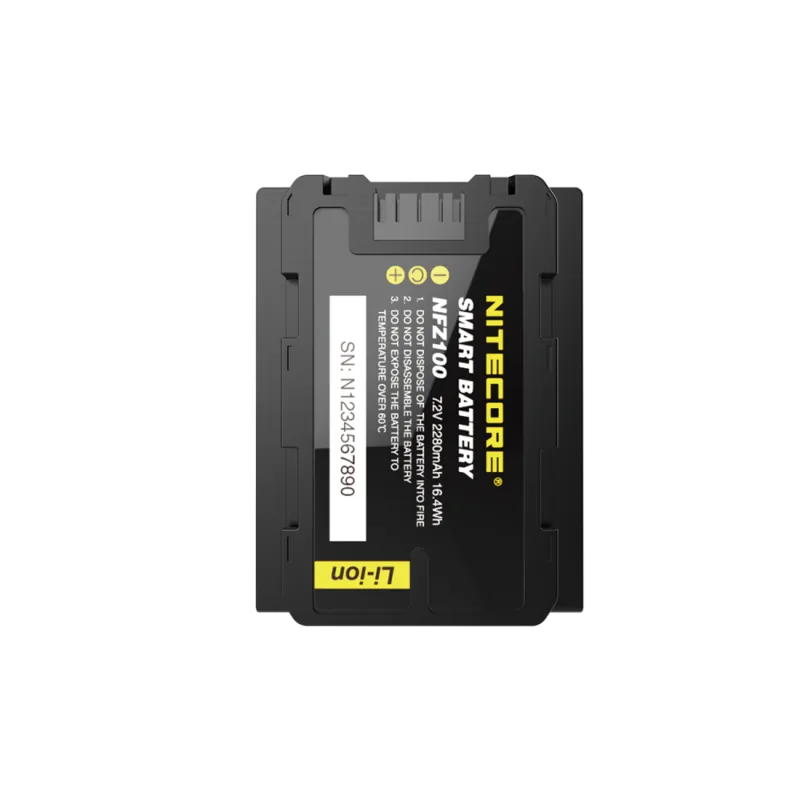
The NFZ100 is a smart camera battery designed and developed by NITECORE
compatible with Sony α7 III, α7R III, α9 (ILCE-9). With an iOS/Android app in
your smartphone, you can check the real-time information of the battery health,
battery level, charging/discharging current and other status of several batteries
simultaneously. It is also equipped with a power balance circuit and Storage Mode to
maximize its lifespan.
Specications
Type: Rechargeable Li-ion Battery
Voltage: 7.2V
Capacity: 2,280mAh
Energy: 16.4Wh
Operating Temperature: Charge: 0℃~45℃ (32℉~113℉)
Discharge: -20℃~60℃ (-4℉~140℉)
Compatible models: α7 III, α7R III, α9 (ILCE-9)
Dimensions: 52mm×38.7mm×22.5mm (2.05"×1.52"×0.89")
Weight: 82.5g (2.91oz)
(Please note that NITECORE will reserve the rights to make any alteration on the
specications or modication on the product design at any time and without prior
notice.)
Features
Specially Designed Mobile App – NNERGY
In NNERGY, you can check the real-time information of the
current working status of your smart batteries, including
Battery Health, Power Remaining, Battery Voltage, Charge
Cycles, Estimated Time to FULL/EMPTY, and Activation Date.
(Android 4.4 / iOS 6.0 or above required)
Built-in Battery Protection Circuit
The built-in battery protection circuit provides multiple protection safeguards
including overcharge protection, over-discharge protection, overvoltage protection,
overcurrent protection and short-circuit protection.
Built-in Smart Cell Management System
The OTA upgradeable management system is available to monitor the real-time
working status of the cell. The power balance circuit is able to balance the working
status of each cell to maximize the lifespan of the battery. After the Storage Mode is
activated, the battery will be automatically discharged to the appropriate power level
after it is left unused for 10 days.
Note
1. Before the rst use, please continuously charge the battery for at least 3 minutes
to activate the battery. The battery will not be detected by NNERGY unless it is
successfully activated.
2.
Please recharge the product every 3 months when left unused for a prolonged time.
3. When the product is charged within the camera body, a low charging eciency
might occur. Therefore, it is recommended to use the original charger of Sony or
the NITECORE USN4 Pro to ensure a regular charging speed.
4. Upgrade the rmware of the product when there is a pop-up upgrade notice
in NNERGY to ensure a better user experience. During the rmware upgrade
process, please put your smartphone close to the product. Please try again if the
upgrade fails.
5. Due to the regular upgrade of the camera rmware from time to time, the display
might show a safety warning after the product is inserted into the camera. Please
select “OK” to continue using the product.
Scan to Download Our
Mobile App - NNERGY
Operating Instructions of NNERGY
1. Enter NNERGY in your smartphone, and it will show the activated smart batteries
detected nearby.
2. Tap the red star beside the battery icon, insert the last 3 digits of the SN code
shown on the label of the battery and select “OK” to successfully mark the
battery. (For example, if the label shows SN:Z012019001, please insert 001.)
Please mark all your batteries properly when you use them for the rst time.
3. Tap the battery icon to check the battery info.
4. The Storage Mode icon (
OFF
) is located on the upper right corner of the
battery info interface. After the Storage Mode is activated, your battery will be
automatically discharged to 70% after it is left unused for 10 days as it is the
ideal storage status to be kept for a prolonged time.
Cautions
1. Please use the product only in the specied camera models.
2. DO NOT use chargers of poor quality to charge the product to avoid accidents.
3. Moderate heat from this product is to be expected during the charging process,
which is normal.
4. DO NOT leave the product unattended during the charging process. Cease the
charging process once at any sign of malfunction.
5. Operating Temperature: Charge: 0℃~45℃ (32℉~113℉) Discharge: -20℃~60℃
(-4℉~140℉)
6. DO NOT expose the product to high temperature or incinerate. Avoid using the
product in extreme environments where drastic changes in temperature are
possible.
7. DO NOT short-circuit the product, or it will lead to battery leakage, massive heat
or even explosion.
8. Avoid any shock or impact to the product.
9. DO NOT leave the product unused in the camera for a prolonged time, or it will
lead to battery leakage, malfunction and corrosion of the device.
10. DO NOT use the product if any malfunction occurs such as giving o smoke or a
peculiar smell.
11. DO NOT disassemble or modify the product as doing so will render the product
warranty invalid. Please refer to the warranty section in the manual for complete
warranty information.
Disclaimer
This product is globally insured by Ping An Insurance (Group) Company of China, Ltd.
NITECORE shall not be held responsible or liable for any loss, damage or claim of any kind
incurred as a result of the failure to obey the instructions provided in this user manual.
Warranty Details
Our authorized dealers and distributors are responsible for warranty service. Should
any problem covered under warranty occurs, customers can contact their dealers or
distributors in regards to their warranty claims, as long as the product was purchased
from an authorized dealer or distributor. NITECORE’s Warranty is provided only for
products purchased from an authorized source. This applies to all NITECORE products.
Any DOA / defective product can be exchanged for a replacement through a local
distributor/dealer within 15 days after the battery is activated. After 15 days, all
defective / malfunctioning NITECORE
®
products can be repaired free of charge for a
period of 12 months (1 year) from the date of activating the battery.
The warranty is nullied if the product(s) is/are:
1. broken down, reconstructed and/or modied by unauthorized parties
2. damaged from wrong operations
For the latest information on NITECORE
®
products and services, please contact a local
NITECORE
®
distributor or send an email to [email protected].
※ All trademarks and product images herein this user manual are for reference
purpose only. The copyright belongs to their legal owners.
※ All images, text and statements specied herein this user manual are for reference
purpose only. Should any discrepancy occur between this manual and information
specied on www.nitecore.com, information on our ocial website shall prevail.
SYSMAX Communication Technology Co., Ltd. reserves the rights to interpret and
amend the content of this document at any time without prior notice.
SYSMAX Communication Technology Co., Ltd.
TEL: +86-20-83862000 FAX: +86-20-83882723
E-mail: [email protected] Web: www.nitecore.com
Address: Rm 2601-06, Central Tower, No.5 Xiancun Road,
Tianhe District, Guangzhou, 510623, Guangdong, China
Manufacturer: SYSMAX Power Technology, LLC
Please nd us on facebook: NITECORE photo
NFZ220710019
Made in China

Chat with your Nitecore NFZ100 manual using AI

Get instant AI answers from your Nitecore NFZ100 manual

Ask anything about the Nitecore NFZ100. Answers come from this manual, with the pages they are based on.

Ask a Question

0/1000

Do you recommend NFZ100?

Yes No

Frequently Asked Questions

A

Before the first use, you must continuously charge the battery for at least three minutes. Without this step, the battery will not be detected by the NNERGY app.

Is this answer helpful?

A

This battery is designed specifically for Sony α7 III, α7R III, and α9 (ILCE-9) models. It is not intended for other camera brands or models.

Is this answer helpful?

A

When activated, the Storage Mode automatically discharges the battery to 70% after it has been unused for 10 days, which is the ideal level for long-term preservation.

Is this answer helpful?

A

Yes, the battery features OTA upgrade capabilities. When prompted by the NNERGY app, keep your phone close to the battery to complete the update successfully.

Is this answer helpful?

A

No, you should not leave the product unused in the camera for prolonged periods. This can lead to leakage, malfunction, and corrosion of the device.

Is this answer helpful?

A

Disassembling, reconstructing, or modifying the product will render the warranty invalid. Only authorized dealers should handle repairs or maintenance.

Is this answer helpful?

M: QW-35-FL

Advantages and Disadvantages

Advantages

  • Real-time monitoring via NNERGY app for health, voltage, and cycle count
  • Built-in storage mode automatically balances charge after 10 days of inactivity
  • Comprehensive protection circuit prevents overcharge, over-discharge, and short circuits
  • OTA firmware upgrades ensure compatibility with latest camera systems
  • Compatible with high-end Sony α7 III, α7R III, and α9 models
VS

Disadvantages

  • Charging inside the camera body may result in lower charging efficiency
  • Initial activation requires a minimum 3-minute continuous charge period
  • Requires smartphone with Android 4.4+ or iOS 6.0+ for full functionality
  • May trigger temporary safety warnings if camera firmware conflicts occur
  • Warranty voids immediately if the unit is disassembled or modified by unauthorized parties
M: QW-35-FL

Product Specification

Voltage

7.2 V

Battery Capacity

2280 mAh

Alternative Battery For

Sony NP-FZ100

Compatible With

Sony Alpha 1, Alpha 7 III, Alpha 7 IV, Alpha 7C, Alpha 7R III, Alpha 7R IV, Alpha 7R V, Alpha 9, Alpha 9 II, 6600, 6700, ZV-E1

M: QW-35-FL

Product Description

Nitecore NFZ100 Manual: Unlocking Smart Power for Sony Alpha Cameras

The Nitecore NFZ100 represents a significant leap forward in camera battery technology, specifically engineered for the demanding needs of Sony α7 III, α7R III, and α9 photographers. This smart camera battery goes beyond simple power storage by integrating advanced connectivity and intelligent management systems directly into its core design. Users gain unprecedented visibility into their power source through the dedicated NNERGY mobile application, which bridges the gap between the physical battery and the digital workflow.

Equipped with a robust built-in protection circuit, the NFZ100 safeguards against common hazards such as overcharging, over-discharging, short circuits, and excessive current flow. This ensures longevity and safety during intense shooting sessions. The internal smart cell management system actively monitors real-time status, balancing the workload across individual cells to maximize overall lifespan. A standout feature is the automated Storage Mode, which intelligently discharges the battery to an optimal 70% level after ten days of inactivity, preventing degradation during long periods of non-use.

Activation is straightforward but critical; the battery requires a continuous charge of at least three minutes upon first use to become detectable by the NNERGY app. Once activated, users can track vital metrics including battery health, remaining capacity, voltage, charge cycles, and estimated time to full or empty. The device supports firmware updates via Over-The-Air (OTA) technology, ensuring it remains compatible with evolving camera firmware and maintains peak performance. While charging within the camera body is possible, using the original Sony charger or the Nitecore USN4 Pro is recommended to avoid efficiency issues.

This product combines reliability with modern convenience, offering peace of mind for professionals who cannot afford power failures. By keeping the battery healthy and informed, photographers can focus entirely on capturing the perfect shot without worrying about hidden power drains or unexpected shutdowns.

M: QW-35-FL

© Copyright 2026 Manual.ly
