

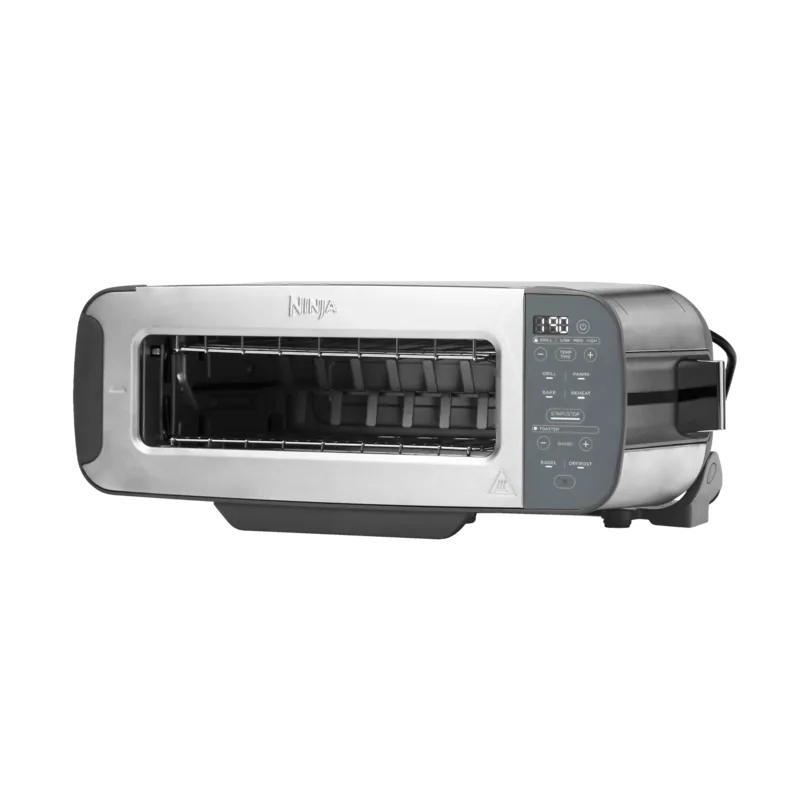
Ninja ST202EU Manual
PDF manual · 91 Pages
English



Quick check
Incorrect answer, please try again.
Chat with your Ninja ST202EU manual using AI
Get instant AI answers from your Ninja ST202EU manual
Ask anything about the Ninja ST202EU. Answers come from this manual, with the pages they are based on.
ST202EU Maintenance Schedule
Unplug and cool before cleaning. Empty crumb tray by sliding it out in vertical position. Wipe exterior with damp cloth.
The manual notes to empty the crumb tray frequently. Ensure it is fully inserted before cooking.
Check the appliance and cord for damage regularly. Stop use and contact service if damaged or malfunctioning.
Ask a Question
Do you recommend ST202EU?
Yes NoFrequently Asked Questions
Check power cord connection. Try a different socket. Press power button. Contact service if persists.
Is this answer helpful?
Ensure flip foot is at bottom for vertical mode. Flip down for horizontal grill mode.
Is this answer helpful?
In horizontal mode remove tray to check. Timer pauses. In vertical lift lever to raise toast.
Is this answer helpful?
This is normal. Controls temperature accurately by adjusting power levels of elements.
Is this answer helpful?
Bagel function might be selected. It toasts cut side more. Deselect Bagel for even toast.
Is this answer helpful?
The tray has PTFE non-stick coating. Hand wash and avoid metal utensils to preserve it.
Is this answer helpful?
Advised against due to proximity to heating elements. Risk of fire or damage.
Is this answer helpful?
Advantages and Disadvantages
Advantages

- 3-in-1 versatile design allows toasting, grilling, and panini pressing in one unit.
- Adjustable shade levels from light to dark ensure perfect browning for bread types.
- Flip mechanism allows conversion between vertical and horizontal cooking modes easily.
- Digital display tracks time and temperature settings for precise cooking control.
- Auto shut off prevents overheating if tray is removed while operating.
Disadvantages

- Crumb tray is not removable so deep cleaning requires care and effort.
- Panini and grill plates must be hand washed to maintain non-stick coating.
- No oven window prevents visual monitoring without opening the cooking cavity.
- Maximum cook time is limited to twenty minutes for most functions.
- Extension cords are discouraged for safety reasons which limits cord placement.
Product Specification
Power
2,400 W
Color
stainless steel, gray
Capacity
2 slices
Temperature settings
5
Features
Defrost function, Reheat function, Bagel function, Sandwich tongs, Crumb tray, Cord storage, Stop button
Product Description
Elevate Your Kitchen Experience with the Ninja ST202EU Toaster
Starting your day with a hot, fresh breakfast is effortless when you utilize the right equipment. The Ninja ST202EU Toaster is a versatile appliance designed to handle multiple cooking styles in a single compact unit. Whether you crave crispy toast, a toasted bagel, or a melted panini sandwich, this device adapts to your culinary needs. Understanding the full potential of your machine requires consulting the Ninja ST202EU Toaster Manual which outlines every capability of the hardware. This ensures you maximize performance and safety throughout daily use.
Three Functions in One Compact Design
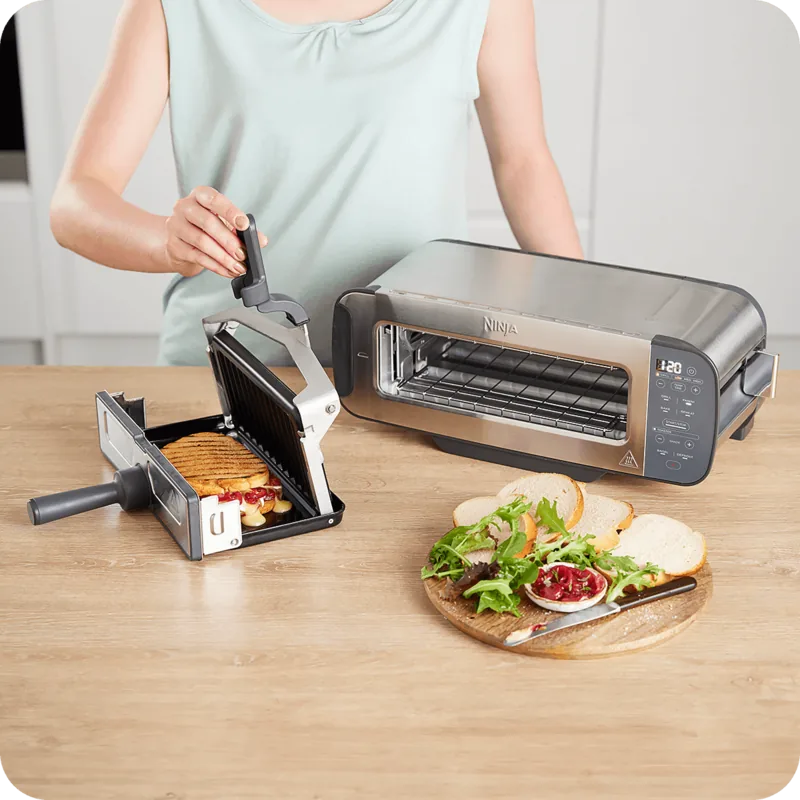
This appliance flips from a vertical toaster orientation to a horizontal grill position. In the vertical mode, you can toast two slices of bread evenly or bake bagels with the cut side facing forward. Defrost settings ensure frozen items are perfectly prepared without burning. The control panel features intuitive buttons for shade selection and timing adjustments. When switched to the horizontal position, the grill tray and panini press become available. This allows you to grill, bake pastries, or reheat pizza slices quickly. The flip foot allows stable positioning in the vertical stance securely.
Safety and Maintenance Features
Safety is paramount in this high-wattage kitchen gadget. Important safeguards are noted during installation and daily use. The device includes an auto shut-off feature if the tray is removed for an extended period. Cleaning is straightforward but requires specific care. The crumb tray must be emptied regularly to prevent smoke or odors. The main unit should never be submerged in water. For the grill plates, hand washing is recommended to preserve the non-stick coating. Never use metal utensils inside the cavity to avoid damage.
Versatile Temperature Control
Temperature settings vary depending on the selected mode. Grill and panini functions offer Low, Medium, and High settings. Bake settings allow you to prepare small quiches or breakfast pastries evenly. Reheat modes bring leftover food back to temperature without overcooking. The digital display keeps track of time and current settings. Even if the unit cools down between uses, the algorithm ensures consistent results. Users can adjust settings during the cycle for flexibility regarding doneness.
Cord Management and Warranty
Owning this multi-functional appliance transforms kitchen efficiency. It reduces clutter by replacing multiple tools with one sturdy device. Proper usage extends the lifespan of the machine considerably. Always ensure adequate ventilation space around the unit to prevent overheating. With over two thousand watts of power, performance is rapid and reliable. Enjoy gourmet toast and pressed sandwiches at home today. The warranty covers defects ensuring peace of mind for your investment. Cord hooks help store wire neatly when not in use for tidiness. Avoid using extension cords for safety reasons. The device handles 220 to 240 volts efficiently. Keep the device clean for optimal performance over years. This investment should last a long time with care.
Search for 67,706 Manuals online


Type-in Brand or Model