
NextBase 322GW Manual
PDF manual · 48 Pages
English



Quick check
Incorrect answer, please try again.
Chat with your NextBase 322GW manual using AI
Get instant AI answers from your NextBase 322GW manual
Ask anything about the NextBase 322GW. Answers come from this manual, with the pages they are based on.
Ask a Question
Do you recommend 322GW?
Yes NoFrequently Asked Questions
Mount the dash cam in the center behind the rear-view mirror so it does not distract the driver. Ensure the lens views through a clean, wiper-swept section of windscreen. Reduce sky in the frame by angling toward the road, and keep the dashboard free from objects that can cause reflections.
Is this answer helpful?
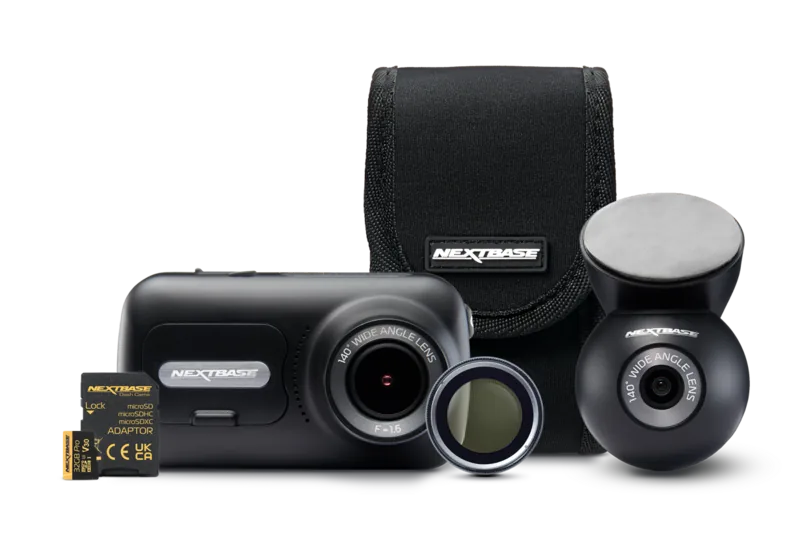
Use a branded Class 10 or U1 microSD card rated for high data rates. The manual recommends Nextbase branded SD cards for best results. Supported capacity is up to 128GB (with SDHC and U3 variants listed).
Is this answer helpful?
For stable memory card performance, format the card periodically, recommended every 2-3 weeks. Formatting wipes files on the card, so download or back up anything you want to keep before formatting. Format using the dash cam option to ensure correct structure.
Is this answer helpful?
The 322GW records in short 1-minute files. When the card becomes full, the camera automatically deletes the oldest unprotected file to make room for new recordings. Protected files from incidents are not overwritten.
Is this answer helpful?
The G Sensor detects forces and can automatically protect the current recording when a threshold is exceeded, preventing it from being overwritten. You can also protect files manually using the Protect button during recording. Protected content remains protected until you unprotect it.
Is this answer helpful?
Emergency SOS requires the MyNextbase Connect app, Bluetooth, an internet connection, and correct setup of your personal and medical information in the app. After a crash is detected, the app monitors phone sensors and sends your last known GPS location and details to the nearest emergency services, using a countdown that you can cancel if you are okay.
Is this answer helpful?
Advantages and Disadvantages
Advantages

- Automatic start/stop based on ignition for hands-free recording
- HD recording with smooth 60fps capability and a bright 2.5-inch IPS touch screen
- G Sensor and protect controls keep incident files from being overwritten
- Intelligent Parking Mode starts recording on detected motion while parked
- MyNextbase Connect enables Emergency SOS with GPS location and personal details
Disadvantages

- Requires a quality Class 10 microSD card, with recommended branded options for reliability
- Formatting SD cards deletes all content, including unprotected files
- Emergency SOS depends on app setup, Bluetooth, network access, and phone power
- Menus are not accessible while recording, so adjustments must be made when stopped
- Some smart features depend on the app and model compatibility (e.g., Alexa not available on 322GW)
Product Specification
Effective Megapixel
2.12 Megapixel
Sensor
CMOS
Removable Storage
microSD/microSDHC/microSDXC
Video Function
MPEG-4, 1920x1080@60p (16:9)
Viewing Angle
140°
Display
2.5" LCD, 0.53 Million Pixels
Connections
USB 2.0
Wireless
Wi-Fi (WLAN), Bluetooth 4.2, GPS
Special Features
Motion Sensor
Dimensions
3.23x1.81x1.85in (WxHxD)
Weight
0.23 lb
Product Description
NextBase 322GW Manual
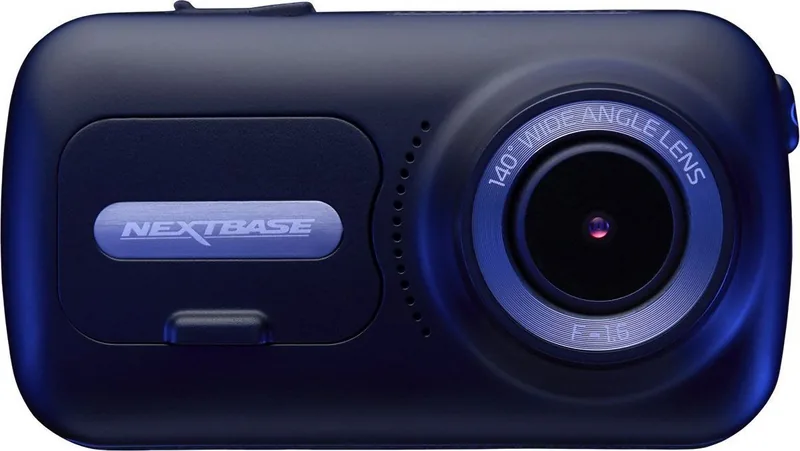
The NextBase 322GW is a dash cam built for everyday clarity and fast access to what matters most after an incident. Designed around ease of use, it records in HD with smooth motion capture, while a bright 2.5-inch IPS touch screen helps you frame shots, capture stills, and review footage without extra fuss.
To get the best results, the guidance in the NextBase 322GW Manual emphasizes smart placement. Mount the camera centered behind the rear-view mirror and ensure the lens views through a clean, wiper-swept area. Reducing sky in the frame helps avoid underexposed roads, and keeping the dashboard clear helps prevent distracting reflections on the windscreen.
Recording works in simple, manageable segments. The camera captures video in short 1-minute files, automatically deleting the oldest footage once the card fills up, so you never run out of space during normal driving. A typical 16GB card holds around 1.5 hours of footage (capacity depends on settings). Time and time-zone handling is supported, and the camera offers three core modes: Video, Photo, and Playback.
Built-in safety features focus on protecting key moments. The G Sensor can automatically mark and protect recordings after detected forces, stopping them from being overwritten. The protect function is also available manually, and protected files remain safe until you intentionally unprotect them.
Beyond recording, the 322GW adds practical extras for daily driving. Intelligent Parking Mode can trigger protected recording when motion is detected while the vehicle is parked. Dual file recording is available for quicker transfer and editing, and time-lapse plus number plate stamping lets you customize your logs.
For connected protection, the MyNextbase Connect app enables Emergency SOS on supported models. When enabled and set up with your personal and medical details, the system uses crash detection plus phone monitoring to alert the nearest Emergency Services with your last known GPS location and information, using a verification-based setup process.
Notes
- Use a quality microSD card (Class 10) and follow the recommended formatting routine.
- Avoid changing settings while driving; adjust only when parked.
- Check local laws for windscreen placement and privacy rules.
Key takeaways
- Stable everyday recording with automatic start/stop and looped 1-minute files.
- Cleaner footage through proper mounting behind the mirror and within the wiper zone.
- Incident protection via G Sensor and protect button to prevent overwriting.
- Emergency SOS connectivity depends on app setup, internet, and phone availability.
Search for 67,706 Manuals online


Type-in Brand or Model
charles24
7 months ago
Does the dash cam parking mode drain the car battery or cause overheating? I read it might not shut off and the battery could be fully discharged.
Manual.ly
7 months ago
Parking mode behavior depends on how the camera is powered and the voltage cutoff settings. If the camera is connected only to a standard 12V line, it can keep running and drain the battery, especially when the engine is off for days. For reliable parking mode use, connect it using the correct hardwire kit (with low-voltage protection) and set the cutoff to a suitable value for your vehicle battery. Also confirm the parking mode timer and motion settings match your needs. Overheating can happen if airflow is blocked or the unit is mounted where it gets direct sun; make sure the camera is mounted securely and not covered. If the camera still does not stop recording, check firmware and SD card health, and contact support with your model details.