
NextBase 222 Manual
PDF manual · 36 Pages
English



Quick check
Incorrect answer, please try again.
Chat with your NextBase 222 manual using AI
Get instant AI answers from your NextBase 222 manual
Ask anything about the NextBase 222. Answers come from this manual, with the pages they are based on.
Ask a Question
Do you recommend 222?
Yes NoVideo Manual
Nextbase 222 Dash Cam – Full Feature Review
Frequently Asked Questions
The NextBase 222 records at up to 1920×1080 (1080p) at 30 frames per second by default, saved in 1-minute MP4 files for easy management and sharing.
Is this answer helpful?
Use a branded Class 10 or U1 microSD card up to 128GB (NextBase-branded cards recommended). Typical capacities: 16GB ≈ 120 minutes, 32GB ≈ 240 minutes. Format cards in the camera every 2–3 weeks for best performance.
Is this answer helpful?
The internal G-sensor detects impacts and automatically flags the current video file as protected so it won’t be overwritten by loop recording. You can also manually protect files with the Protect button or via playback.
Is this answer helpful?
You can copy files and update firmware via SD card or by connecting the camera to a PC. MyNextbase Player provides editing and firmware update tools on Windows; Mac supports basic file access but not firmware updates through the player.
Is this answer helpful?
Parking Mode puts the camera in standby when ignition is off and records a protected 1-minute clip if motion is detected. For extended parking monitoring without draining the battery, use the NextBase Hardwire Kit for a permanent fused connection.
Is this answer helpful?
Mount the 222 behind the rear-view mirror within the wiper-swept area, avoid airbag deployment zones, and ensure it does not block the driver’s sightline. Use the supplied adhesive or suction attachment as instructed.
Is this answer helpful?
Regular formatting (every 2–3 weeks) prevents file fragmentation and maintains stable recording performance. Always back up any important or protected files to a PC before formatting, as formatting erases all content.
Is this answer helpful?
Advantages and Disadvantages
Advantages

- 1080p@30fps recording with a 140° wide-angle lens for clear, usable footage.
- Click & Go powered magnetic mount for fast one-handed installation and removal.
- Automatic G-sensor file protection and loop recording to preserve incident clips.
- 2.5" IPS screen for easy framing and on-device playback and settings control.
- MyNextbase Player and Cloud support for editing, sharing, and firmware updates.
Disadvantages

- No built-in GPS on this model, so speed/map overlay features are unavailable.
- Internal battery is small (backup only) and not intended for extended off-vehicle use.
- Parking Mode requires additional hardwiring for long-term monitoring without draining power.
- Some advanced features (firmware update via player) are Windows-only, not macOS.
- Protected files can quickly fill card space if not regularly backed up or managed.
Product Specification
Effective Megapixels
2.12 Megapixels
Sensor
CMOS
Removable Storage
microSD/microSDHC/microSDXC
Video Function
MPEG-4, 1920x1080@30p (16:9)
Viewing Angle
140°
Display
2.5" LCD, 0.53 M Pixels
Connections
USB 2.0
Special Features
Motion Sensor, Loop Function
Dimensions
3.39x1.81x1.81in (WxHxD)
Weight
0.17 lb
Product Description
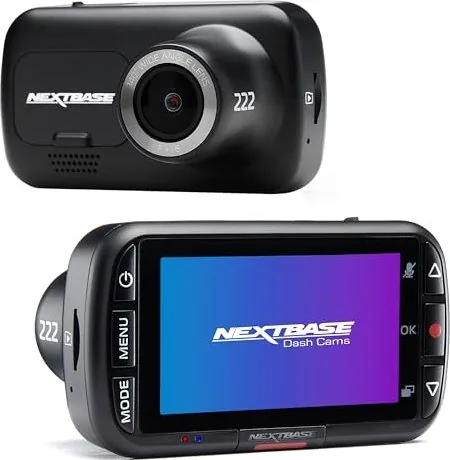
NextBase 222 — Reliable 1080p Dash Cam for Everyday Driving
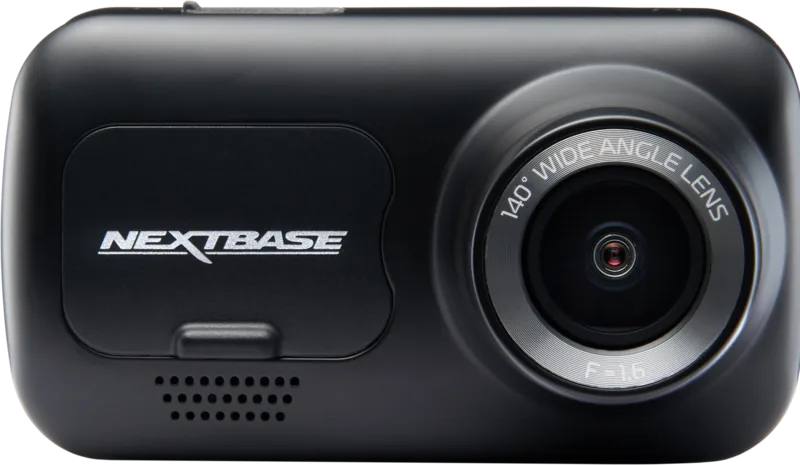
The NextBase 222 is a compact, user-friendly dash cam designed to capture clear 1080p footage of the road ahead. Built around a 2.12MP sensor with a 140° wide-angle lens and a bright 2.5" IPS screen, it balances image clarity with an unobtrusive footprint. The Click & Go powered magnetic mount makes installation and removal effortless, while the supplied 4m car power cable keeps the unit powered during journeys. The internal lithium-polymer battery is intended only for safe shutdown and short-term use when external power is lost.
Recording is set to MP4 at 1920×1080@30fps by default, saved in 1-minute file segments to simplify review and sharing. Loop recording automatically overwrites the oldest unprotected footage when the microSD card fills, and a G-sensor locks files upon impact to preserve crucial evidence. The 222 supports Class 10/U1 microSD cards up to 128GB (recommended Nextbase branded cards) and provides regular on-device formatting to keep card performance stable.
The camera offers three modes—Video, Photo, and Playback—plus features such as audio recording, time/date stamps, adjustable exposure, and parking mode. Parking Mode monitors motion while the vehicle is off and records protected clips when activity is detected. For PC users, MyNextbase Player enables simple file import, trimming, annotation, and upload to MyNextbase Cloud for temporary secure sharing. Firmware updates are available via SD card or MyNextbase Player (Windows).
Practical design and safety guidance are integral: position the dash cam behind the rear-view mirror and within the wiper-swept area, avoid obstructing airbags or driver sightlines, and comply with local windshield and privacy laws. NextBase supplies clear instructions for mount changes (adhesive vs suction), cable routing, and routine maintenance like periodic SD card formatting.
Whether you want straightforward everyday recording or quick evidence capture after an incident, the NextBase 222 focuses on simple setup, dependable 1080p footage, and tools to manage and share video files.
Notes
- Use a high-quality Class 10 or U1 microSD card and format it in the camera every 2–3 weeks.
- Parking Mode consumes power and may require a hardwiring accessory for permanent monitoring.
- Protected files are not overwritten; unprotect before deleting or back up to PC.
- Keep firmware updated for best performance and bug fixes.
Search for 67,706 Manuals online


Type-in Brand or Model
Hans Müller
10 months ago
Does the intelligent parking mode drain the dashcam battery or cause the date/time to reset? I noticed different behavior on two cars and the auto shutdown sometimes does not happen.
Manual.ly
10 months ago
Parking-mode behavior depends on your vehicle power supply and wiring. If the dashcam is powered from a circuit that drops voltage while parked, intelligent parking mode can trigger unexpected low-voltage conditions, which may lead to date/time resets and battery drain. Also, automatic shutdown can vary if the unit is connected to ACC vs constant power. Please check whether your installation uses constant 12V/hardwire (with proper low-voltage cutoff) or ignition-switched power, and adjust the parking-mode settings (time and/or voltage threshold) accordingly. If you are using the wrong connection type, switch to the correct wiring for your car and ensure the camera is set up with the proper parking mode configuration. You can share your car model and connection method for more precise guidance.