
Next Level Racing Lite Free Standing Monitor Stand Manual
PDF manual · 2 Pages
English



Quick check
Incorrect answer, please try again.
Chat with your Next Level Racing Lite Free Standing Monitor Stand manual using AI
Get instant AI answers from your Next Level Racing Lite Free Standing Monitor Stand manual
Ask anything about the Next Level Racing Lite Free Standing Monitor Stand. Answers come from this manual, with the pages they are based on.
Ask a Question
Do you recommend Lite Free Standing Monitor Stand?
Yes NoFrequently Asked Questions
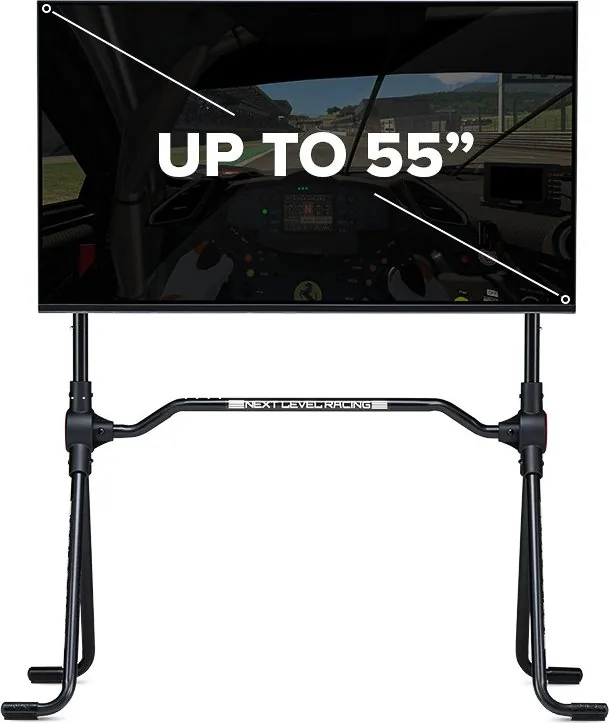
The stand supports monitors with a diagonal size of up to 55 inches. Ensure your monitor fits within the weight limits and VESA specifications listed in the manual.
Is this answer helpful?
No, do not use power tools or drills. Using electric tools can strip the threads or damage the components. All assembly should be done by hand using the provided hardware.
Is this answer helpful?
No, there is a choking hazard due to small parts. This product is not intended for children under three years old or individuals who place inedible objects in their mouths.
Is this answer helpful?
The stand accommodates various VESA patterns, specifically those less than 200x200mm and those greater than 200x200mm. Check your monitor's rear mounting holes for exact dimensions.
Is this answer helpful?
For any assistance, please contact the friendly team at [email protected]. They can help with assembly questions or warranty claims.
Is this answer helpful?
This specific model is a fixed free-standing unit. It does not feature an adjustable tilt mechanism, so positioning relies on the initial placement height.
Is this answer helpful?
Advantages and Disadvantages
Advantages

- Supports large monitors up to 55 inches for an immersive view
- Includes rust-resistant coating for enhanced durability in humid conditions
- Compatible with multiple VESA mounting patterns including 200x200mm and larger
- Sturdy free-standing design eliminates the need for desk clamping
- Easy to assemble with clear instructions and labeled parts
Disadvantages

- Does not support electric tools which may slow down the build process
- Small parts present a choking hazard for children under three years old
- Monitor must not be knocked while mounted to avoid instability
- Requires significant floor space compared to clip-on stands
- No adjustable arm included, limiting tilt and swivel options
Product Specification
Type
Simulator accessory (monitor mount)
Consists of
Mount, VESA mounting plate
Compatibility
1 monitor up to 55 inches
Features
VESA compatible (75x75 to 400x400)
Dimensions
41.34x45.67x22.64 inches (WxDxH)
Weight
12.35 lbs
Color
black
Material
Metal
Product Description
Elevate Your Setup with the Next Level Racing Lite Free Standing Monitor Stand
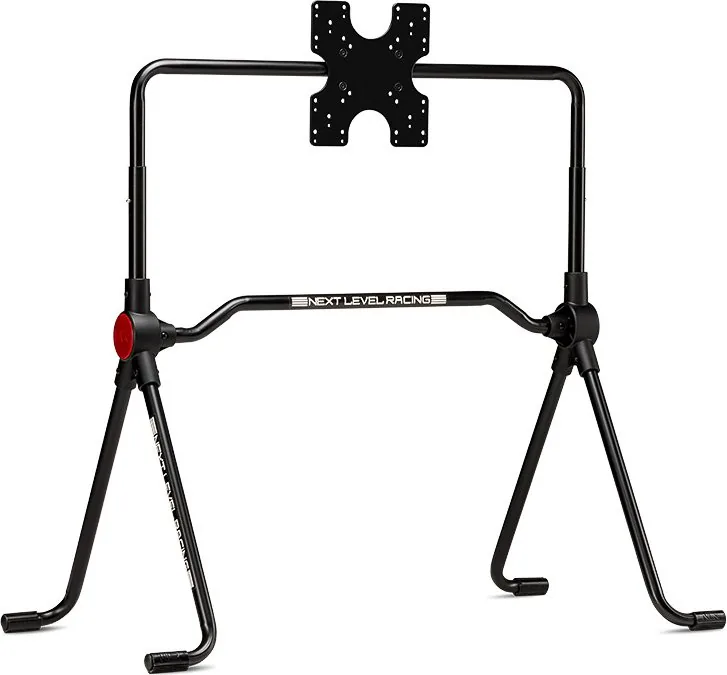
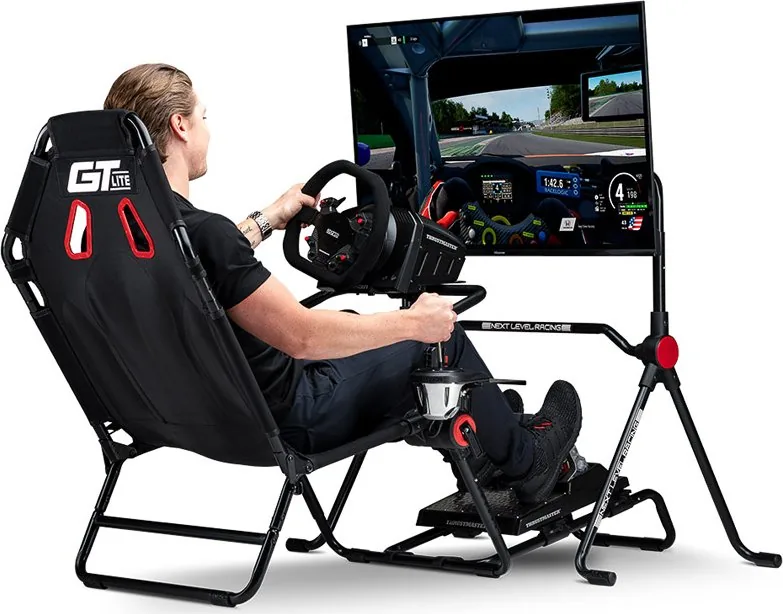
Transform your gaming or workspace into a professional cockpit environment with the Next Level Racing Lite Free Standing Monitor Stand. Designed for enthusiasts who demand stability and style, this stand offers a robust solution for mounting monitors up to 55 inches. Whether you are deep in a racing simulation or managing complex data streams, having your display at the perfect height is crucial for comfort and performance.
The construction of this stand prioritizes durability without compromising on aesthetics. It features a sturdy frame that ensures your monitor remains secure during intense moments. The manual assembly process allows you to customize the fit while ensuring every bolt is tightened correctly. It is important to note that some components come with a rust-resistant coating to extend the lifespan of the product in various environments.
When setting up your station, avoid using power tools as specified in the instructions. Hand-tightening provides better control and prevents damage to the threads. Once assembled, the stand supports VESA mounting configurations ranging from smaller 200x200mm setups to larger standard mounts. This flexibility makes it compatible with a wide array of monitor models found on the market today.
Safety is a primary concern during both installation and daily use. The stand includes a clear warning regarding choking hazards due to small parts, making it unsuitable for children under three years old. Additionally, users should be cautious not to knock against the monitor once mounted, as this could destabilize the setup or damage the screen. By following the provided guidelines, you ensure a safe and long-lasting experience with your new equipment.
Important Notes
- Always verify VESA mount compatibility before purchasing.
- Keep small parts away from young children during assembly.
- Use only hand tools to prevent over-tightening.
Pros and Cons
Pros
- Supports large monitors up to 55 inches for an immersive view.
- Includes rust-resistant coating for enhanced durability in humid conditions.
- Compatible with multiple VESA mounting patterns including 200x200mm and larger.
- Sturdy free-standing design eliminates the need for desk clamping.
- Easy to assemble with clear instructions and labeled parts.
Cons
- Does not support electric tools which may slow down the build process.
- Small parts present a choking hazard for children under three years old.
- Monitor must not be knocked while mounted to avoid instability.
- Requires significant floor space compared to clip-on stands.
- No adjustable arm included, limiting tilt and swivel options.
Frequently Asked Questions
What is the maximum monitor size supported? The stand supports monitors with a diagonal size of up to 55 inches. Ensure your monitor fits within the weight limits and VESA specifications listed in the manual.
Can I use a drill for assembly? No, do not use power tools or drills. Using electric tools can strip the threads or damage the components. All assembly should be done by hand using the provided hardware.
Is this stand suitable for children? No, there is a choking hazard due to small parts. This product is not intended for children under three years old or individuals who place inedible objects in their mouths.
What VESA patterns are compatible? The stand accommodates various VESA patterns, specifically those less than 200x200mm and those greater than 200x200mm. Check your monitor's rear mounting holes for exact dimensions.
How do I contact support if needed? For any assistance, please contact the friendly team at [email protected]. They can help with assembly questions or warranty claims.
Does the stand have a tilt function? This specific model is a fixed free-standing unit. It does not feature an adjustable tilt mechanism, so positioning relies on the initial placement height.
Search for 67,706 Manuals online


Type-in Brand or Model