
Neumann MT 48 Manual
PDF manual · 39 Pages
English



Quick check
Incorrect answer, please try again.
Chat with your Neumann MT 48 manual using AI
Get instant AI answers from your Neumann MT 48 manual
Ask anything about the Neumann MT 48. Answers come from this manual, with the pages they are based on.
Ask a Question
Do you recommend MT 48?
Yes NoFrequently Asked Questions
It has four analog inputs and eight analog outputs. Inputs 1 and 2 are rear-panel mic/line XLR/TRS combo sockets. Inputs 3 and 4 are front-panel instrument/line TRS inputs. Outputs include XLR main outs, TRS line outs, and two independent stereo headphone outputs.
Is this answer helpful?
Yes. The interface provides four independent mixers: Speakers A, Speakers B, Headphone 1, and Headphone 2. Each mix can have its own fader and pan settings, making it practical to create individual monitor balances for performers.
Is this answer helpful?
Yes. Each channel includes a four-band EQ and dynamics processing with gate, compressor, limiter, and sidechain support. A shared reverb processor is available for monitoring mixes. Reverb is intended for monitoring and is not included in Post-FX recording channels.
Is this answer helpful?
Expansion is available through ADAT, optical S/PDIF, and AES67/RAVENNA. ADAT supports up to eight channels at up to 48 kHz, four at up to 96 kHz, and two at up to 192 kHz. AES67 supports bidirectional networked audio with high channel counts.
Is this answer helpful?
Yes. It supports Windows 10 and Windows 11 64-bit systems, plus supported macOS versions on Intel and Apple Silicon Macs. Windows requires the MT 48 driver and Toolkit. macOS can operate plug-and-play, but the Toolkit is needed for full functionality.
Is this answer helpful?
Yes. The MT 48 Remote Control application mirrors the hardware interface on a connected computer. Web Control can be opened in a browser and is optimized for touchscreen use, including tablets connected through the same network.
Is this answer helpful?
Advantages and Disadvantages
Advantages

- Reference-grade AD/DA conversion delivers up to 136 dB dynamic range for detailed, low-noise recording and monitoring.
- Four independent monitor mixers support separate speaker and headphone mixes with exceptionally low-latency DSP processing.
- Mic preamps offer up to 78 dB of clean gain, while front inputs support high-impedance instruments and line sources.
- ADAT, S/PDIF, AES67/RAVENNA, MIDI, GPIO, USB routing, and snapshots provide substantial studio expansion and flexibility.
- Touchscreen, hardware controls, remote app, and browser control make complex routing and monitoring accessible.
Disadvantages

- The extensive routing, mixer, clocking, and DSP options can require time to learn for first-time users.
- Windows users must install the MT 48 Toolkit and driver before use, adding an initial setup step.
- ADAT channel capacity decreases at higher sample rates, limiting optical expansion at 96 kHz and 192 kHz.
- Optional TRS-to-DIN5 adapters are needed to connect conventional MIDI hardware.
- The unit requires external USB-C power or compatible PoE+ infrastructure and takes about 60 seconds to boot.
Product Specification
Interface
USB-C 2.0, LAN
Input Channels
12
Output Channels
16
Mic Preamps
2
Analog Inputs
2x Mic/Line In (XLR/6.35 mm combo), 2x Line/Instrument In (6.35 mm jack)
Analog Outputs
2x Line Out (XLR), 2x Line Out (6.35 mm jack), 2x Headphones (6.35 mm jack)
Digital Inputs
1x ADAT/S/PDIF In (optical)
Digital Outputs
1x ADAT/S/PDIF Out (optical)
AD/DA Converter
32-bit/192 kHz
Special Features
Integrated DSP, integrated microphone (talkback), level meter, touchscreen
Dimensions
14.57 x 3.94 x 6.69 in (W x H x D)
Weight
3.48 lb
Product Description
Neumann MT 48 Manual: Reference Audio Interface for Modern Studios
The Neumann MT 48 is a premium desktop audio interface designed for recording, mixing, monitoring, streaming, and professional production. This Neumann MT 48 Manual overview highlights a unit built to get the most from high-end microphones, studio monitors, headphones, instruments, and external audio equipment. Its combination of advanced conversion, powerful DSP processing, flexible routing, and direct touchscreen control makes it suitable for creators working from compact home studios through to demanding broadcast and networked audio environments.
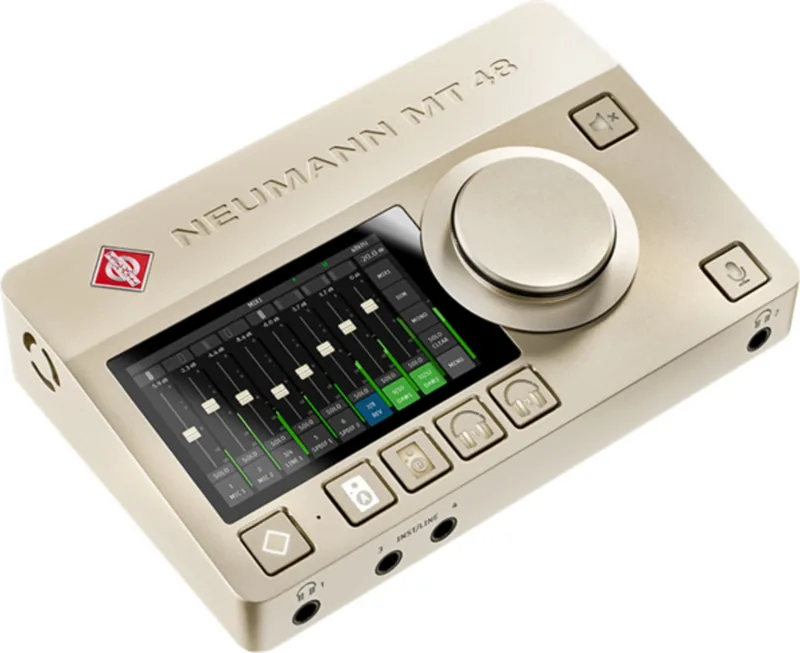
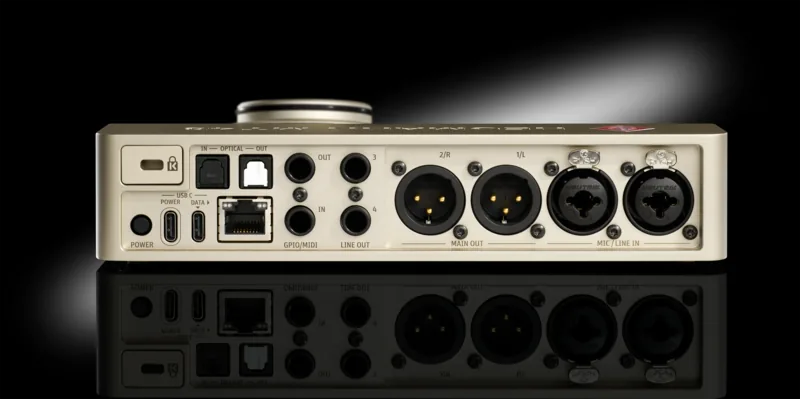
At the heart of the MT 48 is reference-class conversion with up to 136 dB of dynamic range. Its microphone preamps provide up to 78 dB of clean gain, supporting everything from sensitive condenser microphones to low-output ribbon models. Inputs 1 and 2 accept mic or line sources through rear-panel XLR/TRS combo connectors, while front-panel inputs 3 and 4 can handle instruments or line-level gear. This layout makes it easy to connect vocals, guitars, basses, keyboards, and outboard sources without interrupting a session.
Monitoring, Mixing, and Processing
The MT 48 is more than a conventional interface. It includes four independent monitor mixers for Speakers A, Speakers B, Headphone 1, and Headphone 2. Each performer can receive an individual low-latency mix, while the engineer retains dedicated control over monitor levels. Two powerful headphone amplifiers, extremely low output impedance, mono monitoring, dim, mute, talkback, and A/B speaker switching all contribute to a focused studio workflow.
Every channel offers a four-band EQ and a dynamics section with gate, compressor, limiter, and sidechain options. An onboard reverb processor helps create more inspiring headphone mixes for singers and musicians. Effects can be incorporated into monitoring and selected recording workflows, while routing options allow clean and processed signals to be handled separately when needed.
Expansion and Remote Control
For growing setups, the MT 48 supports ADAT, optical S/PDIF, and AES67/RAVENNA network audio. ADAT expansion can add up to eight channels at sample rates up to 48 kHz, while AES67 enables high-channel-count audio-over-IP workflows. MIDI or GPIO functionality is also available through TRS ports, supporting external MIDI devices, footswitches, and studio control tasks.
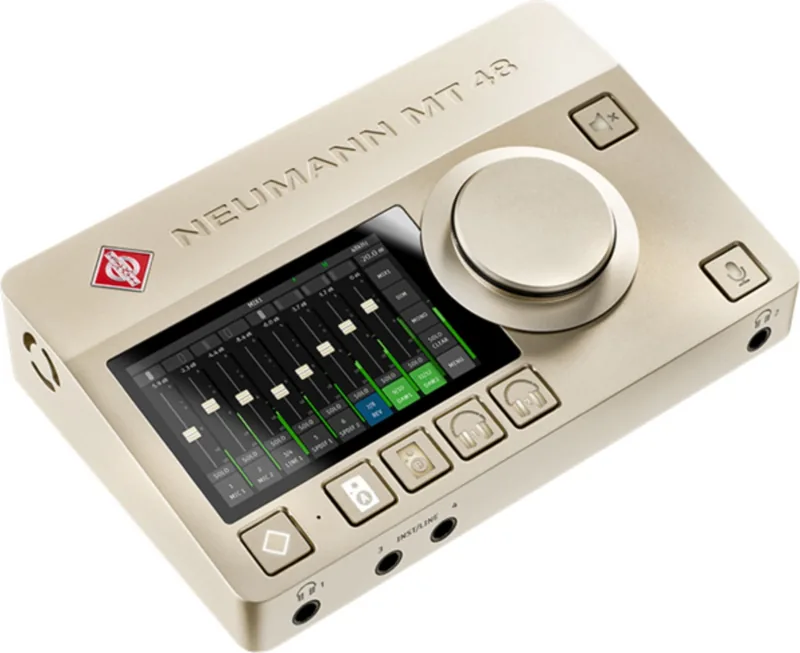
The capacitive touchscreen, multifunction encoder, and dedicated hardware buttons allow fast operation directly from the unit. Remote Control software and browser-based Web Control extend access to a computer or tablet. Device snapshots can store complete working configurations for tracking, mixing, mastering, or streaming.
Note: Windows requires the MT 48 Toolkit and driver. macOS supports plug-and-play operation, though installing the Toolkit unlocks full functionality. Use the supplied power supply and USB cables for dependable operation.
Search for 67,706 Manuals online


Type-in Brand or Model