
Neomounts NSLS300 Manual
PDF manual · 4 Pages
English



Quick check
Incorrect answer, please try again.
Chat with your Neomounts NSLS300 manual using AI
Get instant AI answers from your Neomounts NSLS300 manual
Ask anything about the Neomounts NSLS300. Answers come from this manual, with the pages they are based on.
Ask a Question
Do you recommend NSLS300?
Yes NoFrequently Asked Questions
The stand is engineered to hold devices weighing up to 5 kilograms safely without instability.
Is this answer helpful?
The setup process is clearly defined in four distinct steps to ensure quick and easy installation.
Is this answer helpful?
Yes, the compact design allows for easy packing and transport to different locations conveniently.
Is this answer helpful?
Documentation covers several regions including English, German, French, Spanish, and others for wider access.
Is this answer helpful?
It offers fixed adjustments with a measured lift capability up to 42 mm for standard ergonomic positioning.
Is this answer helpful?
As long as the total combined weight remains under 5 kg, the base handles standard peripheral types securely.
Is this answer helpful?
Place it on a flat, stable surface to maintain balance and prevent sliding during heavy typing sessions.
Is this answer helpful?
Advantages and Disadvantages
Advantages

- Supports laptops up to 5 kg safely for stable viewing
- Simple assembly process involves only four clear steps
- Portable design aids travel and storage convenience easily
- Improved airflow prevents overheating under high loads
- Multi-language instructions assist global users effectively
Disadvantages

- Height adjustment is limited to specific fixed ranges
- No visible cable management slots on the base frame
- Surface area may feel small for larger keyboard setups
- Does not rotate or swivel with added movement flexibility
- Instructions suggest basic plastic composition for light weight
Product Specification
Type
Laptop Holder
Compatibility
Laptops up to 1.77 inches thick
Cooling
N/A
Dimensions
5.91 x 3.62 x 1.65 inches
Product Description
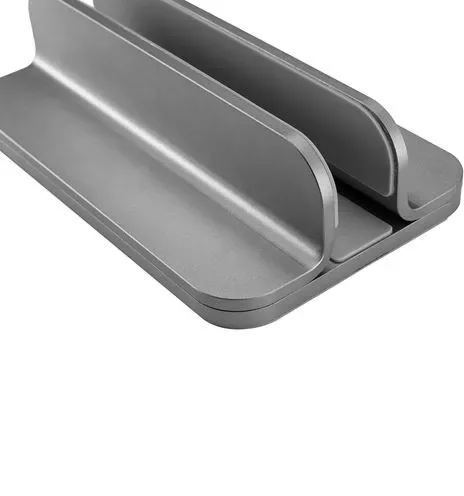
Enhancing Workspace Ergonomics with the Neomounts NSLS300
In the modern professional landscape, maintaining physical health while working long hours on computers is paramount. Poor posture caused by looking down at a laptop screen placed on a flat desk can lead to chronic neck pain and fatigue throughout the day. This is why adopting ergonomic accessories has become essential for remote workers and office staff alike. The Neomounts NSLS300 Laptop Stand Manual highlights the proper procedures for utilizing this tool effectively. By ensuring the unit is installed correctly, you maximize the benefits it offers for your spinal alignment.
Detailed Product Specifications
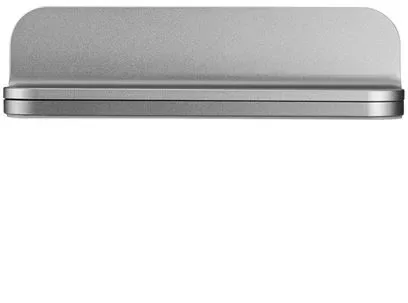
Understanding the physical attributes of the stand helps in selecting the right equipment for your desk environment. The maximum load capacity is rated at five kilograms, supporting most standard ultrabooks and gaming laptops securely. The dimensions are optimized for portability yet provide sufficient stability during typing sessions. Measurements include a base width of 150 millimeters and an adjusted height reach of 42 millimeters relative to the base. This elevation is crucial for bringing the display to a comfortable viewing angle. Additionally, the structure supports cooling by allowing airflow to circulate underneath the device chassis.
Assembly and User Guidance
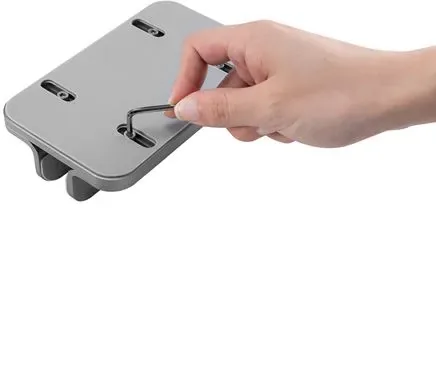
Setting up the hardware does not require complex tools or specialized skills. The included guide outlines four clear steps involving Part A and Part B components. This streamlined process ensures that users can assemble the unit quickly without confusion. The presence of instructions in multiple languages suggests broad international accessibility for diverse markets. Following the visual cues in the documentation minimizes the risk of incorrect assembly which could compromise stability. Once configured, the device stays firmly in place despite regular use. This reliability fosters trust in the product over extended periods of ownership.
Practical Applications and Lifestyle Impact
Beyond home offices, this stand is ideal for co-working spaces and coffee shops where ergonomics are desired temporarily. Its lightweight nature allows for easy transport in a backpack alongside your laptop. Students preparing presentations find the elevated screen position beneficial for audience visibility. Professionals attending virtual meetings benefit from improved webcam angles at eye level. Proper setup prevents slouching and encourages active sitting habits. Referencing the official resources ensures safety standards regarding weight limits are never exceeded. Ultimately, this investment contributes to long term wellness and sustained productivity during busy work weeks.
Search for 67,732 Manuals online


Type-in Brand or Model