
Neff TB1341N Manual
PDF manual · 48 Pages
English



Quick check
Incorrect answer, please try again.
Chat with your Neff TB1341N manual using AI
Get instant AI answers from your Neff TB1341N manual
Ask anything about the Neff TB1341N. Answers come from this manual, with the pages they are based on.
TB1341N Maintenance Schedule
Clean the hob after every use to stop cooking residues from getting burnt on. Use a glass scraper for heavy dirt and a suitable glass ceramic cleaner.
Clean the hob frame after use if dirty or stained using hot soapy water and a soft cloth. Do not use the glass scraper.
Ask a Question
Do you recommend TB1341N?
Yes NoFrequently Asked Questions
Hold the main switch down for approximately four seconds while the hob is switched off. The indicator lamp will light up for ten seconds, showing the lock is active. Remember to unlock by holding the switch again before using.
Is this answer helpful?
The appliance features a timer that can be set for up to ninety-nine minutes. You can adjust the duration using the touch fields once a hotplate is selected. This function automatically switches off the cooking zone when time expires.
Is this answer helpful?
Clean the surface regularly using a glass scraper for heavy dirt and a specialized glass ceramic cleaner. Do not use abrasive sponges or aggressive chemicals. Never use cleaners containing ammonia or chlorine, as these damage the coating.
Is this answer helpful?
The indicator lights up to show the hotplate is still hot even after power is removed. It helps prevent burns by warning users not to touch the surface. Wait until it disappears before touching the area.
Is this answer helpful?
Match your pot size to the cooking zone and use lids to trap heat. Turn down heat settings early during cooking. Use residual heat for finishing dishes without consuming extra power unnecessarily.
Is this answer helpful?
Check the fuse box first to see if power is restored. If error codes persist, try switching the unit off and on again. Contact customer service if the issue continues to provide the exact error message.
Is this answer helpful?
No, do not use aluminum foil or plastic containers on heated hotplates. They are not heat resistant and can melt, causing damage to the surface and potentially creating a fire hazard during operation.
Is this answer helpful?
Advantages and Disadvantages
Advantages

- Intuitive touch field controls allow easy adjustment of power levels for various cooking needs.
- Childproof lock ensures safety by preventing accidental activation by young children during kitchen use.
- Built-in timer function helps prevent food from burning with durations up to 99 minutes.
- Residual heat indicator warns users when surfaces are hot to prevent accidental burns safely.
- Energy efficient design allows adjustment of pot sizes to cooking zones for reduced power usage.
Disadvantages

- Touch panel may malfunction if liquids are placed on the control surface during operation.
- Specific non-abrasive cleaning products are required to avoid damaging the glass ceramic finish.
- Automatic switch-off may interrupt cooking if settings remain unchanged for an extended period.
- Hard or pointed objects falling on the hob can cause permanent damage to the surface.
- Requires licensed professional for wiring if connecting without a standard plug for installation.
Product Specification
Power
6.6 kW
Design
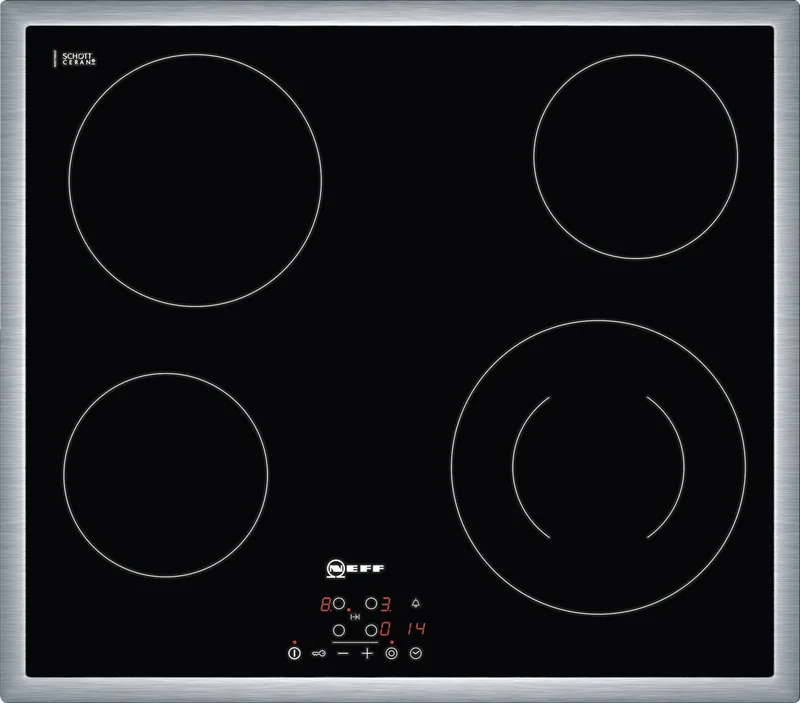
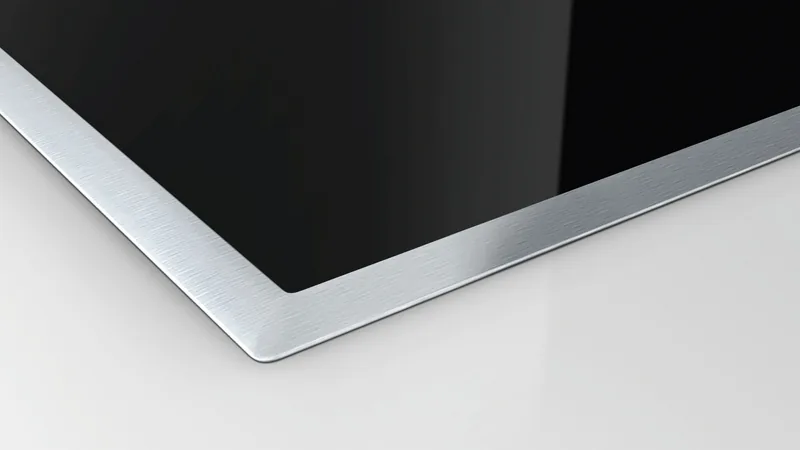
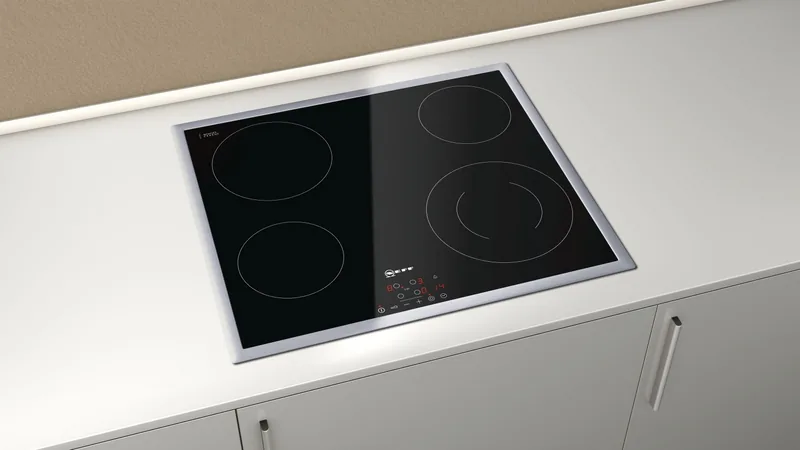
Stainless steel frame, black, glass ceramic surface
Width
23.62 in (Standard width)
Cooking Zones
4 Cooking Zones, including 1x Zone diameter 8.27 in (2.2 kW), 1x Zone diameter 7.09 in (2 kW), 2x Zone diameter 5.71 in (1.2 kW)
Temperature Control
17 Settings
Control
Touch Control
Features
Pan Detection, Stop&Go Function (ReStart), Timer, Child Lock, Safety Shut-off, Residual Heat Warning (2-stage)
Product Description
Elevate Your Kitchen Experience with precision
Culinary enthusiasts seek efficiency and safety in modern appliances. The Neff TB1341N Induction Cooktop Freestanding offers a seamless interface for preparing diverse meals. Understanding the intricacies of this device is crucial for optimal performance. References to the Neff TB1341N Induction Cooktop Freestanding Manual highlight the importance of proper setup and usage guidelines. This appliance integrates touch fields for intuitive control, allowing users to adjust power levels effortlessly. Power ranges from one to nine, providing flexibility for different recipes.
Safety First with Advanced Features
Child safety is a priority. The appliance includes a childproof lock to prevent accidental activation. Users must ensure young children stay away from the hot surface. Warning lights indicate residual heat to prevent burns. Never cover the hob as this can cause overheating. Avoid placing liquids on the control panel to maintain functionality. The device switches off automatically if idle settings remain unchanged for too long. A timer function allows precise cooking durations up to ninety-nine minutes. This prevents food from burning during unattended periods.
Cooking Efficiency and Energy
Energy efficiency is achieved by matching pot sizes to cooking zones. Using the correct heat setting minimizes power consumption. Leaving lids on pots traps heat and reduces energy usage significantly. The residual heat indicator ensures users know when surfaces are safe to touch. Cleaning requires specific products to avoid damaging the glass ceramic surface. Do not use abrasive sponges or aggressive chemicals. Salt and sugar should not be used as scrubbing agents to protect the finish. Cleaning the frame requires hot soapy water and a soft cloth.
Cooking Recommendations and Tips
Different foods require specific heat settings for best results. Melting chocolate needs a low number one setting. Boiling pasta requires a high number nine setting initially. When frying, use sufficient oil and ensure pots have flat bases. Uneven bases increase energy consumption and may cause instability. Keep the cooktop dry between uses to avoid electrical issues. Regularly check the power cord for any signs of wear or damage. If error codes appear, check the fuse box first to restore power before contacting support. This simple step resolves many common interruptions efficiently.
Final Thoughts on Operation
Proper usage extends the lifespan of the unit. Always follow manufacturer instructions for electrical connection. Licensed professionals should handle wiring without plugs. Keep packaging materials away from children after unboxing. Dispose of waste responsibly according to local regulations. Contact customer support for genuine spare parts lasting ten years. Enjoy safe and efficient cooking with this advanced system. Remember to keep the surrounding area clear of clutter for ventilation.
Search for 67,732 Manuals online


Type-in Brand or Model