
Nedis SPPT2480BK Manual
PDF manual · 48 Pages
English



Quick check
Incorrect answer, please try again.
Chat with your Nedis SPPT2480BK manual using AI
Get instant AI answers from your Nedis SPPT2480BK manual
Ask anything about the Nedis SPPT2480BK. Answers come from this manual, with the pages they are based on.
Ask a Question
Do you recommend SPPT2480BK?
Yes NoFrequently Asked Questions
Yes, you can record audio directly onto a USB flash drive connected to the speaker. Simply press the record button to start and stop, then hold it to playback saved recordings.
Is this answer helpful?
Press the Bluetooth button once to select a connected device. To enter pairing mode, press and hold the Bluetooth button until the indicator light starts flashing rapidly.
Is this answer helpful?
No, this product is designed for personal and indoor use only. It is not intended for professional applications or commercial environments.
Is this answer helpful?
Button cell batteries can cause serious internal chemical burns within two hours. If swallowed, seek immediate medical attention as symptoms may resemble common childhood illnesses.
Is this answer helpful?
To restore factory volume values, press and hold the reset button located on the back of the unit for five seconds using a pin or similar object.
Is this answer helpful?
Advantages and Disadvantages
Advantages

- Powerful dual-driver system with subwoofer and tweeter for rich sound
- Versatile connectivity options including Bluetooth, USB, and AUX input
- Built-in microphone with adjustable echo and priority modes for karaoke
- Dynamic party lighting effects to enhance the atmosphere
- Portable design with trolley handle and carrying strap
Disadvantages

- Intended for indoor use only, limiting outdoor durability
- Requires a USB drive for audio recording functionality
- Battery charging time not specified in the manual
- No waterproof rating mentioned for accidental spills
- Remote control requires separate batteries not included
Product Specification
Power
80W RMS, 240W Peak
Frequency range
50Hz-18kHz
Speakers
4 (2x 2" tweeters, 2x 5.25" woofers)
Tuner
no
Audio connections
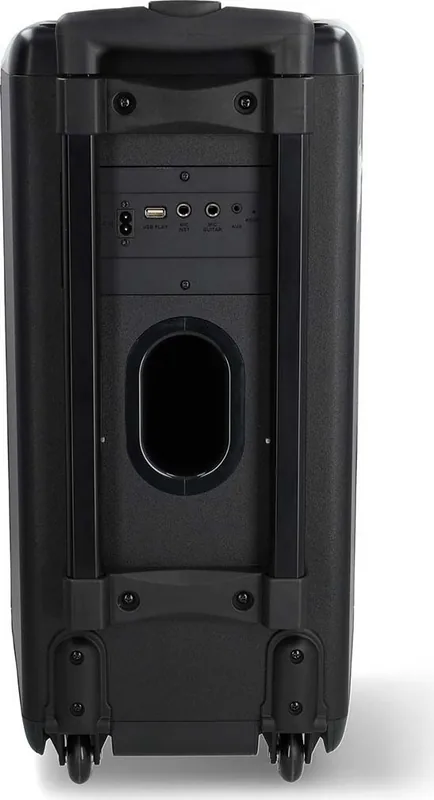
AUX In (3.5mm jack), Mic In (6.35mm jack), Mic/Instrument In (6.35mm jack)
Other connections
USB-A
Wireless
Bluetooth 5.0
Power supply
Battery (4000mAh), AC power
Playback duration
5h
Karaoke features
Echo
Features
Remote control, wheels, light effects, audio effects (Bass Boost)
Dimensions
12.4x22.2x12 inches (WxHxD)
Weight
20.33 lbs
Product Description
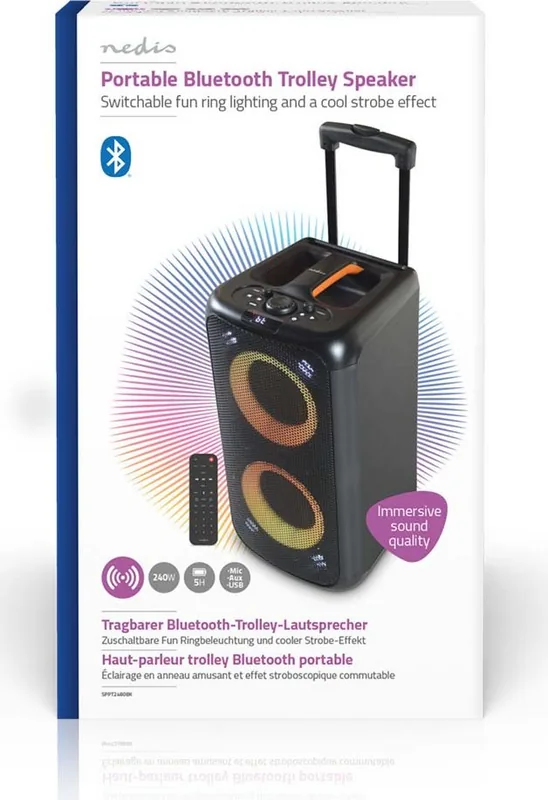
Discover the Ultimate Party Companion: Nedis SPPT2480BK
Get ready to transform any gathering into a vibrant celebration with the Nedis SPPT2480BK Bluetooth Tower Party Speaker. This sleek black speaker is designed to bring high-energy sound and dazzling visuals to your home parties, outdoor events, or karaoke nights. Whether you are hosting a small get-together or a large party, this tower speaker delivers powerful audio that fills the room.
The Nedis SPPT2480BK Manual highlights its versatility as a multi-functional entertainment hub. You can stream music wirelessly from your smartphone or tablet via Bluetooth, connect using an AUX cable, or play tracks directly from a USB flash drive. The built-in subwoofer and tweeter ensure deep bass and crisp highs, creating an immersive listening experience. For those who love to sing along, the integrated microphone inputs allow you to adjust echo effects and prioritize your voice over the music, making it perfect for impromptu karaoke sessions.
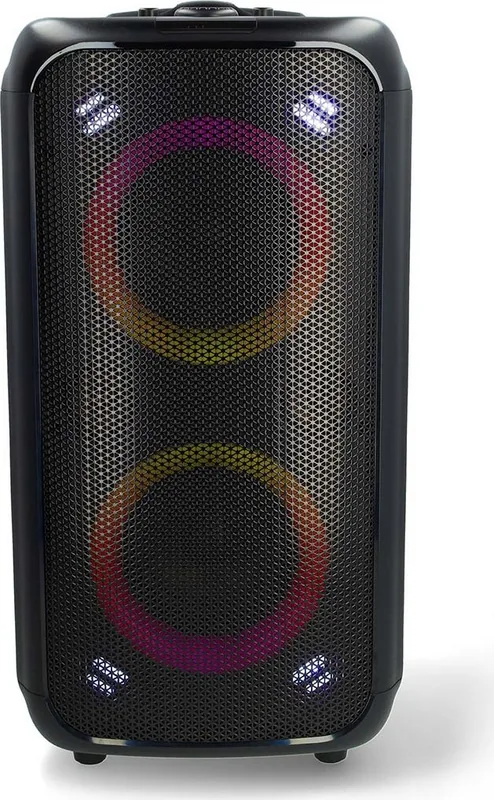
Visuals are just as important as sound in a party atmosphere. The SPPT2480BK features dynamic party lights that cycle through various colorful effects, syncing with your music to create an energetic ambiance. You can easily control these lights using the dedicated button on the control panel or the remote control. The unit also includes a handy trolley handle and carrying strap, making it portable and easy to move from room to room.
Safety and convenience are top priorities. The speaker is intended for indoor use only and includes robust safety features to protect both the device and its users. It comes with a comprehensive quick start guide available online, ensuring you can set up your new speaker quickly and efficiently. From adjusting bass and treble levels to managing recording functions via USB storage, the Nedis SPPT2480BK offers a user-friendly interface for all your audio needs.
Search for 67,732 Manuals online


Type-in Brand or Model