
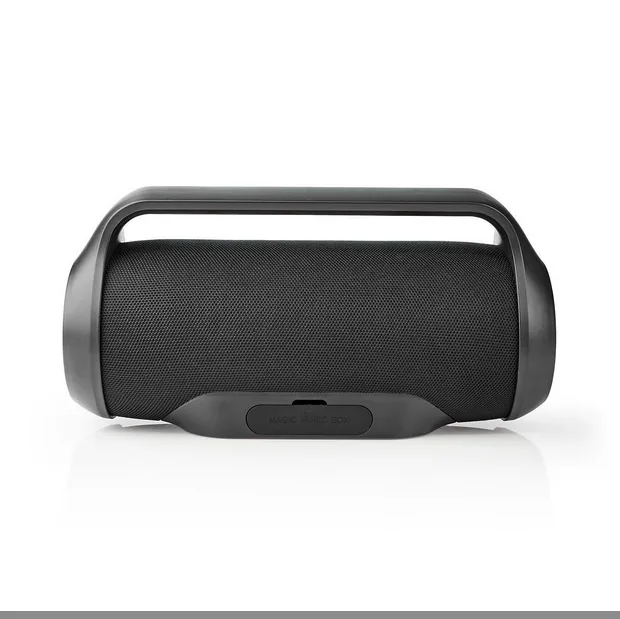
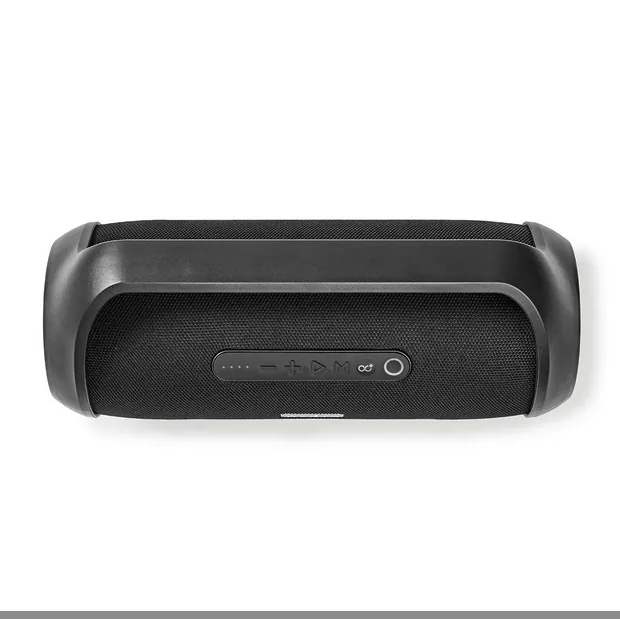
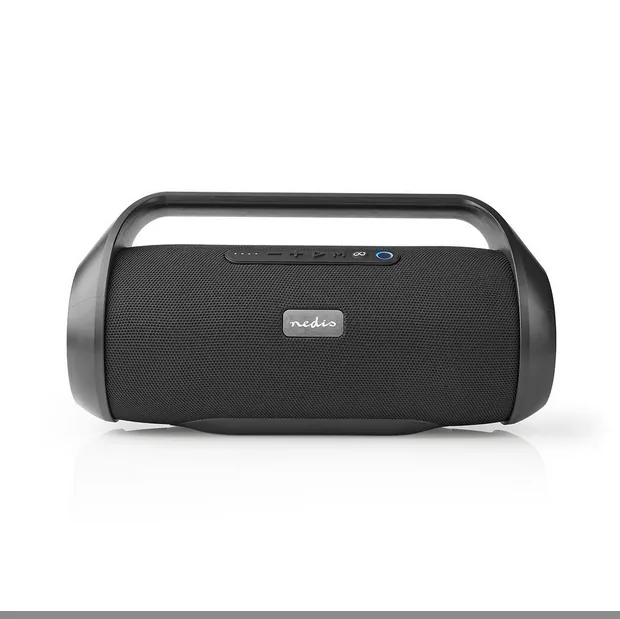
Nedis SPBB320BK Manual
PDF manual · 32 Pages
English



Quick check
Incorrect answer, please try again.
Chat with your Nedis SPBB320BK manual using AI
Get instant AI answers from your Nedis SPBB320BK manual
Ask anything about the Nedis SPBB320BK. Answers come from this manual, with the pages they are based on.
Ask a Question
Do you recommend SPBB320BK?
Yes NoFrequently Asked Questions
The battery lasts up to 9.5 hours with lights off and 9 hours with lights on.
Is this answer helpful?
It has an IPX5 rating making it water splash resistant but not submersible.
Is this answer helpful?
No, a 5V/2A USB adapter is not included and must be purchased separately.
Is this answer helpful?
Yes, there is a 6.35mm microphone port available for input.
Is this answer helpful?
Full charging takes approximately five and a half hours with proper power source.
Is this answer helpful?
Yes, use the TWS button to connect two units for stereo sound.
Is this answer helpful?
Children aged eight and above can use it under supervision.
Is this answer helpful?
Advantages and Disadvantages
Advantages

- Powerful 120W peak sound output with deep bass from built-in subwoofer.
- Built-in RGB LED lights enhance party atmosphere and can be controlled manually.
- Long battery life up to 9.5 hours without lights for extended listening.
- Supports True Wireless Stereo pairing to connect multiple units wirelessly.
- Water splash resistant IPX5 rating suitable for damp indoor areas.
Disadvantages

- No USB power adapter included in packaging requiring separate purchase.
- Intended for indoor use only limits outdoor placement capabilities.
- Charging requires minimum 5.5 hours to reach full capacity level.
- No carrying bag provided with the speaker unit for protection.
- Cannot be submerged in water due to electronics exposure risks.
Product Specification
Power
40W RMS, 120W Peak
Display
No
Tuner
No
Frequency Range
50Hz - 15kHz
Connections
AUX In (3.5mm Jack), Mic In (6.35mm Jack), USB-A
Wireless
Bluetooth 5.0
Power Source
Li-Ion Battery (4400mAh), USB-C
Playback Time
9.5h
Voice Assistants
Apple Siri, Google Assistant
Features
Water Resistant (IPX5), Stereo Pairing, Hands-Free, Charge Other Devices (USB-A), Light Effects
Color
Black
Dimensions
17.91 x 9.25 x 7.28 in (WxHxD)
Weight
7.61 lbs
Product Description
Experience High-Energy Audio with the Nedis Bluetooth Party Boombox
Imagine hosting a gathering where the music flows seamlessly across the room. The Nedis Bluetooth Party Boombox brings that experience to your living space with impressive power and style. Designed for indoor enjoyment, this device integrates deep bass tones courtesy of a built-in subwoofer. You get a powerful audio setup without needing external amplifiers for small venues. The sound output reaches peak levels sufficient for entertaining guests while maintaining clarity through its dedicated tweeters. Sound clarity is preserved even at maximum volume levels thanks to the robust internal components designed for high fidelity reproduction.
One of the standout features involves the visual element. Users often ask about lighting when choosing entertainment gear. This unit comes equipped with vibrant RGB LED lights that pulse with the rhythm. You can control these directly via the panel buttons to set the mood instantly. The visual flair complements the audio performance perfectly for late-night sessions or afternoon parties. Connectivity remains a priority in modern devices. Bluetooth version 5.0 ensures stable streaming from smartphones or tablets. You can also utilize the auxiliary port for older equipment that lacks wireless capability.
Battery life is crucial for mobile setups. This boombox offers extended playtime depending on volume and lighting settings. With lights turned off, users enjoy up to nine and a half hours of continuous music. Lighting effects reduce capacity slightly to around nine hours. Recharging takes approximately five and a half hours using a compatible adapter. Note that a USB adapter is not included in the box so you must source one separately. Only a five-volt two-amp charger meets safety requirements for optimal performance.
When consulting the Nedis Bluetooth Party Boombox Manual, you learn about maintenance protocols. Ensure the device stays dry during operation since it holds an IPX5 rating against water spray. Submersion is strictly prohibited to prevent damage. Cleaning should always occur after unplugging the unit to avoid electric shock risks. If issues arise, consult a qualified technician rather than opening the casing yourself. Children aged eight and above may operate the device under supervision. Professional use is discouraged outside of household functions. Store the original literature safely for future reference regarding disposal procedures. Enjoy premium sound quality responsibly indoors.
Notes on Usage
Always charge the battery fully before first use. Place the unit in a well-ventilated area while charging. Monitor temperature to prevent overheating above fifty degrees Celsius. Adjusting tones helps customization. The equalizer button allows switching between bass mode and mid-high mode. Volume control is handled via dedicated buttons for ease of access during active use. Skips tracks easily by holding volume buttons. Reset functionality exists in case of glitches. These practical controls enhance the user experience significantly compared to basic players. This comprehensive guide covers everything you need for operation.
Search for 67,732 Manuals online


Type-in Brand or Model