
Nedis SmartLife Outdoor Camera Manual
PDF manual · 48 Pages
English



Quick check
Incorrect answer, please try again.
Chat with your Nedis SmartLife Outdoor Camera manual using AI
Get instant AI answers from your Nedis SmartLife Outdoor Camera manual
Ask anything about the Nedis SmartLife Outdoor Camera. Answers come from this manual, with the pages they are based on.
Ask a Question
Do you recommend SmartLife Outdoor Camera?
Yes NoFrequently Asked Questions
The camera records Full HD video at 1920 x 1080 pixels and 15 fps. It uses H.264 video encoding and has a 120-degree viewing angle.
Is this answer helpful?
Yes. Its IP65-rated housing is designed to resist dust and water exposure, making it suitable for outdoor locations such as doorways, gardens, and driveways. It can also be used indoors.
Is this answer helpful?
The camera connects through 2.4 GHz Wi-Fi using 802.11 b/g/n. It does not list 5 GHz Wi-Fi support, so setup should be performed on a compatible 2.4 GHz network.
Is this answer helpful?
Motion-detected videos are automatically saved to a microSD card when one is installed. The camera supports cards up to 128 GB. Cloud storage is also listed as an option.
Is this answer helpful?
Yes. The camera has night vision with an estimated range of 6 to 8 meters, helping it monitor nearby activity in low-light conditions.
Is this answer helpful?
Charge and power on the camera, then add it in the Nedis SmartLife app. Enter the 2.4 GHz Wi-Fi details, display the generated QR code, and hold the phone 15 to 20 cm in front of the camera until it confirms the code.
Is this answer helpful?
Advantages and Disadvantages
Advantages

- Full HD 1920 x 1080 video with a wide 120-degree viewing angle for broad area coverage.
- IP65 weather resistance supports outdoor monitoring in changing conditions.
- PIR motion detection records relevant events and sensitivity can be adjusted in the app.
- Night vision reaches approximately 6 to 8 meters, supporting monitoring after dark.
- App control supports live viewing, screenshots, recordings, playback, battery checks, and shared access.
Disadvantages

- Works only with 2.4 GHz Wi-Fi networks, not 5 GHz Wi-Fi.
- MicroSD storage requires a separate card, although cards up to 128 GB are supported.
- Video frame rate is limited to 15 fps.
- Battery charging requires a USB adapter, which is not included.
- Placement near bright lights, moving vehicles, vents, or wireless devices can cause false alarms or interference.
Product Specification
Image sensor
1/2.9" CMOS
Resolution
1920 x 1080 pixels (15 fps)
Lens
0.14 in
Viewing angle
120 degrees
Wireless
Wi-Fi
Data storage
1 x microSD slot
Microphone
integrated
Speaker
integrated
Illumination
IR illumination (32.81 ft)
Protection rating
IP65
System control and operation
Mobile app (Android, iOS)
Zone and analysis functions
Motion detection
Product Description
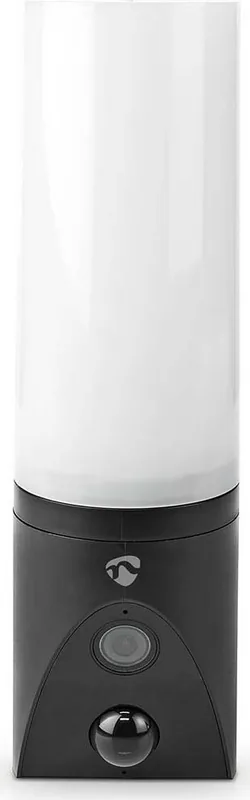
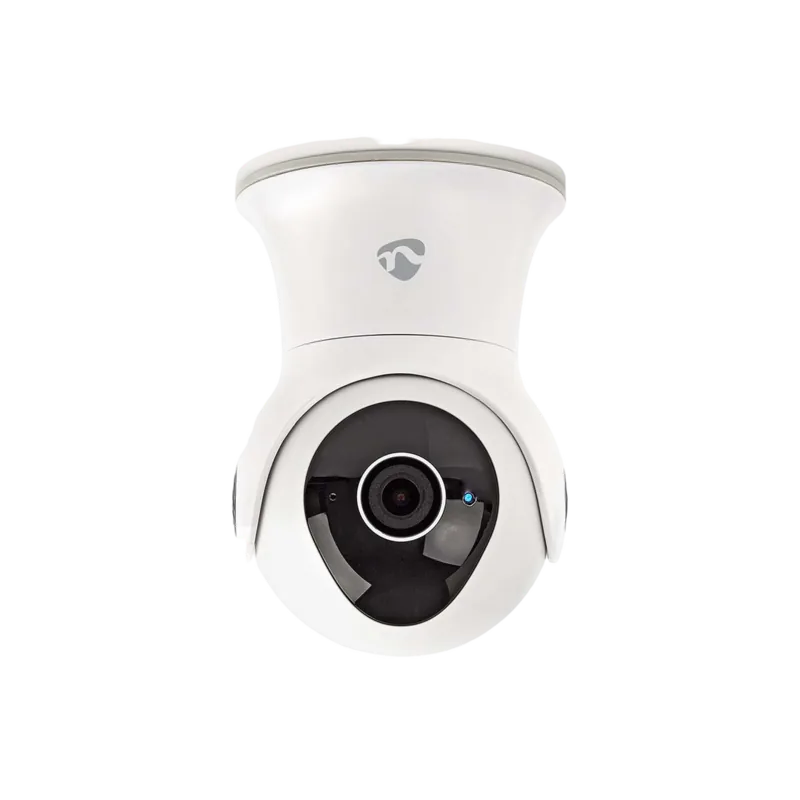
Nedis SmartLife Outdoor Camera
The Nedis SmartLife Outdoor Camera is a rechargeable Full HD security camera designed to help monitor entrances, gardens, driveways, patios, and indoor spaces. With an IP65 weather-resistant housing, it is built for outdoor placement while remaining suitable for use inside the home. Its compact 82 x 57 x 101 mm design and included mounting bracket make it practical for flexible positioning.
This camera records in 1920 x 1080 Full HD resolution at 15 fps, delivering clear footage for everyday home monitoring. A 120-degree viewing angle covers a broad area, while the integrated PIR motion sensor starts recording when movement is detected. This helps capture relevant activity without continuously recording every moment.
For low-light conditions, the camera provides night vision with a stated range of 6 to 8 meters. A built-in microphone and speaker also add two-way audio capability, allowing users to hear activity near the camera and communicate through the Nedis SmartLife app. The app supports live viewing, manual video recordings, screenshots, motion-event playback, product sharing, battery status checks, and configurable motion sensitivity.
The Nedis SmartLife Outdoor Camera Manual setup process is designed around a 2.4 GHz Wi-Fi connection and QR-code pairing. After charging the camera and installing two 18650 Li-ion batteries, users can add it through the Nedis SmartLife app on Android or iOS. During pairing, the app displays a QR code that is shown to the camera from approximately 15 to 20 cm away. A blue status light indicates a successful connection, while a red light signals that setup needs to be repeated.
Recorded motion clips can be stored locally on an optional microSD card up to 128 GB. Cloud storage is also listed as an available storage option. Through the app, users can browse saved clips by day and navigate recordings using a timeline. Camera settings include SD card management, low-battery notifications, firmware information, device naming, and shared access for other household members.
Placement notes
For more reliable motion alerts, place the camera 2 to 10 meters from the area to be monitored. Avoid aiming it at direct sunlight, mirrors, reflective surfaces, air outlets, or frequent vehicle traffic. Keep it at least one meter away from Wi-Fi routers, phones, and other wireless equipment to reduce interference.
Note: Check local privacy rules and security-camera regulations before installation. The camera uses 2.4 GHz Wi-Fi and is intended for consumer rather than professional use.
Search for 67,732 Manuals online


Type-in Brand or Model