

NEC MultiSync UN552 Manual
PDF manual · 129 Pages
English



Quick check
Incorrect answer, please try again.
Chat with your NEC MultiSync UN552 manual using AI
Get instant AI answers from your NEC MultiSync UN552 manual
Ask anything about the NEC MultiSync UN552. Answers come from this manual, with the pages they are based on.
MultiSync UN552 Maintenance Schedule
If the cooling fan runs constantly, clean the ventilation openings at least once a month.
To ensure reliable operation, clean dust and dirt from the ventilation openings on the back of the housing at least once a year.
Regularly check if the mounting bracket is loose, look for loose screws or deformation, and contact a technician if problems are found.
Free maintenance reminders
Timed to your purchase date. Always free, unsubscribe anytime.
Ask a Question
Do you recommend MultiSync UN552?
Yes NoFrequently Asked Questions
Use the provided HDMI or DisplayPort cables for video signals. Connect the USB upstream cable if using USB features. Power on the monitor using the main switch first.
Is this answer helpful?
No the device is designed for indoor use only. Outdoor exposure voids the warranty and damages internal electronics due to moisture or temperature changes.
Is this answer helpful?
Wipe the LCD panel with a soft dry cloth monthly. Dust accumulation in vents requires professional cleaning at least once a year.
Is this answer helpful?
Yes the monitor supports 3840 x 2160 resolution via DisplayPort or HDMI with specific settings for proper signal recognition.
Is this answer helpful?
Internal fans activate automatically. If warnings persist turn off the unit immediately to prevent damage to the LCD panel or components.
Is this answer helpful?
Yes the LAN port allows network management settings control and firmware updates via a web browser or serial commands.
Is this answer helpful?
Advantages and Disadvantages
Advantages

- SpectraView Engine provides high color accuracy and stability for professional workflows.
- Wide range of connectivity options including HDMI DisplayPort USB and LAN for easy integration.
- Internal media player supports USB and SD cards for standalone digital signage content.
- Energy saving modes reduce power consumption significantly during inactive periods.
- Narrow bezels allow seamless video wall installations with minimal visible gaps.
Disadvantages

- Installation requires two people due to heavy panel weight and wall mounting complexity.
- Remote control functionality depends on battery life and clear line of sight to sensor.
- Warranty claims may be rejected if unauthorized third party mounting hardware is used.
- Stand is not included in the package requiring optional purchase for desktop use.
- Advanced calibration features might require technical knowledge for proper system setup.
Product Specification
Diagonal
55"
Resolution
1920x1080, 16:9
Brightness
700 cd/m2
Contrast
1,700:1 (static), Not specified (dynamic)
Response Time
8ms
Viewing Angle
178 deg / 178 deg
Panel Type
IPS
Shape
Flat
Backlight
White LED
HDR
N/A
Refresh Rate
60 Hz
Signal Frequency
26-134 kHz (horizontal), 23-86 Hz (vertical)
Connectors
1x VGA (60Hz@1920x1080), 1x DVI, 2x HDMI 1.3, 2x DisplayPort, 1x HDMI-Out, 1x DisplayPort-Out, 1x RCA Composite In, 2x 3.5mm Jack (Line-In), 1x 3.5mm Jack (Line-Out)
Additional Connectors
1x serial, 2x RJ-45 LAN, 1x microSD, 1x JAE 80-Pin OPS
VESA Mount
400x400 mm (Free)
Power Consumption
380W (Max), 199W (Typical), N/A (Eco Label old A+++ to G), 0.5W (Standby)
SDR Energy Efficiency Class (A to G)
G
SDR Energy Consumption
141 kWh/1000h
Dimensions (WxHxD)
47.76x26.93x4.09 inches
Weight
56.22 lbs
Features
NFC
Manufacturer Warranty
3 years
Product Description
Exploring the NEC MultiSync UN552 Display Features
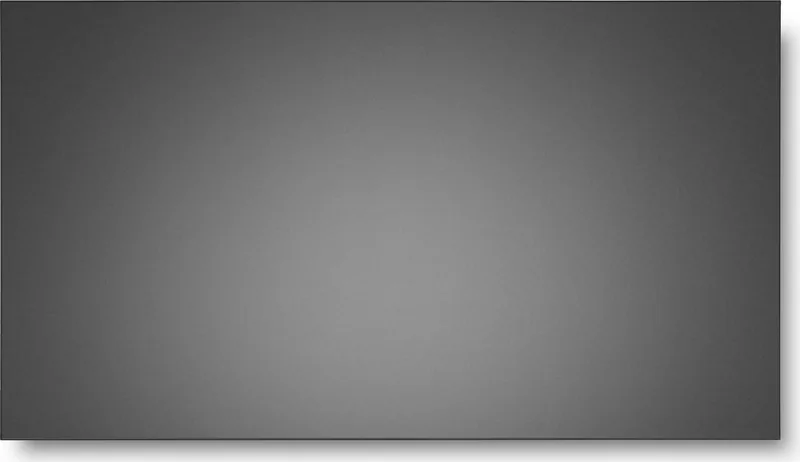
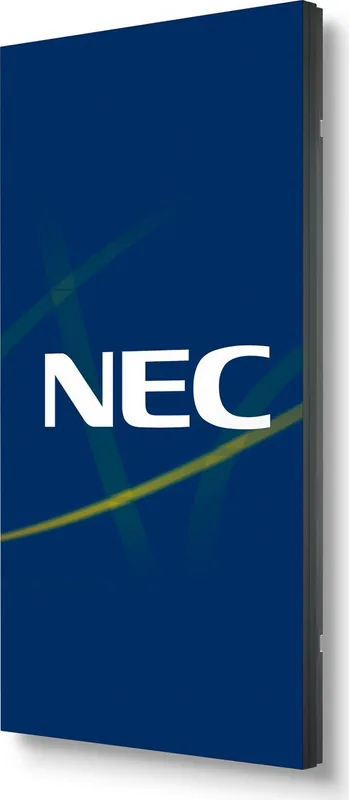
The NEC MultiSync UN552 is a high performance 55 inch monitor designed for professional video walls and command centers. This screen provides exceptional visual quality with narrow bezels that facilitate seamless multi screen setups. Users seeking clarity and precision often refer to the NEC MultiSync UN552, 55 inch Manual during the setup process to understand the advanced configuration options available for their specific environment.
The SpectraView Engine integrated into the monitor delivers precise color calibration. It adapts to ambient light and temperature ensuring consistent output over time compatibility with ICC profiles enhances color management HDR video support allows for rich dynamic range in media playback. The OSD menu remains accessible through physical buttons or the optional remote control for adjusting settings like brightness and contrast without external software needed. Power management features reduce energy consumption during idle states ensuring lower operational costs over time.
Connectivity is a strong point for the NEC MultiSync UN552. It supports DisplayPort 1 2 and HDMI interfaces for high resolution video signals. USB connectivity allows for media playback from SD cards or flash drives via the internal player. Network control via LAN and RS 232C is available for centralized management in large installations. The device supports HDMI CEC for easier peripheral integration allowing single remote operation for compatible devices.
Safety and maintenance are prioritized in the user guide. Regular cleaning with a soft dry cloth is recommended for the LCD panel. Avoiding direct water spray prevents electrical hazards. The ventilation ports must remain unobstructed to prevent overheating. Installation requires two people due to the weight of the 55 inch screen wall mounting needs secure anchors. Warranty coverage may be voided if unauthorized modifications occur during the assembly phase.
This monitor fits office environments retail spaces and control rooms. Its robust build quality and modular design support future expansion. Optional stand legs or wall mounts provide flexible viewing angles. Whether used for digital signage or data analysis this unit delivers reliability. Always consult the official documentation for calibration instructions. You can enable schedule functions to turn the device on and off automatically. Media content can be queued for automatic playback without user intervention.
The onscreen display menu includes options for audio input selection and network settings. Advanced features include power schedules and password protection for security. Multi picture modes allow split screen viewing of different sources simultaneously. This versatility makes it suitable for mixed input scenarios. Color accuracy is crucial for graphic design workflows where the SpectraView Engine excels. Setup is straightforward with the included cable management tools. Maintenance tips help extend the longevity of the unit effectively.
Search for 67,732 Manuals online


Type-in Brand or Model