

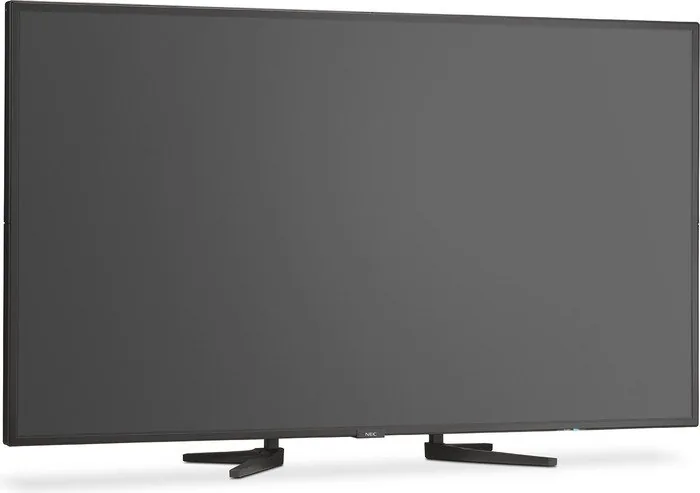
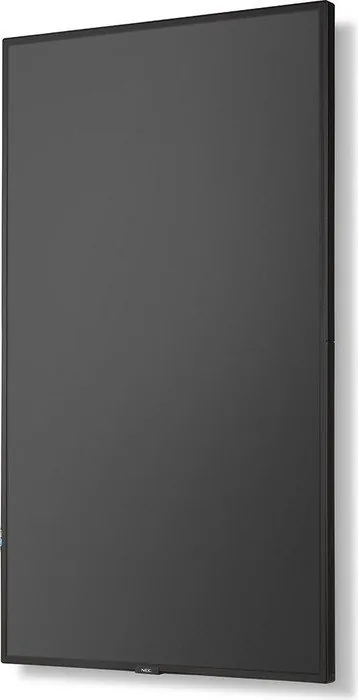
NEC MultiSync P554 Manual
PDF manual · 73 Pages
English



Quick check
Incorrect answer, please try again.
Chat with your NEC MultiSync P554 manual using AI
Get instant AI answers from your NEC MultiSync P554 manual
Ask anything about the NEC MultiSync P554. Answers come from this manual, with the pages they are based on.
MultiSync P554 Maintenance Schedule
If the fan runs constantly, clean the ventilation holes at least once a month.
Clean the openings on the back of the case at least once a year to ensure proper operation.
Free maintenance reminders
Timed to your purchase date. Always free, unsubscribe anytime.
Ask a Question
Do you recommend MultiSync P554?
Yes NoFrequently Asked Questions
The monitor supports up to 3840 x 2160 pixels at 60Hz, providing true 4K UHD resolution for crisp and detailed imagery.
Is this answer helpful?
Yes, the built-in Media Player allows you to play images and videos stored on USB flash drives or microSD cards directly on the screen.
Is this answer helpful?
No, this monitor is designed for indoor environments only. Exposure to rain, moisture, or extreme temperatures can damage the unit.
Is this answer helpful?
Use a compatible DisplayPort or HDMI cable. You may need to adjust synchronization settings on your Mac for optimal display performance.
Is this answer helpful?
No, the P554 does not include internal speakers. Audio must be routed through external amplifiers or headphones using the audio output jack.
Is this answer helpful?
Yes, you can manage multiple P554 units over a network using the LAN control feature to adjust settings and power states remotely.
Is this answer helpful?
Advantages and Disadvantages
Advantages

- Supports 4K resolution with excellent color accuracy for professional tasks
- Integrated Media Player allows standalone content playback from USB or SD cards
- Extensive connectivity options including HDMI, DisplayPort, and USB-C via expansion
- Remote LAN control enables efficient management of multiple monitors in a network
- Advanced SpectraView Engine provides precise color calibration for specialized industries
Disadvantages

- Requires professional installation due to heavy weight and complex mounting needs
- Fan noise may be audible in very quiet environments during high-load operations
- Some advanced features depend on optional expansion cards which are sold separately
- No built-in speakers for audio output, requiring external solutions
- Initial setup and calibration can be time-consuming for first-time users
Product Specification
Diagonal
55"/139.7cm
Resolution
1920x1080, 16:9
Brightness
700cd/m²
Contrast
1,200:1 (static), not specified (dynamic)
Response Time
8ms
Viewing Angle
178°/178°
Panel
IPS (S-IPS)
Shape
straight (flat)
Backlight
White-LED
HDR
N/A
Refresh Rate
60Hz
Signal Frequency
31.5-91.1kHz (horizontal), 24-85Hz (vertical)
Connections
1x VGA (60Hz@1920x1080), 1x DVI, 2x HDMI, 3x DisplayPort, 2x 3.5mm jack (Line-In), 1x 3.5mm jack (Line-Out)
Other Connections
2x RJ-45 LAN, 1x serial, 1x JAE 80-Pin OPS
VESA
300x300 (free)
Power Consumption
175W (max), 125W (typical), 130W (old energy label A+++ to G), 0.5W (standby)
Old Energy Efficiency Class (A+++ to G)
B
Annual Consumption (old A+++ to G)
189.80kWh
Dimensions (WxHxD)
48.98x28.15x2.48in
Weight
53.97lbs
Features
Speakers (2x 10W), light sensor, NFC
Manufacturer Warranty
three years
Product Description
NEC MultiSync P554, 55" Manual: A Comprehensive Guide to Professional Display Excellence
The NEC MultiSync P554 is a flagship 55-inch professional LCD monitor designed for demanding environments such as command centers, digital signage networks, and high-end corporate presentations. This device represents the pinnacle of visual clarity and connectivity, offering a robust solution for users who require precision and reliability in their daily operations. The manual serves as an essential companion, guiding owners through every aspect of setup, configuration, and maintenance to ensure optimal performance.
At the heart of the P554 lies its advanced display technology, capable of delivering stunning image quality with support for ultra-high resolutions including 4K UHD. Whether you are displaying complex data visualizations or vibrant marketing content, the monitor ensures sharp details and accurate colors. The built-in SpectraView Engine allows for precise color calibration, making it ideal for professionals who depend on color fidelity for graphic design or medical imaging applications. Users can switch between various picture modes like sRGB, Cinema, and High Brightness to suit specific content requirements instantly.
Connectivity is another standout feature of this model. The P554 boasts a comprehensive array of ports, including multiple HDMI inputs, DisplayPort connections, VGA, and even USB-C capabilities via optional cards. This flexibility allows seamless integration with a wide range of devices, from modern laptops to legacy systems. The integrated Media Player function further enhances its utility by enabling direct playback of images and videos from USB drives or microSD cards without needing a connected computer. This feature is perfect for standalone digital signage setups where simplicity and independence are key.
Installation and mounting are handled with care in the documentation, emphasizing safety and stability. The monitor supports VESA mounting standards, allowing for versatile wall or ceiling installations. However, the manual strongly advises professional installation to prevent damage or injury, given the substantial weight of the 55-inch panel. Proper ventilation is critical; the device includes internal fans that activate automatically to manage heat, ensuring longevity during extended operation periods.
Maintenance is straightforward when following the provided guidelines. Regular cleaning with a soft, dry cloth keeps the screen free of dust without risking scratches. Avoid harsh chemicals or abrasive materials that could damage the sensitive LCD surface. For networked environments, the P554 offers LAN control options, allowing administrators to manage power states, input switching, and settings remotely across multiple units. This level of control makes it an excellent choice for large-scale deployments where centralized management is necessary.
In summary, the NEC MultiSync P554 combines powerful hardware with intuitive software features, all supported by detailed instructions in the manual. It stands out as a reliable workhorse for any professional setting requiring top-tier visual performance.
Important Notes
- Always use the provided power cable to maintain FCC compliance.
- Do not cover ventilation slots to prevent overheating.
- Ensure the mounting surface can support the monitor's weight safely.
Search for 67,706 Manuals online


Type-in Brand or Model