
NEC MultiSync E273F Manual
PDF manual · 36 Pages
English



Quick check
Incorrect answer, please try again.
Chat with your NEC MultiSync E273F manual using AI
Get instant AI answers from your NEC MultiSync E273F manual
Ask anything about the NEC MultiSync E273F. Answers come from this manual, with the pages they are based on.
Ask a Question
Do you recommend MultiSync E273F?
Yes NoFrequently Asked Questions
Yes, the monitor supports DisplayPort Alt Mode over USB-C, allowing for video, audio, and data transmission through a single cable. It also provides up to 65W of power delivery to connected devices.
Is this answer helpful?
Image persistence is not permanent on LCDs. Turn off the monitor for a duration equal to the time the static image was displayed. For example, if an image stayed for one hour, turn the monitor off for one hour to clear the ghosting.
Is this answer helpful?
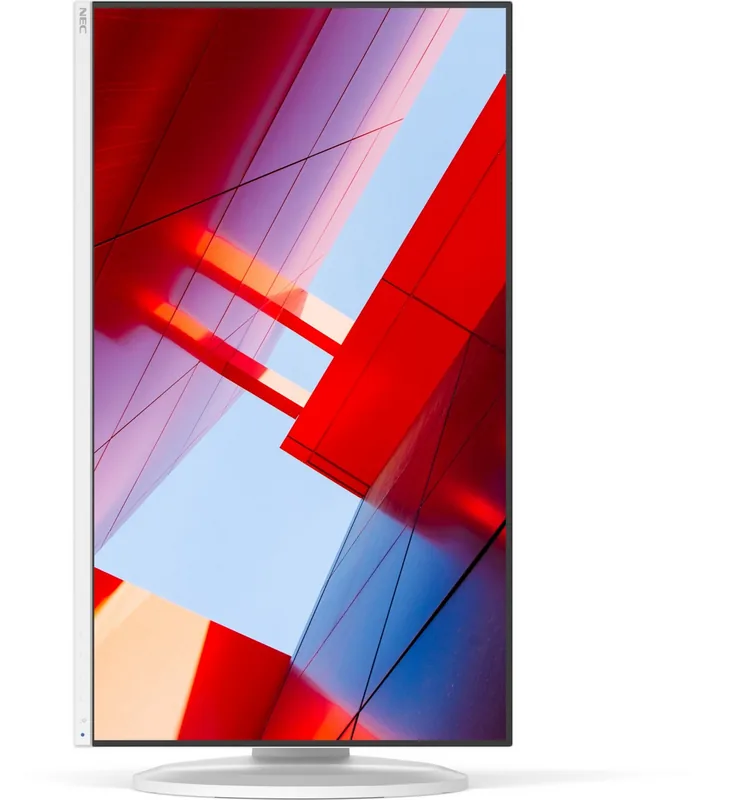
Yes, the adjustable stand allows the screen to pivot 90 degrees from landscape to portrait mode, making it perfect for reading documents, coding, or browsing web pages vertically.
Is this answer helpful?
The monitor is TCO Certified, indicating compliance with strict criteria for social and environmental sustainability, energy efficiency, and ergonomic design verified by third-party auditors.
Is this answer helpful?
Yes, the E273F is VESA standard compatible. You can remove the original stand and attach it to any VESA-compliant flexible arm or bracket using M4 screws.
Is this answer helpful?
You can connect using HDMI, DisplayPort, or USB-C cables depending on your computer's available ports. Ensure you use shielded cables for optimal signal quality and minimal interference.
Is this answer helpful?
The monitor supports a maximum refresh rate of 60 Hz at its native resolution of 1920 x 1080 across HDMI, DisplayPort, and USB-C inputs.
Is this answer helpful?
Advantages and Disadvantages
Advantages

- Excellent ergonomics with full pivot and height adjustment
- Versatile USB-C connectivity with power delivery support
- TCO Certified for environmental sustainability
- Built-in Low Blue Light and flicker-free technology
- Integrated USB hub expands connectivity options
Disadvantages

- No built-in webcam or microphone
- Speakers are basic and lack deep bass response
- Native resolution is 1080p rather than 4K
- Stand footprint may be large for very small desks
- No HDR support for high dynamic range content
Product Specification
Function
Monitor (stationary)
Diagonal
27" (27")
Resolution
1920x1080 (FHD), 16:9, 82ppi
Panel
IPS
Backlight
LED, blue light filter, flicker-free
Brightness
250 cd/m^2 (typical)
Contrast
1,000:1 (static), 5,000:1 (dynamic)
Response Time
6ms (GtG)
Refresh Rate
60Hz (1920x1080)
Signal Frequency
31.5-83kHz (H) / 50-75Hz (V)
Connectors
1x HDMI 1.4 (60Hz@1920x1080), 1x DisplayPort 1.2 (60Hz@1920x1080), 1x USB-C 3.0 with DisplayPort 1.2 (Upstream, 5Gb/s, 60Hz@1920x1080), 3x USB-A 3.0 (Downstream, 5Gb/s), 1x 3.5mm jack (Line-Out), 1x AC-In C13 (Power input)
Shape
straight (flat)
Viewing Angle
178°/178°
Coating
non-glare (matte)
Color Depth
8bit (16.7 million colors)
FRC
unknown
Speakers
Speakers (2x 1W)
Ergonomics
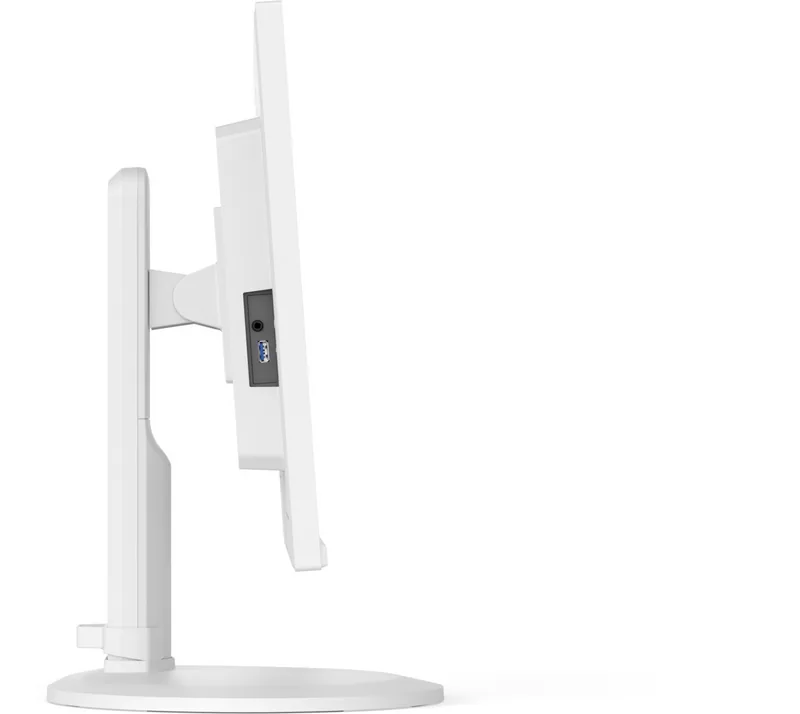
with stand, height adjustable (5.1 inches), Pivot (+/- 90°), swivel (+/- 170°), tilt (+25°/-5°)
VESA
100x100 (occupied)
Power Consumption
23W (max), 18W (typical), 0.4W (standby)
SDR Energy Efficiency (A to G)
13kWh/1000h (C)
Features
Security lock (Kensington Security Slot), Slim Bezel
Screen-to-Body Ratio
91.33% (calculated)
Dimensions
24.0x15.4x11.0 in (WxHxD) with stand compressed, 24.0x14.2x6.9 in (WxHxD) without stand
Weight
18.5 lbs (with stand), 12.6 lbs (without stand)
Power Supply
internal
Warranty
three years
USB Spelling
Link
Product Description
NEC MultiSync E273F - Read, Download & Print Free
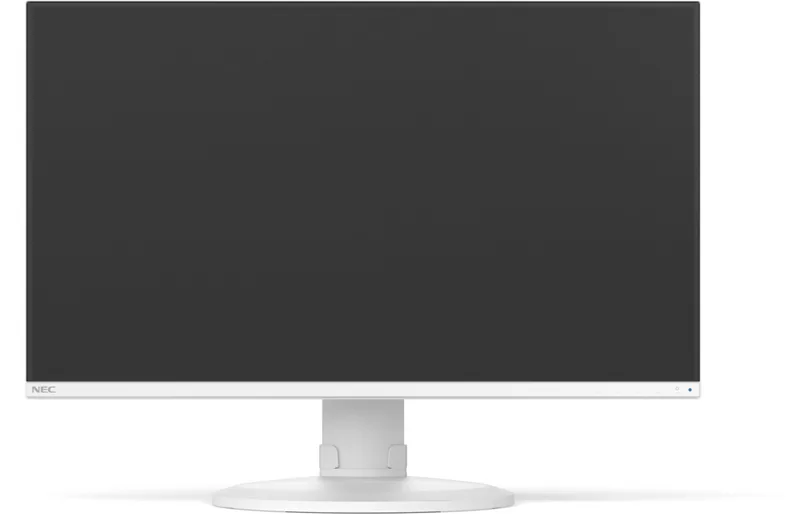
The NEC MultiSync E273F stands as a premier choice for professionals seeking high-performance visual clarity in a compact workspace. This 27-inch monitor delivers stunning Full HD resolution with a native 1920 x 1080 pixel count, ensuring that every detail is rendered with sharp precision. Whether you are editing documents, analyzing data spreadsheets, or enjoying multimedia content, the screen provides a vivid and accurate viewing experience powered by advanced TFT technology.
Designed with versatility in mind, the E273F offers robust connectivity options including HDMI, DisplayPort, and a versatile USB-C port. The USB-C connection is particularly notable as it supports DisplayPort Alt Mode, allowing for single-cable solutions that transmit video, audio, and power simultaneously. This feature simplifies desk setups significantly, reducing cable clutter while enabling efficient charging for compatible devices through its integrated USB hub.
Ergonomics play a central role in the design of this monitor. It features a fully adjustable stand that allows users to tilt, swivel, pivot, and adjust the height effortlessly. The pivot capability enables seamless switching between landscape and portrait orientations, making it ideal for coding, reading long documents, or browsing the web. To further enhance user comfort during extended work sessions, the display incorporates Low Blue Light technology and a flicker-free backlight system, both of which help reduce eye strain and fatigue.
Energy efficiency is another hallmark of the E273F. With TCO Certified status, the monitor meets rigorous international standards for sustainability and environmental impact. Its eco-mode functionality intelligently reduces power consumption when idle, contributing to lower electricity bills and a smaller carbon footprint. The inclusion of built-in speakers adds convenience for quick audio playback without the need for external hardware.
Installation is straightforward, with clear instructions provided for connecting various peripherals and mounting the unit on flexible arms via VESA compatibility. The monitor also includes security features like a Kensington lock slot to protect against theft in shared office environments. Overall, the NEC MultiSync E273F combines superior image quality, ergonomic flexibility, and eco-friendly design into one reliable package.
Key Notes
- Supports USB Power Delivery up to 65W for laptop charging.
- Compatible with Windows Plug and Play for automatic optimization.
- Includes a three-year warranty for peace of mind.
Pros and Cons
Pros
- Excellent ergonomics with full pivot and height adjustment.
- Versatile USB-C connectivity with power delivery support.
- TCO Certified for environmental sustainability.
- Built-in Low Blue Light and flicker-free technology.
- Integrated USB hub expands connectivity options.
Cons
- No built-in webcam or microphone.
- Speakers are basic and lack deep bass response.
- Native resolution is 1080p rather than 4K.
- Stand footprint may be large for very small desks.
- No HDR support for high dynamic range content.
Search for 67,706 Manuals online


Type-in Brand or Model