
Navitel R600 Manual
PDF manual · 30 Pages
English



Quick check
Incorrect answer, please try again.
Chat with your Navitel R600 manual using AI
Get instant AI answers from your Navitel R600 manual
Ask anything about the Navitel R600. Answers come from this manual, with the pages they are based on.
Ask a Question
Do you recommend R600?
Yes NoFrequently Asked Questions
Use a high-speed SD card Class 6 or higher with capacity between 8 GB and 256 GB to ensure reliable loop recording and prevent dropped frames or file corruption.
Is this answer helpful?
The built-in G-sensor detects impacts and automatically locks the current video file so it cannot be deleted or overwritten, preserving footage of collisions or sudden events.
Is this answer helpful?
Yes. In parking monitor mode, if the device is off and detects vibration it will power on, record, and lock the resulting file. If no further activity occurs for over a minute, it will shut down again.
Is this answer helpful?
During recording press the Down button to lock the current file. In playback mode select a file and press-and-hold Menu to access the context menu, then choose Lock Current or Unlock Current to change protection.
Is this answer helpful?
The device charges via USB 2.0 at DC 5V 1.5A using the original car charger. A red indicator shows charging progress; when the battery is full the red light turns off.
Is this answer helpful?
Yes. Audio recording can be enabled or disabled in settings, allowing video capture with or without sound depending on user preference or local regulations.
Is this answer helpful?
Use the Reset button to restart the device. If problems persist, check power connections, SD card compatibility, and use the original charger adapter; avoid disassembling the unit yourself.
Is this answer helpful?
Advantages and Disadvantages
Advantages

- Automatic recording on power-up and seamless loop recording for continuous capture.
- G-sensor and parking monitor automatically lock important incident footage.
- Compact 2" unit with SONY CMOS sensor and NOVATEK processor for good image quality.
- Supports high-capacity SD cards (up to 256 GB) and USB 2.0 charging (DC 5V 1.5A).
- Simple controls and file-locking protect crucial videos from deletion or overwrite.
Disadvantages

- Small 200mAh battery limits standalone recording time without external power.
- 2" display is compact and may be small for detailed preview or menu navigation.
- Relies on Class 6+ SD card performance—low-quality cards can cause recording issues.
- No built-in GPS or advanced driver assistance features listed in specifications.
- Specifications may change with updates; check manufacturer for latest details.
Product Specification
Removable Storage
microSD/microSDHC/microSDXC
Video Function
MOV, 1920x1080 (16:9)
Viewing Angle
170°
Display
2" LCD
Ports
USB 2.0
Product Description
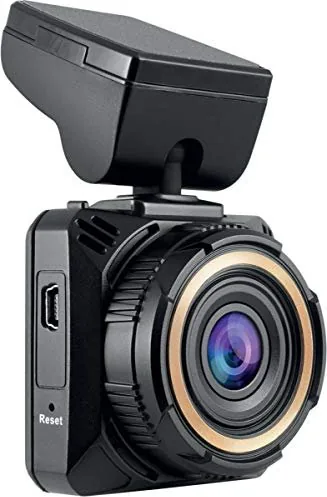
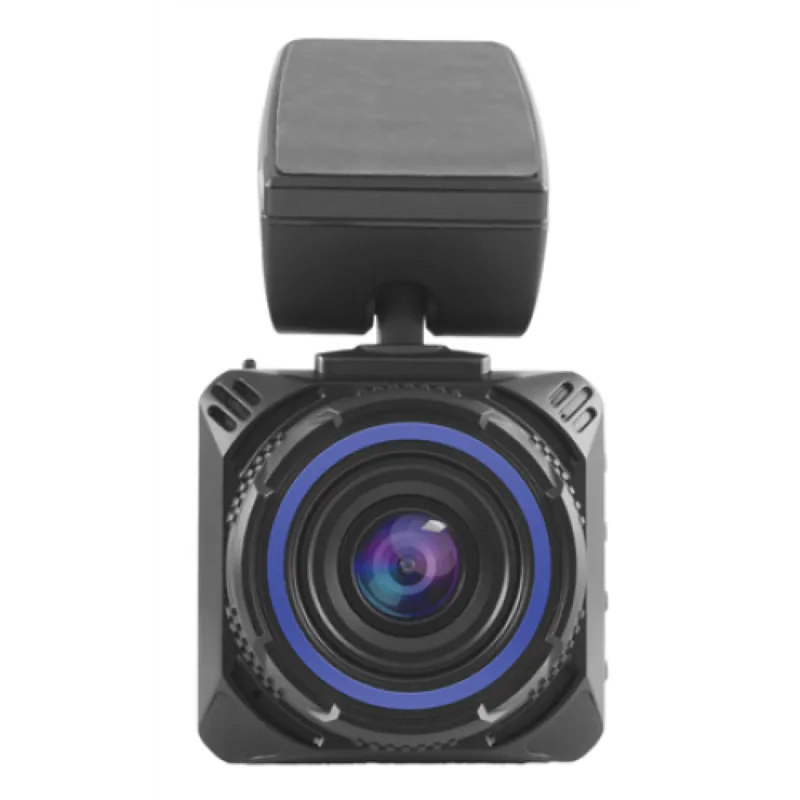
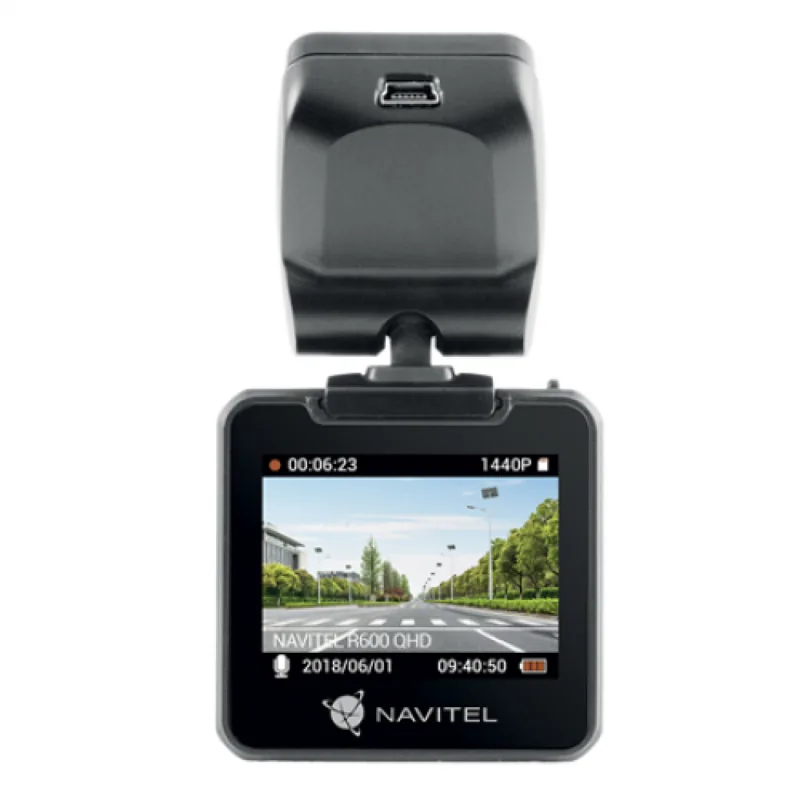
Navitel R600 — Compact High‑Definition Dash DVR
The Navitel R600 is a compact, multifunctional car DVR built to record high-definition video and capture still images reliably during everyday driving and unexpected incidents. Equipped with a SONY CMOS 323 sensor and a NOVATEK NT96650 processor, the R600 delivers clear 12MP images and MOV video files, while offering features designed for safety, convenience, and continuous operation.
Installation is straightforward: mount the adhesive holder on the windshield, insert a high-speed SD card (Class 6+; 8–256 GB), connect the car charger to the cigarette lighter, and position the lens parallel to the road. When powered, the unit automatically starts recording; indicator lights show charging and recording status. A built-in 200mAh rechargeable battery ensures limited operation when external power is interrupted.
Recording functions include loop recording (split clips by configurable time segments), manual file locking, G‑sensor event locking, and a parking monitor that powers on and records when vibrations are detected while the unit is off. Audio recording can be enabled or disabled, and a screensaver option turns off the display to conserve power. Files locked by the user or automatically by events are protected from deletion and overwriting.
Controls are simple: power on/off (press 3 seconds), Menu, Up/Down for navigation and zoom, OK to start/stop recording or take photos, Down to lock files, and Reset for recovery. Ports include a mini USB and an SD card slot; the unit supports USB 2.0 charging at DC 5V 1.5A. The 2" display provides live view and menu navigation.
Designed with practical safety and usability in mind, the Navitel R600 emphasizes automatic protection of critical footage (G‑sensor and parking events), continuous loop recording for long drives, and easy manual control for snapshots and locking important clips. Firmware or hardware updates may change specifications, so consult the latest guidance from the manufacturer.
Notes
- Use only the original charger adapter to avoid battery damage.
- Keep the lens clean and avoid operating in excessive heat or humidity.
- Locked files cannot be deleted or overwritten until unlocked.
- SD card performance affects recording reliability; prefer Class 6 or higher.
Search for 67,706 Manuals online


Type-in Brand or Model
mario.schmidt34
8 months ago
With a 32GB microSD card, how many hours does the NAVITEL R600 record at the highest resolution, and are accident (shock sensor) videos protected from being overwritten?
Manual.ly
8 months ago
With a 32GB microSD card, users report around 4 to 5 hours of recording (including audio) when using the highest video resolution. The dashcam uses loop recording, so once the card is full, older footage is overwritten. However, videos saved by the shock sensor are kept on the card and are not overwritten during normal looping. To remove them, you need to delete them from the dashcam's protected clips area, typically requiring an additional confirmation step in the submenu.