
Navitel MS700 Manual
PDF manual · 110 Pages
English



Quick check
Incorrect answer, please try again.
Chat with your Navitel MS700 manual using AI
Get instant AI answers from your Navitel MS700 manual
Ask anything about the Navitel MS700. Answers come from this manual, with the pages they are based on.
MS700 Maintenance Schedule
Never clean the display when the device is on. Do not use paper napkins or hard materials.
If left overnight, holding strength may weaken due to condensation; remove to prevent damage.
Ask a Question
Do you recommend MS700?
Yes NoFrequently Asked Questions
It is a dedicated in-car GPS navigator for route planning, turn-by-turn guidance, waypoint saving, and travel alerts. It is designed for drivers who want a separate navigation device with an easy-to-read screen and offline map support.
Is this answer helpful?
Yes. It is built around Navitel Navigator, an offline navigation system. That makes it useful when mobile data is unavailable, limited, or expensive, especially during road trips or in areas with poor signal coverage.
Is this answer helpful?
The package typically includes the navigator, a windshield holder, a stylus, a 12/24 V car charger, a mini-USB cable, a protective case, a user guide, and a warranty card. This helps users start using it in a car quickly.
Is this answer helpful?
It has 8 GB of internal memory and supports microSDHC cards up to 32 GB. That gives enough space for navigation content and related data, while still allowing extra storage if needed.
Is this answer helpful?
Signal quality can drop in tunnels, near tall buildings, in dense urban areas, inside buildings, or near electromagnetic sources. Weather conditions such as heavy fog and the vehicle's windshield design can also affect reception.
Is this answer helpful?
Use a soft cloth only, avoid sharp objects, and do not clean the display while the device is on. For the holder, keep the windshield clean and dry before mounting, and remove it if overnight condensation may weaken suction.
Is this answer helpful?
Advantages and Disadvantages
Advantages

- Large 7-inch screen makes maps, turns, and alerts easy to read at a glance.
- Offline navigation reduces dependence on mobile data and weak signal areas.
- Includes POI search, speed camera warnings, and waypoint tools for practical routing.
- Bundled accessories make installation and daily use simple right out of the box.
Disadvantages

- WINCE 6.0 and 256 MB RAM feel dated compared with newer navigation devices.
- GPS reception may weaken in tunnels, dense city areas, or vehicles with UV/heated glass.
- The display is scratch-sensitive and needs gentle cleaning and careful handling.
- Suction mount reliability can drop if the windshield is dirty or exposed to overnight moisture.
Product Specification
Type
Car Navigation
Display
7.0", 800x480 Pixel
Processor
Cortex-A7, 800MHz
RAM
256MB
Power Supply
Battery
Systems
GPS
Maps
Europe (46 Countries)
Navigation
Radar Warning
Ports
USB Mini-B 2.0, Card Reader (microSD)
Features
Voice Output, NMEA 0183
Package Contents
Car Adapter, Holder
Product Description
Navitel MS700: A Practical Offline Navigator for Everyday Driving
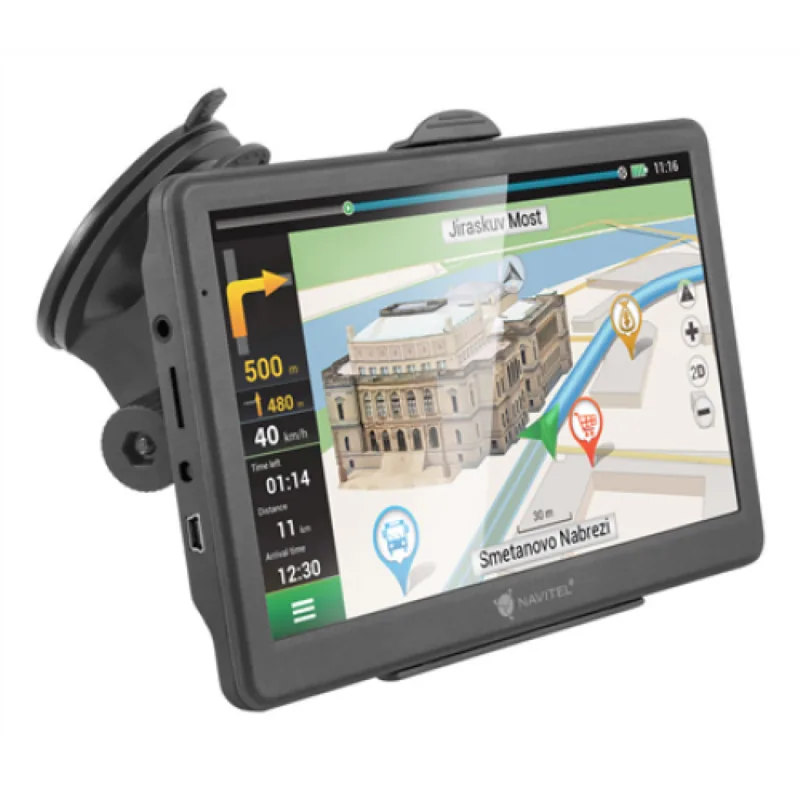
The Navitel MS700 is built for drivers who want a dedicated navigation companion instead of leaning on a phone for every trip. With a 7-inch TFT display, clear route guidance, and offline Navitel Navigator support, it focuses on what matters most on the road: readable maps, simple controls, and dependable turn-by-turn direction. The experience feels straightforward, making it a useful choice for commuting, road trips, and routine travel.
Inside, the device uses an MStar MSB2531 800 MHz processor, 256 MB of RAM, WINCE 6.0, and expandable storage through microSDHC cards up to 32 GB. It also includes 8 GB of internal memory, which helps store navigation data and keeps everyday use practical. The screen resolution of 800×480 is modest by modern standards, but on a dedicated GPS unit it delivers a clean, easy-to-follow map view. A rechargeable 1600 mAh battery adds a layer of portability for short periods away from the car.
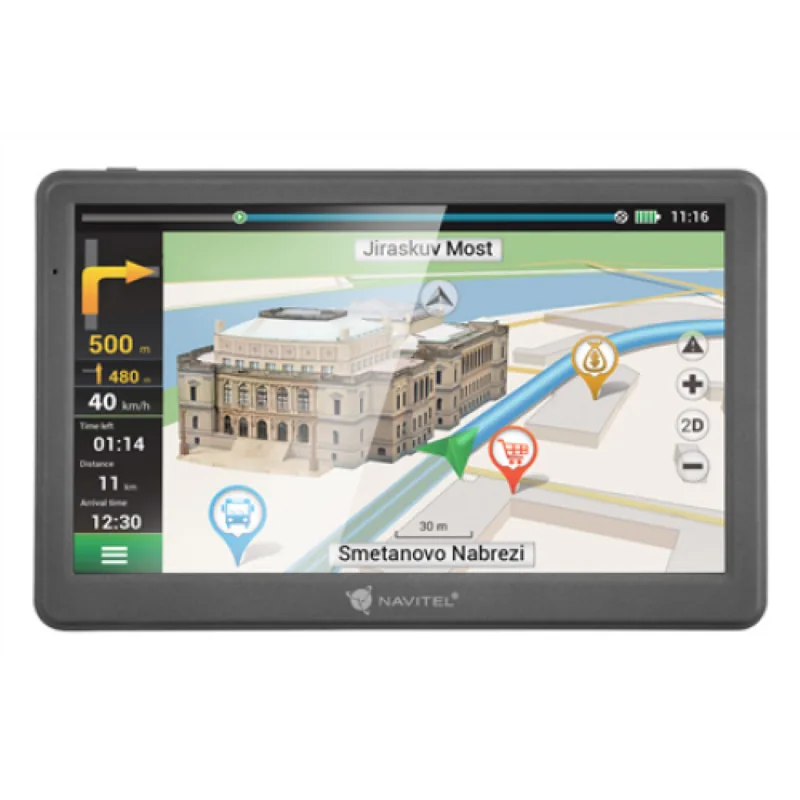
The MS700 is more than a map viewer. It supports route planning, point selection on the map, saved waypoints, POI search, and speed camera alerts, so drivers can stay informed about what lies ahead. The interface also shows current speed, the next maneuver, remaining distance, and estimated arrival time. That combination makes the device useful for users who appreciate visual guidance and structured travel data without unnecessary distractions.
The included accessories make the setup feel complete: a windshield holder, car charger, stylus, mini-USB cable, protective case, and warranty card. The Navitel MS700 Manual highlights careful mounting, clean surfaces, and safe use while driving, which is a good reminder that this device is designed to support attention on the road rather than compete with it. If you value an organized, vehicle-focused navigation tool, the MS700 offers a balanced mix of simplicity and function.
Notes
- Best for offline navigation and everyday driving tasks.
- Keep the device away from heat, moisture, and direct sunlight.
- A secure mount and clean windshield help improve stability and usability.
Search for 67,706 Manuals online


Type-in Brand or Model