
Navitel E500 Manual
PDF manual · 236 Pages
English



Quick check
Incorrect answer, please try again.
Chat with your Navitel E500 manual using AI
Get instant AI answers from your Navitel E500 manual
Ask anything about the Navitel E500. Answers come from this manual, with the pages they are based on.
E500 Maintenance Schedule
Never clean the display when the device is on. Use only a soft cloth; do not use paper napkins or hard materials.
If leaving the device attached overnight, remove it and the holder to prevent damage from moisture condensation.
Ask a Question
Do you recommend E500?
Yes NoFrequently Asked Questions
It is a compact personal GPS navigator for drivers who need turn-by-turn guidance, route planning, and map-based navigation. It works best as a dedicated in-car device for everyday trips and longer journeys.
Is this answer helpful?
Yes. The Navitel Navigator software is designed for offline navigation, so it can guide you without relying on constant internet access. This is especially helpful in areas with weak mobile coverage or when traveling abroad.
Is this answer helpful?
Yes. You can search by country, city, street, and building number. Once the address is entered, the device can suggest route options and let you choose the one that fits your trip best.
Is this answer helpful?
Updates are handled through Navitel Navigator Update Center on a computer. You connect the device by USB, check for available updates, and install them from the program. It can also be used to download or buy additional maps.
Is this answer helpful?
First check whether it is charged and connected to power. Hold the power button for at least 8 seconds, then try again after charging for a few minutes. If it still does not start, contact support or service.
Is this answer helpful?
Yes, if it is set up before the trip and used responsibly. The guide advises drivers not to adjust settings while moving, to keep the holder from blocking the view, and to follow all traffic rules at all times.
Is this answer helpful?
Advantages and Disadvantages
Advantages

- Simple 5-inch interface makes route checks easy while driving.
- Offline navigation reduces dependence on mobile data or phone signal.
- Supports POI, speed alerts, and multiple route planning methods.
- Expandable storage helps with map updates and extra regions.
Disadvantages

- Display resolution and hardware feel basic by modern standards.
- GPS reception can weaken in tunnels, dense cities, or poor weather.
- Map updates require a PC tool instead of fully mobile management.
- Battery and performance may be less comfortable in extreme temperatures.
Product Specification
Type
Car Navigation
Display
5.0", 480x272 Pixel
Processor
Cortex-A7, 800MHz
RAM
128MB
Internal Storage
4GB
Power Supply
Battery
Systems
GPS
Map Data
Europe (47 Countries)
Navigation
Radar Warning
Ports
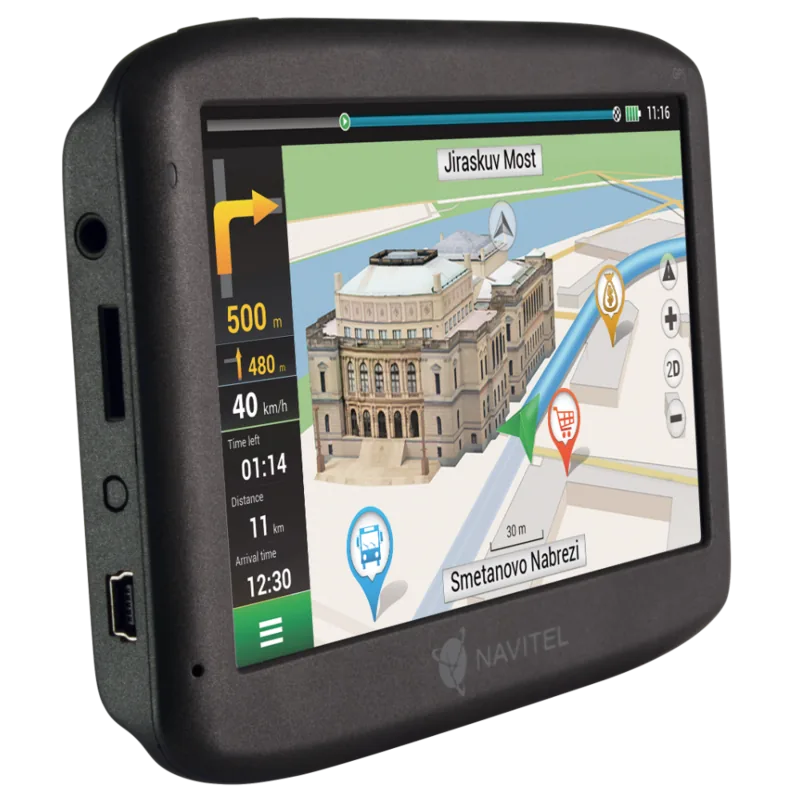
USB Mini-B 2.0, Card Reader (microSD)
Special Features
Voice Output, NMEA 0183
Package Contents
Car Adapter, Mount
Product Description
Navitel E500 Manual: A Practical Travel Companion
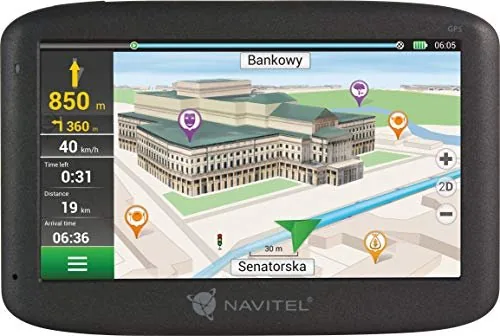
The Navitel E500 Manual reveals a compact GPS navigator designed for drivers who want straightforward guidance without unnecessary complexity. The NAVITEL E500 focuses on essential navigation tasks: showing your current position, helping you plan a route, and offering clear turn-by-turn directions through the Navitel Navigator software. Its simple layout and dedicated controls make it approachable for everyday commuting, road trips, and city driving.
At the center of the experience is a 5-inch TFT display with a 480×272 resolution. It is not built to impress with flashy visuals, but it does provide a readable interface for maps, route panels, speed information, and POI markers. The device also includes a speaker, a reset button, a microSD slot, a Mini-USB port, and a 3.5 mm audio connector, giving it the basic hardware needed for reliable in-car use. With 8 GB of internal storage and support for microSDHC cards up to 32 GB, there is room for maps and navigation data.
One of the strongest qualities of the NAVITEL E500 is its offline-first approach. The Navigator app is built for route planning even when mobile data is unavailable, which is useful in remote areas or while traveling abroad. It supports searching by address, selecting a point directly on the map, and manually setting route points when you need more control. The interface also highlights POIs and SPEEDCAM alerts, helping drivers notice fuel stations, shopping locations, and road warnings.
Safety and maintenance are emphasized throughout the device experience. The guide repeatedly encourages users to prepare routes before driving, avoid adjusting settings while moving, and place the holder carefully so it does not block the road view or interfere with airbags. It also explains how to keep the screen clean, protect the unit from heat and moisture, and use the official Update Center to refresh maps or buy new ones.
Notes
- Best suited for drivers who prefer a dedicated navigation unit.
- Route updates and map management are handled through a computer-based tool.
- Signal quality may vary near tunnels, dense buildings, or heated windshields.
- Good placement and regular maintenance help extend device life.
Search for 67,706 Manuals online


Type-in Brand or Model