
Natec Vireo Manual
PDF manual · 12 Pages
English


Quick check
Incorrect answer, please try again.
Chat with your Natec Vireo manual using AI
Get instant AI answers from your Natec Vireo manual
Ask anything about the Natec Vireo. Answers come from this manual, with the pages they are based on.
Ask a Question
Do you recommend Vireo?
Yes NoFrequently Asked Questions
The Natec Vireo Wired Mouse features a high-precision optical sensor with a resolution of 1000 DPI, ensuring smooth and accurate tracking on most surfaces.
Is this answer helpful?
While the product documentation lists Windows, Linux, and Android, it is generally compatible with Mac systems via USB, though specific driver support may vary by OS version.
Is this answer helpful?
The Natec Vireo comes with a 2-year limited manufacturer warranty, covering defects in materials and workmanship under normal usage conditions.
Is this answer helpful?
No, the mouse is plug-and-play. Once connected to a USB port, the computer's operating system will automatically install the necessary drivers without user intervention.
Is this answer helpful?
Standard optical sensors like the one in the Vireo may have difficulty tracking on transparent or highly reflective glass surfaces. A mouse pad is recommended for best results.
Is this answer helpful?
The package contains the Natec Vireo optical mouse and a quick installation guide. It does not include a carrying case or extra cables.
Is this answer helpful?
Advantages and Disadvantages
Advantages

- Ergonomic design reduces hand fatigue during long work sessions
- Precise 1000 DPI optical sensor provides accurate cursor control
- Plug-and-play USB connection requires no manual driver installation
- Durable build with long-life button switches for extended use
- Compatible with multiple operating systems including Windows, Linux, and Android
Disadvantages

- Fixed cable length may limit mobility compared to wireless options
- No programmable buttons for advanced customization
- Optical sensor may struggle on highly reflective glass surfaces
Product Specification
Suitability
both hands (left hand, right hand)
Keys
3 (total), 2 (main), 1 (scroll wheel click)
Scroll Wheel
1x 2-way
Tracking
LED red/IR
Resolution
1000 dpi
Lighting
N/A
Connection
wired (4.9 ft), USB
Power Supply
USB
Dimensions (WxDxH)
2.17x1.34x3.74 in
Approximate Volume
2.86 cu in (approximate shape)
Weight
2.01 oz
Product Description
Natec Vireo Wired Mouse USB - A Reliable Companion for Your Workspace
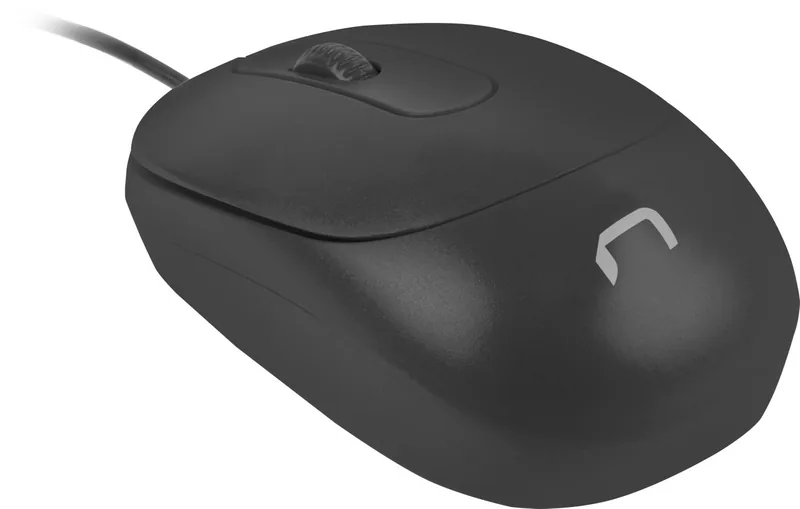
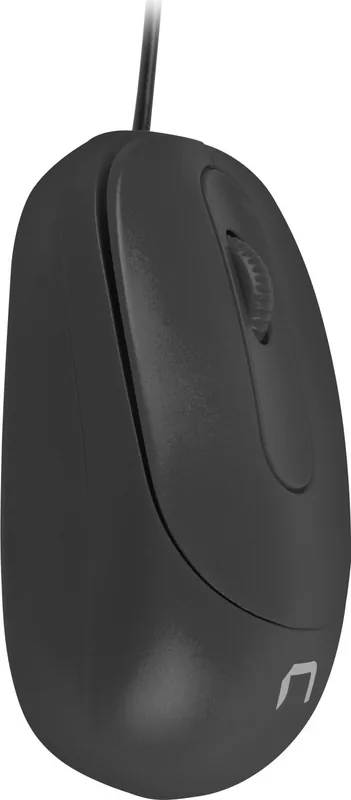
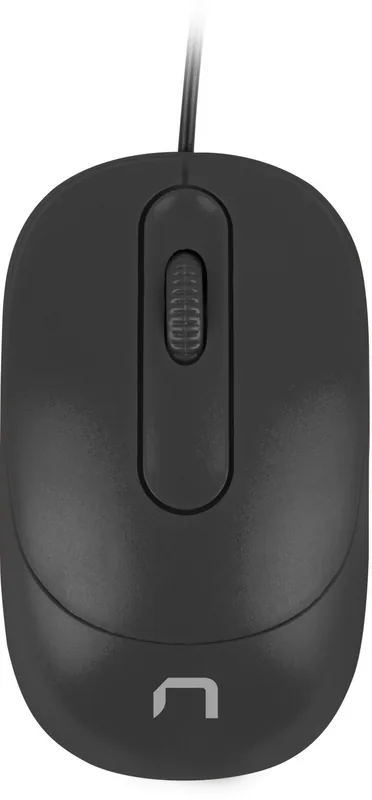
The Natec Vireo Wired Mouse USB is designed to bring precision and comfort to your daily computing tasks. Whether you are working on spreadsheets, browsing the web, or engaging in casual gaming, this optical mouse delivers consistent performance. Its ergonomic shape fits naturally in your hand, reducing strain during extended use sessions. The device features a precise optical sensor that ensures smooth cursor movement across various surfaces without needing a specialized mouse pad.
Installation is incredibly straightforward. Simply plug the USB connector into any available port on your PC, laptop, or compatible device, and the operating system will automatically detect and install the necessary drivers. There is no need for complex software setups or waiting periods. This plug-and-play functionality makes it an ideal choice for users who value simplicity and efficiency. The mouse supports a wide range of operating systems including Windows XP through 10, Linux, and Android, ensuring broad compatibility with your existing hardware.
Built with durability in mind, the Natec Vireo includes long-life button switches designed to withstand thousands of clicks. The robust construction adheres to strict EU safety standards and RoHS regulations, guaranteeing a product that is safe for both the user and the environment. The package includes the mouse itself and a quick installation guide. Backed by a two-year limited manufacturer warranty, this device offers peace of mind regarding its longevity and quality.
Important Usage Notes
To maintain the optimal performance of your Natec Vireo mouse, avoid exposing it to extreme temperatures, strong magnetic fields, or damp and dusty environments. Do not attempt to disassemble the unit yourself, as this will void your warranty. Ensure that ventilation slots remain unobstructed to prevent overheating. When disposing of the device, remember to follow local e-waste recycling guidelines indicated by the WEEE symbol rather than throwing it in regular household trash.
Pros
- Ergonomic design reduces hand fatigue during long work sessions
- Precise 1000 DPI optical sensor provides accurate cursor control
- Plug-and-play USB connection requires no manual driver installation
- Durable build with long-life button switches for extended use
- Compatible with multiple operating systems including Windows, Linux, and Android
Cons
- Fixed cable length may limit mobility compared to wireless options
- No programmable buttons for advanced customization
- Optical sensor may struggle on highly reflective glass surfaces
Search for 67,732 Manuals online


Type-in Brand or Model