
Natec Stork Manual
PDF manual · 16 Pages
English



Quick check
Incorrect answer, please try again.
Chat with your Natec Stork manual using AI
Get instant AI answers from your Natec Stork manual
Ask anything about the Natec Stork. Answers come from this manual, with the pages they are based on.
Ask a Question
Do you recommend Stork?
Yes NoFrequently Asked Questions
Press and hold the left button and scroll wheel simultaneously for about 5 seconds. This switches between 800, 1200, and 1600 DPI settings in a loop.
Is this answer helpful?
The provided manual specifies compatibility with Windows, Linux, and Android. It does not list macOS in the system requirements.
Is this answer helpful?
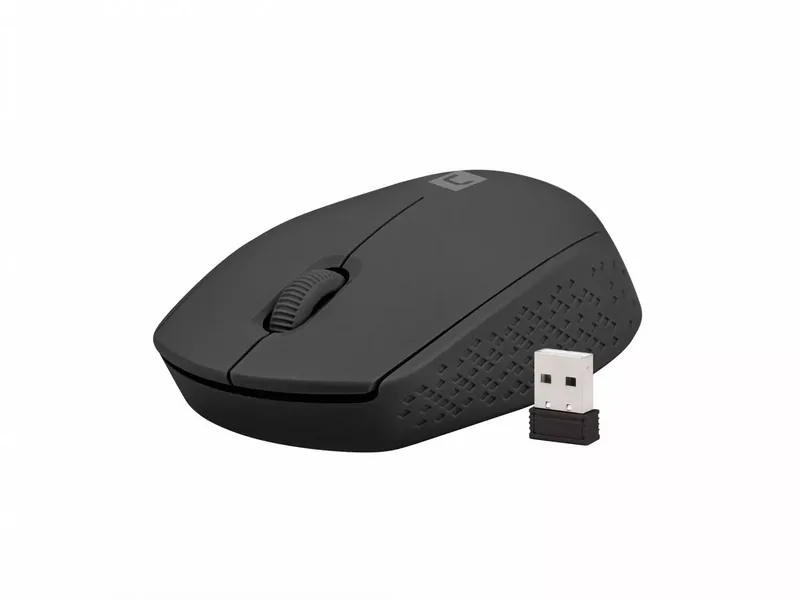
Connect the USB transmitter to a USB port on your computer. The system will install drivers automatically, and the device will be ready immediately.
Is this answer helpful?
Check if it is in sleep mode. Press any button to wake it up. Ensure the battery is inserted correctly and check for signal interference.
Is this answer helpful?
No. Do not use the product in damp or dusty surroundings. It is not designed for waterproof conditions and should be kept dry.
Is this answer helpful?
The frequency band is 2405 MHz to 2470 MHz with a maximum radio-frequency power of -4.529 dBm as per the manual.
Is this answer helpful?
The mouse comes with a 2-year limited manufacturer warranty provided by IMPAKT S.A. for defects in materials and workmanship.
Is this answer helpful?
Advantages and Disadvantages
Advantages

- Plug and play with automatic driver installation.
- Adjustable DPI settings: 800, 1200, 1600 for precision control.
- Auto Power Sleep mode effectively extends battery life.
- Compatible with Windows, Linux, and Android systems.
- 2-year limited manufacturer warranty included.
Disadvantages

- No mention of rechargeable battery in specs.
- DPI adjustment requires specific button combination hold.
- Not suitable for use in extreme temperatures or humid environments.
- Wireless radio power is limited to specific frequency bands.
- Unauthorized repairs will void the warranty coverage.
Product Specification
Suitability
both hands (left hand, right hand)
Buttons
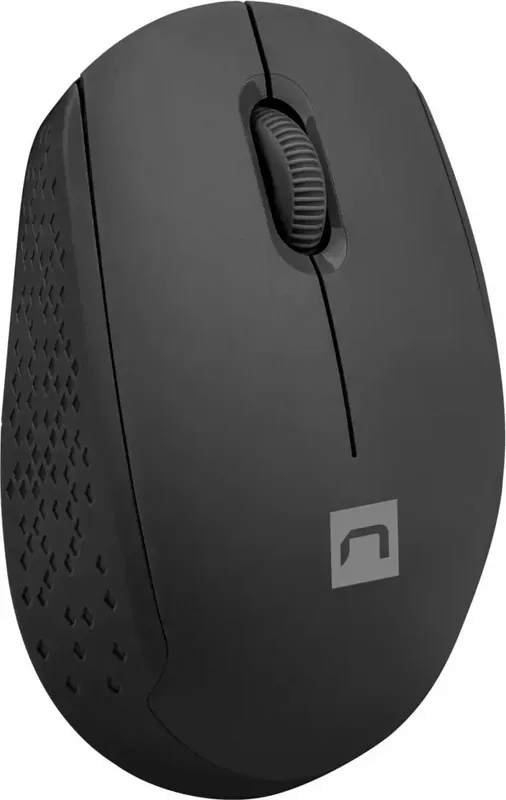
3 (total), 2 (main), 1 (scroll wheel click)
Scroll Wheel
1x 2-way
Sensor
LED-red/IR
Resolution
1600dpi, adjustable down to 1200/800dpi
Lighting
N/A
Connection
Wireless (2.40GHz), USB-A (USB-A receiver)
Power Supply
1x AA
Dimensions (WxHxD)
2.40x1.38x3.82 in
Approximate Volume
3.30 cubic inches (approximate shape)
Weight
1.73 oz
Color
Solid, Black, Logo
Features
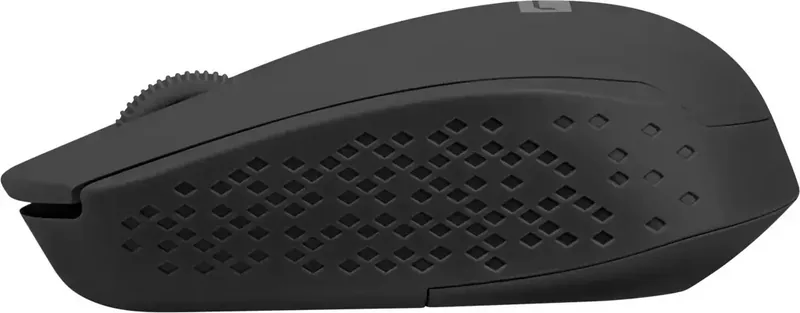
Thumb rest, non-slip surface (sides rubberized), storable receiver
Product Description
Discover the Efficiency of the Natec Stork Wireless Mouse Black USB
In today's digital workplace, having a reliable input device is absolutely crucial for maintaining high productivity levels. The Natec Stork Wireless Mouse Black USB offers a seamless and wire-free experience for users who are actively seeking comfort and performance without the clutter of traditional cables. This comprehensive review delves into the specific features that make this peripheral a top choice for everyday computing tasks and professional environments alike.
Unmatched Compatibility and Ease of Use
One of the standout features found within the Natec Stork Wireless Mouse Black USB Manual is its remarkably straightforward installation process. Users are required to simply connect the included USB transmitter to a free USB port on their computer, and the operating system handles the driver installation automatically. This true plug-and-play functionality ensures that you are ready to use the device instantly without any complex setup procedures. It supports a vast range of operating systems including Windows 7 through 11, various Linux distributions, and even Android devices, making it versatile for a wide variety of computing setups.
Adjusting Precision with DPI Control
Accuracy and cursor speed are key factors for both gaming and detailed professional work. This mouse features highly adjustable DPI levels specifically designed to suit different user preferences. Users can switch between three specific levels: 800, 1200, and 1600 DPI. To change the resolution dynamically, simply press and hold the left mouse button along with the scroll wheel for approximately five seconds. The system cycles through the available levels repeatedly. This flexibility allows users to find the perfect cursor speed for both fast-paced gaming scenarios and precise office document editing.
Battery Management and Wireless Frequency
Power efficiency is another strong point highlighted in the documentation. The mouse is equipped with an Auto Power Sleep mode that activates automatically after several seconds of inactivity. To wake the device from the standby state, simply press any button, which significantly extends the overall battery life between replacements. The wireless technology operates within the 2405 MHz to 2470 MHz frequency band. Regarding safety, the product conforms to strict EU requirements including RoHS standards. It is important to note that the device should not be exposed to extreme temperatures or strong magnetic fields to avoid potential damage.
Warranty and Support
IMPAKT S.A. provides excellent peace of mind with a 2-year limited manufacturer warranty covering defects. Unauthorized repairs may void this valuable coverage, so it is vital to handle the device with care to prevent issues like scratches or internal malfunction. Proper disposal is encouraged following the WEEE symbol instructions printed on the packaging to protect the environment. The device is made in accordance with European standards ensuring a safe product free from harmful materials.
Final Thoughts
The Natec Stork Wireless Mouse Black USB Manual provides a robust solution for those needing reliability and performance. Its combination of wireless freedom, DPI customization, and solid warranty support makes it a worthy addition to any modern desk setup. Users will appreciate the hassle-free nature of this peripheral while enjoying responsive control. Overall value for money is high considering the features provided.
Search for 67,732 Manuals online


Type-in Brand or Model