
Natec Osprey Manual
PDF manual · 12 Pages
English



Quick check
Incorrect answer, please try again.
Chat with your Natec Osprey manual using AI
Get instant AI answers from your Natec Osprey manual
Ask anything about the Natec Osprey. Answers come from this manual, with the pages they are based on.
Ask a Question
Do you recommend Osprey?
Yes NoFrequently Asked Questions
Turn on the mouse using the switch, select BT 3.0 or BT 5.0 on the channel button, hold it for 5 seconds until the LED flashes rapidly, then choose Natec Osprey from your device's Bluetooth settings.
Is this answer helpful?
The Natec Osprey supports adjustable DPI settings of 800, 1200, and 1600, allowing users to customize cursor speed based on their preferences.
Is this answer helpful?
Yes, the mouse is compatible with Windows XP/Vista/7/8/10, Linux, and Android devices, provided they have a USB port or Bluetooth capability.
Is this answer helpful?
With intelligent power management and the ability to turn off completely, the battery life varies by usage but generally lasts several months under normal conditions.
Is this answer helpful?
The ergonomic design is primarily optimized for right-handed users, though some left-handed individuals may find it usable depending on personal preference.
Is this answer helpful?
Press any button again to wake it from hibernation. If issues persist, check the battery level or re-pair the device via Bluetooth or USB receiver.
Is this answer helpful?
No, the mouse operates plug-and-play without requiring additional software, as all functions are managed through built-in hardware controls.
Is this answer helpful?
Advantages and Disadvantages
Advantages

- Triple-mode connectivity offers maximum flexibility
- Ergonomic design reduces hand fatigue during long use
- Intelligent power saving extends battery life significantly
- Adjustable DPI levels cater to different usage needs
- Compliant with strict EU safety and environmental standards
Disadvantages

- Requires manual channel switching for optimal connection
- Does not support rechargeable batteries directly
- Limited to one AA battery capacity compared to larger mice
- No RGB lighting or advanced gaming customization features
- Basic driver installation may vary slightly across operating systems
Product Specification
Suitability
right hand
Keys
4 (total), 2 (main), 1 (top), 1 (scroll wheel click)
Scroll Wheel
1x 2-way
Scanning
LED red/IR
Resolution
1600dpi, reducible to 1200/800dpi
Lighting
N/A
Connection
wireless (2.40GHz), USB-A (USB-A receiver) or wireless (Bluetooth 3.0, Bluetooth 5.0)
Power Supply
1x AA
Dimensions (WxDxH)
2.56x1.46x3.94in
Approximate Volume
3.84cu in (approximate shape)
Weight
4.23oz
Color
multi-color, black/gray, logo
Features
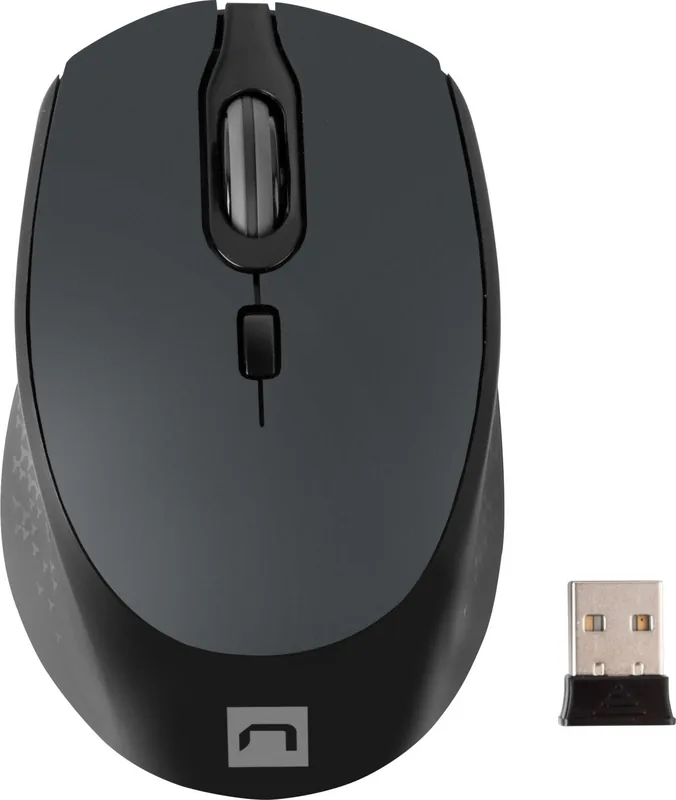
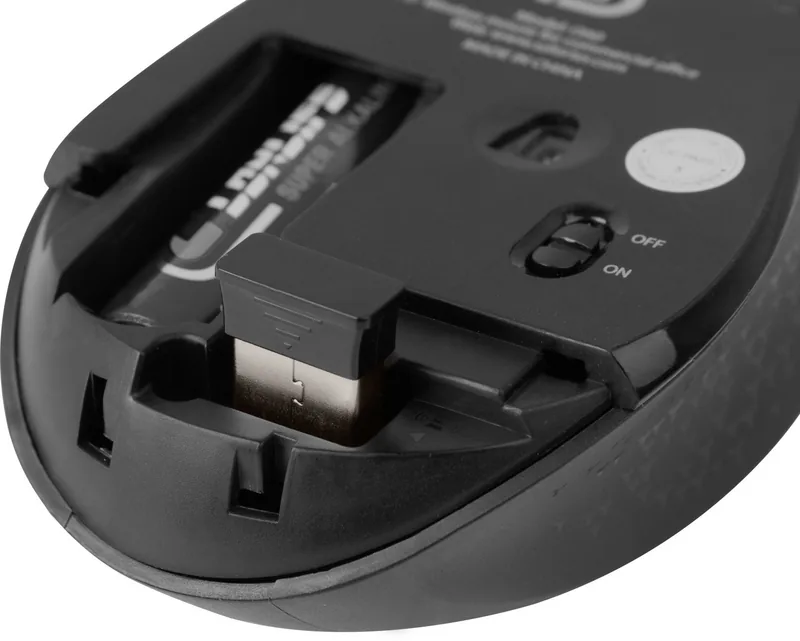
switchable Bluetooth connections via key (3 devices), thumb rest, onboard memory, non-slip surface (rubberized sides), stowable receiver
Product Description
Natec Osprey Wireless Mouse: The Ultimate Connectivity Solution
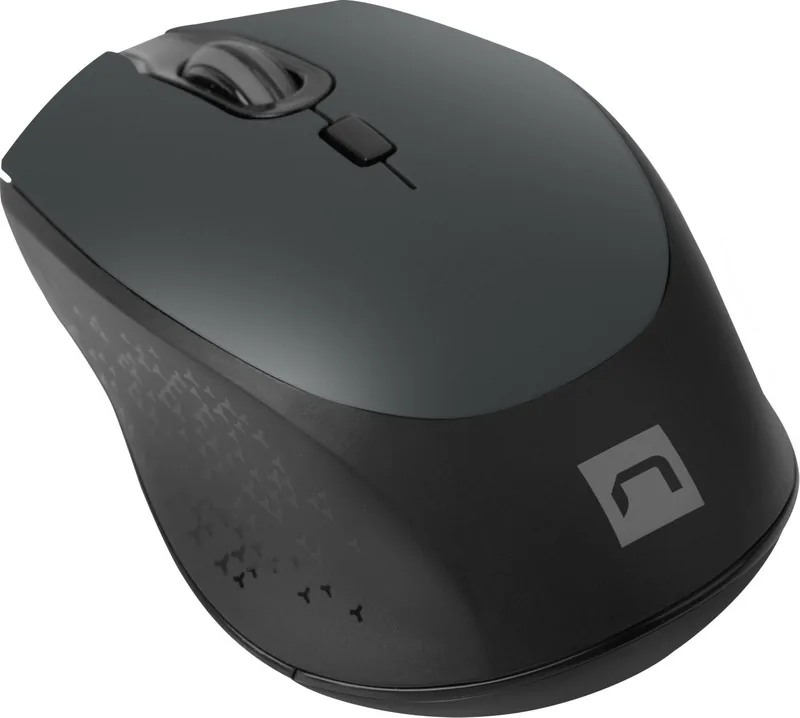
The Natec Osprey Wireless Mouse in black represents a perfect blend of style, functionality, and versatility for modern users. Designed with an ergonomic shape, this mouse ensures comfort during extended use, making it ideal for both office work and gaming sessions. Its sleek black finish adds a professional touch to any desk setup while maintaining a lightweight and portable form factor.
One of the standout features of the Natec Osprey is its triple-mode communication capability. Users can seamlessly switch between Bluetooth 3.0, Bluetooth 5.0, and a dedicated USB receiver connection. This flexibility allows you to connect your mouse to various devices, including PCs, laptops, tablets, and smartphones, without needing extra hardware or drivers. The optical sensor provides precise tracking with adjustable DPI settings ranging from 800 to 1600, ensuring smooth cursor movement across different surfaces.
Energy efficiency is another key highlight. Equipped with intelligent power management technology, the mouse automatically enters sleep mode when idle to conserve battery life. A simple button press wakes it up instantly, so you never miss a beat. The ON/OFF switch on the bottom further extends battery longevity by allowing complete power disconnection when not in use for long periods.
Built to meet rigorous European standards, the Natec Osprey complies with RoHS and RED directives, guaranteeing safety and environmental responsibility. It comes with a two-year limited manufacturer warranty, reflecting the brand's confidence in its durability. Whether you are working remotely or gaming at home, this wireless mouse delivers reliable performance and seamless connectivity.
Key Highlights
- Ergonomic design for all-day comfort
- Triple-mode connectivity (USB/Bluetooth 3.0/5.0)
- Adjustable DPI for precision control
- Intelligent energy-saving features
- Compliant with EU safety and environmental regulations
Important Notes
- Ensure the channel switch is set correctly before connecting.
- Use only one AA battery as specified in the package contents.
- Avoid exposing the device to extreme temperatures or moisture.
Search for 67,732 Manuals online


Type-in Brand or Model