
Natec Harrier 2 Manual
PDF manual · 16 Pages
English



Quick check
Incorrect answer, please try again.
Chat with your Natec Harrier 2 manual using AI
Get instant AI answers from your Natec Harrier 2 manual
Ask anything about the Natec Harrier 2. Answers come from this manual, with the pages they are based on.
Ask a Question
Do you recommend Harrier 2?
Yes NoFrequently Asked Questions
Turn the ON/OFF switch to the ON position. Activate Bluetooth on your device. Select channel BT1 or BT2 using the bottom button and hold it for 5 seconds until the LED flashes. Select 'Natec Harrier 2' from your device's Bluetooth list to complete pairing.
Is this answer helpful?
The Natec Harrier 2 is compatible with PC or compatible devices running Windows 7, 8, 10, 11, Linux, and Android, provided they have a functional USB port for initial setup or Bluetooth capabilities.
Is this answer helpful?
Enable the ON/OFF switch when not using the mouse for long periods. The device also features intelligent energy management that puts it into hibernation mode automatically when idle, waking up instantly upon any button press.
Is this answer helpful?
Yes, the mouse is designed for general use including gaming. It features responsive controls and a stable Bluetooth connection within the 2402-2480 MHz frequency band, ensuring minimal lag during use.
Is this answer helpful?
Check the battery insertion first. If the issue persists, avoid attempting unauthorized repairs as this voids the warranty. Contact your retailer or local authority for recycling information if the device is damaged beyond repair.
Is this answer helpful?
Yes, the Natec Harrier 2 comes with a 2-year limited manufacturer warranty covering defects in materials and workmanship under normal usage conditions.
Is this answer helpful?
Advantages and Disadvantages
Advantages

- Intelligent energy management with automatic hibernation and wake-up via button press
- Dual-channel Bluetooth support allowing flexible connection options
- Wide compatibility with Windows, Linux, and Android operating systems
- Includes a physical ON/OFF switch to save battery during long-term storage
Disadvantages

- Not compatible with wired USB connections requiring specific drivers
- Requires careful handling as drops or impacts can cause permanent damage
- Cannot be used in environments with strong magnetic fields or high dust levels
Product Specification
Suitability
both hands (left hand, right hand)
Keys
4 (total), 2 (main), 1 (top), 1 (scroll wheel click)
Scroll Wheel
1x 2-way
Scanning
LED red/IR
Resolution
1600 dpi, reducible to 1200/800 dpi
Lighting
N/A
Connection
wireless (Bluetooth 5.1)
Power Supply
1x AA
Dimensions (WxDxH)
2.52x1.46x4.09 in
Approximate Volume
3.90 cu in (approximate shape)
Weight
2.08 oz
Features
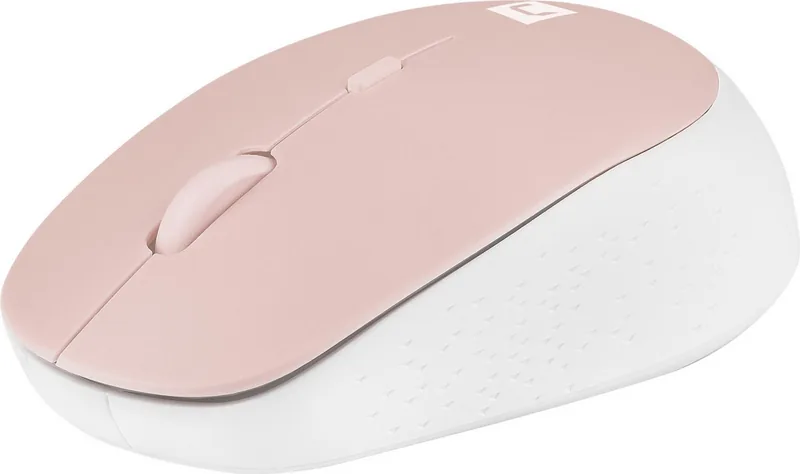
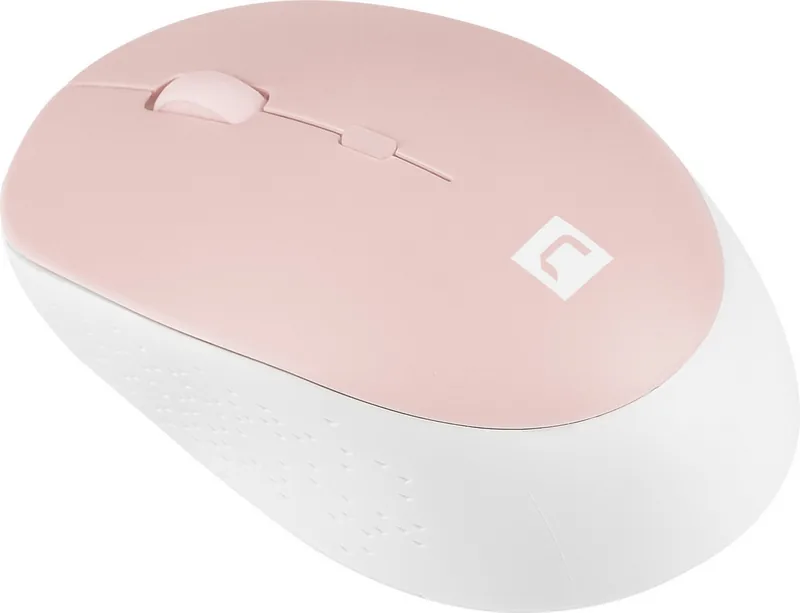
thumb rest, reduced click noise, non-slip surface (rubberized sides)
Product Description
Experience Precision with the Natec Harrier 2
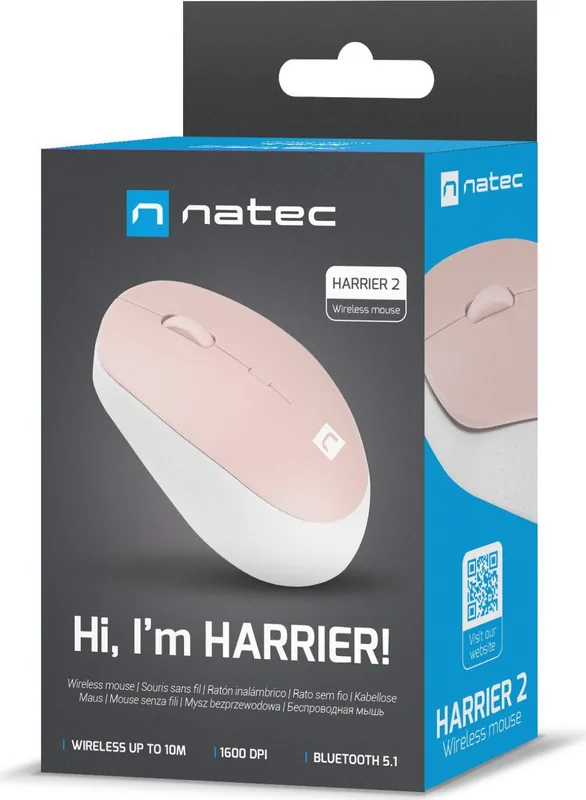
The Natec Harrier 2 is a versatile wireless mouse designed for users who demand reliability and comfort in their daily computing tasks. Whether you are navigating through complex spreadsheets, gaming, or simply browsing the web, this device offers a seamless experience powered by advanced Bluetooth technology. The manual for the Natec Harrier 2 provides clear instructions on how to maximize the potential of this ergonomic peripheral.
Designed with an intelligent energy management system, the Natec Harrier 2 ensures that your battery life lasts as long as you need it to. When not in use, the mouse automatically enters hibernation mode to conserve power, which can be instantly revived by pressing any button. An ON/OFF switch located at the bottom allows for complete power disconnection during extended periods of non-use. This feature makes it an excellent choice for professionals and students alike who value efficiency.
Connectivity is effortless thanks to its dual-channel Bluetooth capability (BT1 and BT2). Users can easily pair the mouse with Windows, Linux, or Android devices equipped with a USB port. The pairing process is straightforward: activate the switch, select a channel, hold the button for five seconds until the LED flashes rapidly, and select the device from your Bluetooth settings. Once connected, the LED indicator confirms a stable link, ready for immediate use.
Safety and compliance are paramount in the design of the Natec Harrier 2. It adheres to strict EU directives regarding radio equipment and environmental standards like RoHS. The product features a WEEE symbol, reminding users to recycle electronic waste properly rather than disposing of it in household trash. This commitment to sustainability ensures that the device is both safe for the user and kind to the environment.
With a frequency range of 2402 MHz to 2480 MHz and a maximum RF power of 3.40 dBm, the Natec Harrier 2 delivers consistent performance without interference. The 2-year manufacturer warranty further guarantees quality and peace of mind. Elevate your workflow today with the Natec Harrier 2, where precision meets practicality.
Important Notes
- Always keep the device away from strong magnetic fields and extreme temperatures.
- Unauthorized repairs will void the warranty and may damage the internal components.
- Use only the recommended batteries to ensure optimal performance and safety.
Search for 67,732 Manuals online


Type-in Brand or Model