
Natec Falcon Manual
PDF manual · 12 Pages
English



Quick check
Incorrect answer, please try again.
Chat with your Natec Falcon manual using AI
Get instant AI answers from your Natec Falcon manual
Ask anything about the Natec Falcon. Answers come from this manual, with the pages they are based on.
Ask a Question
Do you recommend Falcon?
Yes NoFrequently Asked Questions
Turn the switch to ON, enable Bluetooth on your device, select channel BT1 or BT2, hold the channel button for five seconds until the LED flashes rapidly, then select Natec Falcon in your device settings.
Is this answer helpful?
Yes, the Natec Falcon allows you to continue using the mouse while it is connected to a power source via the micro-USB cable.
Is this answer helpful?
The optical sensor supports a resolution range from 800 to 3200 DPI, giving you control over cursor speed and precision.
Is this answer helpful?
If the mouse is not in use, you should charge the battery at least once every three months to prevent damage caused by deep discharge.
Is this answer helpful?
No, when using the USB receiver, the operating system automatically installs the necessary drivers for immediate plug-and-play usage.
Is this answer helpful?
When in hibernation, pressing any button on the mouse will immediately wake it up and restore the connection to your device.
Is this answer helpful?
Advantages and Disadvantages
Advantages

- Triple-mode connectivity offering USB, BT1, and BT2 options
- Ergonomic design reduces hand fatigue during long sessions
- Intelligent energy saving with auto-sleep and wake functionality
- High precision optical sensor adjustable up to 3200 DPI
- Usable while charging prevents workflow interruptions
Disadvantages

- Battery requires recharging every three months if not used
- No rechargeable battery indicator light mentioned in manual
- Limited to DC 5V/0.5A power supply requirements
- Cannot operate in extremely hot or cold environments
- Warranty voids if unauthorized repairs are attempted
Product Specification
Suitability
right hand
Keys
6 (total), 2 (main), 1 (top), 2 (left), 1 (scroll wheel click)
Scroll Wheel
2x 2-way
Scanning
LED-red/IR
Resolution
3200 dpi, reducible to 800 dpi
Lighting
N/A
Connection
wireless (2.40GHz), USB-A (USB-A receiver) or wireless (Bluetooth 5.0), detachable cable (USB 2.0 Micro-B socket)
Power Supply
Battery (fixed, 500mAh)
Dimensions (WxDxH)
3.03x1.85x4.69 in
Approximate Volume
6.90 cu in (approximated shape)
Weight
4.23 oz
Color
multicolor, black/silver, logo
Features
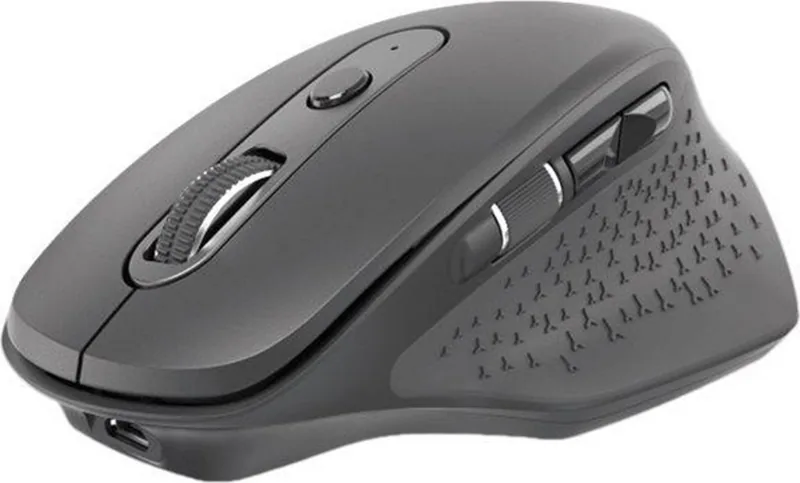
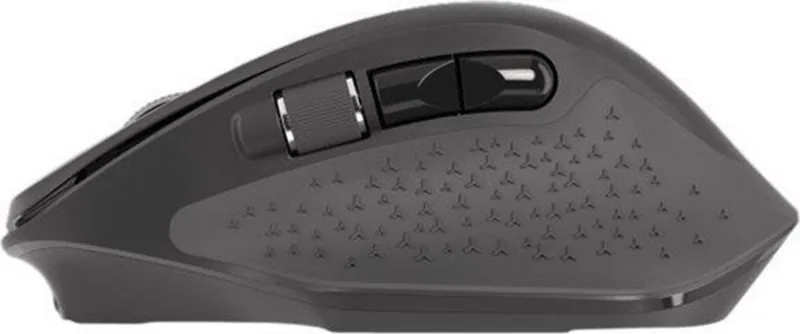
switchable Bluetooth connections via key (3 devices), thumb rest, battery level indicator, reduced click noise, non-slip surface (rubberized sides), stowable receiver
Product Description
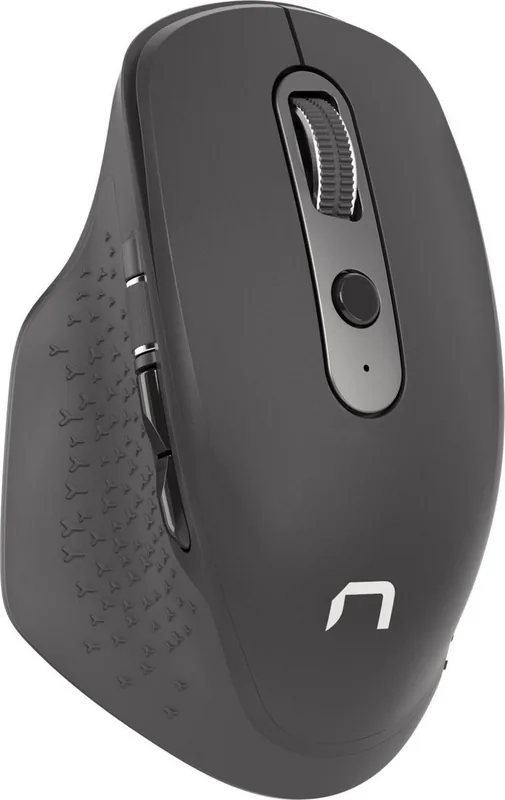
Elevate Your Workflow with the Natec Falcon Wireless Mouse Black
The Natec Falcon Wireless Mouse Black represents a seamless blend of modern connectivity and ergonomic design, tailored for users who demand precision without being tethered to a desk. This versatile peripheral supports triple-mode communication, allowing you to switch effortlessly between USB receiver mode and two distinct Bluetooth channels (BT1 and BT2). Whether you are working on a laptop, desktop, or tablet, the mouse ensures a stable connection that adapts to your changing environment.
Designed with an intelligent energy management system, the Falcon keeps you productive while conserving battery life. The device features a dedicated ON/OFF switch to prevent unnecessary power drain during long periods of inactivity. It also includes a smart sleep mode; simply press any button to wake the mouse from hibernation instantly. For added convenience, the mouse can be used while charging via its included micro-USB cable, ensuring no downtime for your daily tasks.
The optical sensor offers a resolution range from 800 to 3200 DPI, providing smooth tracking for both casual browsing and detailed work. Its ergonomic shape fits comfortably in the hand, reducing strain during extended use. The package includes all necessary components for immediate setup, requiring no complex driver installation when using the USB receiver as the operating system handles it automatically. With a robust build quality and compliance with EU safety standards like RoHS and RED, this mouse is a reliable companion for professionals and gamers alike.
Search for 67,732 Manuals online


Type-in Brand or Model