
myAVR mySmartUSB MK2 Manual
PDF manual · 18 Pages
English



Quick check
Incorrect answer, please try again.
Chat with your myAVR mySmartUSB MK2 manual using AI
Get instant AI answers from your myAVR mySmartUSB MK2 manual
Ask anything about the myAVR mySmartUSB MK2. Answers come from this manual, with the pages they are based on.
Ask a Question
Do you recommend mySmartUSB MK2?
Yes NoFrequently Asked Questions
The mySmartUSB MK2 is a compact USB ISP programmer and USB‑UART/SPI/TWI bridge for Atmel AVR microcontrollers, enabling programming via a 10‑pin ISP connector and serial or bus communication with a PC through a virtual COM port.
Is this answer helpful?
The device uses a Silicon Labs CP2102 USB‑to‑UART controller. Download the CP210x VCP driver from myAVR or silabs.com, unzip and run CP210xVCPInstaller.exe, then connect the device. Administrative rights are required and the device should remain disconnected until driver setup begins.
Is this answer helpful?
Modes can be set with DIP switches or via software using the myavr_progswitch utility. Use -m<p|d|q> to set programming, data or quiet modes; the program also supports toggling power, resetting the board and burning HEX files.
Is this answer helpful?
Yes—VCC can be switched to supply the target from USB, but you must respect USB current limits (recommended I < 80 mA). DIP switch 1 controls whether firmware can enable/disable board power; if off, the target needs its own supply.
Is this answer helpful?
Yes. It supports AVR910/911 protocols for programming. AVRDUDE command lines work with -c avr910 and the virtual COM port. BASCOM and CodeVision accept it when configured as an AVR910 programmer; AVR Studio’s AVR‑Prog may require assigning the virtual COM port to COM3/COM4.
Is this answer helpful?
Enter firmware update mode by setting DIP switches as documented (e.g., DIP2 ON, DIP3 ON, toggling DIP4 for reset) to start the bootloader. Use the appropriate myAVR update tools and the latest firmware available from myAVR.
Is this answer helpful?
The board is intended for lab and educational use, not for industrial control. Follow general electronics safety, avoid exceeding USB voltage/current limits (max ~5.3 V, 100 mA via USB), and operate within recommended temperatures (0–30 °C).
Is this answer helpful?
Advantages and Disadvantages
Advantages

- Compact, fully equipped USB ISP programmer with virtual COM port (CP2102) for simple PC integration.
- Supports AVR910/911 standards, block‑mode USB 2.0 programming and ATmega8‑based firmware for wide compatibility.
- Multi‑mode operation: programming, UART‑USB bridge, SPI/TWI passthrough (myMode) and quiet mode via DIP or software.
- Bootloader upgradeable firmware and command‑line tool (myavr_progswitch) for mode switching and HEX burning.
- Switchable VCC output and clear LED status indications; small footprint (approx. 60×30×12 mm) for prototyping and notebooks.
Disadvantages

- When powering a target from USB, current is limited (recommended < 80 mA), restricting use with higher‑draw circuits.
- Some myMode and advanced features are optimized for myAVR MK2 USB boards and may be limited with third‑party hardware.
- Requires driver installation (CP2102); older tools like AVR‑Prog may need manual COM port reassignment to COM3/COM4.
- Operating temperature and constraints (0–30 °C recommended) may limit use in harsh environments.
- Not designed for industrial control—intended for learning, lab and development contexts only.
Product Specification
Manufacturer
myAVR
Type
Programmer-Interface (Atmel AVR)
Platform
Universal
Interfaces
USB-B 2.0 (Socket), 1x 10-Pin Female Header, 2x 10-Pin Male Header, AVR911/910/109, myMode
Number of Parts
2
Package Contents
1x Programmer-Interface, 1x Cable
Product Description
myAVR mySmartUSB MK2 - ISP Programmer/Bridge Manual
Compact USB programmer and versatile bridge
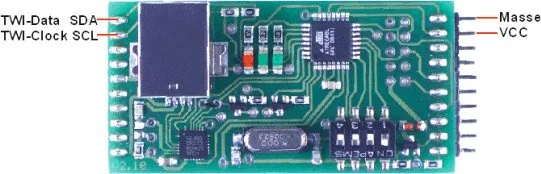
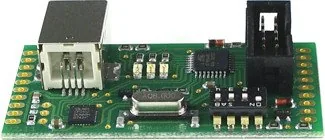
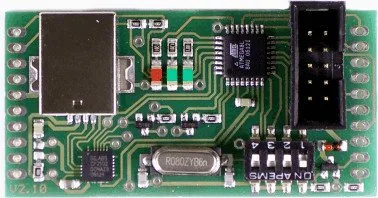
The myAVR mySmartUSB MK2 is a compact, fully equipped USB ISP programmer and communication bridge for Atmel AVR microcontrollers. Built around an ATmega8 running AVR910/911-compatible firmware and a CP2102 USB-to-UART controller, it offers programming via the standard 10‑pin ISP interface and transparent UART‑USB bridging through a virtual COM port. It supports block‑mode USB 2.0 programming for fast flashing and provides selectable modes for programming, data/communication, myMode (SPI/TWI passthrough) and a quiet state. Power is supplied over USB and can be switched by firmware or disabled depending on DIP switch settings. Status LEDs indicate operating state and activity, and a bootloader enables firmware updates.
Key features and usage
The device includes a dedicated myAVR MK2 interface with SPI, UART (Tx/Rx), I2C/TWI pins and a switchable VCC output (observe USB port current limits). Mechanical dimensions are compact (approx. 60×30×12 mm) and the board is SMD manufactured. DIP switches set hardware defaults, force data mode, enable firmware update/bootloader or reset hardware. The CP2102 driver exposes a virtual COM port; drivers are provided by Silicon Labs or via myAVR downloads. Tools supported include myAVR ProgTool, SiSy, myAVR Workpad, BASCOM, AVR Studio, AVRDUDE and CodeVision. A command‑line utility (myavr_progswitch.exe) is available to switch modes, toggle power, reset the target and burn HEX files.
Practical scenarios
Use it for programming AVR chips via ISP, bridging serial connections between a PC and an MCU, and for SPI or TWI communication passthrough with compatible myAVR boards. The board is helpful in labs and development environments, especially where USB-only host systems (like notebooks) are used. Follow the driver installation steps and, when necessary, reassign the virtual COM port to COM3/COM4 for compatibility with older tools.
Notes
- Observe USB current limits (recommended I < 80 mA when powering target from USB).
- Use the bootloader and latest firmware for best compatibility.
- The described myMode features are primarily intended for use with myAVR MK2 USB boards; standalone use remains AVR910 compatible.
- Designed for educational and development use; not intended for controlling industrial installations.
Search for 67,706 Manuals online


Type-in Brand or Model
Max Klein
10 months ago
Does the Programmer work reliably with BASCOM AVR, and do I need the special programming tool for it?
Manual.ly
10 months ago
Yes. Reviewers report it functions very well when used together with BASCOM AVR and a compatible board. Some setups may not be entirely smooth if you try to use BASCOM alone, but using the included or associated programming tool makes everything work properly. For best results, please read the datasheet and confirm the correct wiring and settings for your specific controller and board before flashing.