
MXR M303 Clone Looper Manual
PDF manual · 5 Pages
English



Quick check
Incorrect answer, please try again.
Chat with your MXR M303 Clone Looper manual using AI
Get instant AI answers from your MXR M303 Clone Looper manual
Ask anything about the MXR M303 Clone Looper. Answers come from this manual, with the pages they are based on.
Ask a Question
Do you recommend M303 Clone Looper?
Yes NoVideo Manual
How to Use the MXR Clone Looper
Frequently Asked Questions
The M303 requires a 9-volt DC adapter (such as the Dunlop ECB003) or power from multi-output supplies like the DC Brick, Iso-Brick, or Mini Iso-Brick. It does not accept battery power.
Is this answer helpful?
Connect guitar to INPUT and amp to OUTPUT. With controls at noon, tap REC/DUB to record; press PLAY/STOP to end recording and start playback. Tap REC/DUB again to overdub additional layers. Hold PLAY/STOP to undo the last layer or hold REC/DUB to clear the entire loop.
Is this answer helpful?
Use the VOLUME knob’s push functions: press once for half-speed (steady blue LED), double-press for double-speed (flashing blue LED), and press-and-hold to reverse the loop (amber LED).
Is this answer helpful?
Yes. The EXP jack accepts an expression pedal to control loop volume or a tap switch to engage Play Loop Once. The CTR jack accepts an MXR Tap Tempo switch to control speed, reverse, and quiet clear functions.
Is this answer helpful?
The pedal ships with buffered bypass by default. To enable true bypass, press and hold the VOLUME knob while powering up the pedal.
Is this answer helpful?
The M303 offers a 44.1 kHz sampling rate, 20 Hz–20 kHz frequency response, maximum input/output levels of +5 dBV, input impedance of 1 MΩ, output impedance of 100 Ω, and a noise floor around -97 dBV for clean loop reproduction.
Is this answer helpful?
Press and hold the VOLUME knob for 5 seconds; when the red REC/DUB LED flashes, press REC/DUB within 5 seconds to clear the loop silently without audible playback.
Is this answer helpful?
Advantages and Disadvantages
Advantages

- Rugged MXR housing built for gigging and touring.
- Simple, intuitive footswitch layout ideal for live use.
- Overdub, undo/redo, reverse, and speed-shift features in one compact unit.
- Low noise floor and 44.1 kHz sampling for clear, faithful loops.
- CTR and EXP jacks expand control with tap tempo and expression pedals.
Disadvantages

- No battery power — requires external 9V adapter.
- Single-track looper limits complex multi-track arrangements.
- Some advanced users may miss longer loop time or memory slots.
- True bypass must be enabled manually during power-up.
- Push-function combinations may take practice to memorize.
Product Specification
Type
Effects Pedal
Effect
Looper
Product Description
MXR M303 Clone Looper — Compact, Tough, Musical
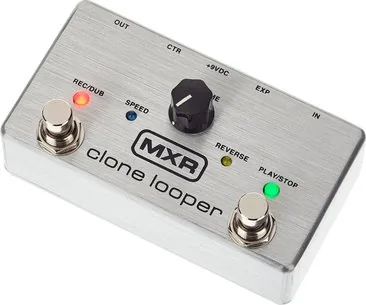
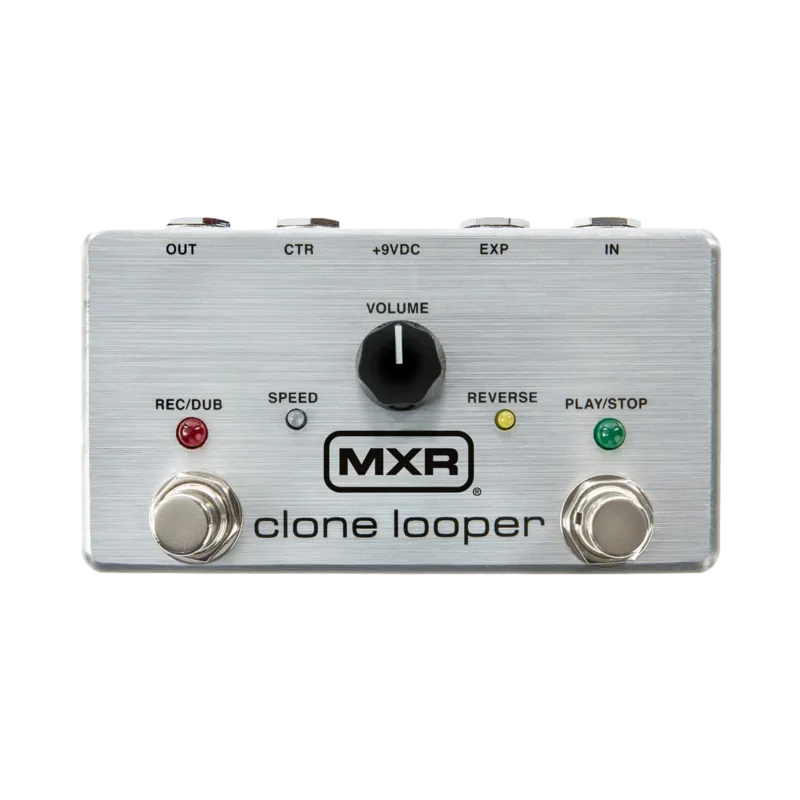
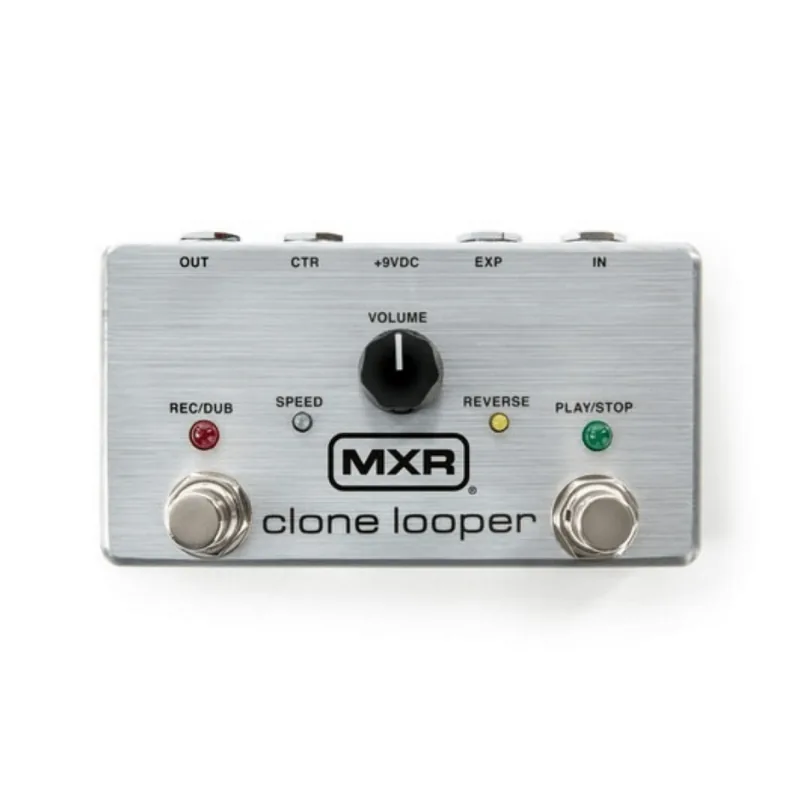
The MXR M303 Clone Looper is a rugged, user-friendly looper pedal built into MXR’s familiar tank-like housing. Designed for practice, live improvisation, and studio layering, it emphasizes clarity and simplicity while offering performance-oriented features: single-track looping with overdub, undo/redo, loop speed changes, reverse, and quiet clear. Its controls are straightforward — REC/DUB and PLAY/STOP footswitches, a multifunction VOLUME knob (which also changes speed and reverses when pushed), CTR and EXP jacks for external control, plus true/buffered bypass selection — making it accessible to beginners and flexible enough for experienced players.
Quick Overview of How It Works
Plug your guitar into INPUT and the amp into OUTPUT, set controls to noon, and tap REC/DUB to record. Completing the loop via PLAY/STOP begins playback; further REC/DUB presses overdub additional layers. Hold PLAY/STOP to undo or redo the last overdub, and hold REC/DUB to clear the entire loop. The VOLUME knob adjusts loop level and, when pressed, switches half-speed, double-speed, or reverse modes. For silent clearing, the VOLUME push-plus-REC/DUB sequence erases the loop without playback.
Control and Connectivity
The M303 includes CTR and EXP jacks to extend control: connect an MXR Tap Tempo switch to CTR to trigger speed changes, reverse, and quiet clear; use the EXP jack with an expression pedal to control loop volume or to trigger Play Loop Once mode with a tap switch. The pedal defaults to buffered bypass for signal integrity but can be switched to true bypass by holding the VOLUME knob during power-up. Power comes from a 9V adapter (no battery option).
Tone and Performance
With a 44.1 kHz sampling rate, wide frequency response (20 Hz–20 kHz), low noise floor, and robust input/output specs, the Clone Looper prioritizes fidelity and timing accuracy. Its simple, tactile interface lets you focus on feel and performance rather than navigating menus, and the push functions give quick creative options for tempo and direction manipulation.
Notes
- No battery power — requires a 9V DC supply (ECB003, DC Brick, Iso-Brick, or Mini Iso-Brick).
- Default buffered bypass; hold VOLUME during power-up to enable true bypass.
- EXP and CTR jacks accept TRS/mono connections for volume and tap functions respectively.
Search for 67,706 Manuals online


Type-in Brand or Model