
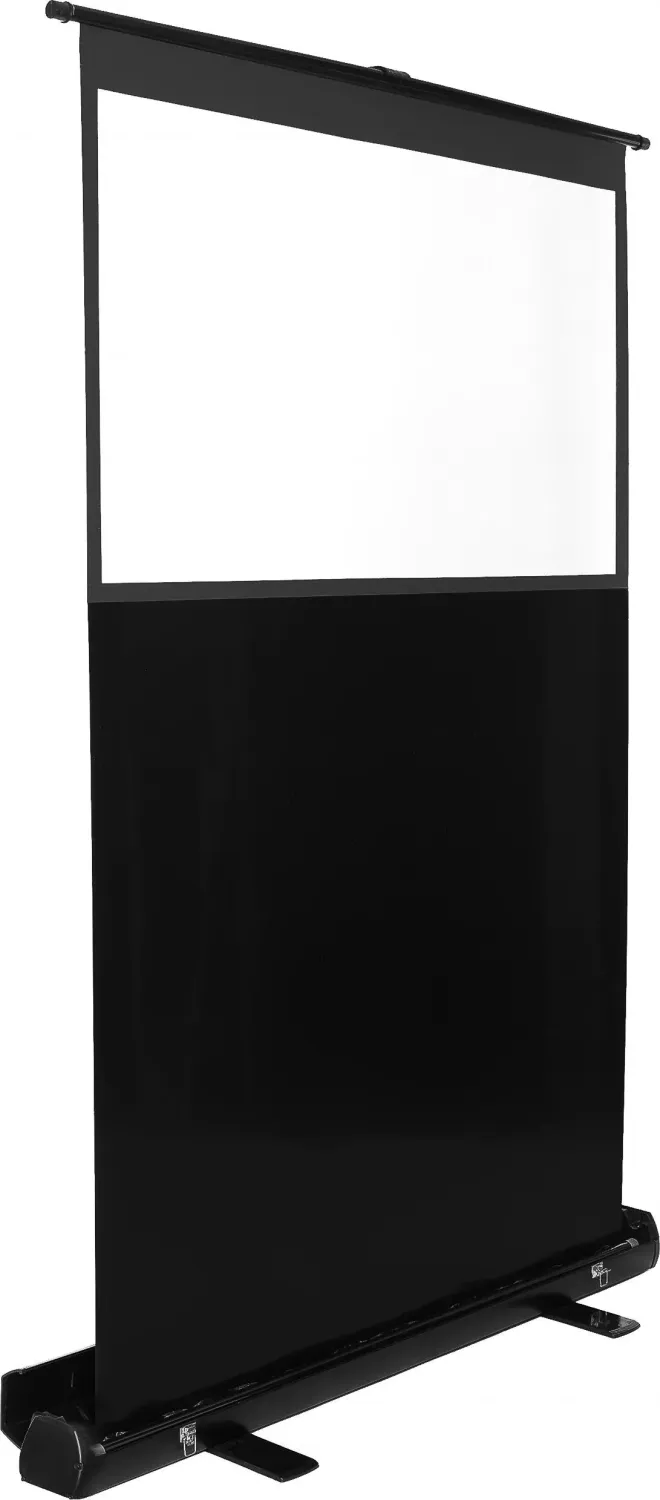
Multibrackets Portable Projection Screen Manual
PDF manual · 3 Pages
English



Quick check
Incorrect answer, please try again.
Chat with your Multibrackets Portable Projection Screen manual using AI
Get instant AI answers from your Multibrackets Portable Projection Screen manual
Ask anything about the Multibrackets Portable Projection Screen. Answers come from this manual, with the pages they are based on.
Ask a Question
Do you recommend Portable Projection Screen?
Yes NoFrequently Asked Questions
It is designed for projecting films, presentations, lessons, and visual content in homes, offices, classrooms, and event spaces. Its portable format makes it useful wherever a dedicated screen is needed.
Is this answer helpful?
Yes. The screen is portable and can be used in spaces that need flexible equipment. Its practical size works well as long as the room allows enough viewing distance and projector placement.
Is this answer helpful?
It may require standard mounting, but the right hardware depends on the surface you are attaching it to. Walls, ceilings, and floors can all need different screws or anchors.
Is this answer helpful?
Not always. The supplied screws may not be suitable for every material. It is best to check your mounting surface and replace them with compatible hardware if needed.
Is this answer helpful?
Manual screens are simple, reliable, and easy to operate. They are a good choice for users who want straightforward functionality without the complexity of powered mechanisms.
Is this answer helpful?
If you are unsure about the mounting surface or installation method, yes. Professional advice helps ensure the screen is mounted safely and correctly, especially in more demanding setups.
Is this answer helpful?
Advantages and Disadvantages
Advantages

- Portable design makes it easy to move between rooms and events.
- 194x121 cm size offers a practical viewing area for many uses.
- Manual operation keeps setup simple and dependable.
- Works well for home, office, classroom, and temporary presentation spaces.
Disadvantages

- Included screws may not suit every wall, ceiling, or floor type.
- Installation may require professional advice for safe mounting.
- Manual setup is less automated than motorized alternatives.
- Limited product details mean buyers must check fit and use case carefully.
Product Specification
Image Area
76.38x47.64in
Screen Diagonal
90"/90.16in
Aspect Ratio
16:10
Gain
1.0
Operating Mode
Manual
Mounting Type
Tripod
Product Description
Multibrackets Portable Projection Screen 194x121cm Manual
The Multibrackets Portable Projection Screen 194x121cm Manual is a practical choice for anyone who wants a clean and flexible projection surface without committing to a permanent setup. It suits home entertainment, office presentations, training sessions, classrooms, and pop-up events where portability matters just as much as image quality.
With a viewing area of 194x121 cm, this screen provides a generous canvas for movies, slides, charts, and visual content. That size makes it useful for both personal and professional spaces, offering enough display area to keep images visible and comfortable to watch while still remaining manageable for transport and storage.
One of its biggest strengths is simplicity. A manual projection screen is easy to understand and use, which is ideal for people who prefer straightforward equipment over complicated mechanisms. You can set it up when needed, pull it into position, and put it away again once the session is over. That makes it especially appealing for rooms that serve multiple purposes.
The screen also helps improve the overall viewing experience. Instead of relying on a wall or another improvised surface, you get a dedicated projection area that supports a more focused, professional-looking presentation. Whether you are showing a business pitch, streaming a film night, or teaching a group, a proper screen can make the image feel sharper and the setup look more polished.
Just as important, the included safety guidance reminds users to pay attention to installation. Screws supplied with AV products may not always match the material of every wall, ceiling, or floor, so choosing the right hardware is essential. If there is any uncertainty during mounting, consulting a professional is the safest option.
In short, the Multibrackets Portable Projection Screen 194x121cm Manual combines portability, useful size, and everyday practicality. It is a sensible solution for users who want a reliable projection surface that can move with their needs and adapt to different spaces.
Notes
- Check the mounting surface before installing.
- Use suitable screws for the material in your room.
- Ask a professional for help if installation feels uncertain.
- Store the screen carefully to keep it ready for repeated use.
Search for 67,732 Manuals online


Type-in Brand or Model