
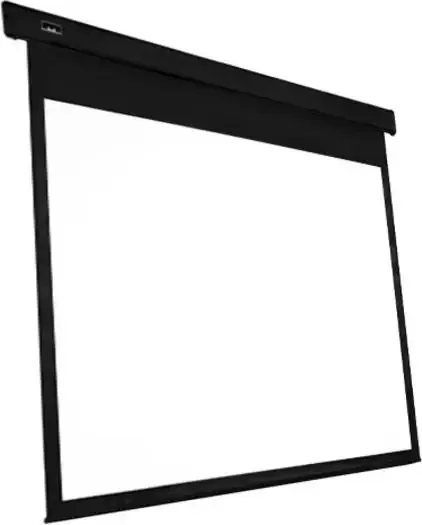
Multibrackets Motorized Projection Screen Manual
PDF manual · 4 Pages
English



Quick check
Incorrect answer, please try again.
Chat with your Multibrackets Motorized Projection Screen manual using AI
Get instant AI answers from your Multibrackets Motorized Projection Screen manual
Ask anything about the Multibrackets Motorized Projection Screen. Answers come from this manual, with the pages they are based on.
Ask a Question
Do you recommend Motorized Projection Screen?
Yes NoFrequently Asked Questions
Press the DOWN button on the switch or remote, and the screen will roll down automatically until it reaches the fully extended position.
Is this answer helpful?
Use the STOP button at any time to pause the screen at the current position. This is useful when you need a custom viewing height.
Is this answer helpful?
Yes. The receiver unit includes manual switch buttons, so you can control roll-up, stop, and roll-down functions directly if needed.
Is this answer helpful?
Yes. The power connections should be installed correctly, and the screen ends should be leveled during mounting for smooth operation and better alignment.
Is this answer helpful?
Keep the surface free from dust and objects before retracting it. Also avoid long continuous operation so the motor can cool properly.
Is this answer helpful?
First check the battery, then confirm the power supply and fuse are working. If the screen still does not respond, inspect the control connections.
Is this answer helpful?
Advantages and Disadvantages
Advantages

- Motorized up/down operation makes setup fast and effortless.
- Remote and manual controls offer flexible day-to-day use.
- Stop function lets you set the screen at the preferred height.
- Adjustable viewing area helps improve image alignment.
Disadvantages

- Installation requires careful wiring and proper voltage matching.
- Continuous use should be limited to prevent motor overheating.
- The screen should be cleaned before retraction to avoid damage.
- Remote and fuse components may need occasional maintenance.
Product Specification
Image area
67.72x38.19in
Image diagonal
77"/77.17in
Aspect ratio
16:9
Gain
1.0
Operating mode
Motor
Product Description
Multibrackets Motorized Projection Screen Black 172x97cm Manual
The Multibrackets Motorized Projection Screen Black 172x97cm Manual is built for users who want a clean, reliable viewing surface with the convenience of motorized operation. Designed in a sleek black finish, it fits naturally into modern home theaters, meeting rooms, and presentation spaces where both appearance and performance matter.
What makes this screen especially practical is its smooth up-and-down movement. With a simple press of a button, the screen lowers automatically to create a wide, ready-to-use projection area, and rises back into the housing when the session is over. That means less setup time and a tidier room when the screen is not in use. The stop function also adds flexibility, letting you pause the screen at the desired height for different content or room layouts.
The control system is another strong point. Depending on the version, the screen can be operated through a wired switch, an IR remote, or an RF remote setup. This gives the user options for quick daily use and more comfortable control from a distance. The included receiver unit is designed to work alongside the remote, while manual buttons on the receiver provide a dependable backup when needed.
The screen also includes a viewing-area adjustment feature, which helps fine-tune the image position for a better presentation experience. This is useful when you want to match the screen to the projector setup, the room height, or the seating arrangement. In other words, it is not just a motorized screen—it is a practical tool for creating a more professional projection environment.
Installation and care are important to getting the best results. The ends should be leveled during setup, and the screen should be kept clean before retracting to avoid dust or debris being trapped inside. The motor is designed for repeated use, but it is wise to avoid continuous operation beyond a few minutes so the mechanism can cool properly and maintain long-term reliability.
Overall, this screen combines convenience, control, and a neat design in one product. It is a strong choice for anyone looking for a dependable projection solution that balances ease of use with everyday durability.
Notes
- Keep the switch on STOP when the screen is not in use.
- Make sure the screen surface is clean before rolling it back.
- Allow the motor to cool if the screen has been used repeatedly for a long time.
- Check power connections and batteries regularly for stable performance.
Search for 67,732 Manuals online


Type-in Brand or Model