
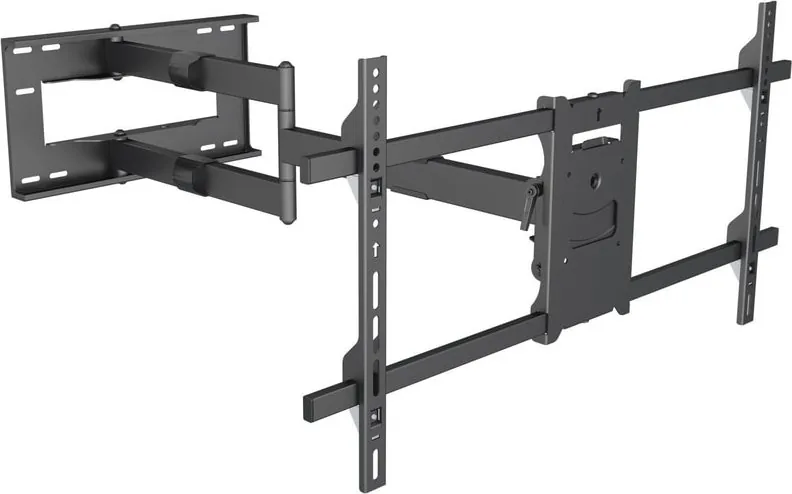
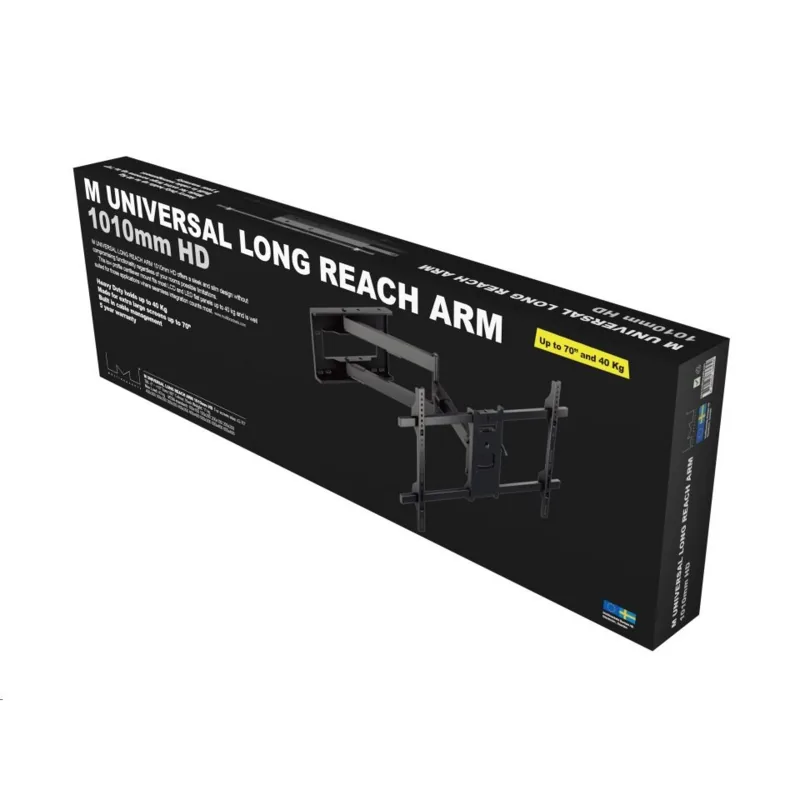
Multibrackets M Universal Long Reach Arm Manual
PDF manual · 8 Pages
English



Quick check
Incorrect answer, please try again.
Chat with your Multibrackets M Universal Long Reach Arm manual using AI
Get instant AI answers from your Multibrackets M Universal Long Reach Arm manual
Ask anything about the Multibrackets M Universal Long Reach Arm. Answers come from this manual, with the pages they are based on.
Ask a Question
Do you recommend M Universal Long Reach Arm?
Yes NoFrequently Asked Questions
The Multibrackets M Universal Long Reach Arm can securely hold displays weighing up to 40 kilograms. This makes it ideal for large monitors and televisions found in professional or high-end home setups.
Is this answer helpful?
The arm features a long reach capability extending up to 1010 millimeters. This allows users to position their screen well away from the wall for better visibility and ergonomic comfort.
Is this answer helpful?
It is designed for screens ranging from 42 inches to 70 inches. Additionally, it supports various VESA patterns including 200x300, 400x400, and larger configurations like 600x400.
Is this answer helpful?
Yes, the arm includes an adjustable tension mechanism. You can tighten or loosen the screws to customize the resistance, ensuring smooth movement regardless of the attached screen weight.
Is this answer helpful?
While highly versatile, you must check your specific monitor's VESA pattern against the supported list. It covers most common standards but verifying compatibility is recommended before purchase.
Is this answer helpful?
Advantages and Disadvantages
Advantages

- Supports heavy loads up to 40kg for large screens
- Offers extensive reach of up to 1010mm for flexible placement
- Compatible with a vast range of VESA patterns and screen sizes
- Allows full motion including tilt, swivel, and rotation
- Includes adjustable tension for smooth operation
Disadvantages

- Requires significant wall depth for full extension
- Installation may be complex for single-person setup
- Heavy weight might make initial positioning difficult
- Cable management requires careful planning during install
- Higher price point compared to standard fixed mounts
Product Specification
Type
Wall Mount
Number of Monitors
1
Screen Size
42-75 inches
Mobility
Tiltable (-5 degrees, +10 degrees), Swivel (180 degrees), Extendable
Distance from Wall
3.26-39.76 inches
Max Load
88.18 lbs
VESA
100x100, 100x200, 200x100, 200x200, 200x300, 200x400, 300x200, 300x300, 400x200, 400x400, 600x400, 800x400
Features
Cable Management
Color
Black
Weight
28.00 lbs
Product Description
Multibrackets M Universal Long Reach Arm: Redefining Display Flexibility
The Multibrackets M Universal Long Reach Arm stands as a pinnacle of engineering for modern workspace and entertainment setups. Designed to accommodate screens ranging from 42 to 70 inches, this robust mount ensures that your display remains secure while offering unparalleled positioning freedom. Whether you are managing a control room, setting up a home theater, or optimizing a corporate office environment, the ability to extend your screen further into the room can dramatically improve viewing angles and reduce neck strain.
This arm is engineered with a maximum load capacity of 40 kilograms, making it suitable for heavy-duty monitors and large televisions alike. The long reach feature allows users to pull the screen out to a distance of up to 1010 millimeters, providing ample space for cable management and ensuring the device does not obstruct wall-mounted equipment behind it. The versatility extends to various screen dimensions, supporting resolutions and sizes from compact 200x300 configurations up to expansive 800x400 layouts. Its compatibility with multiple VESA standards means it fits almost any modern display on the market.
Installation is straightforward, featuring clear instructions for tightening and loosening screws to adjust the tension. The arm utilizes a dual-arm mechanism that provides smooth movement in all directions, allowing for precise tilt, swivel, and rotation adjustments. Users can easily transition between portrait and landscape modes without tools. The sturdy construction ensures stability even when the screen is fully extended, eliminating unwanted wobbling or sagging over time. This reliability makes it an essential component for professional environments where consistent performance is critical.
Key Features and Benefits
Beyond the basic mounting capabilities, the Multibrackets M Universal Long Reach Arm offers several advantages that enhance user experience. The sleek design minimizes visual clutter, while the functional reach maximizes usable floor space. It supports a wide array of monitor sizes, ensuring longevity as your technology needs evolve. The tension adjustment system allows for personalized resistance, catering to different weight preferences and usage patterns. Furthermore, the inclusion of cable clips helps keep wires organized and hidden, contributing to a cleaner aesthetic.
Important Notes
Always verify VESA compatibility before installation. Ensure the wall anchor points can support the total weight of the arm plus the monitor. Regularly check screw tightness to maintain safety and stability.
Search for 67,732 Manuals online


Type-in Brand or Model