
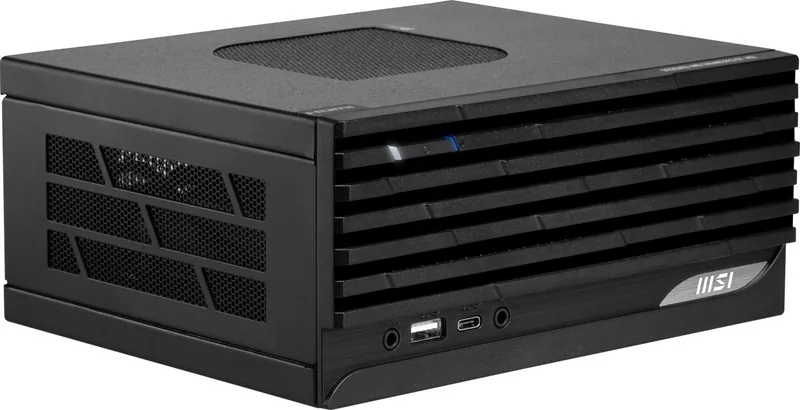
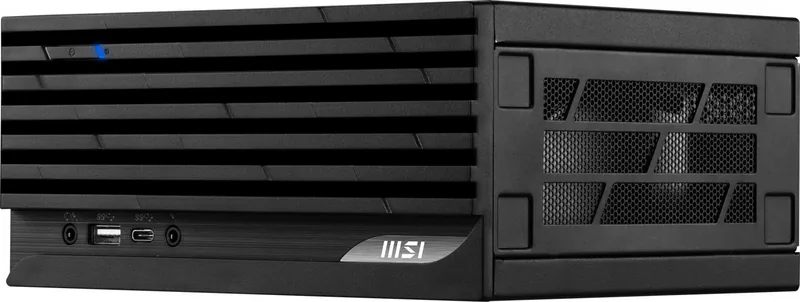

MSI PRO DP20Z 5M Manual
PDF manual · 27 Pages
English


Quick check
Incorrect answer, please try again.
Chat with your MSI PRO DP20Z 5M manual using AI
Get instant AI answers from your MSI PRO DP20Z 5M manual
Ask anything about the MSI PRO DP20Z 5M. Answers come from this manual, with the pages they are based on.
Ask a Question
Do you recommend PRO DP20Z 5M?
Yes NoFrequently Asked Questions
You can reset your computer using the Windows 10 Recovery menu under Update and Security. Alternatively, restart the PC and press the F3 hotkey when the MSI logo appears to access the factory restore option.
Is this answer helpful?
The device supports a maximum resolution of 4K at 60Hz through its HDMI 2.0b and DisplayPort 1.4 ports, provided the installed CPU has integrated graphics or a discrete GPU is connected.
Is this answer helpful?
While possible, it is recommended to plug low-speed devices like mice and keyboards into the USB 2.0 ports to ensure optimal performance and avoid potential bandwidth issues with high-speed peripherals.
Is this answer helpful?
No, the IEEE 802.11x wireless LAN with 5.15~5.35 GHz frequency bands is restricted for indoor use only in most European Union member states and other European countries.
Is this answer helpful?
If standard recovery fails, use the F3 Hotkey recovery method from the Hard Drive first. If this does not resolve the issue, contact an authorized local distributor or service center for assistance.
Is this answer helpful?
The package contents include a Quick Guide and optionally a User Manual, along with a warranty card and book. Documentation availability may vary by country.
Is this answer helpful?
Advantages and Disadvantages
Advantages

- Extensive connectivity with USB 3.2 Gen 2 and Type-C ports supporting 10 Gbps speeds
- Multiple display outputs including HDMI 2.0b HDR and DisplayPort 1.4 for 4K resolution
- Dual system recovery methods via Windows Settings and F3 hotkey for enhanced reliability
- Energy-efficient power management features that reduce electricity consumption automatically
- Compliance with global safety and environmental regulations ensuring long-term usability
Disadvantages

- Serial port is an optional feature which may not be included in all package configurations
- Graphics specifications can vary depending on the installed CPU model
- System recovery process requires backing up data beforehand to prevent permanent loss
- Wireless LAN frequency bands are restricted for outdoor use in certain European regions
- Requires specific grounding and voltage checks during initial hardware setup
Product Specification
Weight
3.35 lbs
Product Description
MSI PRO DP20Z 5M: A Robust Personal Computer for Professional Needs
The MSI PRO DP20Z 5M represents a reliable solution for professionals requiring a stable and efficient personal computer. Designed with versatility in mind, this unit integrates seamlessly into modern workspaces while offering extensive connectivity options to support diverse peripherals. Whether you are managing complex data tasks or handling multimedia workflows, the system provides the necessary hardware foundation to ensure smooth operations.
At the heart of the user experience is a comprehensive array of ports located on both the front and rear panels. Users can quickly connect USB 3.2 Gen 2 devices for high-speed data transfer at rates up to 10 Gbps. The inclusion of a Type-C port adds further flexibility, supporting power delivery and rapid connectivity. For display needs, the machine supports multiple output standards including HDMI 2.0b with HDR capabilities and DisplayPort 1.4, allowing for crisp visuals up to 4K resolution at 60Hz. Legacy compatibility is also maintained through VGA and optional serial ports, making it suitable for older industrial equipment or specific barcode scanners.
Power management is a key feature, enabling users to optimize energy consumption without sacrificing performance. The system automatically enters sleep mode after periods of inactivity, turning off the display to save electricity. Advanced recovery options ensure that system stability is maintained; users can reset their PC to factory settings directly from Windows 10 or utilize the F3 hotkey method for a deeper restoration if software errors occur. This dual-recovery approach provides peace of mind against data loss or operating system failures.
Safety and comfort are prioritized in the design philosophy. Ergonomic guidelines suggest proper seating and workspace lighting to prevent strain during long usage sessions. The device adheres to strict environmental regulations regarding hazardous substances and includes detailed instructions for safe disposal and recycling. With its robust build and thoughtful feature set, the MSI PRO DP20Z 5M stands as a dependable companion for daily professional computing tasks.
Important Notes
- Always use the provided AC adapter specifically designed for this unit.
- Ensure proper ventilation by placing the device on a hard, flat surface.
- Back up important data before initiating any system recovery process.
Search for 67,706 Manuals online


Type-in Brand or Model