
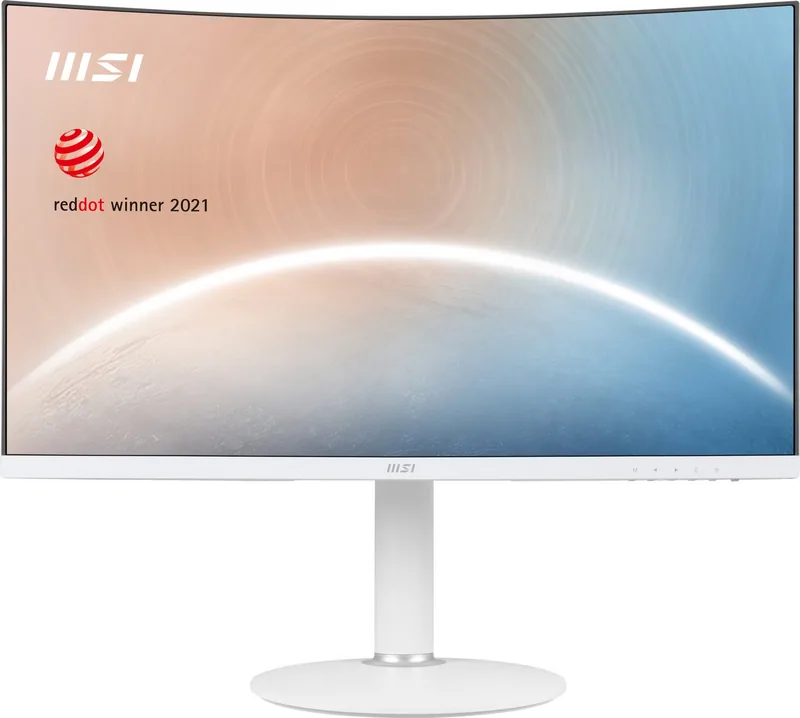
MSI Modern MD271CP Manual
PDF manual · 22 Pages
English


Quick check
Incorrect answer, please try again.
Chat with your MSI Modern MD271CP manual using AI
Get instant AI answers from your MSI Modern MD271CP manual
Ask anything about the MSI Modern MD271CP. Answers come from this manual, with the pages they are based on.
Modern MD271CP Maintenance Schedule
Take a 20-minute break every 2 hours to reduce symptoms from extended screen and blue-light exposure.
Take a 10-minute break for every 30 minutes of screen time.
Free maintenance reminders
Timed to your purchase date. Always free, unsubscribe anytime.
Ask a Question
Do you recommend Modern MD271CP?
Yes NoFrequently Asked Questions
No, the USB Type-C port on this monitor only supports DisplayPort Alternate Mode for video signals and provides up to 15W of power delivery. It does not have data transmission functionality.
Is this answer helpful?
The monitor stand offers a height adjustment range of 0 to 110 millimeters, allowing users to customize the viewing angle for optimal comfort.
Is this answer helpful?
Yes, it features a 75Hz refresh rate and preset game modes like FPS and RTS. However, the 4ms response time is better suited for casual gaming rather than competitive esports.
Is this answer helpful?
Use a soft, dry cloth to wipe the screen. Never pour liquid directly onto the display. If needed, slightly dampen the cloth with water, but ensure no moisture enters the device openings.
Is this answer helpful?
Yes, the monitor supports VESA mounting with a 75x75mm plate pattern using M4 screws. You will need to purchase a separate wall mount kit compatible with these specifications.
Is this answer helpful?
It holds TÜV Rheinland certifications for both Low Blue Light and Flicker-Free technology, ensuring reduced eye strain during prolonged usage.
Is this answer helpful?
The monitor has a standard 16:9 aspect ratio, which is ideal for most modern applications, videos, and widescreen content.
Is this answer helpful?
Advantages and Disadvantages
Advantages

- USB Type-C port supports video input and 15W power delivery for charging laptops
- Extensive ergonomic adjustments including height, tilt, and swivel capabilities
- TÜV Rheinland certified for Low Blue Light and Flicker-Free performance
- 75Hz refresh rate provides smoother motion than standard 60Hz displays
- VESA mount compatible (75x75mm) for flexible installation options
Disadvantages

- Resolution limited to Full HD rather than higher definitions like 1440p or 4K
- Speakers are basic 2x1W units with limited sound quality
- No built-in webcam or microphone included in the package
- USB Type-C port does not support data transmission, only video and power
- Response time of 4ms may be slower than high-end gaming monitors
Product Specification
Function
Monitor (stationary)
Diagonal
27" (27.0")
Resolution
1920x1080 (FHD), 16:9, 82 ppi
Panel
VA
Backlight
LED, blue light filter, flicker-free
Brightness
250 cd/m² (typical)
Contrast
3,000:1 (static), 100,000,000:1 (dynamic)
Response Time
4ms (GtG)
Refresh Rate
75Hz (1920x1080)
Variable Synchronization
Adaptive Sync
Signal Frequency
54.20-84.30kHz (H) / 48-75Hz (V)
Connections
1x USB-C with DisplayPort (75Hz@1920x1080), 1x HDMI 1.4b (75Hz@1920x1080), 1x 3.5mm jack (Line-Out), 1x DC-In hollow socket (power connection)
Shape
curved, 1500R/1.50m
Viewing Angle
178°/178°
Coating
non-glare (matte)
Color Depth
8bit (16.7 million colors)
FRC
unknown
sRGB
95%
Adobe RGB
82%
DCI-P3
79%
REC 709
95%
Speakers
Speakers (2x 2W)
Operation
mechanical buttons
Ergonomics
with stand, height adjustable (4.33 inches), Pivot N/A, swivel (±30°), tiltable (+20°/-5°)
VESA
75x75 (occupied)
Power Consumption
22W (typical), 0.5W (standby)
Energy Efficiency SDR (A to G)
22kWh/1000h (E)
Features
security lock (Kensington Security Slot), Slim Bezel
Screen-to-Body Ratio
89.79% (calculated)
Dimensions
24.07x21.01x9.84 inches (WxDxH) with stand compressed, 24.07x14.41x3.77 inches (WxDxH) without stand
Weight
13.51 lbs (with stand)
Power Supply
external
Warranty
three years (Pickup&Return)
USB Spelling
Link
Product Description
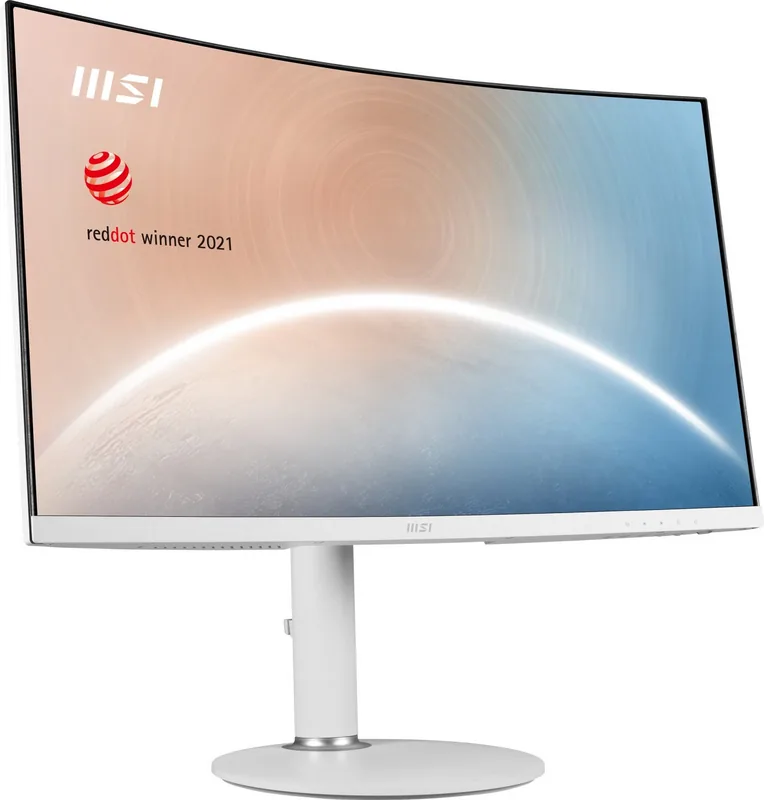
MSI Modern MD271CP: A Versatile 27-Inch Display for Work and Play
The MSI Modern MD271CP stands out as a sleek and functional monitor designed to enhance both professional productivity and casual entertainment. This 27-inch display features a Full HD resolution of 1920 x 1080 pixels, delivering crisp visuals ideal for daily tasks, content consumption, and light gaming. The panel supports a refresh rate of 75Hz, offering smoother motion compared to standard 60Hz screens, which helps reduce visual fatigue during extended use.
One of the standout features of this monitor is its connectivity options. It includes a versatile USB Type-C port that supports DisplayPort Alternate Mode for video input and provides up to 15W of power delivery, allowing users to charge compatible laptops while viewing content on the larger screen. Additionally, an HDMI port ensures compatibility with a wide range of devices, from desktop PCs to gaming consoles. The inclusion of a headphone jack adds convenience for private audio sessions without needing external speakers.
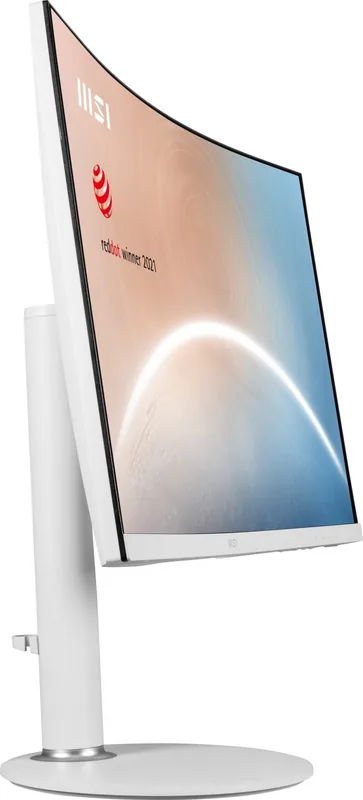
Ergonomics play a crucial role in user comfort, and the MSI Modern MD271CP excels here with extensive adjustability. Users can tilt the screen between -5 and 20 degrees, swivel it within a range of -30 to 30 degrees, and raise the height by up to 110mm. This flexibility allows for a personalized viewing position that minimizes neck strain. The monitor also supports VESA mounting (75x75mm), making it easy to attach to arms or wall brackets for space-saving setups.
Eye care is a priority with this model, backed by TÜV Rheinland certifications for Low Blue Light and Flicker-Free technology. These features work together to reduce eye strain and discomfort during long working hours or gaming marathons. The OSD menu system is intuitive, offering preset modes like Standard, Movie, FPS, and RTS, along with customizable color temperature settings to suit different environments. Whether you are editing documents, watching movies, or engaging in fast-paced games, this monitor adapts to your needs with ease.
Search for 67,706 Manuals online


Type-in Brand or Model