
MSI MAG342CQ Manual
PDF manual · 32 Pages
English


Quick check
Incorrect answer, please try again.
Chat with your MSI MAG342CQ manual using AI
Get instant AI answers from your MSI MAG342CQ manual
Ask anything about the MSI MAG342CQ. Answers come from this manual, with the pages they are based on.
Ask a Question
Do you recommend MAG342CQ?
Yes NoVideo Manual
MSI Optix MAG342CQ Ultrawide Display guide & setup basics
Frequently Asked Questions
The monitor features a 3440x1440 native resolution with a 21:9 ultrawide aspect ratio, providing expanded horizontal workspace and immersive gaming views.
Is this answer helpful?
Depending on the SKU, the display supports up to 144Hz (some models 100Hz). Response times include 1ms MPRT and 4ms GtG for responsive motion handling; actual latency depends on specific mode and settings.
Is this answer helpful?
No. Adaptive-Sync disables Anti Motion Blur when enabled. Also, Anti Motion Blur may be unavailable below certain refresh rates (e.g., under 85Hz). Check OSD notes to avoid incompatible combinations.
Is this answer helpful?
Input options vary by model but commonly include HDMI 2.0 (one or two ports), DisplayPort (1.4 or 1.2 depending on SKU) and a headphone jack. Use DP1.4 or HDMI2.0 for full resolution and high refresh rates.
Is this answer helpful?
Yes. PIP and PBP modes are supported, allowing multiple input sources to be displayed simultaneously with options to switch primary/secondary display and audio sources.
Is this answer helpful?
The stand offers tilt (-5° to 20°), 0–90mm height adjustment, swivel (-30° to 30°), and small pivot range (-5° to 5°). The monitor also supports VESA 75x75mm mounting.
Is this answer helpful?
Use the OSD Setting menu to Reset to default (Reset = YES). Language can be changed independently in the OSD Language menu and will persist unless Reset is applied; follow on-screen prompts to confirm.
Is this answer helpful?
Advantages and Disadvantages
Advantages

- Immersive 34-inch 3440x1440 curved VA panel with 1500R curvature for wide-field viewing.
- High refresh rates (up to 144Hz) and 1ms MPRT response deliver smooth gaming performance.
- Extensive OSD and game-specific presets (FPS, Racing, RTS, RPG) for quick tuning.
- Flexible ergonomics: tilt, height, swivel, limited pivot and VESA mount support.
- Multiple inputs (HDMI 2.0, DisplayPort) with PIP/PBP for multitasking and dual-source display.
Disadvantages

- Some features (Anti Motion Blur, HDCR, Adaptive-Sync) are mutually exclusive or limited by refresh rate.
- VA panel can have slower gray-to-gray times compared to best IPS alternatives for competitive FPS.
- Brightness varies across SKUs (250–300 nits), which may limit HDR impact in very bright rooms.
- External power adapter required, adding cable management considerations.
- Advanced settings and dependencies in OSD may be confusing for casual users.
Product Specification
Function
Monitor (stationary)
Diagonal
34" (34.02 in)
Resolution
3440x1440 (UWQHD), 21:9, 110ppi
Panel
VA
Backlight
LED, Blue Light Filter, flicker-free
Brightness
250cd/m^2 (typical)
Contrast
3,000:1 (static), 100,000,000:1 (dynamic)
Response Time
4ms (GtG), 1ms (MPRT)
Refresh Rate
100Hz (3440x1440)
Variable Synchronization
Adaptive Sync
Signal Frequency
56.56-148.10kHz (H) / 48-100Hz (V)
Connections
1x HDMI 2.0 (100Hz@3440x1440), 1x HDMI 1.4 (60Hz@3440x1440), 1x DisplayPort 1.2 (100Hz@3440x1440), 1x 3.5mm Jack (Line-Out), 1x DC-In Hollow Jack (Power Connection)
Shape
curved, 1500R/59.06 in
Viewing Angle
178 degrees / 178 degrees
Coating
non-glare (matt)
Color Depth
10bit (1.07 billion colors)
FRC
yes (8bit+2bit)
sRGB
110%
Adobe RGB
87%
DCI-P3
86%
Operation
mechanical buttons
Ergonomics
with stand, height-adjustable (3.54 in), Pivot N/A, rotatable (+-30 degrees), tiltable (+20 degrees / -5 degrees)
VESA
75x75 (occupied)
Energy Efficiency SDR (A to G)
39kWh/1000h (G)
Special Features
Picture-in-Picture, Slim Bezel
Screen-to-Body Ratio
Inf% (calculated)
Dimensions
31.89x20.08x10.63 in (WxHxD) with stand compressed
Color
black (display frame) / black (lower bezel) / black (stand) / black (back)
Weight
15.23 lb (with stand)
Power Supply
external
Warranty
three years (Pickup&Return)
USB Notation
Link
Product Description
MSI MAG342CQ Manual — Overview of the MSI MAG342CQ
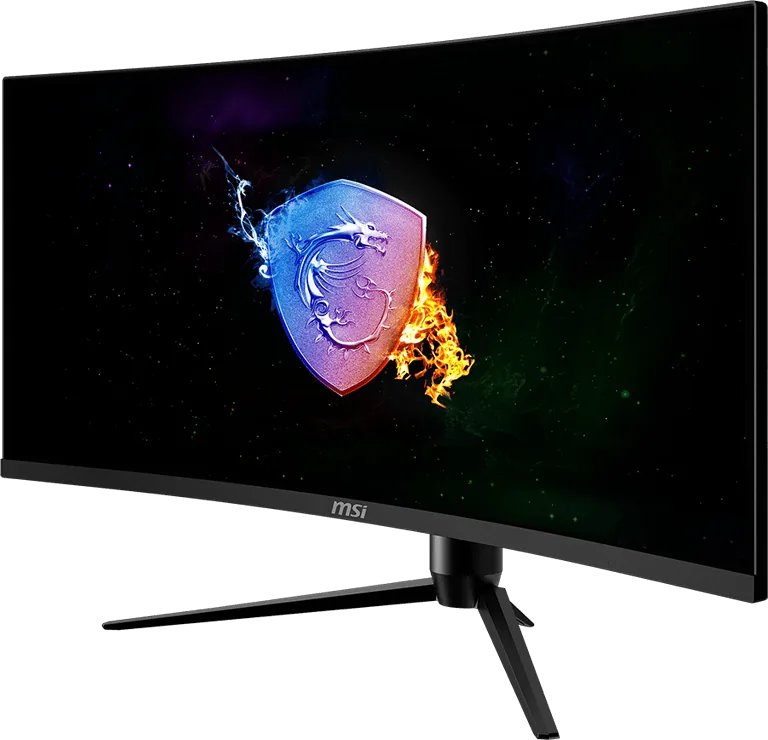
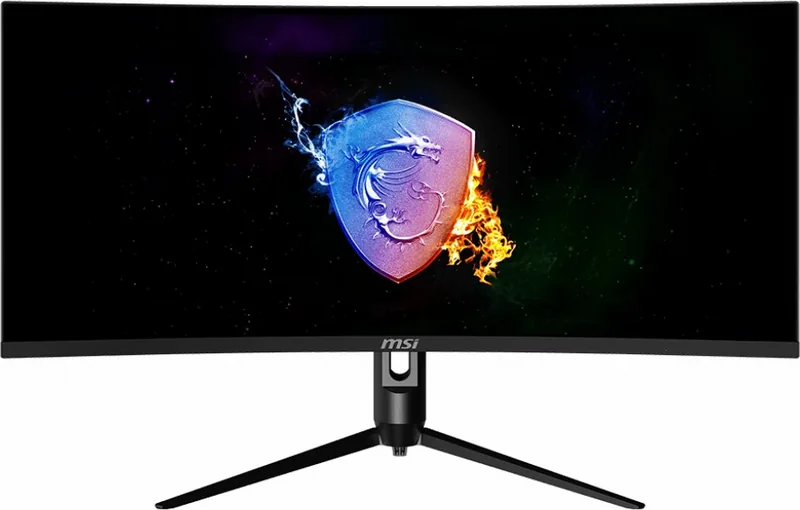
The MSI MAG342CQ is a 34-inch ultrawide curved gaming monitor designed to deliver immersive visuals and versatile functionality for gamers, content creators, and productivity users. With a 3440x1440 resolution and a 1500R curvature, it balances wide field-of-view immersion with comfortable viewing. Available in variants with up to 144Hz refresh rate, the MAG342CQ line supports fast response modes (1ms MPRT / 4ms GTG) and Adaptive-Sync to minimize tearing for smoother gameplay.
Design and ergonomics
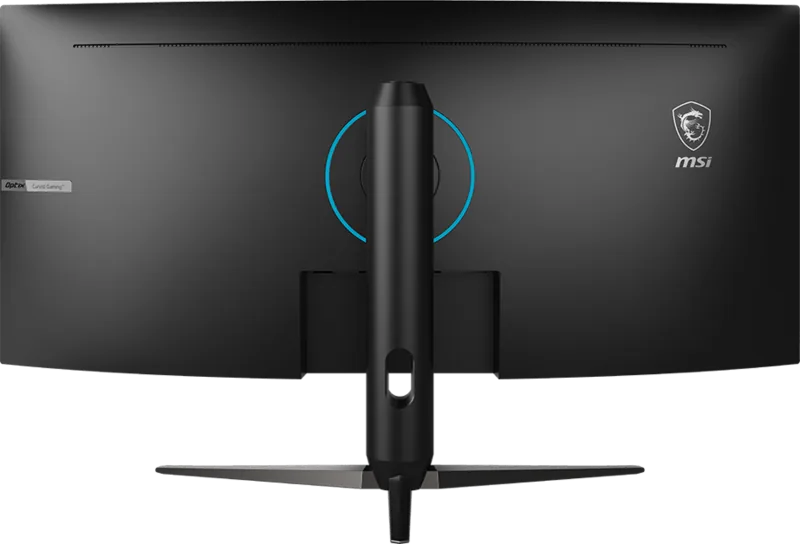
The monitor employs a VA panel that offers deep contrast (up to 4000:1 typical on some models) and wide 178° viewing angles. It includes an adjustable stand with tilt, height, swivel and a limited pivot range for flexible positioning. The curved 21:9 aspect ratio is ideal for expansive game scenes and multitasking with split-screen or PBP/PIP modes. Anti-glare surface treatment and an RGB LED feature add practical and aesthetic touches.
Performance and features
Performance-focused features include 144Hz (or 100Hz on certain SKUs) refresh rates, multiple HDMI and DisplayPort inputs (HDMI 2.0 and DP1.4/1.2 depending on model), and a selectable Zero Latency mode to reduce input lag. Image customization is extensive: game modes (FPS, Racing, RTS, RPG), Night Vision, image sharpening, contrast/brightness controls, color temperature presets and RGB calibration (R/G/B sliders). Anti Motion Blur, HDCR, and Adaptive-Sync are available but have configuration dependencies (certain modes disable others).
On-screen controls and usability
A clear OSD with dedicated hotkeys enables quick access to common functions such as input selection, screen assistance overlays, game modes, and refresh-rate display. PIP/PBP lets you show multiple inputs simultaneously and swap audio/video sources. The monitor supports preset display modes and a comprehensive OSD language menu, plus OSD transparency and timeout adjustments.
Connectivity, power and specs
The MAG342CQ series offers multiple input combinations across SKUs including dual HDMI 2.0, DisplayPort 1.4, headphone out, and an external power adapter (19V). Typical brightness is 250–300 nits depending on model, with DCI-P3 / sRGB coverage near 89%/112% for color work. VESA mounting, Kensington lock, and environmental compliance (RoHS, WEEE, CE, FCC) make it a practical desktop solution.
Conclusion
The MSI MAG342CQ is a feature-rich ultrawide monitor that targets gamers and multitaskers who want high-resolution ultrawide immersion combined with responsive refresh rates and extensive user controls. Its combination of ergonomic adjustments, display tuning options, and multi-input versatility makes it suitable for long gaming sessions, content editing, and productivity workflows.
Notes
- Anti Motion Blur, HDCR, and Adaptive-Sync have interdependent behaviors; consult settings when enabling multiple features.
- Use recommended cables (HDMI 2.0 / DP1.4) to access high refresh rates and full resolution.
- Follow safety and environmental guidelines for disposal and recycling.
Search for 67,706 Manuals online


Type-in Brand or Model