

Mount Massive MNT 104 Manual
PDF manual · 2 Pages
English


Quick check
Incorrect answer, please try again.
Chat with your Mount Massive MNT 104 manual using AI
Get instant AI answers from your Mount Massive MNT 104 manual
Ask anything about the Mount Massive MNT 104. Answers come from this manual, with the pages they are based on.
Ask a Question
Do you recommend MNT 104?
Yes NoFrequently Asked Questions
The Mount Massive MNT 104 is designed to safely support screens weighing up to 15 kg or approximately 33 lbs.
Is this answer helpful?
No, the MNT 104 is intended for smaller displays with a maximum VESA pattern of 200 x 200 mm.
Is this answer helpful?
Yes, the bracket allows for a tilt adjustment ranging from negative 10 degrees to positive 150 degrees.
Is this answer helpful?
Yes, the package comes with all necessary screws and bolts, including M6 and M8 options, for a complete setup.
Is this answer helpful?
Please check the official documentation or retailer for specific warranty terms applicable to your region.
Is this answer helpful?
Advantages and Disadvantages
Advantages

- Supports VESA up to 200x200mm
- Holds screens up to 15kg
- Includes complete hardware kit
- Tilt range from -10 to 150 degrees
- Compatible with multiple languages
Disadvantages

- Limited to small screen sizes only
- No swivel or rotation function
- Maximum weight capacity is modest
- Fixed tilt angles may not suit all rooms
- Requires sturdy wall mounting surface
Product Specification
Type
Wall Mount
Number of Monitors
1
Screen Size
19-37"
Mobility
Tilt (-10°, +10°), Swivel (120°), Extendable
Distance from Wall
2.76-9.45 inches
Max Load
33.07 lbs
VESA
max 200x200
Color
Black
Weight
3.13 lbs
Product Description
Discover the Mount Massive MNT 104 Universal Wall Bracket
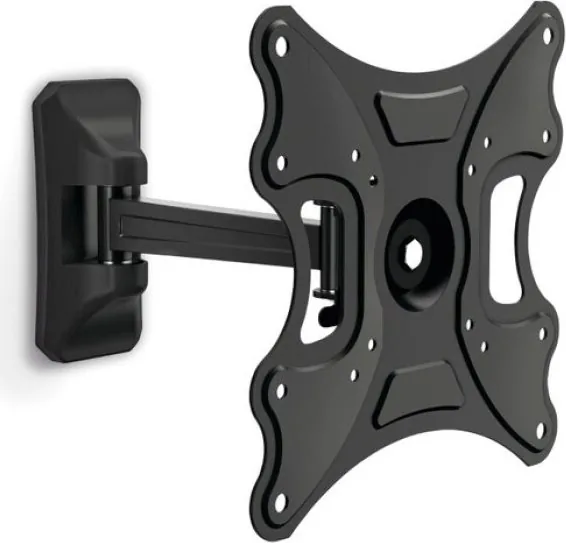
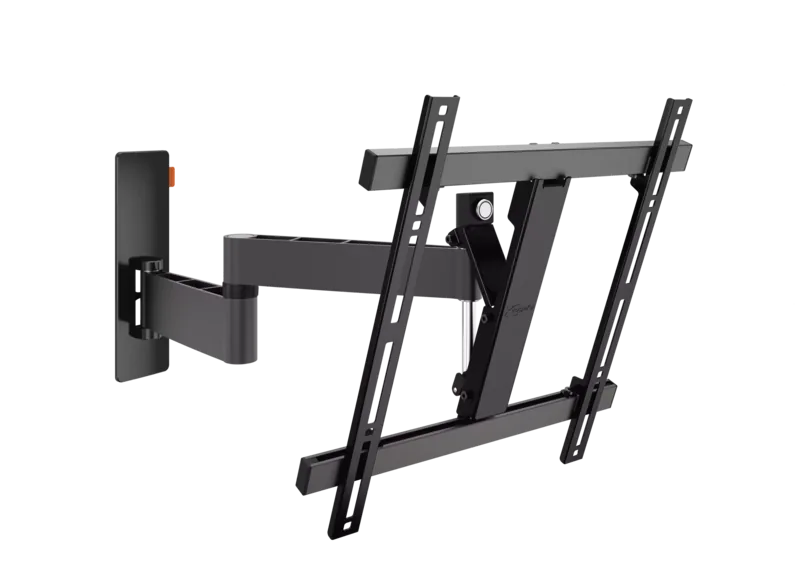
The Mount Massive MNT 104 is a robust universal wall bracket designed to securely hold LCD and plasma screens. This versatile mounting solution supports VESA patterns up to 200 x 200 mm, making it compatible with a wide range of smaller display models. Whether you are setting up a home entertainment center or a professional office environment, this bracket offers a reliable foundation for your screen.
Constructed with durability in mind, the MNT 104 can support screens weighing up to 15 kg or 33 lbs. Its design allows for a tilt angle ranging from -10 degrees to 150 degrees, providing flexibility to adjust the viewing angle for optimal comfort. The package includes all necessary hardware such as M6 and M8 screws, ensuring a straightforward installation process without the need for additional purchases.
Installation is made simple with clear instructions available in multiple languages, catering to users across different regions. The bracket features a sleek profile that minimizes visual clutter while maximizing stability. Users appreciate the secure fit and the ability to mount their displays flush against the wall or with a slight gap for cable management. The optional VESA 200 x 200 adapter further enhances compatibility, allowing for easy adaptation to various screen standards.
Key Features and Benefits
The Mount Massive MNT 104 stands out due to its balance of strength and simplicity. It eliminates the risk of wobbling or tilting, thanks to its solid construction and precise engineering. The included hardware kit ensures that everything needed for a secure mount is at hand. This makes it an ideal choice for DIY enthusiasts who value quality and ease of use.
Installation Notes
Ensure the wall surface is capable of supporting the weight of the screen plus the bracket. Always use a level during installation to prevent skewed positioning. Double-check all screw tightness after initial setup to guarantee long-term safety.
Search for 67,732 Manuals online


Type-in Brand or Model