Manual.ly Logo

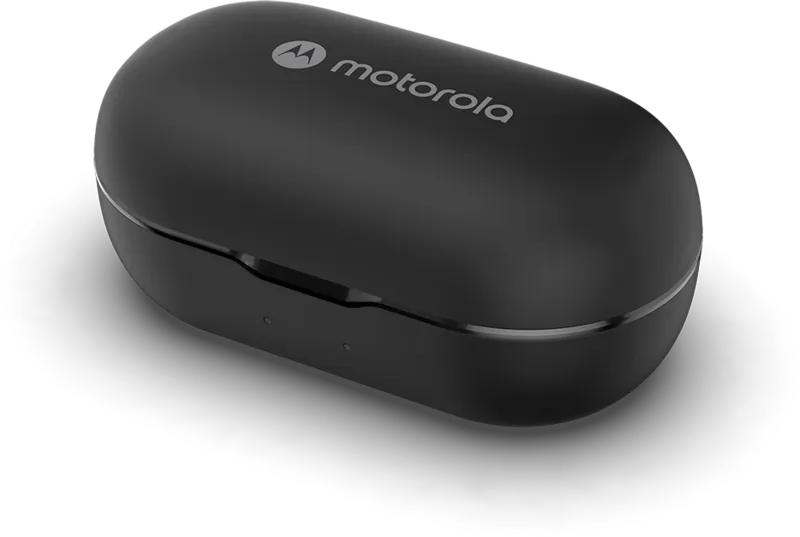
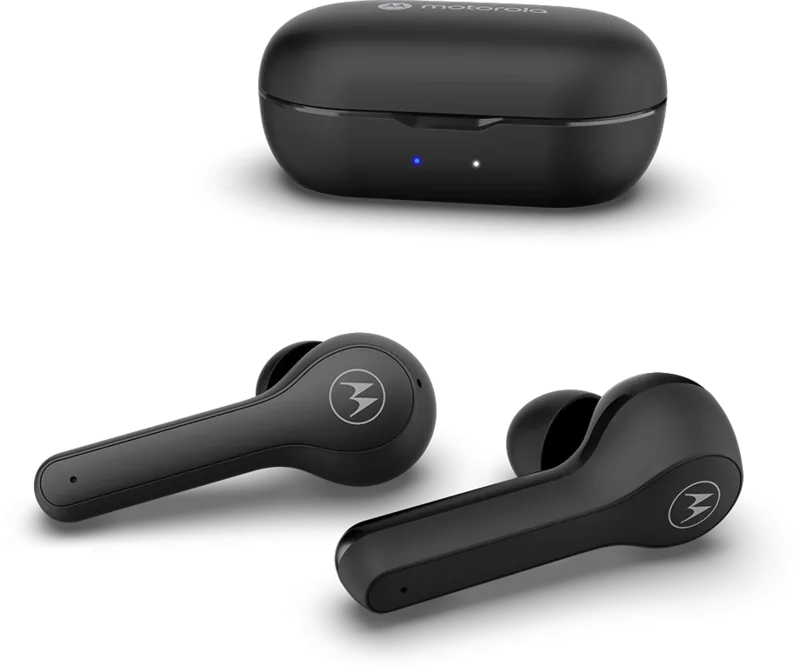
Motorola Moto Buds Manual

0.0 · 0 Ratings

PDF manual · 2 Pages

English

M: QW-35-FL
page

/ 2

Loading...
f84b0750352fbc272cff5cf095945c97c33c page 1
Model No.: MOTO BUDS 085
Frequency Band: 2.402 – 2.480GHz
Maximum RF power: 6 dBm
2
EN
1. Charging:
100% <100%
Fully charge before use
The device can be powered through a USB-C from any CE
compliant power source that implement the European
interface as requested by EN 301 489-52.
2. Pairing:
2.1 Ensure both buds are inside the charging case and take
out both buds. The buds will flash blue and red.
2.2 Select “MOTO BUDS 085" from the smartphone
3
3. Fitting:
3.1 To optimize the best fit and audio experience, it is
recommended to try dierent earbud sizes.
S
ML
3.2 Insert the MOTO BUDS into your ear and rotate to fit
comfortably.
L
R
4. Basic Operation:
x1
x2
x3
4S
2S
/
x1
/
OFF
ON
2S
Siri/Google
4
Additional Operation
Reject a call MFB 2sec
Receive incoming and on
hold ongoing call
Single Press MFB
LED Indicator
Pairing Red-blue flash
Standby Blue flash
Charging Red steady
Fully charged O
Battery low Red flash
ES
1. Carregando:
Cargue completamente antes del primer uso
Este aparato puede ser cargado con un cable USB-C
conectado a cualquier toma de corriente que implemente la
interfase Europea que se pide en EN 301 489-52.
2. Pareando:
2.1 Asegúrese de que ambos auriculares estén dentro del
estuche de carga y saque ambos. Las luces parpadearán
en azul y rojo.
2.2 Seleccione "MOTO BUDS 085" en el menú de Bluetooth.
3. Encaixando:
3.1 Coloque los MOTO BUDS en su oido y girelos hasta que
tengan un ajuste cómodo.
FCC ID: 2ARRB-MB085
IC: 20353-MB085
Working temperature: -10°C–45°C
bluetooth menu.
5
3.2 Para mejorar la experiencia de audio, se recomienda que
pruebe todos los tamaños de almohadillas disponibles.
4. Operação dos Botões:
Operaciones adicionales
Rechazar llamada
MFB 2 segundos
Recibir llamada entrante y
poner en espera la llamada
actual
Presione una vez MFB
Sincronizando Destello rojo-azul
Reposo Destello azul
Cargando Rojo fijo
Carga completa Apagado
Batería baja Destello rojo
NL
1. Opladen:
Volledig opladen voor gebruik
Het apparaat kan via een USB-C worden opgeladen via elke
CE-compatibele voedingsbron die de Europese interface
implementeert, zoals vereist door EN 301 489-52.
6
2. Pairing:
2.1 Zorg ervoor dat beide oordopjes zich in de
oplaadcassette bevinden en verwijder beide oordopjes.
De knoppen zullen blauw en rood knipperen.
2.2 Selecteer "MOTO BUDS 085" in het Bluetooth-menu van de
smartphone.
3. Passen:
3.1 Plaats de MOTO BUDS in uw oor en draai totdat ze
comfortabel zitten.
3.2 Om de best passende en audio-ervaring te optimaliseren,
wordt het aanbevolen om de verschillende oordopjes uit
te proberen.
4. Knop bediening:
Extra bediening
Een oproep weigeren
MFB 2 seconden
Ontvang een inkomende
oproep en zet de
huidige oproep in de wacht
Eén keer MFB indrukken
LED Indicator
Verbinden Rood-blauw knipperend
Standby Blauw knipperend
Opladen Rood constant
Volledig opgeladen Uit
Batterij bijna leeg Rood knipperend
PT
1. Carregamento:
Carregue completamente antes de usar
O dispositivo pode ser alimentado através de uma porta
USB-C, a partir de qualquer fonte de energia compatível
com o padrão CE que implemente a interface europeia,
conforme requisitado pela norma EN 301 489-52.
2. Sincronização:
2.1 Assegure-se de que ambos os fones estejam dentro do
estojo de carregamento, então retire os dois fones. Os
fones piscarão azul e vermelho.
2.2 Selecione "MOTO BUDS 085" no menu de Bluetooth do seu
dispositivo.
3. Ajuste:
3.1 Para aperfeiçoar o encaixe e a experiência de áudio, é
recomendável experimentar cada um dos diferentes
tamanhos de almofadas.
7
3.2 Insira os MOTO BUDS em seu ouvido e gire para encaixar
confortavelmente.
4. Operação dos botões:
Operação Adicional
Rejeitar uma chamada Pressione o MFB por 2
segundos
Receber nova chamada
e colocar em espera a
chamada em andamento
Pressione o MFB uma vez
Indicador LED
Emparelhamento Luz vermelha-azul piscando
Em espera Luz azul piscando
Carregamento Luz vermelha fixa
Completamente carregado Luzes desligadas
Bateria baixa Luz vermelha piscando
8
IT
1. Come caricare il dispositivo:
Ricaricare completamente prima dell'uso
Il dispositivo può essere alimentato tramite una USB-C da
qualsiasi fonte di alimentazione conforme CE che implementa
l'interfaccia europea come richiesto dalla EN 301 489-52.
2. Come accoppiare il dispositivo:
2.1 Bisogna assicurarsi che entrambe le cue siano
all'interno della custodia di ricarica, poi rimuovetele
entrambe. Le luci lampeggeranno in blu e in rosso.
2.2 Seleziona "MOTO BUDS 085" dal menu Bluetooth dello
smartphone.
3. Come indossare il dispositivo:
3.1 Inserisci i MOTO BUDS nell'orecchio e ruotali per farli
adattare comodamente al tuo orecchio.
3.2 Per ottimizzare l'esperienza di adattamento all'orecchio
e per un audio ottimale, si consiglia di provare ciascuna
delle diverse dimensioni di auricolari in dotazione.
9
4. Funzioni pulsanti:
Operazione aggiuntiva
Rifiuta una chiamata
MFB 2 secondi
Ricevi chiamata in arrivo e
metti in attesa la chiamata
n corso
Premi una volta MFB
Indicatore LED
Accoppiamento Rosso-blu lampeggiante
Standby Blu lampeggiante
Caricamento Rosso fisso
Carica completa Spento
Batteria scarica Rosso lampeggiante
DE
1. Laden:
Vor dem Gebrauch vollständig aufladen
Das Gerät kann über einen USB-C von jeder CE-konformen
Stromquelle aufgeladen werden, die der europäischen
Schnittstelle gemäß EN 301 489-52 entspricht.
2. Verbindung:
2.1 Vergewissern Sie sich, dass sich beide Ohrhörer in der
Ladeschale befinden, und nehmen Sie beide Ohrhörer
heraus. Die Ohrhörer blinken blau und rot.
10
2.2 Wählen Sie im Bluetooth-Menü Ihres Smartphones
"MOTO BUDS 085".
3. Anpassung:
3.1 Setzen Sie die MOTO BUDS in Ihr Ohr ein und drehen Sie
sie, bis sie bequem sitzt.
3.2 Setzen Sie die MOTO BUDS in Ihr Ohr ein und drehen Sie
sie, bis sie bequem sitzt.
4. Tastenbedienung:
Operazione aggiuntiva
Einen Anruf ablehnen
MFB 2 Sekunden
Eingehenden Anruf
empfangen und laufenden
Anruf 'halten'
MFB-Taste einmal drücken
LED-Anzeige
Verbinden Rot-blauer blinkend
Standby Blau blinkend
Aufladen Rot stetig
Voll aufgeladen Aus
Batterie schwach Rot blinkend
11
FR
1. Chargement:
Charger complètement avant utilisation
L'appareil peut être alimenté via un USB-C à partir de
n'importe quelle source d'alimentation conforme à la norme
CE implémentant l'interface européenne, conformément à
la norme EN 301 489-52.
2. Couplage:
2.1 Assurez-vous que les deux oreillettes sont à l'intérieur du
boîtier de charge et retirez-les. Les boutons clignoteront
en bleu et rouge.
2.2 Sélectionnez «MOTO BUDS 085» dans le
menu Bluetooth
3. Mise en place:
3.1 Insérez les MOTO BUDS dans vos oreilles et faites-les
pivoter pour un meilleur confort.
3.2 Pour optimiser le meilleur ajustement et l'expérience
audio, il est recommandé d'essayer chacune des
diérentes tailles d'écouteurs.
4. Boutons d’opération:
12
du téléphone intelligent.
Recevoir un appel entrant
et mettre en attente l'appel
en cours
Appuyez 1 fois sur BMF
Indicateur LED
Jumelage Clignote bleu-rouge
Mode veille Clignote bleu
Charge Rouge fixe
Complètement chargé Éteint
Batterie faible Clignote rouge
Operazione aggiuntiva
Rejeter un appel
MFB 2 secondes
SV
1. Laddning:
Fullt laddad före användning
Enheten kan drivas via en mikro USB från någon CE-
kompatibel strömkälla som implementerar det europeiska
gränssnittet enligt EN 301 489-52.
2. Parning:
2.1 Se till att båda hörlurarna är inuti laddningsfodralet och
ta ut båda hörlurarna. Hörlurarna kommer blinka blått
och rött.
2.2 Välj "MOTO BUDS 085" från Bluetooth menyn på din
smartphone.
3. Passform:
3.1 Sätt in MOTO BUDS i ditt öra och rotera så att det passar
bekvämt.
3.2 För att optimera den bästa passformen och
ljudupplevelsen rekommenderas det att prova alla olika
hörlurs storlekar.
4. Knapp funktioner:
Ytterligare verksamhet
Avvisa ett samtal
MFB 2
sekunder
Ta emot inkommande och
vänta på pågående samtal
Ett tryck på MFB
LED Indikator
Parning Röd-blå blinkning
Vänteläge Blå blinkning
Laddning Röd stadig
Fullt laddad Av
Batterinivå låg Röd blinkning
PL
1. Ładowanie:
Urządzenie należy naładować przed przystąpieniem do jego
użytkowania.
Urządzenie może być zasilane przy pomocy kabla USB-C lub
też ze źródła zasilania zgodnego ze standardem CE oraz
europejską normą EN 301 489-52.
2. Parowanie urządzenia:
2.1 Upewnij się, że obie słuchawki znajdują się w etui
do ładowania i wyjmij je. Będą migać na niebiesko i
czerwono.
2.2
Wybrać opcję “ MOTO BUDS 250” z menu
połączenia Bluetooth używanego urządzenia
mobilnego.
3. Regulowanie ułożenia słuchawek:
3.1 Umieścić słuchawki w uszach w preferowanym przez
użytkownika położeniu.
3.2 Celem uzyskania najlepszych wrażeń akustycznych i
maksymalnego komfortu, zaleca się przetestowanie
wszystkich dołączonych do zestawu gumowych wkładek
dousznych.
4. Funkcje klawiszy:
Funkcje dodatkowe
Odrzucanie połączenia
MFB 2
sekundy
Odbieranie połączeń
przychodzących oraz
wstrzymywanie połączeń
wychodzących
Nacisnąć przycisk MFB
Indicateur LED
Jumelage Clignote bleu-rouge
Mode veille Clignote bleu
Charge Rouge fixe
Complètement chargé Éteint
Batterie faible Clignote rouge
Quick Start Guide / Guía de inicio rápido / Snelstartgids / Guia de
Início Rápido / Guida per il primo utilizzo / Schnellstartanleitung /
Guide de démarrage rapide / Snabbstartsguide / Poradnik
użytkowania / 快速入門指南 / 快速入门指南 / Краткое
руководство пользователя / ﻊﯾﺮﺴﻟا ﻞﯿﻐﺸﺘﻟا ﻞﯿﻟد / Hızlı Başlangıç
Kılavuzu / クイックスタートガイド / 빠른 시작 안내서 / Коротке
керівництво користувача
MFB

Chat with your Motorola Moto Buds manual using AI

Get instant AI answers from your Motorola Moto Buds manual

Ask anything about the Motorola Moto Buds. Answers come from this manual, with the pages they are based on.

Ask a Question

0/1000

Do you recommend Moto Buds?

Yes No

Frequently Asked Questions

A

Place both buds in the case, remove them together, and wait for the lights to flash blue and red. Then select 'MOTO BUDS 085' from your phone's Bluetooth settings.

Is this answer helpful?

A

Red-blue flashing means pairing. Blue flashing means standby. Solid red means charging. No light means fully charged. Red flashing means low battery.

Is this answer helpful?

A

Yes, as long as it uses a USB-C cable and is a CE-compliant power source that implements the European interface per EN 301 489-52.2.

Is this answer helpful?

A

Press and hold the multi-function button (MFB) for two seconds to reject an incoming call.

Is this answer helpful?

A

Rotating the buds helps them fit more securely and creates a better seal, which optimizes the audio experience and noise isolation.

Is this answer helpful?

A

The device works safely between -10°C and 45°C.

Is this answer helpful?

M: QW-35-FL

Advantages and Disadvantages

Advantages

  • USB-C charging compatibility with CE-compliant sources
  • Multiple earbud sizes included for custom fit
  • Clear LED status indicators for battery and pairing
  • Simple single-press call management
  • Stable 2.4GHz Bluetooth frequency band
VS

Disadvantages

  • Requires full charge before first use
  • Only one button for all operations which may take getting used to
  • Limited to specific European power interface standards
  • Battery life not explicitly stated in technical specs
  • Must rotate buds for optimal fit rather than just inserting
M: QW-35-FL

Product Specification

Type

In-Ear Headphones

Form Factor

True Wireless, Neckband-Free

Principle

Closed-Back

Microphone

Integrated

Wireless

Bluetooth

Control

Touch Control

Battery Life

5h, 15h (with Charging Case)

Battery

USB-C Charging Port, Charging Case, 2h Charging Time

Drivers

6mm

Device Features

Water Resistant (IPX5)

Software Features

Voice Assistant (Amazon Alexa, Apple Siri, Google Assistant)

Color

Black

M: QW-35-FL

Product Description

Experience Crystal Clear Audio with Motorola Moto Buds

The Motorola Moto Buds offer a seamless wireless audio experience designed for everyday convenience and superior sound quality. These compact earbuds are engineered to fit comfortably in your ears, ensuring you can enjoy your favorite music, podcasts, or calls without interruption. The device supports the 2.402 - 2.480GHz frequency band, providing a stable connection within a maximum RF power of 6 dBm.

Getting started is simple. Before your first use, ensure the buds are fully charged via the USB-C port using any CE-compliant power source that implements the European interface. To pair the device, place both buds inside the charging case and remove them simultaneously. They will flash blue and red, signaling they are ready to connect. Select "MOTO BUDS 085" from your smartphone's Bluetooth menu to establish a link instantly.

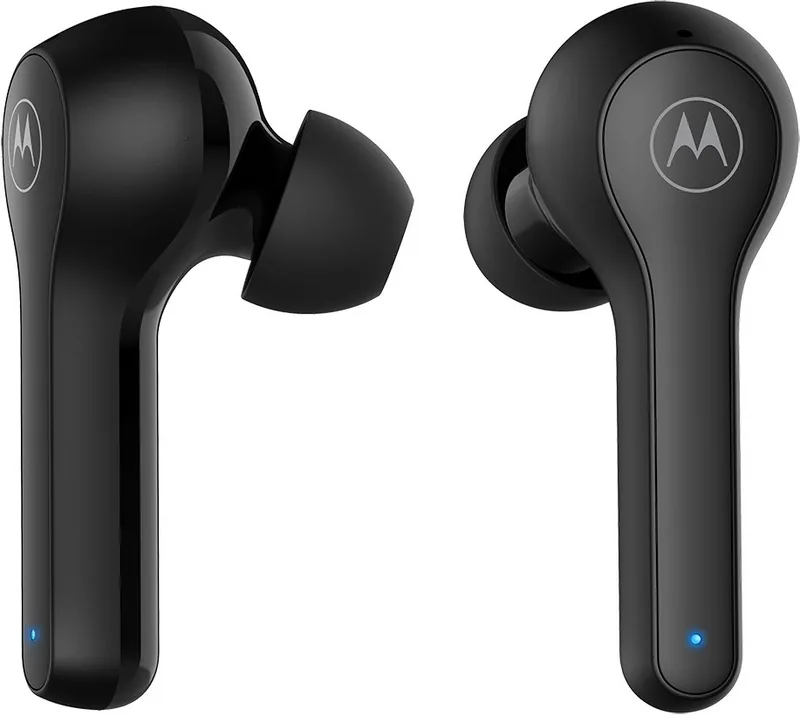
Comfort is a top priority. The package includes multiple earbud sizes (Small, Medium, Large) so you can find the perfect fit. Insert the buds into your ear and rotate them gently until they feel secure and comfortable. This rotation technique optimizes the seal for better audio performance.

Control your audio effortlessly with the multi-function button. A single press answers incoming calls or puts ongoing calls on hold. Pressing and holding the button for two seconds rejects an active call. The LED indicator provides clear visual feedback: it flashes red and blue during pairing, flashes blue while in standby, glows solid red while charging, turns off when fully charged, and flashes red again when the battery is low. Operating temperatures range from -10°C to 45°C, making these buds suitable for various environments. Whether you are commuting, working out, or relaxing at home, the Motorola Moto Buds deliver reliable performance.

Important Notes

  • Always charge the device fully before initial use.
  • Try different earbud sizes for the best audio seal.
  • Dispose of the product responsibly at an electronic recycling center.
  • Ensure the charging source meets EN 301 489-52.2 standards.
M: QW-35-FL

© Copyright 2026 Manual.ly